1.製品オーバーview
BlucoilポータブルUSBオーディオインターフェースは、ホームスタジオレコーディング、ストリーミング、ゲーム、ポッドキャストなど、様々な用途で高品質なオーディオ解像度を実現するように設計されています。コンパクトなこのデバイスは24ビット/48kHzの解像度をサポートし、WindowsとMacの両方のオペレーティングシステムと互換性があります。多彩な入出力オプションと低レイテンシーのダイレクトモニタリング機能を備えており、クリアで正確なオーディオをキャプチャするための必須ツールです。

フロント view Blucoil ポータブル USB オーディオ インターフェイスの、マイク入力、楽器入力、および出力コントロールを示しています。

Blucoil ポータブル USB オーディオ インターフェイスをデスクに設置すれば、高品質のオーディオを録音またはストリーミングできます。
2.セットアップガイド
2.1 システム要件
- オペレーティングシステム: Windows または Mac OS
- 利用可能なUSBポート
- 互換性のある録音ソフトウェア(例:Audacity、GarageBand)
2.2 インターフェースの接続
- インターフェースのUSBケーブルをコンピュータの空いているUSBポートに接続します。インターフェースはUSBバスパワーで動作するため、外部電源は必要ありません。
- マイク入力には、コンデンサーマイクをXLR-1/4インチコンボ入力に接続します。マイクに+48Vファンタム電源が必要な場合は、必ずファンタム電源ボタンがオンになっていることを確認してください。
- 楽器入力の場合は、楽器 (ギター、キーボードなど) を 1/4 インチ TRS 入力に接続します。
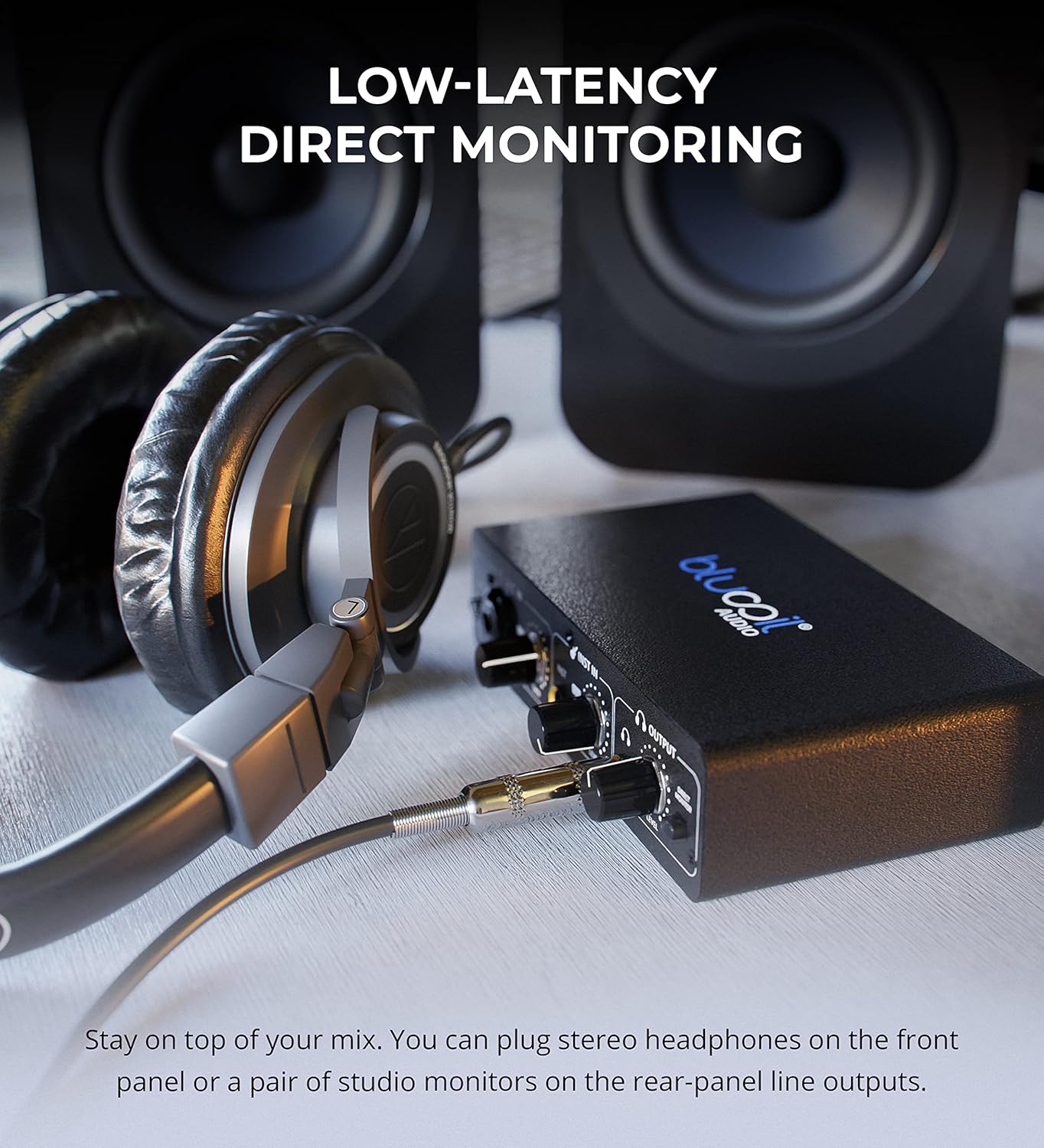
- スタジオモニターまたはスピーカーをリアパネルのメイン出力に接続します。または、フロントパネルの1/4インチステレオヘッドフォンジャックにヘッドフォンを接続してモニタリングすることもできます。

Blucoil オーディオ インターフェイスをラップトップに接続し、録音のための信頼性の高い接続を実証しました。
このインターフェースは、48V ファンタム電源を必要とするコンデンサー マイクを含む、さまざまなタイプのマイクに対応します。
3. 操作手順
3.1 入力レベルの調整
- 使用 得 マイク入力のノブで入力レベルを設定します。
- 使用 レベル 楽器入力のノブで入力レベルを設定します。
- 各チャンネルのクリップインジケーターと信号インジケーターを確認してください。緑色のライトは信号を示し、赤色のライトはクリッピング(信号の歪み)を示します。クリッピングを防ぐには、ゲイン/レベルノブを調整してください。

閉じる view インターフェイス コントロールには、サウンドを微調整するためのゲイン ノブとレベル ノブが表示されます。

入力レベルノブの 1 つを調整する手。LED インジケーターを観察して信号のクリッピングを防ぐ方法を示しています。
3.2 ダイレクトモニタリング
- 関与する ダイレクトモニター ボタンを押すと、入力信号をヘッドフォンまたはメイン出力から直接、ゼロレイテンシーで聞くことができます。これにより、コンピューターの処理による遅延なく、演奏をモニタリングできます。

Blucoil オーディオ インターフェイスに接続されたヘッドフォンにより、入力信号を低遅延で直接モニタリングできます。
3.3 出力音量コントロール
- 使用 音量レベル 出力セクションのノブを使用して、ヘッドフォンとメイン出力の両方の全体的な出力音量を制御します。
4. メンテナンスとケア
- 柔らかく乾いた布で拭いてデバイスを清潔に保ちましょう。液体クリーナーや溶剤の使用は避けてください。
- インターフェースは、直射日光や極端な温度を避け、涼しく乾燥した場所に保管してください。
- 落としたり、強い衝撃を与えないでください。
- ポートの損傷を防ぐために、すべてのケーブルがしっかりと接続されていることを確認しますが、過度の力を加えないようにしてください。
5。 トラブルシューティング
| 問題 | 考えられる原因 | 解決 |
|---|---|---|
| 音声出力なし | 音量設定が正しくない、ソフトウェアでの出力選択が正しくない、ケーブルが緩んでいる。 | 出力ボリュームノブを確認してください。コンピュータのサウンド設定と録音ソフトウェアで、インターフェースが出力デバイスとして選択されていることを確認してください。すべてのケーブルがしっかりと接続されていることを確認してください。 |
| 入力信号クリッピング(赤色ライト) | 入力ゲイン/レベルが高すぎます。 | 赤いクリップ インジケーターが点灯しなくなるまで、それぞれの入力のゲインまたはレベル ノブを下げます。 |
| マイクが機能しない(コンデンサーマイク) | 48V ファンタム電源が有効になっていません。 | +48V ボタンを押すと、コンデンサー マイク用のファンタム電源が有効になります。 |
| 楽器入力から音が出ない | 機器のレベルが低すぎる、ケーブルが間違っています。 | 楽器入力のレベルノブを上げてください。適切な1/4インチTSまたはTRS楽器ケーブルを使用していることを確認してください。 |
| インターフェースがコンピューターに認識されない | USB ケーブルの問題、ドライバーの問題 (クラス準拠デバイスではまれ)、USB ポートの障害。 | 別のUSBポートまたはケーブルを試してください。コンピュータを再起動してください。通常はプラグアンドプレイですが、オペレーティングシステムが最新であることを確認してください。 |
6. 仕様
- 商品の重量: 1ポンド
- 製品寸法: 3.94 x 6.69 x 1.73インチ
- ASIN: B096ZRJSX6
- 対応デバイス: ラップトップ
- コネクタタイプ: 1/4インチジャック、USBポート、XLR-TRSコンボコネクタ
- ハードウェアインターフェイス: USB
- サポートされているソフトウェア: Windows 用オーディオ録音および編集ソフトウェア (GarageBand などの Mac OS ソフトウェアとも互換性があります)
- オペレーティング·システム: Windows(Mac OSにも対応)
- ブランド: ブルーコイル
- 接続技術: USB
- チャンネル数: 4(入力と出力、2つの入力チャンネル、2つの出力チャンネルによって示唆される)
7. 保証とサポート
詳細な保証情報とカスタマーサポートについては、Blucoilの公式ウェブサイトをご覧ください。 web公式サイトをご覧いただくか、カスタマーサービスに直接お問い合わせください。保証請求のために購入時のレシートを保管してください。


