1. はじめに
The ThinkScan SR6 is a professional OBD2 diagnostic scanner designed for comprehensive vehicle system analysis and maintenance. It supports diagnostics for six major vehicle systems: Anti-lock Braking System (ABS), Supplemental Restraint System (SRS), Body Control Module (BCM), Tire Pressure Monitoring System (TPMS), Engine Control Module (ECM), and Transmission Control Module (TCM). Additionally, it offers five essential reset functions: Electronic Parking Brake (EPB) Reset, Tire Pressure Monitoring System (TPMS) Reset, Oil Light Reset, Steering Angle Sensor (SAS) Reset, and Throttle Body Adjustment (TBA).
This manual provides detailed instructions on how to set up, operate, and maintain your ThinkScan SR6 device to ensure accurate and efficient vehicle diagnostics.
箱の中身
- ThinkScan SR6 Diagnostic Tool (with integrated OBD2 cable)
- USB充電/データケーブル
- ユーザーマニュアル
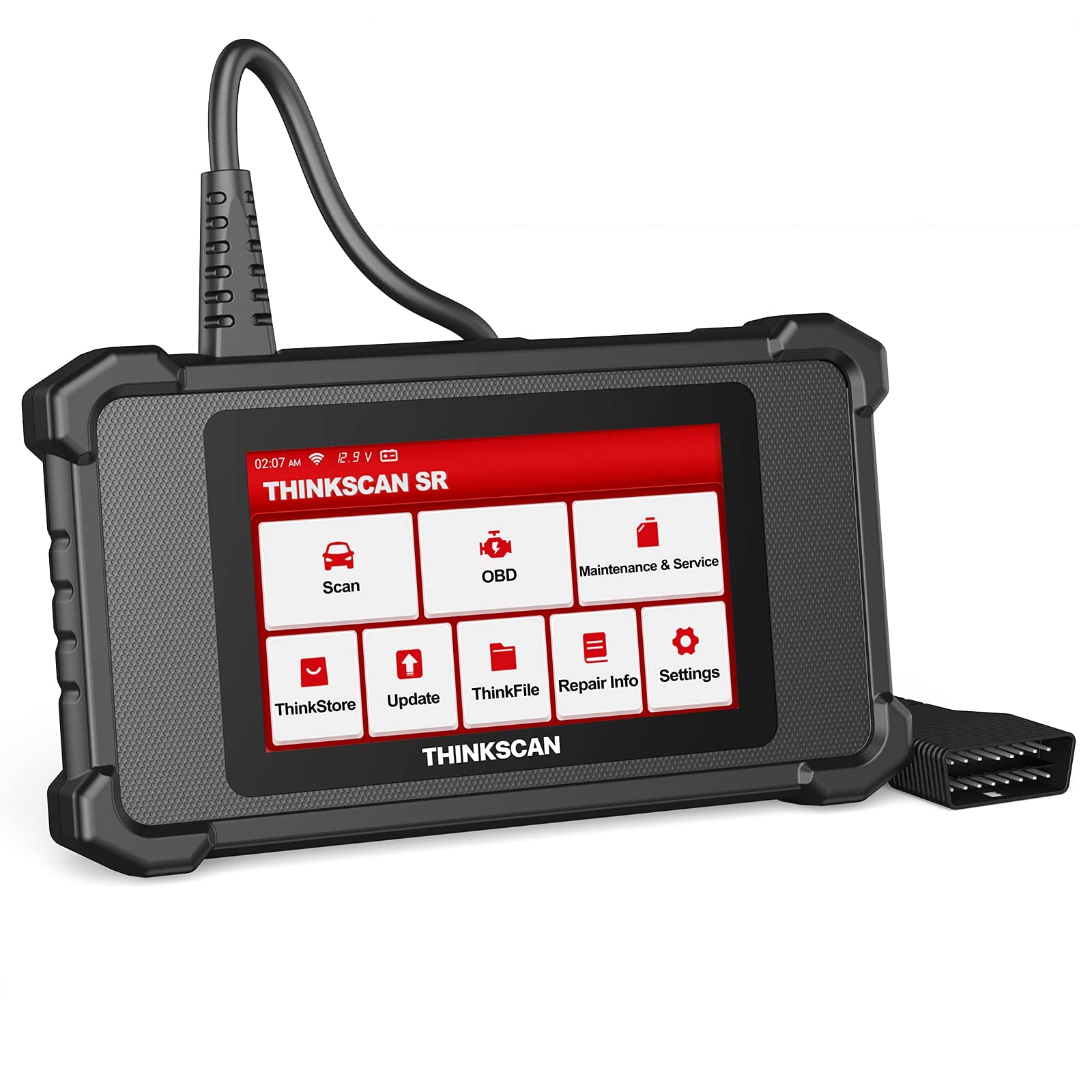
Image: ThinkScan SR6 OBD2 Scanner device and its packaging.
ビデオ: オーバーview of the ThinkScan SR6 Scan Tool, demonstrating its unboxing and initial features. This video highlights the device's physical components and basic interface.
2. セットアップ
2.1 車両への接続
- 車両の16ピンデータリンクコネクタ(DLC)を見つけます。通常、運転席側のダッシュボードの下にあります。
- 車両のイグニッションがオフの位置になっていることを確認してください。
- Plug the ThinkScan SR6's integrated OBD2 cable into the vehicle's DLC. Ensure a secure connection.
- Turn the vehicle's ignition to the ON position (engine can be off or running, depending on the diagnostic task). The device will power on automatically.
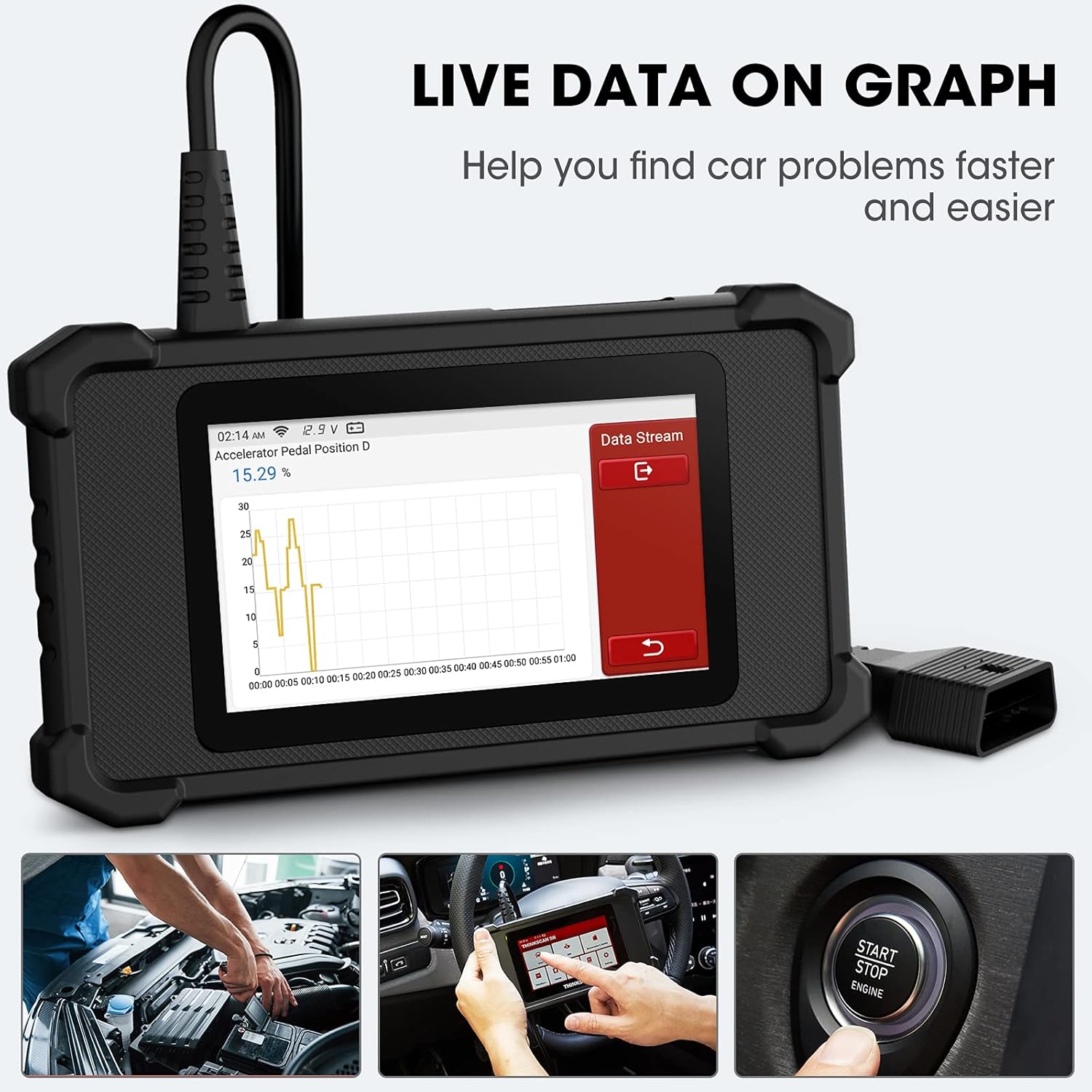
Image: The ThinkScan SR6 device connected to a vehicle's OBD2 port, ready for operation.
2.2 デバイスの初期設定
- Upon first use, the device may prompt you to select a language. Follow the on-screen instructions.
- Connect the device to a Wi-Fi network for software updates. Navigate to 設定 > Wi-Fi ネットワークを選択します。
- Perform a software update to ensure you have the latest vehicle coverage and diagnostic functions. Go to アップデート メインメニューで
3. 操作
3.1 システム診断
The ThinkScan SR6 supports comprehensive diagnostics for six key vehicle systems. From the main menu, select スキャン 始めます。
- ABSシステム: Diagnoses issues related to the anti-lock braking system.
- SRSシステム: Checks the supplemental restraint system (airbags).
- BCM System: Analyzes the body control module for electrical and body-related faults.
- TPMSシステム: Monitors tire pressure and related sensor issues.
- ECM System: Diagnoses engine control module faults.
- TCM System: Checks the transmission control module for transmission-related problems.

Image: Visual representation of the six major vehicle systems supported for diagnostics by the ThinkScan SR6.
3.2 フルOBD2機能
Access standard OBD2 functions by selecting OBD from the main menu. These functions are crucial for emissions-related diagnostics and general engine health checks.
- コードを読む: 車両のコンピューターから診断トラブル コード (DTC) を取得します。
- クリアコード: DTC を消去し、チェック エンジン ライト (MIL) をオフにします。
- フリーズフレーム: Displays a snapshot of vehicle operating conditions at the time an emission-related fault occurred.
- ライブデータ: さまざまなセンサーやコンポーネントからのリアルタイムのデータ ストリームを表示します。
- I / M準備: 排出監視システムの準備状況を確認します。
- O2センサーテスト: O2 センサー監視テストの結果を取得します。
- 車両情報: Displays vehicle identification information (VIN, CID, CVN).
- EVAP システムテスト: 蒸発ガス排出制御システムのテストを開始します。
- オンボードモニターテスト: オンボード診断モニタリング テストの結果を取得します。
- コンポーネントテスト: 特定の車両コンポーネントのテストを可能にします。
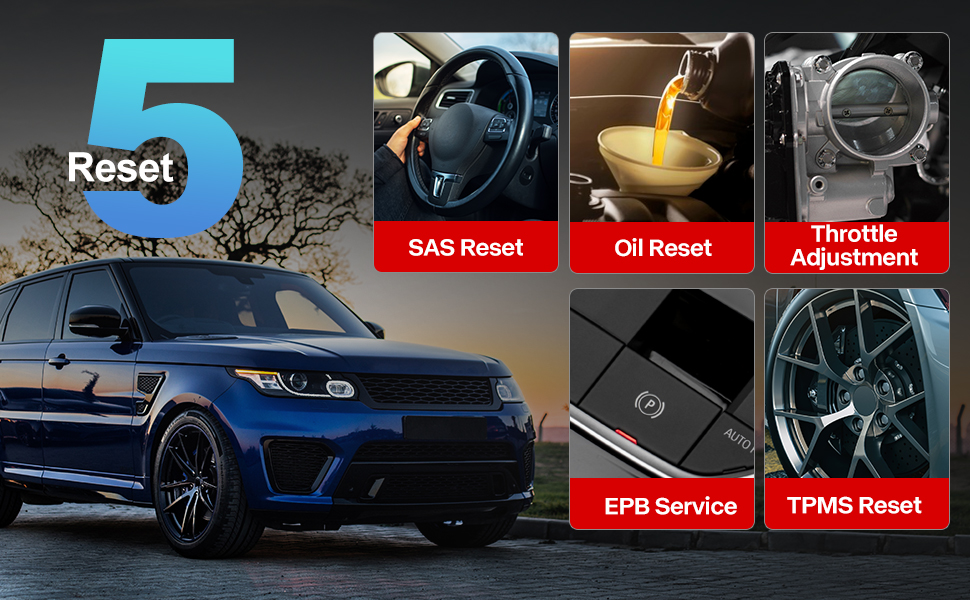
Image: A visual guide to the comprehensive OBD2 functions available on the ThinkScan SR6, including code reading, live data, and vehicle information retrieval.
3.3 DTC Lookup Function
When a Diagnostic Trouble Code (DTC) is retrieved, the ThinkScan SR6 can help you understand its meaning. Navigate to 修理情報 > OBD 障害コード ライブラリ to input the code and receive a detailed description.
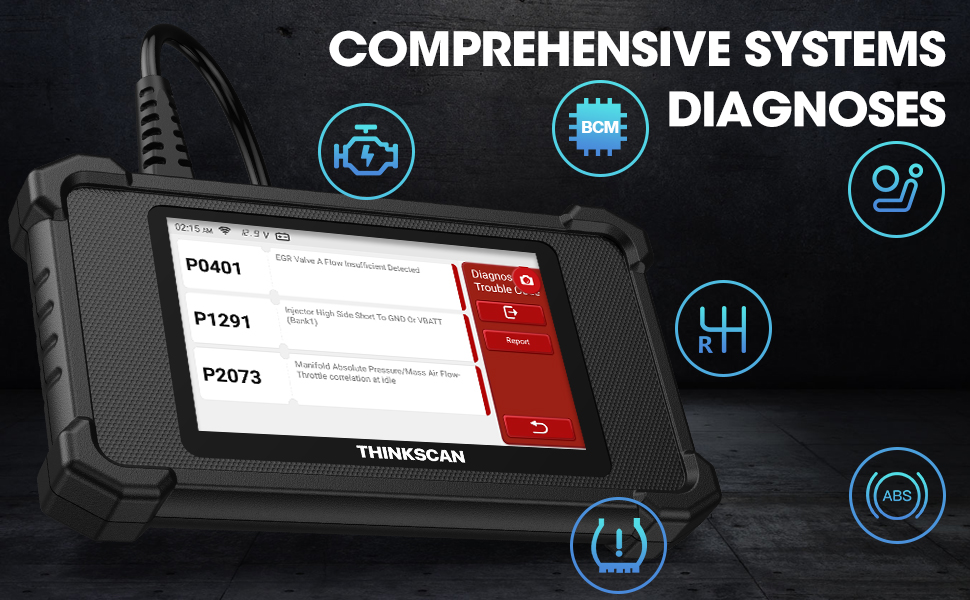
Image: The DTC Lookup function displaying fault codes and their corresponding meanings, aiding in quick diagnosis.
3.4 Live Data Graph
ライブデータ機能を使用すると、 view real-time sensor data in a graphical format, making it easier to identify anomalies and diagnose intermittent problems. Select OBD > ライブデータ この機能にアクセスするには。
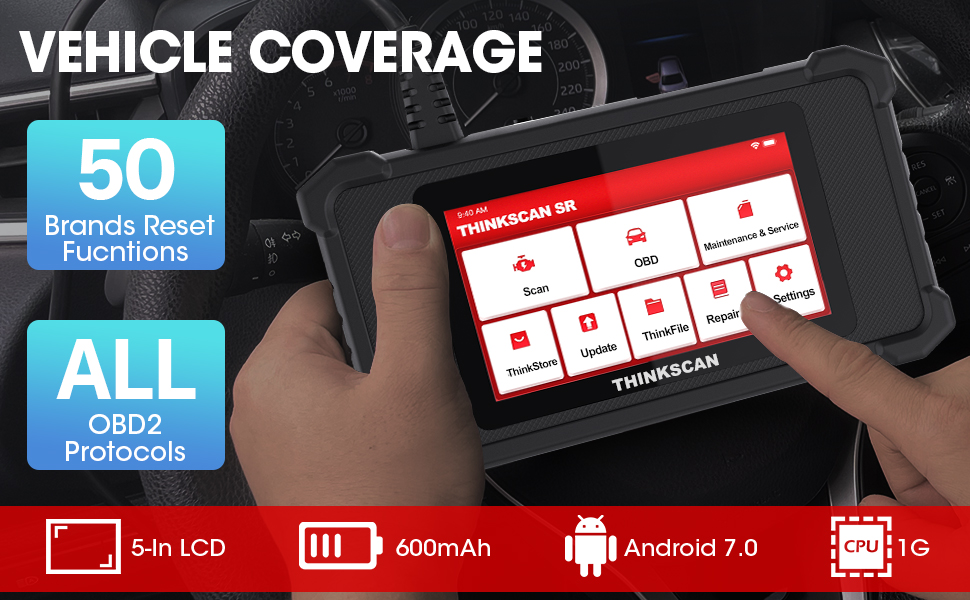
Image: The ThinkScan SR6 displaying live vehicle data in a graphical format, illustrating real-time sensor readings for diagnostic purposes.
4. Maintenance & Service Functions
The ThinkScan SR6 provides five commonly used reset functions to assist with vehicle maintenance. Access these by selecting メンテナンスとサービス メインメニューから。
- オイルランプリセット: オイル交換後にオイルサービスライトをリセットします。
- EPB サービス: ブレーキパッドの交換後に電子パーキングブレーキシステムをリセットします。
- SAS リセット: ステアリングシステムの修理後にステアリング角度センサーをキャリブレーションします。
- TPMSリセット: Resets the tire pressure monitoring system after tire rotation or sensor replacement.
- TBA (Throttle Body Adjustment): スロットルボディの位置を再学習します。

Image: An illustration of the five free reset functions offered by the ThinkScan SR6, including throttle adjustment and various system resets.
4.1ソフトウェアアップデート
Regular software updates are essential to ensure your ThinkScan SR6 has the latest vehicle models, diagnostic functions, and bug fixes. The device supports Wi-Fi updates for convenience.
- デバイスが安定した Wi-Fi ネットワークに接続されていることを確認します。
- メインメニューから、 アップデート.
- 画面上の指示に従って、利用可能なアップデートをダウンロードしてインストールします。

Image: A comparison highlighting the ThinkScan SR6's features, including its 5-inch touch screen, Android 7.0 OS, and one-click Wi-Fi update capability.
5。 トラブルシューティング
If you encounter issues with your ThinkScan SR6, consider the following common solutions:
- デバイスの電源が入らない: Ensure the OBD2 cable is securely connected to the vehicle's DLC and the vehicle's ignition is ON. Check the vehicle's battery voltage.
- Connection errors: Verify the OBD2 cable connection. Try connecting to a different vehicle (if available) to rule out vehicle-specific issues. Ensure Wi-Fi is stable for updates.
- 診断機能が動作しません: Ensure the vehicle model and year are supported for the specific function. Perform a software update.
- Understanding fault codes: 使用 OBD 障害コード ライブラリ 下 修理情報 to look up DTC meanings.
For more detailed troubleshooting or specific repair information, the device includes a 修理情報 section with a fault code library, coverage list, and video tutorials. You can also connect the device to Wi-Fi and use the ビデオ option to search for relevant repair guides.
6. 仕様
| 特徴 | 詳細 |
|---|---|
| ブランド | シンクカー |
| モデル番号 | TKSR6 |
| 画面サイズ | 5インチ |
| オペレーティング·システム | アンドロイド7.0 |
| 電源 | 電池駆動 |
| アイテム重量 | 1ポンド |
| 製品寸法 | 4.13 x 8.07 x 1.18インチ |
| バッテリー | 必要なリチウムポリマー電池1個(付属) |
| 車両補償範囲 | US-based vehicles after 1996, EU-based vehicles after 2000, Asia-based vehicles after 2008 |
7. 保証とサポート
For technical assistance, warranty information, or any inquiries regarding your ThinkScan SR6 device, please contact thinkcar customer support. The manufacturer provides 7*24 hours support.
メールアドレス: jushi@thinkcar.com
Please refer to the official thinkcar website or the included warranty card for detailed warranty terms and conditions.


