導入
このマニュアルでは、Blackのセットアップ、操作、メンテナンス、トラブルシューティングに関する基本的な手順を説明します。view Tab 10 Android Tablet. The Blackview Tab 10 features a 10.1-inch FHD+ display, an MTK8768 Octa-Core processor, 4GB RAM, 64GB internal storage, and runs on Android 11 (Doke OS_P 1.0). It supports dual SIM cards for 4G phone calls and data, Wi-Fi, and Bluetooth 5.0 connectivity.
Please read this manual thoroughly to ensure proper use and to maximize your tablet's performance and longevity.

画像: ブラックview Tab 10 tablet shown from the rear in three color options: gray, golden, and silvery, highlighting its sleek design.
設定
パッケージ内容
パッケージにすべてのアイテムが揃っていることを確認します。
- 黒view Tab 10 Tablet PC
- USBケーブル(タイプC)
- 電源アダプター (9V 2A)
- ユーザーマニュアル
バッテリーの充電
Before first use, fully charge the tablet. Connect the USB Type-C cable to the tablet's Type-C port and the other end to the provided power adapter. Plug the adapter into a power outlet. The charging indicator will show the charging status. The tablet supports 18W fast charging.
Inserting SIM and TF Cards
ブラックview Tab 10 supports dual Nano SIM cards or one Nano SIM card and one TF (microSD) card for expandable storage up to 128GB.
- タブレットの側面にある SIM/TF カード トレイを見つけます。
- 付属の SIM イジェクタ ツールを使用してトレイを開きます。
- Carefully place the Nano SIM card(s) and/or TF card into the designated slots on the tray. Ensure the cards are correctly oriented.
- カチッと音がするまでトレイをタブレットにゆっくりと押し戻します。
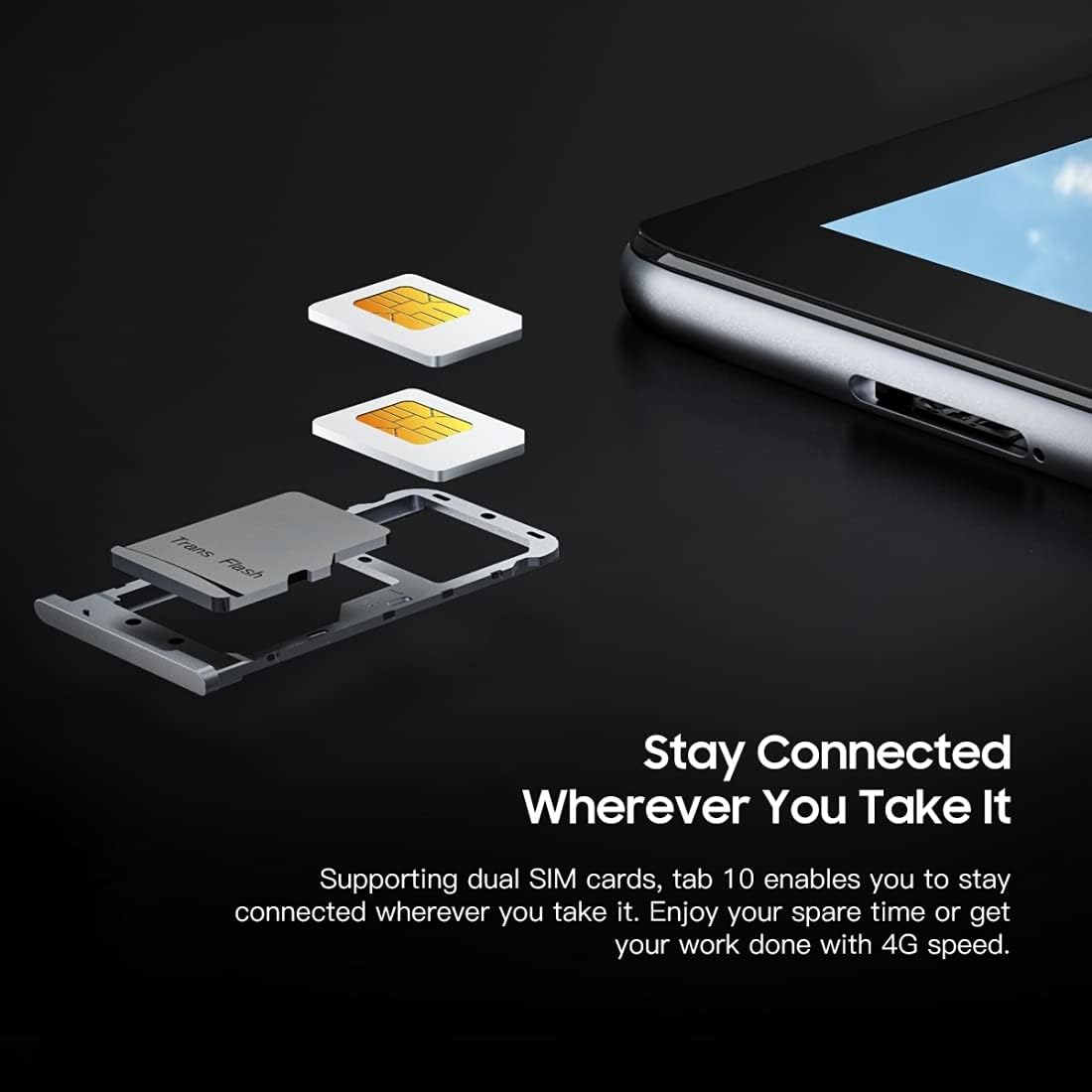
画像: 詳細な view 黒のview Tab 10's SIM card tray, showing how two Nano SIM cards are inserted, illustrating the dual SIM support.
電源のオン/オフ
- 電源を入れるには: 電源ボタンを長押しして、黒のview ロゴが表示されます。
- 電源を切るには: 電源オプション メニューが表示されるまで電源ボタンを長押しし、「電源を切る」を選択します。
- 再起動します: 電源オプション メニューが表示されるまで電源ボタンを長押しし、「再起動」を選択します。
初期設定
初めて電源を入れたら、画面の指示に従って初期セットアップを完了します。
- 言語を選択します。
- Wi-Fi ネットワークに接続します。
- Google アカウントでサインインするか、新しいアカウントを作成してください。
- 画面ロック(PIN、パターン、パスワード)を設定します。
- Review 利用規約に同意します。
操作手順
基本的なナビゲーション
- タップ: 画面を 1 回タッチすると、アプリを開いたり、項目を選択したり、ボタンを押したりできます。
- タッチアンドホールド: 項目を長押しすると、さらにオプションにアクセスしたり、項目を移動したりできます。
- スワイプ: ページまたはコンテンツをスクロールするには、画面上で指をドラッグします。
- ピンチ: 2本の指を使って画像を拡大または縮小し、 web ページ。
ネットワークへの接続
- Wi-Fi: へ移動 設定 > ネットワークとインターネット > Wi-FiWi-Fi をオンにし、目的のネットワークを選択し、必要に応じてパスワードを入力します。
- ブルートゥース: へ移動 設定 > 接続されたデバイス > ブルートゥース. Turn Bluetooth on, then select a device from the list to pair.
- モバイルデータ(4G): If a SIM card is inserted, go to 設定 > ネットワークとインターネット > モバイルネットワーク to enable mobile data and configure settings.
カメラの使用
ブラックview Tab 10 features a 13.0MP rear camera and a 5.0MP front camera.
- 開く カメラ アプリ。
- カメラアイコンをタップして、前面カメラと背面カメラを切り替えます。
- シャッターボタンをタップして写真を撮ったり、ビデオ録画を開始/停止したりします。
- Explore various camera modes and settings within the app.

画像: ブラックview Tab 10 displaying its camera features, including an 8MP front camera and a 13MP rear camera, emphasizing its photographic capabilities.
Android 11 and Doke OS_P 1.0
Your tablet runs on Android 11 with Blackview's Doke OS_P 1.0 interface, offering enhanced privacy controls, improved notification management, and a more intuitive user experience. Explore the 設定 menu to customize your device, manage apps, and optimize performance.

画像: ブラックview Tab 10 screen showing the Doke OS_P 1.0 interface based on Android 11, with various settings and app screens visible.
メンテナンス
デバイスのクリーニング
- 柔らかく糸くずの出ない布を使用して、タブレットの画面と本体を清掃してください。
- 頑固な汚れには、軽くamp布に水または電子機器用のスクリーンクリーナーを含ませて拭いてください。
- 強力な化学薬品、研磨剤、エアゾールスプレーをタブレットに直接使用しないでください。
バッテリーケア
- バッテリー寿命に影響を与える可能性があるため、タブレットを極端な温度(高温または低温)にさらさないでください。
- タブレットを完全に充電した後は、長時間充電したままにしないでください。
- タブレットに付属の純正充電器とケーブルのみを使用してください。
ソフトウェアアップデート
タブレットに最新の機能、セキュリティパッチ、パフォーマンスの改善が適用されていることを確認するために、定期的にソフトウェアアップデートを確認し、インストールしてください。 設定 > システム > システムアップデート.
トラブルシューティング
デバイスの電源が入らない
- バッテリーが充電されていることを確認してください。タブレットを充電器に少なくとも30分間接続してください。
- 強制的に再起動するには、電源ボタンを 10 ~ 15 秒間押し続けます。
Wi-Fi接続の問題
- Wi-Fiルーターとタブレットを再起動します。
- Wi-Fi設定でネットワークを削除して再接続します。
- Wi-Fi 信号の範囲内にいることを確認してください。
パフォーマンスが遅い
- バックグラウンドで実行されている未使用のアプリケーションを閉じます。
- 頻繁に使用するアプリのキャッシュデータをクリアします。
- 十分なストレージ容量があることを確認してください。不要なものを削除してください。 filesまたはアプリ。
- 最後の手段として工場出荷時設定へのリセットを検討してください (まずデータをバックアップしてください)。
アプリがクラッシュまたはフリーズする
- Force close the app: Go to 設定 > アプリと通知, select the app, then tap 強制停止.
- Clear the app's cache and data (this will reset the app).
- アプリをアンインストールして再インストールしてください。
仕様
| モデル | タブ10 |
| 画面サイズ | 10.1インチ |
| ディスプレイ解像度 | 1920 x 1200(FHD+) |
| プロセッサ | MTK8768 Octa Core Cortex-A53 2.0GHz |
| ラム | 4GB |
| 内部ストレージ | 64GB |
| 拡張可能なストレージ | 最大128GBのTFカード(別売) |
| オペレーティング·システム | Android 11(Doke OS_P 1.0) |
| リアカメラ | 13.0MP with AF, LED flash |
| フロントカメラ | 5.0MP |
| バッテリー容量 | 7480mAh |
| 充電 | 9V 2A, 18W Fast Charging |
| ネットワーク通信 | 4G LTE, Wi-Fi (802.11a/b/g/n/ac), Bluetooth V5.0 |
| SIMタイプ | デュアルナノSIM |
| インターフェース | 1 x 3.5mm Earphone Port, 1 x Type-C, 1 x Magnetic Port |
| 寸法(長さ×幅×高さ) | 243 x 162 x 8.4mm(9.57 x 6.38 x 0.33 inches) |
| 重さ | 523g(1.15ポンド) |

画像: インフォグラフィックasing ブラックview Tab 10's main features, including its 13MP rear camera, Octa-core processor, 7480mAh battery, 10.1-inch FHD display, 8.8mm slim body, and support for dual SIM cards.
保証とサポート
ブラックview Tab 10 comes with a standard manufacturer's warranty. Please refer to the warranty card included in your package for specific terms and conditions, including warranty period and coverage details.
For technical support, service inquiries, or additional product information, please visit the official Blackview web公式サイトをご覧いただくか、カスタマーサービス部門にお問い合わせください。サポートをご利用の際は、購入時のレシートと製品のシリアル番号をご用意ください。
公式ブラックview 店: 黒view Amazonで購入


