1. はじめに
The Poly Voyager Focus 2 UC USB-A Headset is designed to create a focused audio environment, blocking out background noise for clear communication. Featuring three levels of hybrid Active Noise Canceling (ANC) and Poly Acoustic Fence technology, it ensures you hear your calls clearly and are heard without distractions. This headset offers all-day comfort and versatile connectivity for computers (via BT700 USB-A adapter) and mobile devices (via Bluetooth v5.1). This Microsoft Teams certified version includes a dedicated Teams button for enhanced collaboration.
2. 箱の中身
- Voyager Focus 2 UC USB-A Headset
- キャリーケース
- BT700 USB-Aアダプター
- 充電ケーブル
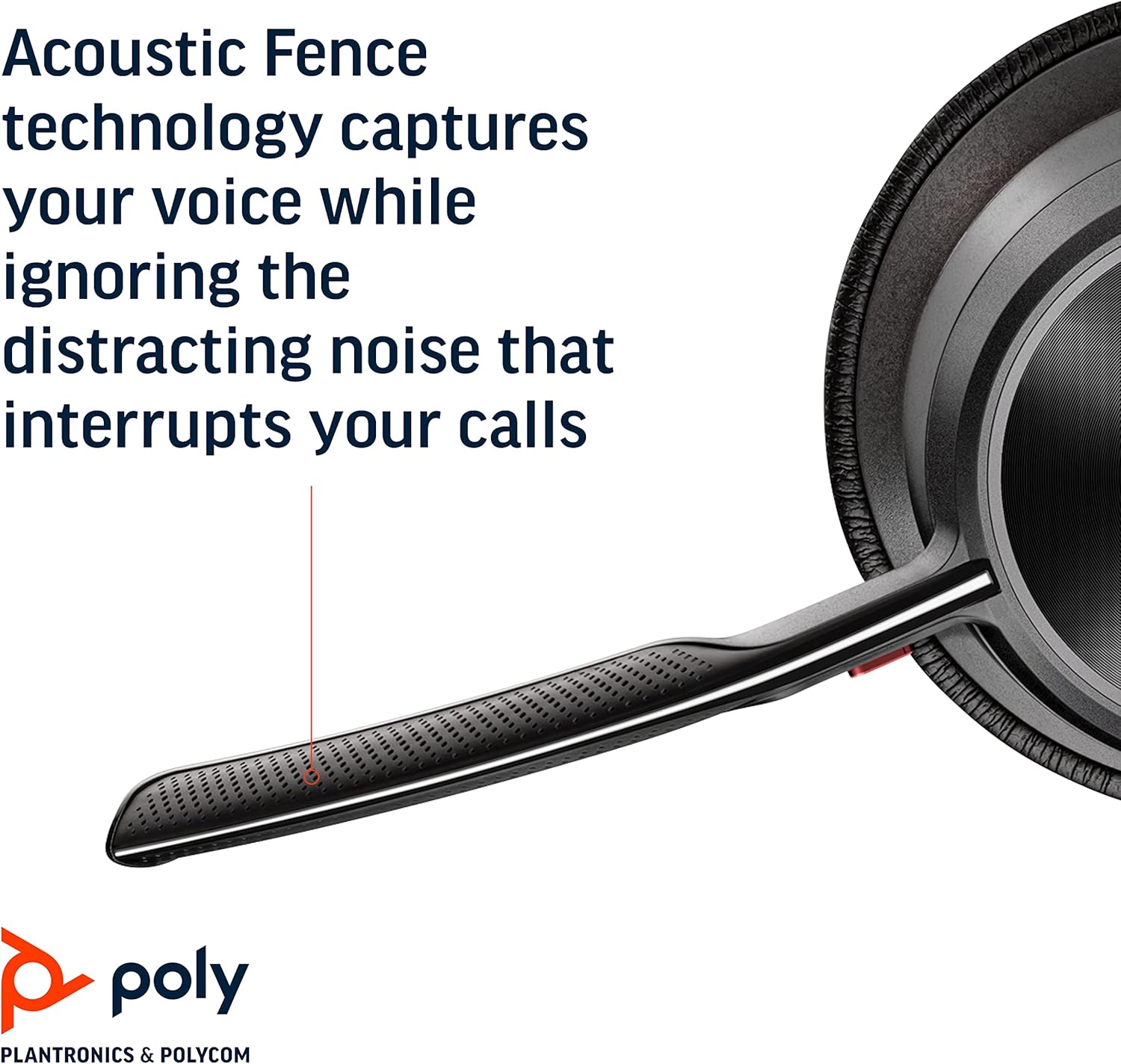
Image: Headset components including the BT700 USB-A adapter and charging cable.
3. セットアップ
3.1 ヘッドセットの充電
Connect the charging cable to the headset's USB port and to a power source. A full charge provides up to 19 hours of talk time. If using an optional charging stand, simply place the headset on the stand to charge.

Image: The Poly Voyager Focus 2 UC USB-A Headset placed on its charging stand.
3.2 Connecting to a Computer (USB-A Adapter)
- BT700 USB-A アダプターをコンピューターの使用可能な USB-A ポートに挿入します。
- ヘッドセットの電源を入れます。
- アダプタの LED は青色に点滅し、ヘッドセットに接続されると青色に点灯します。
3.3 Connecting to a Mobile Device (Bluetooth)
- With the headset powered off, slide and hold the Power switch towards the Bluetooth icon until the LED flashes red and blue.
- モバイル デバイスで Bluetooth 設定に移動し、使用可能なデバイスのリストから「Poly Voyager Focus 2」を選択します。
- Once successfully paired, the headset LED will stop flashing.
3.4 ヘッドセットの調整
Adjust the headband for a comfortable fit. Position the boom microphone approximately two finger-widths from the corner of your mouth. The microphone boom is flexible and can be rotated to either the left or right side, automatically adjusting audio channels.

Image: A woman wearing the headset, demonstrating a comfortable fit for work.
4. 操作手順
4.1 電源オン/オフ
Slide the Power switch to the 'On' position to power on the headset. Slide it to 'Off' to power off.
4.2 ボリュームコントロール
Use the volume up (+) and volume down (-) buttons located on the earcup to adjust the listening volume.

Image: Close-up of the headset earcup with visible volume controls.
4.3 ミュート/ミュート解除
Press the dedicated mute button on the microphone boom to mute or unmute your microphone. The Dynamic Mute Alert feature will notify you if you speak while muted.

画像: 詳細 view of the headset's boom microphone.
4.4 アクティブノイズキャンセリング(ANC)
Adjust the noise canceling level (High, Low, or Off) using the ANC switch on the earcup to suit your environment and personal preference.
4.5 通話管理
Press the Call button on the earcup to answer or end a call. For Microsoft Teams calls, use the dedicated Teams button for instant access to the Teams App and notifications.
5. 特徴
- オーディオ性能: Three options of Advanced Digital Hybrid Active Noise Canceling (ANC) – high, low, and off – for personalized noise control.
- ポリアコースティックフェンステクノロジー: Advanced multi-microphone noise canceling ensures callers hear only your voice, not your surroundings.
- スマートテクノロジー: Dynamic Mute Alert notifies you if you speak while your microphone is muted.
- All-Day Wearing: Lightweight headband with a sling and plush ear cushions provide comfort for extended use. Up to 19 hours of talk time.
- Multiple Device Connections: Connects to a computer via the included BT700 USB-A adapter and to a mobile device via Bluetooth v5.1.
ビデオ: 当局者がview of the Poly Voyager Focus 2 headset, highlighting its key features and design.
6. メンテナンス
6.1 クリーニング
ヘッドセットを柔らかくて乾いた布で拭いてください。amp cloth. Avoid using harsh chemicals or abrasive materials. Ensure the microphone and earcup surfaces are free from debris.
6.2 ストレージ
When not in use, store the headset in its provided carry case to protect it from dust and damage. Avoid storing in extreme temperatures.
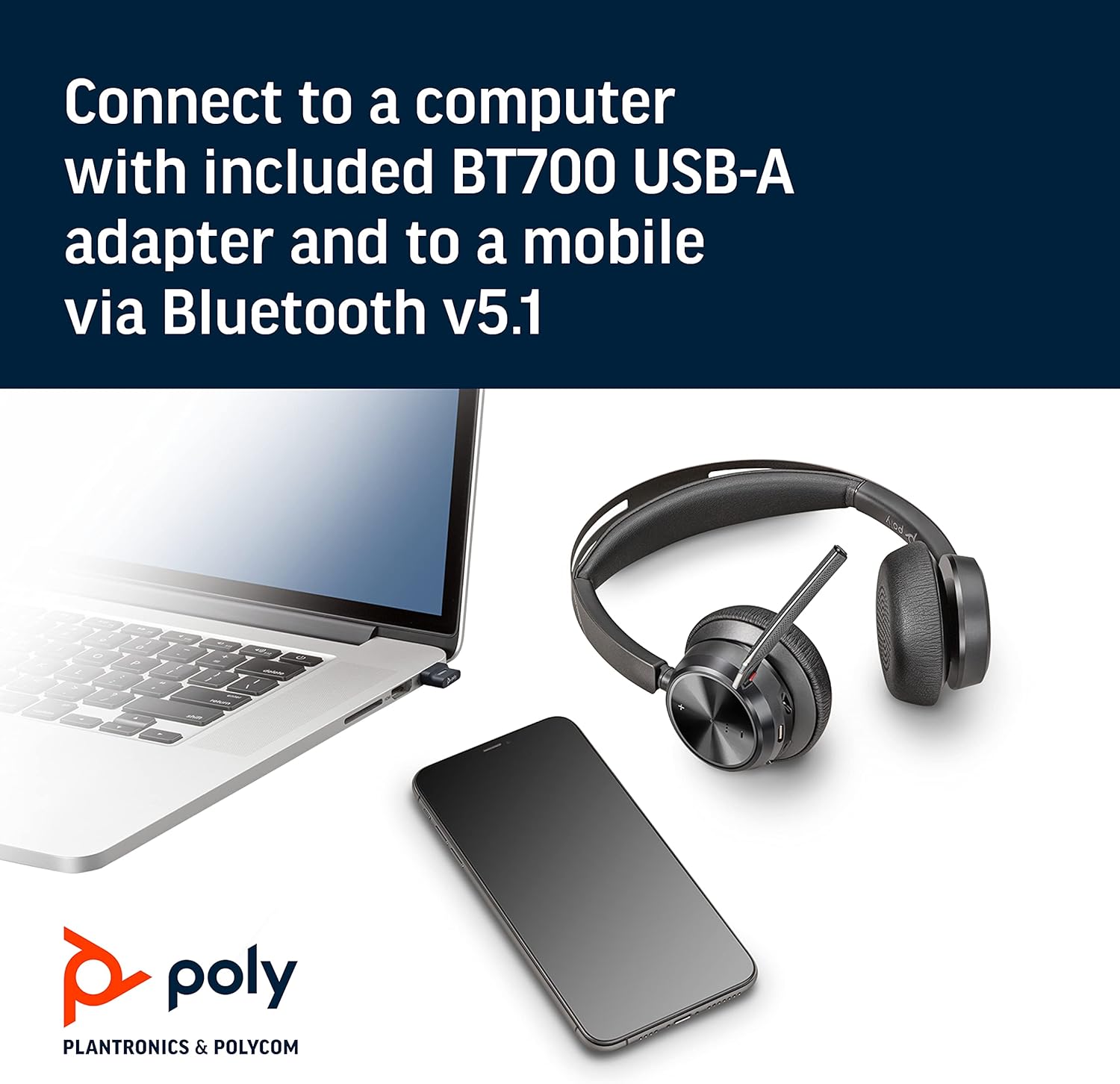
Image: The headset neatly folded and stored inside its carry case.
7。 トラブルシューティング
7.1 No Sound/Poor Audio Quality
- ヘッドセットの電源がオンになっており、完全に充電されていることを確認します。
- Check that the headset is correctly paired with your device (computer via USB adapter or mobile via Bluetooth).
- Verify the volume levels on both the headset and your connected device.
- If connected to a computer, ensure the Poly BT700 adapter is recognized as the default audio device in your system settings.
7.2 マイクが機能しない
- Confirm the microphone is not muted (check the mute button and Dynamic Mute Alert).
- マイクのブームが口の近くに正しく配置されていることを確認します。
- デバイスのオーディオ設定をチェックして、ヘッドセットのマイクが入力デバイスとして選択されていることを確認します。
7.3 接続の問題
- ヘッドセットと接続されているデバイスの両方を再起動します。
- Move closer to your connected device to ensure you are within the Bluetooth range (up to 10 meters for mobile, 50 meters for BT700 adapter).
- If using the BT700 adapter, try plugging it into a different USB port.
- Unpair and re-pair the headset with your device.
8. 仕様
| モデル名 | Voyager Focus 2 UC-M USB-A |
| 商品型番 | 213726-02 |
| 接続技術 | ブルートゥース5.1 |
| 騒音制御 | Active Noise Cancellation (Hybrid Digital) |
| マイク技術 | ポリアコースティックフェンス |
| バッテリー寿命(通話時間) | 最大19時間 |
| ヘッドフォンジャック | USB |
| アイテム重量 | 175グラム(6.2オンス) |
| 製品寸法 | 4 x 6 x 2.8インチ |
| 対応デバイス | PCs, Smartphones, Tablets, Laptops |
| 含まれるコンポーネント | Headset, carry case, BT700 USB adapter and charging cable |
9. 保証とサポート
For warranty information, technical support, or to register your product, please visit the official Poly web詳しくは、サイトをご覧いただくか、ご購入時に同梱されているマニュアルをご覧ください。また、 AmazonのPOLYストア 追加のリソースと製品情報については、こちらをご覧ください。


