1.製品オーバーview
The Apple AirPods Max are premium over-ear headphones designed to deliver high-fidelity audio with advanced features for an immersive listening experience. They combine custom acoustic design with the Apple H1 chip and sophisticated software.
- ハイファイオーディオ: Powered by an Apple-designed dynamic driver and computational audio for breakthrough listening experiences.
- アクティブノイズキャンセリング: Blocks external noise, allowing for complete immersion in audio.
- 透明モード: Enables users to hear and interact with their surroundings without removing the headphones.
- 空間オーディオ: Features dynamic head tracking for a theater-like sound experience that surrounds the user. Supports Dolby Atmos.
- 快適性を重視したデザイン: Constructed with a knit-mesh canopy and memory foam ear cushions for an exceptional and comfortable over-ear fit.
- Seamless Apple Ecosystem Integration: Offers effortless setup, on-head detection, and automatic switching between Apple devices.
- 長いバッテリー寿命: Provides up to 20 hours of listening, movie watching, or talk time with Active Noise Cancellation and Spatial Audio enabled.
- 精密制御: Utilizes the Digital Crown for intuitive control over music playback, calls, volume, and track skipping.
- スマートケース: Stores AirPods Max in an ultra low-power state to preserve battery life.
2. セットアップ
2.1 初期ペアリング
- AirPods Maxが充電されていることを確認してください。
- Bring your AirPods Max close to your iPhone, iPad, or iPod touch.
- 画面の指示に従って接続します。
- For other Bluetooth devices, press and hold the noise control button until the status light flashes white, then select AirPods Max from your device's Bluetooth settings.
2.2 フィット調整
The anodized aluminum ear cups telescope out from the stainless steel frame. Adjust the ear cups to fit comfortably over your ears, ensuring a good seal for optimal audio performance and noise cancellation.

画像: 正面 view of Apple AirPods Max in Silver, showcasing the mesh headband and earcups.
3. 操作手順
3.1 コントロール
AirPods Max feature a Digital Crown and a Noise Control button on the right ear cup.
- デジタルクラウン:
- 音量を調整するために回します。
- Press once to play/pause audio or answer a call.
- XNUMX回押すと、先にスキップします。
- Press three times to skip back.
- Press and hold to activate Siri.
- ノイズコントロールボタン: 押すと、アクティブ ノイズ キャンセリングと透明モードが切り替わります。

画像: サイド view of the Apple AirPods Max, highlighting the Digital Crown and Noise Control button on the right earcup.
3.2バッテリーと充電
AirPods Max provide up to 20 hours of listening time on a single charge with Active Noise Cancellation and Spatial Audio enabled. Charging is done via the Lightning port on the bottom of the right ear cup.
- 充電: Connect the included Lightning to USB-C cable to the AirPods Max and a compatible power adapter.
- スマートケース: Placing AirPods Max in the Smart Case puts them into an ultra low-power state to preserve battery charge.
4. メンテナンス
4.1 イヤークッションの掃除
The magnetic ear cushions are removable for easy cleaning or replacement.
- Gently pull the ear cushions away from the ear cups to detach them.
- Clean the ear cushions with a soft, damp糸くずの出ない布を使用してください。刺激の強い化学薬品は使用しないでください。
- Ensure ear cushions are completely dry before reattaching them magnetically to the ear cups.
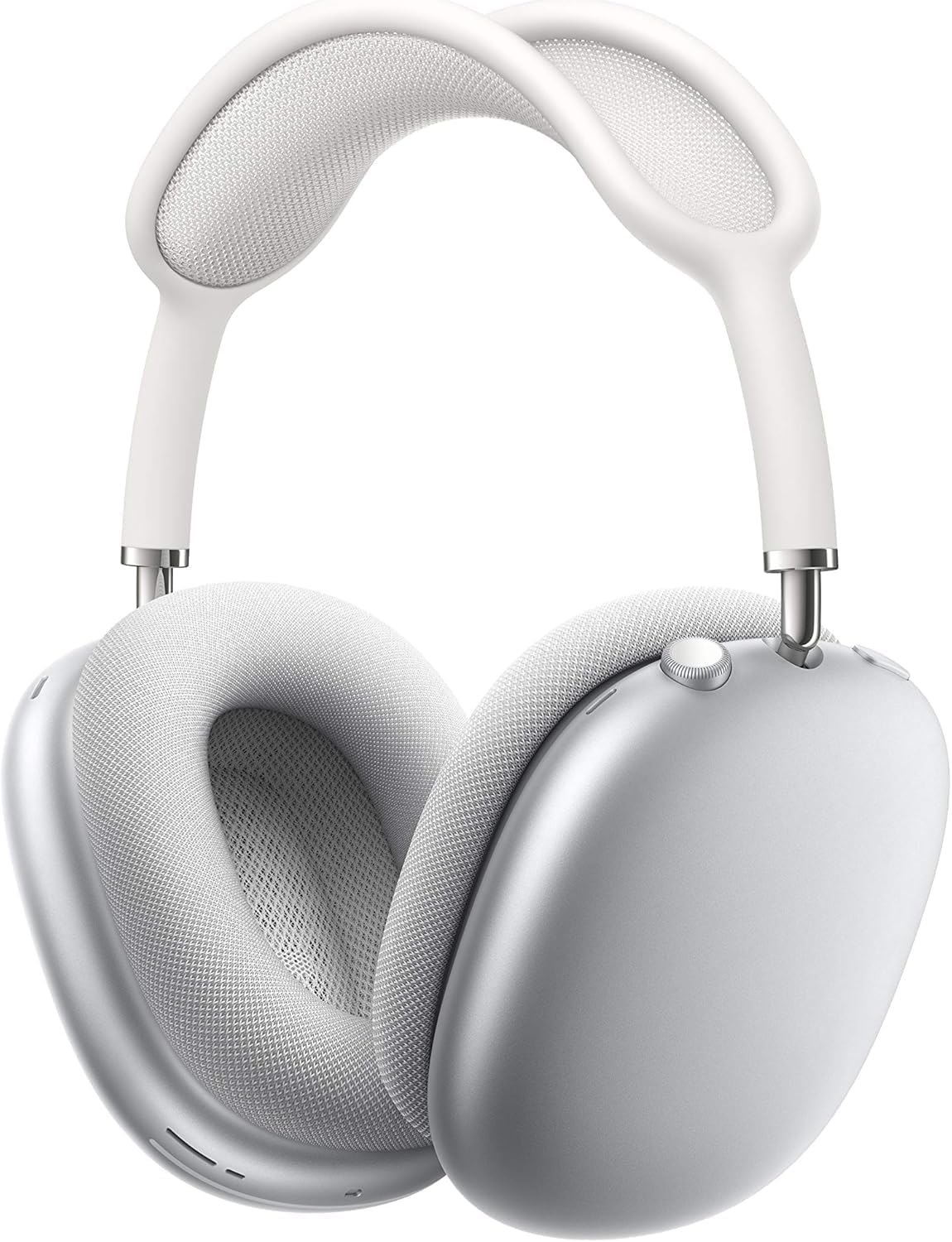
Image: Apple AirPods Max with one ear cushion detached, illustrating the magnetic attachment mechanism.
4.2一般的なクリーニング
Wipe the headband and ear cups with a soft, slightly damp, lint-free cloth. Do not submerge AirPods Max in water or use abrasive materials.
5。 トラブルシューティング
5.1 接続の問題
- デバイスで Bluetooth が有効になっていることを確認してください。
- AirPods Maxが充電されていることを確認します。
- デバイスを再起動し、ペアリングを再度試してください。
- If issues persist, reset your AirPods Max by holding the Noise Control button and Digital Crown for 15 seconds until the status light flashes amber, then white.
5.2 オーディオ品質に関する懸念
- Ensure ear cushions are properly attached and form a good seal.
- Check for any debris or obstructions in the ear cups.
- Adjust audio settings on your connected device.
6. 仕様
| 特徴 | 詳細 |
|---|---|
| ブランド | りんご |
| モデル名 | エアポッドマックス |
| 商品型番 | MGYJ3AM/A |
| 色 | 銀 |
| 接続技術 | ワイヤレス(Bluetooth) |
| 無線通信技術 | ブルートゥース |
| バッテリー寿命 | 最大20時間 |
| 充電時間 | 約2時間 |
| アイテム重量 | 1.12オンス |
| 製品寸法 | 3.15 x 9.57 x 3.15インチ |
| イヤーピースの形状 | オーバーイヤー |
| コントロールタイプ | Call Control, Media Control, Volume Control, Voice Control, Noise Control |
7. 保証とサポート
Apple AirPods Max come with a standard limited warranty. For detailed warranty information, service options, and technical support, please visit the official Apple Support webサイトをご覧いただくか、Apple カスタマー サービスにお問い合わせください。
- オンラインサポート: support.apple.com/airpods-max
- AppleCare+: 購入を検討するasing AppleCare+ for extended technical support and hardware coverage.


