製品終了view
The Sharp HP-TW30 True Wireless Noise Cancelling Earphones are designed for an immersive audio experience with enhanced comfort and durability. Featuring active noise cancellation, these earphones reduce background noise, making them ideal for various environments. They offer wireless charging, Bluetooth 5.0 connectivity, and are splashproof for active lifestyles.
主な特徴:
- アクティブノイズキャンセリング: Reduces ambient noise by 22dB for improved focus and enjoyment.
- ワイヤレス充電: Convenient charging with the included case, providing up to 4 full charges.
- Bluetooth 5.0: Ensures stable and efficient wireless connectivity with a range of up to 33 feet.
- IPX4防滴: Resistant to splashes, sweat, and light rain, suitable for workouts and outdoor activities.
- タッチコントロール: Intuitive controls for managing playback, calls, and voice assistants.
- 音声コントロール: Full integration with Apple Siri and Google Assistant for hands-free operation.
- 長時間プレイ: 1 回の充電で最大 6 時間のオーディオ再生が可能です。

Figure 1: Sharp HP-TW30 True Wireless Earphones (Black)
パッケージ内容
始める前に、パッケージにすべてのアイテムが揃っていることを確認してください。
- Sharp HP-TW30 True Wireless Earphones (Left and Right)
- 充電ケース
- USB Type-C Charging Cable (not explicitly listed in 'whats_in_the_box' but implied by 'Charging Port: USB Type C')
- Small, Medium, and Large Ultra-comfortable Ear Tips (3 sizes)
- 取扱説明書(本書)
設定
1. イヤホンとケースの充電
For first-time use, fully charge the earphones and the charging case. The charging case provides approximately 4 full charges for the earphones.
- Place both earphones into their respective slots in the charging case. Ensure they are seated correctly.
- USB Type-C 充電ケーブルをケースの充電ポートに接続し、もう一方の端を USB 電源 (壁のアダプター、コンピューターの USB ポートなど) に接続します。
- The LED indicators on the case will show charging status. Charging time for the case and earphones is approximately 2 hours.
- 完全に充電されたら、充電ケーブルを取り外します。
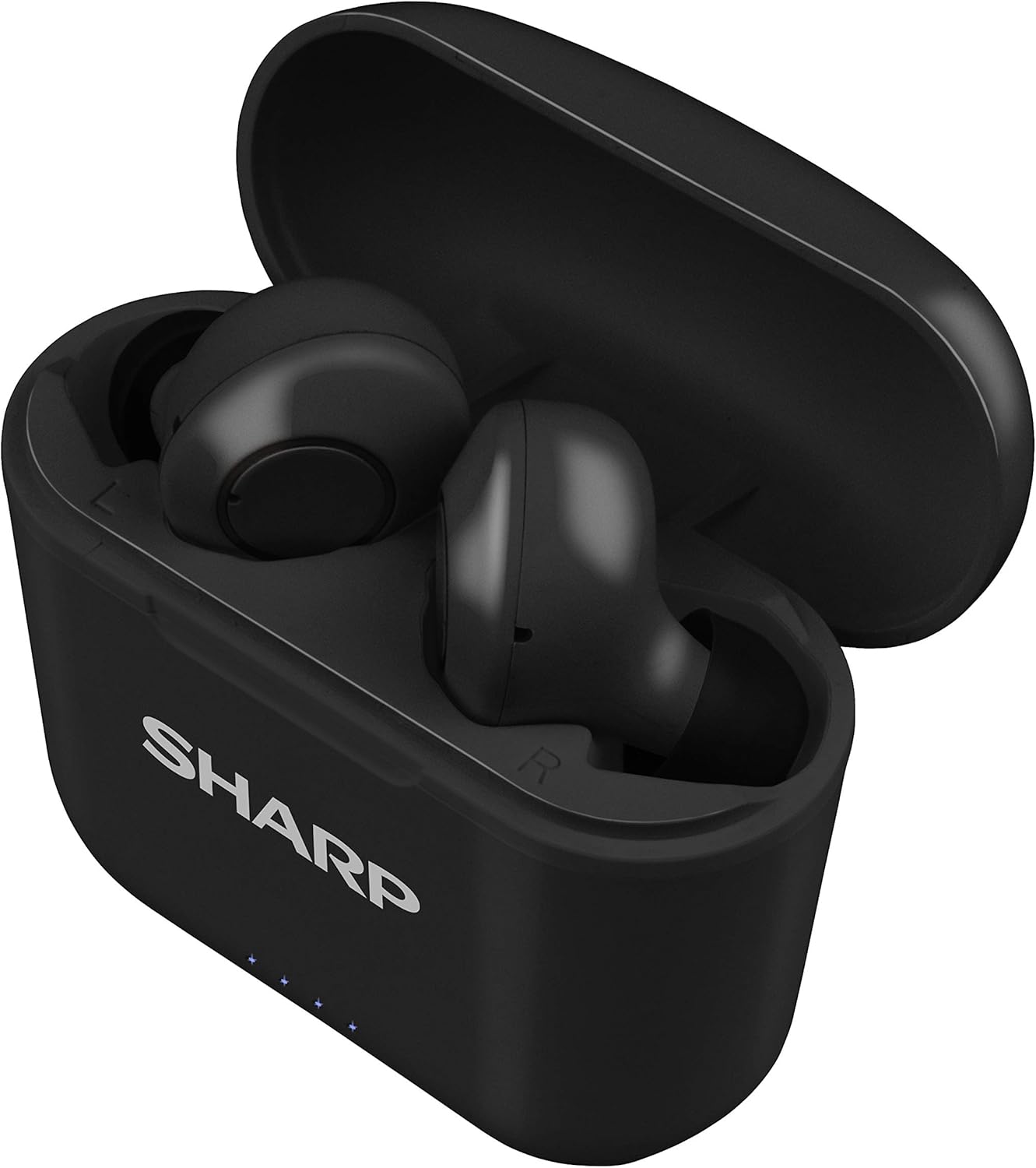
図2:充電ケースに入ったイヤホン
2. デバイスとのペアリング
The HP-TW30 earphones feature auto-pairing for effortless setup.
- 充電ケースを開けると、イヤホンの電源が自動的にオンになり、ペアリングモードになります。
- スマートフォン、タブレット、その他の Bluetooth 対応デバイスで、Bluetooth 設定に移動します。
- 検索する available devices and select "HP-TW30" from the list.
- 接続されると、音声プロンプトによってペアリングの成功が確認されます。
- デバイスで Bluetooth が有効になっている場合、イヤホンはケースから取り出すと最後にペアリングしたデバイスに自動的に再接続されます。
操作手順
タッチコントロール
The HP-TW30 earphones utilize touch-sensitive controls on each earbud for various functions:
- 再生/一時停止: どちらかのイヤホンを 1 回タップします。
- 次のトラック: 右のイヤホンをダブルタップします。
- 前のトラック: 左のイヤホンをダブルタップします。
- 通話の応答/終了: 着信中にどちらかのイヤホンを 1 回タップします。
- 通話を拒否: 着信中にどちらかのイヤホンを 2 秒間押し続けます。
- Activate Voice Assistant (Siri/Google Assist): どちらかのイヤホンをトリプルタップします。
- Active Noise Cancellation (ANC) On/Off: 右のイヤホンを2秒間押し続けます。
アクティブノイズキャンセル(ANC)
The ANC feature reduces ambient background noise, providing a more focused listening experience. Activate or deactivate ANC using the touch control as described above.
防水性能(IPX4)
The earphones are rated IPX4 splashproof, meaning they are resistant to water splashes from any direction. This makes them suitable for light rain, sweat, and gym use. Do not submerge the earphones in water.
メンテナンス
適切なメンテナンスを行うことで、イヤホンの寿命が長くなり、最適なパフォーマンスが保たれます。
- クリーニング: Regularly clean the earphones and charging case with a soft, dry, lint-free cloth. Do not use abrasive cleaners or solvents.
- イヤーチップ: Remove and clean the ear tips periodically with a damp 布と中性洗剤で拭き取り、完全に乾いてから再度取り付けてください。
- ストレージ: 使用しないときは、ほこりや損傷から保護するためにイヤホンを充電ケースに保管してください。
- 温度: イヤホンを極端な温度(高温または低温)や高湿度にさらさないでください。
- 充電接点: Ensure the charging contacts on both the earphones and inside the case are clean and free of debris to maintain proper charging.
トラブルシューティング
If you encounter issues with your Sharp HP-TW30 earphones, try the following solutions:
- イヤホンがペアリング/接続されない:
- 両方のイヤホンが完全に充電されていることを確認してください。
- デバイスの Bluetooth をオフにしてから、再度オンにします。
- Forget/delete "HP-TW30" from your device's Bluetooth list and attempt to re-pair.
- Place both earphones back into the charging case, close the lid for 5 seconds, then open it again to reset.
- Only one earbud playing sound:
- 両方のイヤホンが充電されていることを確認します。
- 両方のイヤホンを充電ケースに戻し、蓋を閉めてからもう一度開けてください。これで再同期されることがよくあります。
- 両方のイヤホンとケース内部の充電接点を清掃してください。
- Try resetting and re-pairing the earphones as described above.
- 音量が低い、または音質が悪い:
- デバイスとイヤホンの両方の音量を調整します。
- Ensure the ear tips are the correct size for a snug fit and are clean.
- イヤホンのノズルに障害物がないか確認してください。
- イヤホンが充電されない:
- 充電ケーブルがケースと電源の両方にしっかりと接続されていることを確認してください。
- 別の USB Type-C ケーブルと電源アダプターを試してください。
- イヤホンとケース内部の充電接点を清掃してください。
仕様
| モデル名 | HP-TW30(BK) |
| 接続技術 | ワイヤレス(Bluetooth) |
| Bluetoothバージョン | 5.0 |
| Bluetooth範囲 | 最大33フィート(10メートル) |
| 騒音制御 | Active Noise Cancellation (22dB reduction) |
| 遊びの時間 | 約6時間 |
| 待機時間 | 約90時間 |
| 充電時間 | Approx. 2 hours (earphones and case) |
| 充電ポート | USBタイプC |
| 耐水性 | IPX4防滴 |
| コントロールタイプ | タッチコントロール |
| 音声コントロール | Apple Siri, Google Assistant |
| 含まれるコンポーネント | Small, Medium, and Large Ultra-comfortable Ear tips |
| 材料 | シリコン(イヤーチップ) |
| アイテム重量 | 7.9オンス |
保証とサポート
Sharp products are manufactured to the highest quality standards. For warranty information, technical support, or service inquiries, please refer to the warranty card included with your purchase or visit the official Sharp support website. Please have your model number (HP-TW30(BK)) and proof of purchase ready when contacting support.
For further assistance, you may visit the Sharp Store on Amazon: Sharp Official Store


