導入
This user manual provides detailed instructions for the setup, operation, maintenance, and troubleshooting of your iFFALCON 43K71 4K Ultra HD Smart Android LED TV. Please read this manual thoroughly before using the television and retain it for future reference.

画像: 正面 view of the iFFALCON 43K71 4K Ultra HD Smart Android LED TV, showcasinスリムなデザインと鮮やかなディスプレイが特徴です。
安全情報
火災、感電、または怪我を防ぐために、常に次の安全上の注意事項を守ってください。
- テレビを雨や湿気にさらさないでください。
- 適切な換気を確保し、換気口を塞がないようにしてください。
- テレビに付属の電源コードのみを使用してください。
- テレビのキャビネットを開けないでください。すべての修理は資格のある担当者に依頼してください。
- テレビを直射日光、熱源、強い磁場から遠ざけてください。
- テレビを安定した水平な場所に置くか、壁にしっかりと取り付けてください。
箱の中身
開梱時にすべてのコンポーネントが揃っていることを確認します。
- 1 x iFFALCON 43K71 LED TV
- 1 x Remote Controller (with 2 AAA batteries)
- 2 x Table Stand components
- ユーザーマニュアル x 1
- 保証カード x 1
- オーディオケーブル x 1
設定
1. 物理的な設置
You can install your TV using the included table stands or by wall-mounting (wall mount bracket sold separately).
テーブルスタンドの取り付け:
- 画面の損傷を防ぐため、テレビを画面を下にして柔らかく平らな面に慎重に置いてください。
- Attach the two table stand components to the designated slots on the bottom of the TV using the provided screws. Ensure they are securely fastened.
- テレビを、安定した水平な面に慎重に持ち上げて直立させます。
ウォールマウントの取り付け:
For wall mounting, consult a professional installer. Ensure the wall mount bracket is compatible with the TV's VESA mounting pattern and can support the TV's weight (approximately 6.9 kg).

画像: 上 view of the iFFALCON 43K71 TV, showing its slim profile スタンド取り付けポイント。
2. 初回電源投入とネットワーク接続
- 電源コードをテレビに接続し、次に電源コンセントに接続します。
- テレビまたはリモコンの電源ボタンを押してテレビの電源を入れます。
- Follow the on-screen instructions to complete the initial setup, including language selection, country, and network connection (Wi-Fi or Ethernet).
- Android TV の機能にアクセスし、アプリをダウンロードするには、Google アカウントでログインしてください。
テレビの操作
リモートコントロール
The supplied remote control allows you to navigate the TV's interface and access various functions.
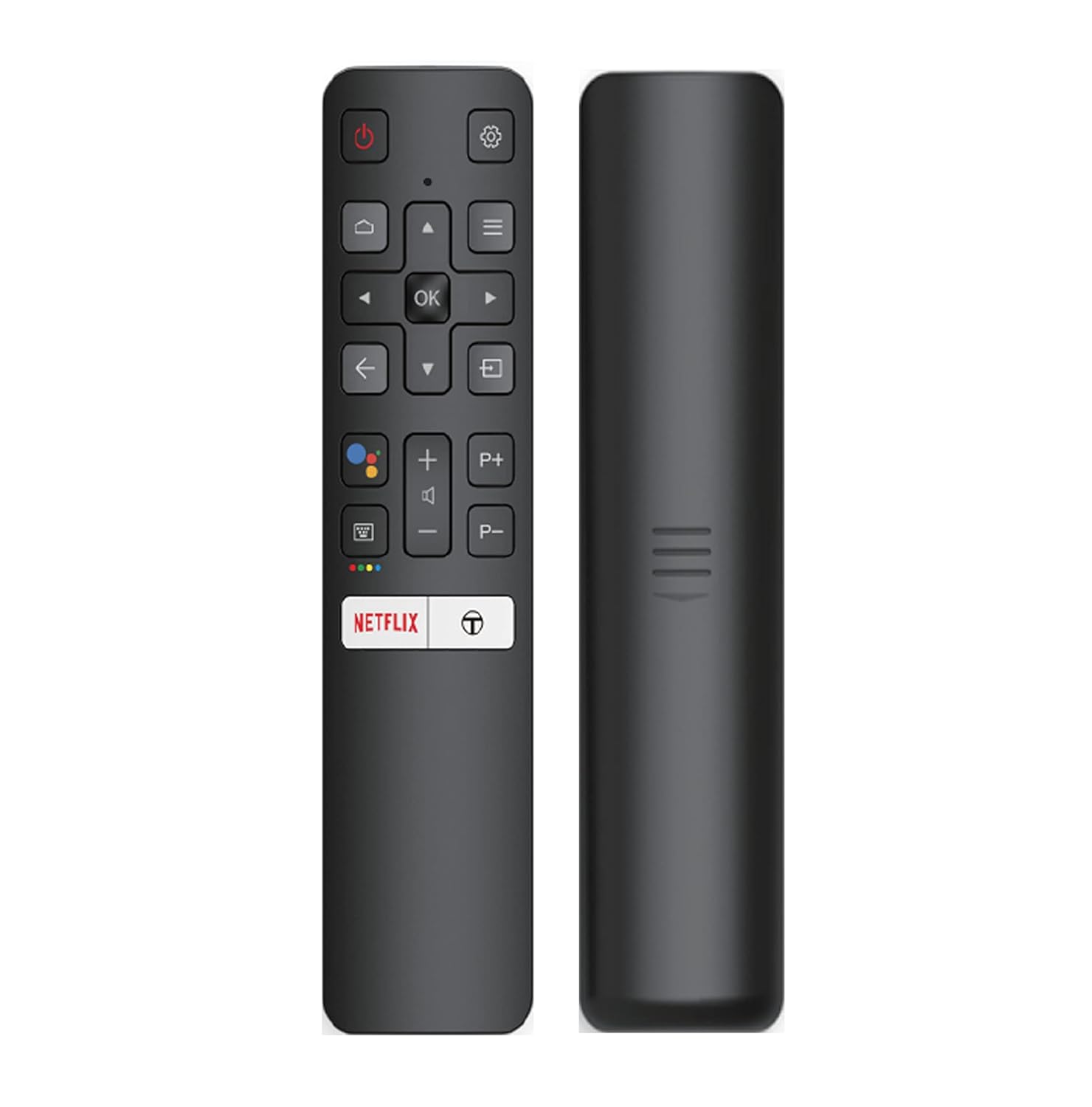
Image: The iFFALCON 43K71 remote control, featuring dedicated buttons for Netflix, Amazon Prime Video, Zee5, and Google Assistant.
主なボタンは次のとおりです。
- 力: テレビの電源をオン/オフします。
- Navigation (Up/Down/Left/Right/OK): メニューを移動し、選択を確定します。
- 戻る: 前の画面に戻ります。
- 家: Android TV のホーム画面にアクセスします。
- ボリューム+/-: 音量を調整します。
- チャンネルP+/P-: チャンネルを変更します。
- Google アシスタント: 音声制御を有効にします。
- Netflix, Prime Video, Zee5: ストリーミング サービスへの直接アクセス ボタン。
スマートテレビの機能(Android TV)
Your iFFALCON 43K71 TV runs on Android 9.0, providing access to a wide range of applications and smart functionalities.

Image: The Android TV home screen on the iFFALCON 43K71, displaying various streaming apps like Netflix, YouTube, and Prime Video.
- アプリ: Download and install apps from the Google Play Store, including Netflix, YouTube, Prime Video, Disney+Hotstar, and more.
- ハンズフリー音声コントロール: Use the built-in Google Assistant to control your TV, search for content, and manage smart home devices by speaking commands directly to the TV.
- Chromecastビルトイン: Cast content from your smartphone, tablet, or computer directly to the TV screen.
- AI-IN: iFFALCON's AI-IN technology integrates with Google Assistant for enhanced smart home connectivity and personalized recommendations.
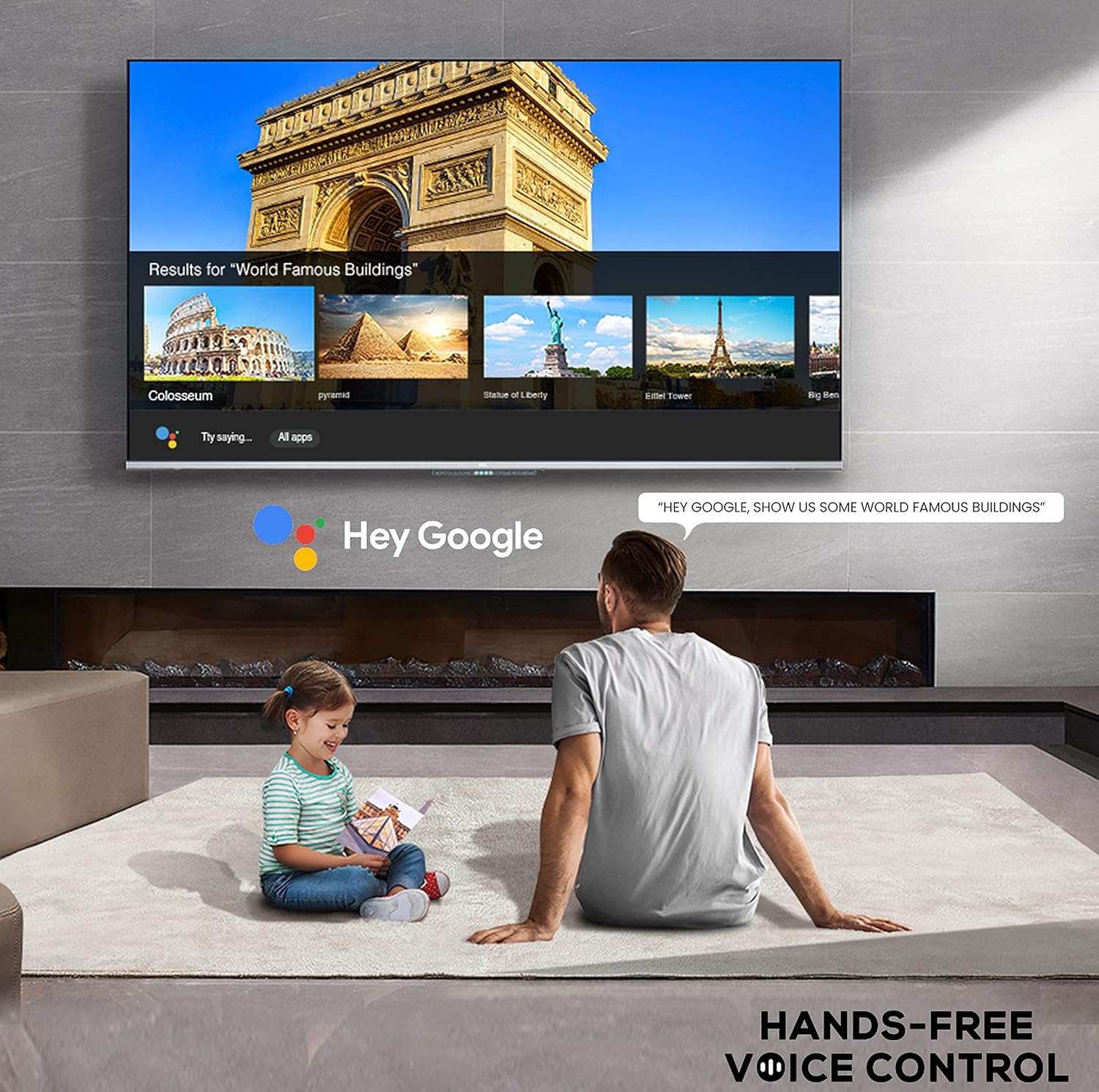
Image: A user interacting with the iFFALCON 43K71 using hands-free voice control, demonstrating the Google Assistant feature.
接続性
このテレビには、外部デバイスを接続するためのさまざまなポートがあります。
- HDMIポート(2) Connect set-top boxes, Blu-ray players, gaming consoles, etc.
- USBポート(1): メディア再生用にハードドライブや USB フラッシュドライブを接続します。
- ブルートゥース: ワイヤレス ヘッドフォン、サウンドバー、その他の Bluetooth 対応アクセサリを接続します。
- Wi-Fi: インターネットにアクセスするには、自宅のワイヤレス ネットワークに接続します。
- オーディオケーブル: For external audio connections.
画像と音声の設定
画像とサウンドの設定を調整して最適化します viewing の経験。
- 画像モード: さまざまなプリセット画像モード (標準、ダイナミック、ムービー、スポーツなど) から選択するか、明るさ、コントラスト、色、シャープネスなどの設定をカスタマイズします。
- 4K Ultra HD & HDR 10: Experience stunning detail and vibrant colors with 4K resolution and High Dynamic Range (HDR 10) support.
- マイクロ調光: Enhances contrast by analyzing video content in hundreds of separate zones and adjusting brightness and darkness independently.
- サウンドモード: Choose from preset sound modes (e.g., Standard, Music, Movie, Clear Voice) or adjust equalizer settings.
- ドルビーオーディオ: Enjoy immersive audio with Dolby Audio processing, delivering rich, clear, and powerful sound from the 30 Watts speakers.
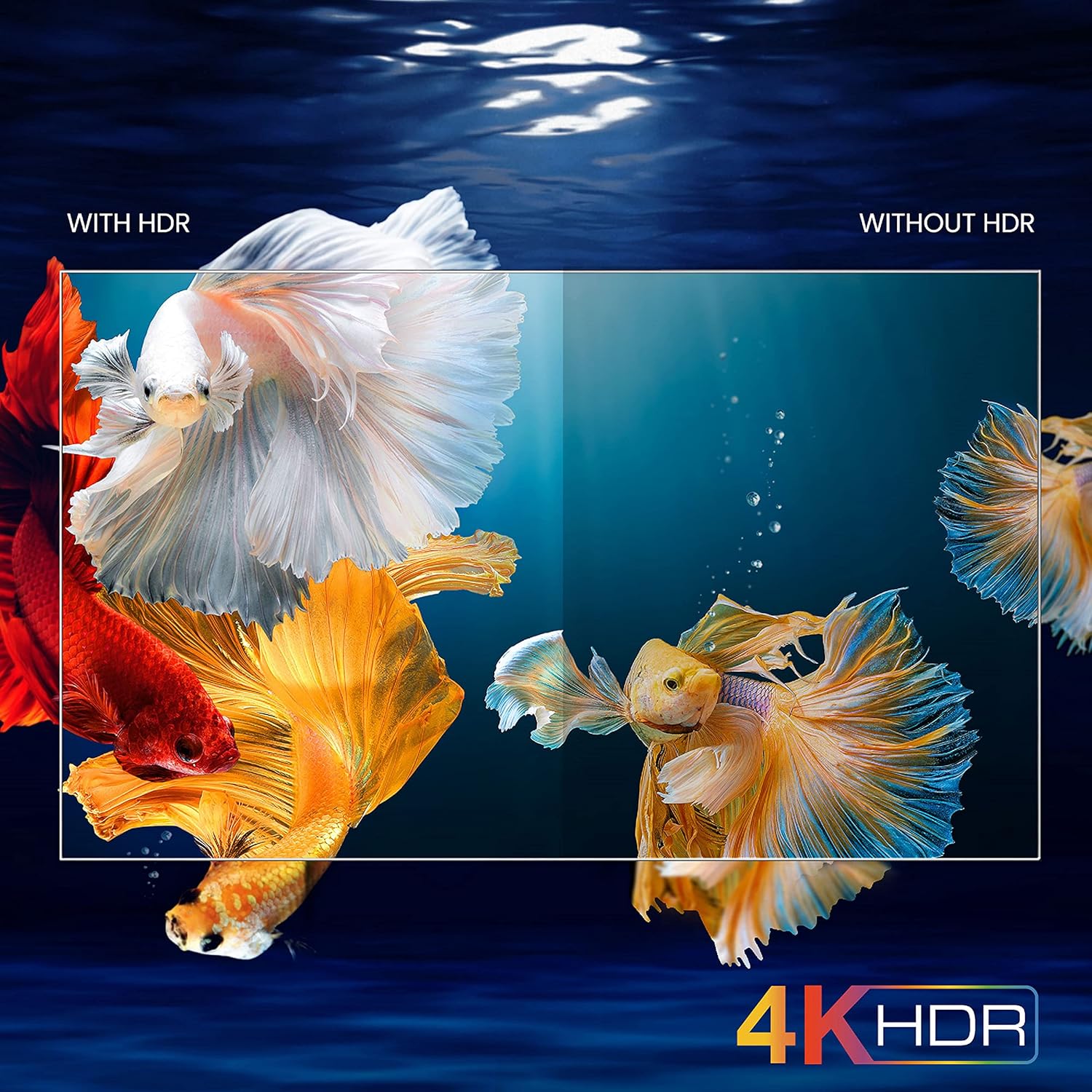
Image: A visual comparison demonstrating the enhanced color and contrast with 4K HDR enabled versus disabled on the iFFALCON 43K71 TV.
メンテナンス
クリーニング
- 掃除する前に必ずテレビの電源プラグを抜いてください。
- 画面とキャビネットの汚れは、柔らかく乾いた布で拭いてください。頑固な汚れには、軽く拭いてください。amp布に水または低刺激性の非研磨性のスクリーンクリーナーを含ませます。
- アルコール、ベンゼン、シンナーなどの揮発性物質は使用しないでください。
ソフトウェアアップデート
The TV may receive software updates periodically to improve performance and add new features. Ensure your TV is connected to the internet to receive these updates automatically or check for them manually in the settings menu.
トラブルシューティング
問題が発生した場合は、サポートに連絡する前に、次の一般的な解決策を参照してください。
| 問題 | 考えられる解決策 |
|---|---|
| テレビの電源が入らない。 | Check if the power cord is securely plugged into the TV and the power outlet. Ensure the power outlet is working. Try pressing the power button on the TV itself. |
| 映像はありませんが、音声はあります。 | 入力ソースを確認してください。外部機器が正しく接続され、電源が入っていることを確認してください。テレビを再起動してみてください。 |
| 音はありませんが、画像は表示されます。 | Check the volume level and ensure the TV is not muted. Verify audio output settings. If using external speakers, check their connections and power. |
| リモコンが機能しない。 | 電池(単4電池2本)を交換してください。リモコンとテレビの赤外線センサーの間に障害物がないことを確認してください。 |
| Wi-Fiに接続できません。 | Check your router and modem. Restart them if necessary. Ensure you are entering the correct Wi-Fi password. Try moving the TV closer to the router or using an Ethernet cable. |
| パフォーマンスが低下したり、アプリがクラッシュしたりします。 | Close unused applications. Clear cache for problematic apps. Restart the TV. Consider a factory reset as a last resort (this will erase all data and settings). |
仕様
Key technical specifications for the iFFALCON 43K71 TV:
| 特徴 | 詳細 |
|---|---|
| モデル | 43K71 |
| 画面サイズ | 43インチ(108 cm) |
| 解決 | 4K ウルトラ HD (3840 x 2160 ピクセル) |
| リフレッシュレート | 60Hz |
| オペレーティング·システム | アンドロイド9.0 |
| ラム | 2ギガバイト |
| ストレージ | 16ギガバイト |
| サウンド出力 | 30 Watts (Dolby Audio Power Speakers) |
| HDMIポート | 2 |
| USBポート | 1 |
| 接続性 | Wi-Fi、ブルートゥース |
| 寸法(長さx幅x高さ) | 96 x 4.1 x 55.8 cm(スタンドなし) |
| アイテム重量 | 6.9キロ |

Image: Diagram showing the physical dimensions of the iFFALCON 43K71 TV in centimeters and inches.
保証
The iFFALCON 43K71 TV comes with a 1年間保証 provided by the manufacturer from the date of purchase. Please retain your purchase receipt for warranty claims. For detailed terms and conditions, refer to the included Warranty Card.
サポート
For further assistance, technical support, or service requests, please contact iFFALCON customer service. Contact details can typically be found on the manufacturer's official webサイトまたは保証書に記載されています。
製品終了view ビデオ
ビデオ: 短い事前view ビデオショーasing key features and visual enhancements of the iFFALCON 43K71 4K Ultra HD Smart Android LED TV, including 4K HDR, dynamic tone mapping, color enhancement, Android TV interface, and hands-free voice control.