1. はじめに
This instruction manual provides essential information for the safe and effective use of your Sans HEPA 13 Air Purifier. Please read this manual thoroughly before operating the device and retain it for future reference. Your Sans Air Purifier is designed to improve indoor air quality by filtering out various airborne particles and odors, contributing to a healthier living environment.
2. 重要な安全情報
- 空気清浄機を清掃する前、メンテナンスを行う前、または使用していないときは、必ずプラグを抜いてください。
- コードやプラグが損傷している状態でデバイスを操作しないでください。コードやプラグが損傷している場合は、カスタマーサポートにお問い合わせください。
- Keep the air purifier away from water or wet surfaces. Do not immerse the device in water or other liquids.
- 機器周囲の適切な換気を確保してください。吸気口や排気口を塞がないでください。
- 通気孔に物を入れないでください。
- この機器は、安全に責任を負う人物による機器の使用に関する監督または指示がない限り、身体的、感覚的、または精神的能力が低下している人、あるいは経験と知識が不足している人(子供を含む)による使用を想定していません。
- 子供が機器で遊ばないように監督する必要があります。
3.製品オーバーview
The Sans HEPA 13 Air Purifier is engineered to deliver clean air efficiently and quietly. It features a multi-stage filtration system and smart technology for optimal performance.
主な特徴:
- カバレッジ: Cleans air in spaces up to 1560 sq. ft. per hour.
- マルチStageろ過: Includes a pre-filter, medical-grade HEPA 13 filter, activated carbon filter, and internal UV-C light.
- 粒子除去: Removes over 99.9% of particles down to 0.1 microns, including pollutants, allergens, dust, dander, harmful chemicals, gases, and odors.
- スマートテクノロジー: Equipped with precise sensors to measure air quality (AQI) and automatically adjust fan settings.
- 空気質表示: Easy-to-read display provides real-time insight into your space's air quality.
- ささやくような静かな睡眠モード: Operates silently and turns off display lights for undisturbed sleep.

Figure 3.1: Sans HEPA 13 Air Purifier with packaging.
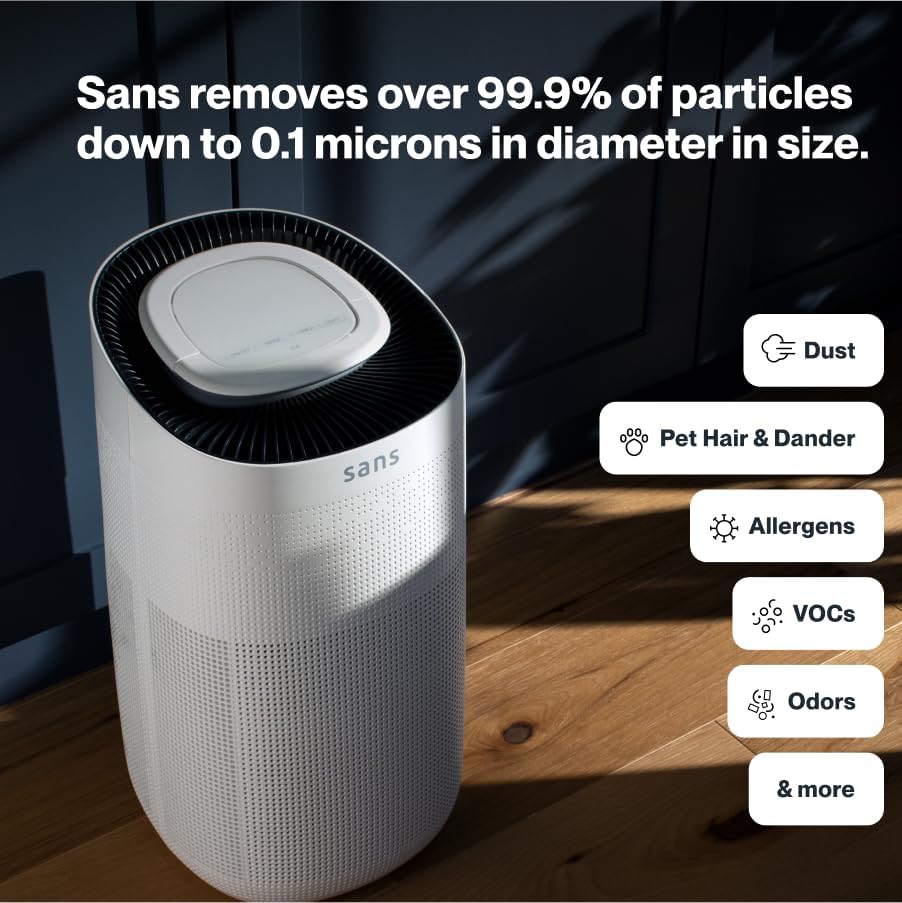
Figure 3.2: Illustration of the air purifier's effectiveness against various airborne particles.
濾過システム:
The Sans Air Purifier utilizes a comprehensive four-stage 濾過プロセス:
- プレフィルター: Captures larger particles such as dust, pet hair, and dander.
- HEPA-13フィルター: A medical-grade filter that traps smoke, ash, PM2.5, and PM10 particles.
- 活性炭フィルター: Neutralizes chemicals, odors, and gases.
- Internal UV-C Light: Acts as a final layer of defense against airborne pathogens.
4. セットアップ
- 開梱: 空気清浄機をパッケージから慎重に取り出します。
- フィルターのインストール: Ensure all filters are correctly installed and any protective packaging is removed. Refer to Section 6: Maintenance for detailed filter replacement instructions.
- 配置: Place the air purifier on a flat, stable surface, ensuring adequate space (at least 6 inches) around all sides for optimal airflow. Avoid placing it directly against walls or furniture.
- 電源接続: 電源コードを標準の電源コンセントに差し込みます。

Figure 4.1: Proper placement of the air purifier in a living space.
5. 操作手順
The control panel on top of the air purifier allows for easy operation and monitoring.

Figure 5.1: Control panel with SmartPure Display and buttons.
コントロールパネルの機能:
- 電源スイッチ (⏻): 押すとユニットの電源がオンまたはオフになります。
- モードボタン(⏚): Cycles through fan speeds (Low, Medium, High) and Auto Mode.
- Sensor Mode (⌕): Displays PM2.5 or VOC levels.
- タイマーボタン(◷): Sets the operating time (e.g., 2H, 4H, 8H).
- ライトボタン(💡): Turns the ambient light On or Off.
- スリープモード: Activates quiet operation and turns off display lights for minimal disturbance.
大気質指標:
The ambient light ring and digital display provide real-time air quality feedback:
- 青色光: Indicates clean air.
- Red/Purple Light: Indicates dirty air, and the unit will increase fan speed in Auto Mode to clean the air.
- デジタルディスプレイ: Shows the Air Quality Index (AQI) or specific pollutant levels (PM2.5, VOC). Lower numbers indicate cleaner air.
Video 5.1: Demonstration of Sans Air Purifier features and operation, including fan speed and air quality indicator.
6. メンテナンス
Regular maintenance ensures optimal performance and longevity of your Sans Air Purifier.
フィルターの交換:
The Sans filter is designed for approximately three months of continuous use (24/7). A light on the control panel will illuminate to indicate when the filter needs to be changed.
- 電源を切る: 空気清浄機のプラグをコンセントから抜きます。
- アクセスフィルター: Press down on the release button on the back of the machine to open the filter compartment cover.
- 古いフィルターを削除: Gently pull out the used filter.
- 新しいフィルターを挿入: Place the new Sans filter into the compartment, ensuring it is seated correctly.
- コンパートメントを閉じる: Reattach the filter compartment cover until it clicks securely into place.
- リセットフィルターインジケーター: After replacing the filter, press and hold the filter reset button (usually indicated by a filter icon) on the control panel for 3-5 seconds until the indicator light turns off.
Video 6.1: Step-by-step guide on how to change the Sans Air Purifier filter.
外装の清掃:
空気清浄機の外側は、柔らかく乾いた布で拭いてください。研磨剤入りの洗剤や溶剤は使用しないでください。
7。 トラブルシューティング
If you encounter any issues with your Sans Air Purifier, refer to the following common problems and solutions:
| 問題 | 考えられる原因 | 解決 |
|---|---|---|
| ユニットの電源が入らない。 | 電源コードがしっかりと差し込まれていないため、コンセントから電力が供給されません。 | 電源コードの接続を確認し、別のコンセントを試してください。 |
| 空気の流れが弱かったり、騒音がしたりします。 | Filter is dirty or blocked; air inlets/outlets are obstructed. | Replace the filter (see Section 6); ensure no obstructions around the unit. |
| Air quality reading (AQI) is consistently high. | High levels of pollutants in the environment; sensor is dirty. | Ensure the unit is running in Auto or High mode; clean the air quality sensor (refer to manufacturer's guide for sensor location). |
| フィルター交換後もフィルター交換インジケーターは点灯したままになります。 | フィルターインジケーターはリセットされません。 | Press and hold the filter reset button for 3-5 seconds. |
If the problem persists after attempting these solutions, please contact Sans customer support.
8. 仕様
- ブランド: サンズ
- モデル: HEPA 13 Air Purifier
- 色: 白
- 製品寸法: 奥行き10インチ x 幅11.5インチ x 高さ20インチ (10 x 11.5 x 20インチ)
- 重さ: 14 ポンド
- 床面積カバー率: 1560平方フィート(1時間あたり)
- 認定: CARB Certified, ETL Certified, FCC Certified
- 最初に入手可能: 5年2021月XNUMX日
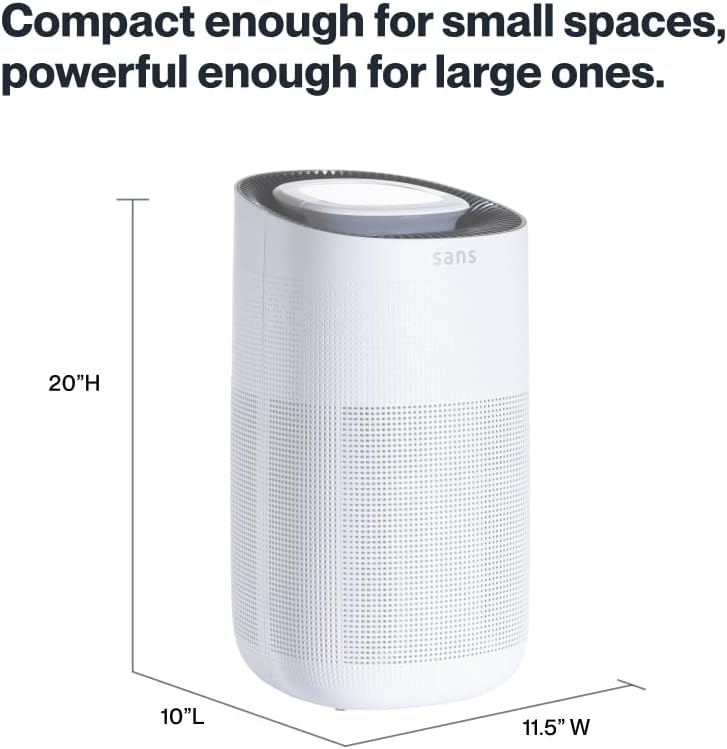
Figure 8.1: Sans Air Purifier dimensions.
9. 保証とサポート
For warranty information, product support, or to purchase replacement filters, please visit the official Sans Home Wellness website or contact their customer service directly. Details regarding available protection plans can also be found through authorized retailers.


