製品終了view
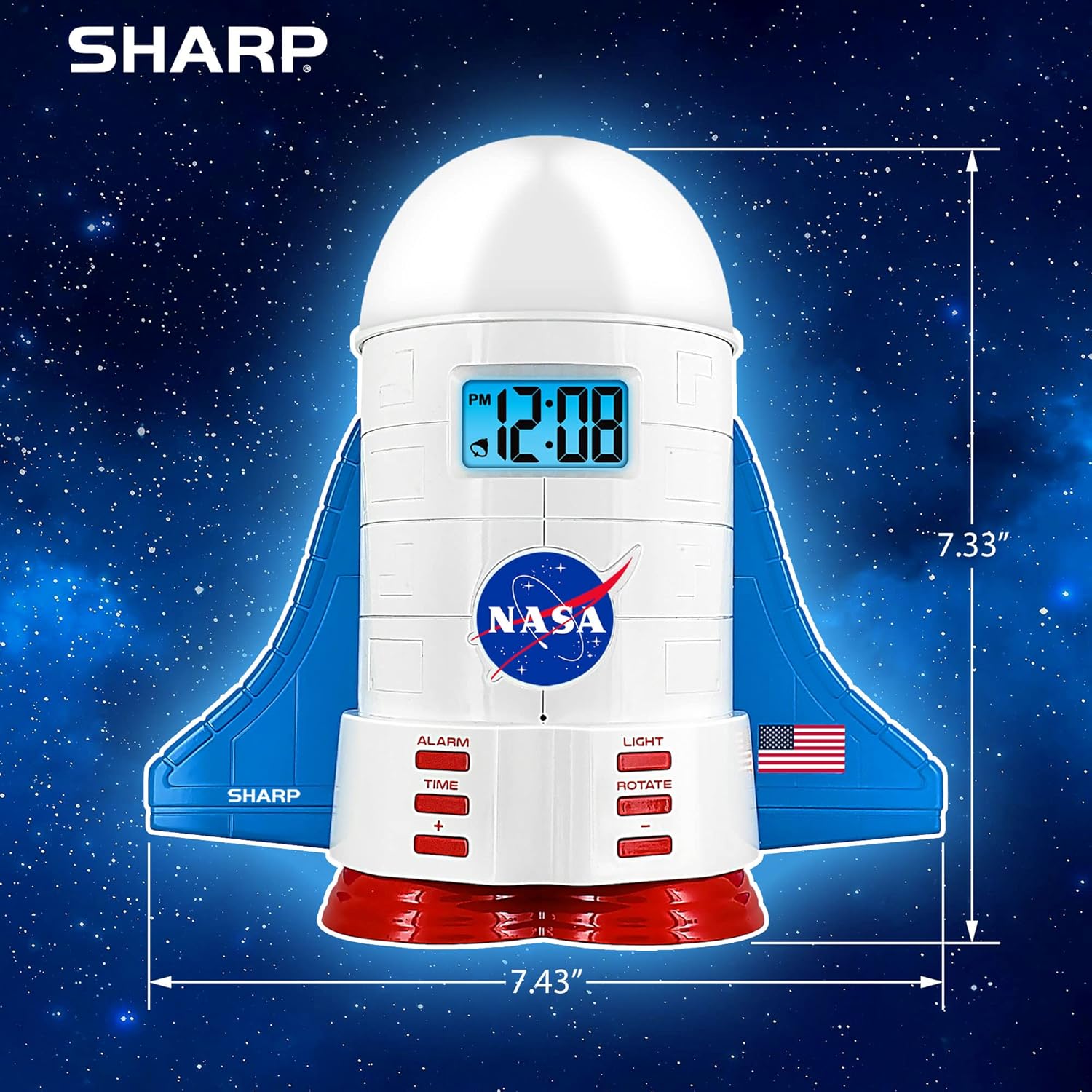
This manual provides instructions for the Sharp NASA Space Shuttle Night Light Alarm Clock. This device combines an alarm clock with a space-themed nightlight and projection feature, designed to enhance a child's bedroom environment.

設定
開梱
- パッケージからすべてのコンポーネントを慎重に取り出します。
- 「箱の内容」セクションに記載されているすべてのアイテムが揃っていることを確認します。
電源接続
The alarm clock can be powered via the included electric adapter. For continuous operation of all features, including the nightlight and projection, direct power is recommended.
For battery backup, insert appropriate batteries (not included) into the battery compartment located at the base of the unit. This ensures timekeeping and alarm function during power outages。

操作手順
時間の設定
- を押す 時間 ボタン。
- 使用 + そして - 時間と分を調整するボタン。
- プレス 時間 再度確認します。
アラームを設定する
- を押す アラーム ボタン。
- 使用 + そして - ボタンを押して希望のアラーム時間を設定します。
- プレス アラーム もう一度押すとアラームが作動します。ディスプレイにアラームアイコンが表示されます。
スヌーズ機能
To temporarily silence the alarm, tap the top of the unit. The alarm will sound again after a short interval.
Nightlight and Projection Features
The unit features light-up wings and a rocket booster base, along with a rotating projection cap.

ライトのアクティブ化
を押す ライト button to cycle through the 4 color options for the wings and booster lights.
Projection Caps
The device includes two interchangeable space-themed projection caps and a frosted nightlight cap. Twist counter-clockwise to attach or remove caps.

回転投影
を押す 回転 button to activate or deactivate the rotation of the projected images.
メンテナンス
- Clean the unit with a soft, dry cloth. Avoid abrasive cleaners or solvents.
- Ensure the projection caps are free from dust or smudges for clear image projection.
- Replace batteries in the backup compartment as needed to maintain time settings during power interruptions.
トラブルシューティング
| 問題 | 考えられる原因 | 解決 |
|---|---|---|
| Clock not displaying time | 電源なし | Ensure the electric adapter is securely plugged in. Check battery backup. |
| アラームが鳴らない | Alarm not set or deactivated | Verify alarm time is set and activated (alarm icon visible). |
| Projection unclear or dim | Dust on cap or insufficient darkness | Clean the projection cap. Ensure the room is sufficiently dark for optimal projection. |
| 投影が回転しない | Rotate function off | を押す 回転 button to activate the rotation feature. |
仕様
- ブランド: シャープ
- モデル番号: Sharp NASA e Shuttle Alarm Clock
- 電源: Electric Adapter (Battery backup for timekeeping)
- 光源の種類: 導かれた
- Nightlight Colors: 4つのオプション
- Projection Themes: 2 interchangeable space scenes
- 画面: 青色バックライト付きLCD
- 寸法: 7.43 x 1.5 x 7.43インチ
- 重さ: 1.33ポンド
- 材料: プラスチック
- 特別な機能: Color Changing, Snooze Function, Rotating Projection
保証とサポート
保証情報や技術サポートについては、メーカーの公式ウェブサイトをご覧ください。 webサイトにアクセスするか、カスタマーサービスにお問い合わせください。
メーカー: シャープ
国際コード: 049353005447
ASIN: B08PL6K2C5


