1. はじめに
This manual provides essential information for the safe and efficient operation of your iFFALCON 32F2A 32-inch HD Ready Android Smart LED TV. Please read these instructions thoroughly before using the television and retain them for future reference.
The iFFALCON 32F2A is an 80 cm (32 inches) HD Ready Android Smart LED TV designed to offer a comprehensive entertainment experience. It features a 720p resolution display, integrated Android operating system, and smart functionalities like Google Assistant and Chromecast built-in.
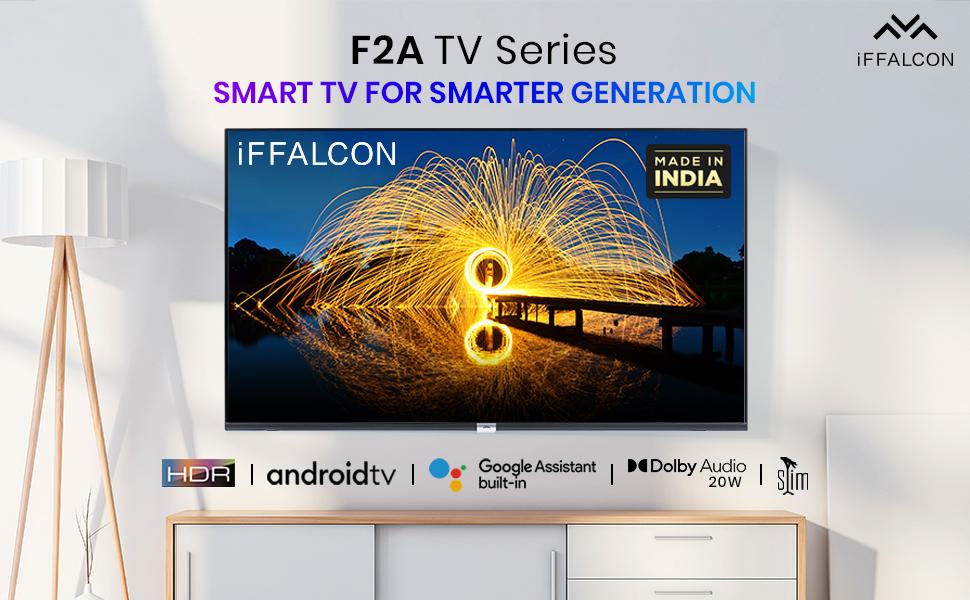
画像1.1:正面 view of the iFFALCON 32F2A Smart LED TV displaying the Android TV interface, alongside icons representing key features such as HDR, Android TV, Google Assistant, Micro Dimming, IPQ Engine, Chromecast built-in, AI, and Dolby Audio with 20W speakers.
2. 箱の中身
Verify that all components are present and undamaged upon unpacking your new television.
- iFFALCON 32F2A LEDテレビ 1台
- テーブルトップスタンド×1
- ユーザーマニュアル x 1
- 保証カード x 1
- リモコン x 1
- 単4電池2本(リモコン用)
3. セットアップ
3.1開梱と配置
Carefully remove the TV from its packaging. It is recommended to have two people for this process. Place the TV on a stable, flat surface or mount it securely on a wall.
3.2 テーブルトップスタンドの取り付け
- 傷がつかないように、テレビ画面を下にして柔らかく清潔な表面に置いてください。
- スタンドベースをテレビの下部にある対応するスロットに合わせます。
- 付属のネジを使用してスタンドベースを固定します。しっかりと締め付けてください。
3.3 壁掛け(オプション)
If you choose to wall mount your TV, please note that the wall mount bracket is not included and must be purchased separately. Follow the instructions provided with your wall mount kit and ensure professional installation for safety.
3.4 外部機器の接続
Your iFFALCON 32F2A TV offers various connectivity options:
- HDMI ポート: Blu-ray プレーヤー、ゲーム コンソール、またはセットトップ ボックスを接続します。
- USBポート: メディアを再生するには、USB ストレージ デバイスを接続します。
- イーサネットポート: 有線インターネット接続用。
- ヘッドフォンジャック: プライベートリスニング用。
3.5電源接続
Connect the power cord to the TV's power input and then to a suitable AC power outlet (240 Volts, 50 Watts). Ensure the power cable is securely connected.
3.6 初回電源投入とセットアップウィザード
After connecting power, press the power button on the TV or remote control. The TV will guide you through the initial setup wizard, including language selection, network connection (Wi-Fi or Ethernet), Google account sign-in, and channel scanning.

Image 3.1: A diagram illustrating the physical dimensions of the iFFALCON 32F2A TV, including screen size (32 inches / 79.97 cm diagonal), width (73.20 cm / 29 inch), height (48.20 cm / 19 inch), and depth (17.30 cm / 6.9 inch).
4. 操作手順
4.1リモコン
The provided remote control allows you to navigate the TV's interface and access various functions. Insert the two AAA batteries (included) into the remote control, ensuring correct polarity.
- 電源ボタン: テレビの電源をオンまたはオフにします。
- ナビゲーションボタン: 方向パッドと OK ボタンを使用してメニュー間を移動します。
- ボリューム+/-: 音量レベルを調整します。
- チャンネル +/-: テレビのチャンネルを変更します。
- ホームボタン: Android TV のホーム画面に戻ります。
- 戻るボタン: 前の画面に戻ります。
- Google アシスタント ボタン: 音声制御を有効にします。
- Netflix ボタン: Netflix への直接アクセス。
- Amazonプライムビデオボタン: Direct access to Amazon Prime Video.
- Zee5 Button: Direct access to Zee5.
- TCL Channel Button: Direct access to TCL channel.

Image 4.1: The smart remote control for the iFFALCON TV, highlighting the Google Assistant button and a dedicated hotkey for Netflix for quick access.
4.2 Android TV インターフェース
Your TV runs on Android 9, providing access to a wide range of apps and services. The home screen displays recommended content, installed applications, and input sources.
- アプリ: Access pre-installed applications like Netflix, YouTube, Prime Video, Disney+Hotstar, Sun NXT, and Zee5. Download more from the Google Play Store.
- 入力: Switch between HDMI inputs, USB, and other connected devices.
- 設定: Customize TV settings such as picture, sound, network, and system preferences.

Image 4.2: The iFFALCON Smart LED TV showcasing its Android TV home screen, featuring prominent app icons for Netflix, YouTube, Prime Video, and other streaming services.

Image 4.3: The iFFALCON Smart LED TV interface, illustrating the availability of popular streaming platforms such as YouTube, Prime Video, Disney+ Hotstar, SonyLIV, Zee5, ALTBalaji, Voot Select, and Eros Now.
4.3Googleアシスタント
The built-in Google Assistant allows you to control your TV and smart home devices using voice commands. Press the Google Assistant button on your remote and speak into the microphone.
- Search Content: Say "Play a cartoon movie" or "検索する action films."
- Control TV: Say "Turn up the volume" or "Switch to HDMI 1."
- Get Information: Ask "What's the weather today?" or "How long is Moonlight?"
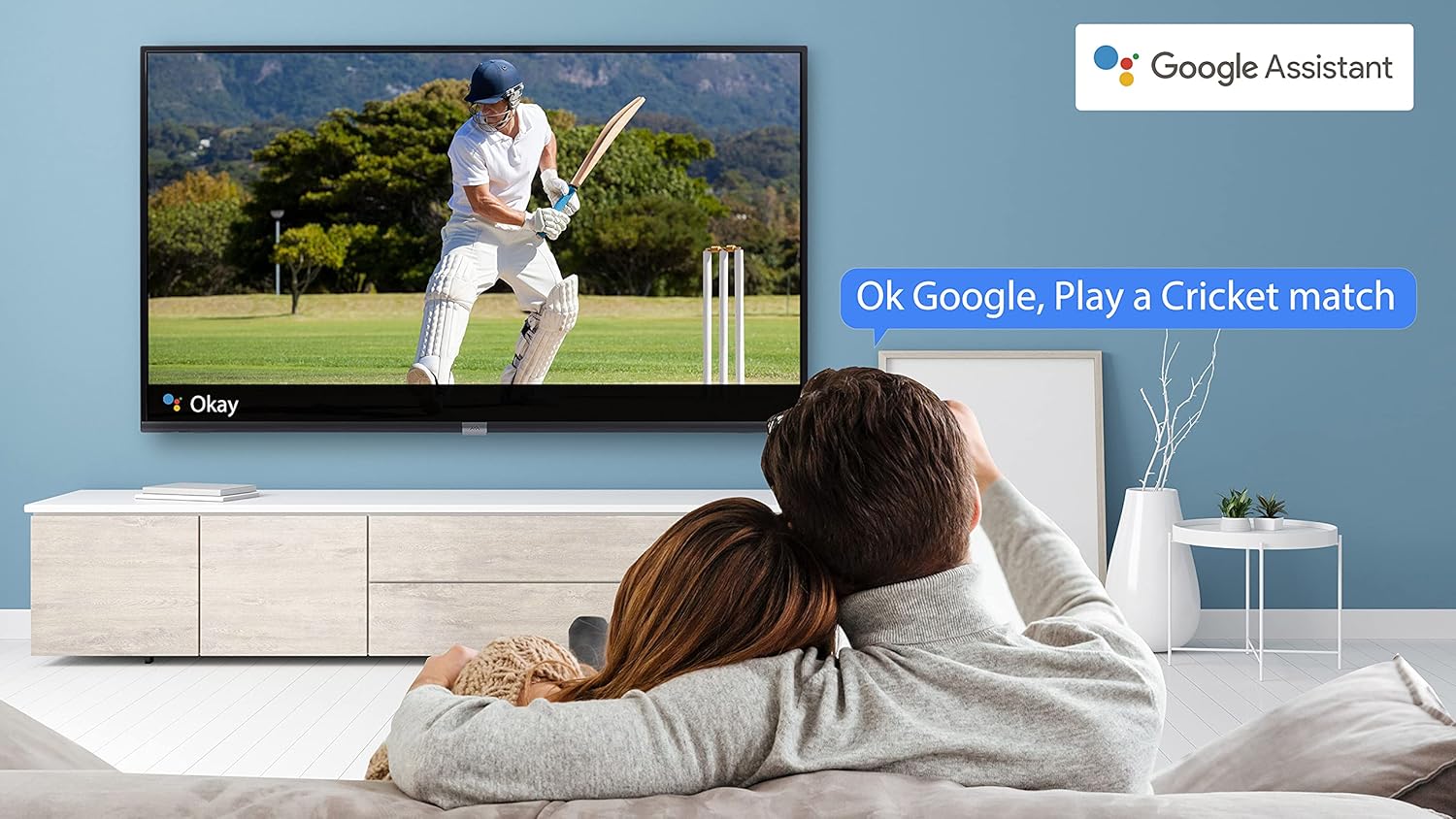
Image 4.4: A couple watching a cricket match on the iFFALCON TV, with a Google Assistant prompt bubble showing "Ok Google, Play a Cricket match," demonstrating voice control functionality.
Image 4.5: The Google Assistant logo, indicating the TV's integrated voice control capabilities.
4.4 Chromecast Built-in
Use Chromecast built-in to cast content from your compatible smartphone, tablet, or computer directly to your TV screen. Ensure your device and TV are connected to the same Wi-Fi network.

Image 4.6: A smartphone displaying a car image, with a casting icon indicating that the content is being mirrored to a larger TV screen, demonstrating the Chromecast built-in feature.
5. 主な特徴
5.1 HDR(ハイダイナミックレンジ)
HDR technology enhances contrast, color accuracy, and brightness, delivering a more lifelike and immersive viewing experience with greater detail in both dark and bright scenes.

Image 5.1: A split-screen comparison showing the visual difference between an image without HDR 10 (left, darker, less vibrant) and with HDR 10 (right, brighter, more detailed, and richer colors).
5.2 マイクロディミング
Micro Dimming analyzes the TV content in hundreds of separate zones to adjust brightness and darkness independently. This results in improved contrast and picture quality, especially in scenes with mixed light levels.

Image 5.2: A split-screen comparison demonstrating the effect of Micro Dimming, with the 'Without Micro Dimming' side appearing less vibrant and the 'With Micro Dimming' side showing enhanced contrast and color saturation in a city night scene.
5.3 IPQ Engine
The IPQ Engine (Image Quality Processing Engine) optimizes picture quality by intelligently adjusting brightness, color range, and contrast, ensuring a more vivid and accurate display.

Image 5.3: A visual representation of the IPQ Engine, highlighting its 'High Brightness Precision Control Technology' and 'Intelligent Color Range Control Technology' for optimized picture quality.
5.4ドルビーオーディオ
Experience rich, clear, and powerful sound with Dolby Audio. This technology enhances the audio output, providing an immersive listening experience for movies, music, and games.

Image 5.4: The Dolby Audio logo, signifying enhanced sound quality and an immersive audio experience.
5.5 Smart Volume
Smart Volume automatically adjusts the sound level to prevent sudden changes in volume, such as during commercials or when switching channels, ensuring a consistent listening experience.

Image 5.5: An illustration of the Smart Volume feature, showing how it maintains consistent audio levels across different content types, represented by varying sound wave patterns.
5.6 スポーツモード
Sports Mode optimizes picture and sound settings for sports content, enhancing motion clarity and audio to provide a more engaging viewing experience for live sports.

Image 5.6: A split-screen comparison of a cricket player, showing the 'Without Sports Mode' side with standard clarity and the 'With Sports Mode' side with enhanced motion and detail, indicated by a playback bar.
5.7 スリムデザイン
The iFFALCON 32F2A features a slim design, allowing it to blend seamlessly into various living spaces and offering a modern aesthetic.

Image 5.7: An illustration emphasizing the slim profile of the iFFALCON TV, with a hand demonstrating its thinness.
6. メンテナンス
6.1 画面のクリーニング
柔らかく糸くずの出ない布で画面を優しく拭いてください。頑固な汚れには、軽くamp布を水または専用のスクリーンクリーナーで拭いてください。刺激の強い化学薬品や研磨剤の使用は避けてください。
6.2 キャビネットの清掃
テレビキャビネットは柔らかく乾いた布で拭いてください。液体洗剤を直接キャビネットに使用しないでください。
6.3 Power Cord Care
Regularly check the power cord for any damage. Do not place heavy objects on the cord or expose it to excessive heat.
7。 トラブルシューティング
テレビで問題が発生した場合は、次の一般的な問題と解決策を参照してください。
| 問題 | 考えられる原因 | 解決 |
|---|---|---|
| 電源なし | 電源コードが外れた、電源コンセントに問題がある | 電源コードがしっかりと差し込まれていることを確認してください。電源コンセントが機能しているかどうかを確認してください。 |
| 映像はないが、音声はある | 入力ソースが正しくありません、ケーブルに不具合があります | Verify the correct input source is selected. Check HDMI/AV cable connections. |
| 音はないが、映像は表示される | Volume muted or too low, audio settings issue | 音量を上げてください。テレビメニューでオーディオ出力設定を確認してください。 |
| リモコンが動作しない | 電池切れ、障害物、リモコンが範囲外 | Replace batteries. Remove obstructions between remote and TV. Ensure remote is within operating range. |
| Wi-Fiに接続できません | Incorrect password, router issue, TV too far from router | Re-enter Wi-Fi password. Restart router. Move TV closer to router or use Ethernet. |
これらの解決策を試しても問題が解決しない場合は、カスタマー サポートにお問い合わせください。
8. 仕様
iFFALCON 32F2AスマートLEDテレビの詳細な技術仕様:
| 特徴 | 仕様 |
|---|---|
| ブランド | イファルコン |
| モデル名 | 32F2A |
| 画面サイズ | 32インチ(80 cm) |
| ディスプレイ技術 | LED、A+グレードパネル |
| 解決 | HD対応(1366 x 768ピクセル) |
| リフレッシュレート | 60Hz |
| View角度 | 178度 |
| 画像のアスペクト比 | 16:9 |
| 画像のコントラスト比 | 3000:1 |
| オペレーティング·システム | アンドロイド |
| RAMメモリインストールサイズ | 1ギガバイト |
| デジタルストレージ容量 | 8ギガバイト |
| グラフィックスコプロセッサ | マリ470x2 |
| オーディオワットtage | 16ワット |
| スピーカーサラウンドサウンド | ドルビーオーディオ |
| 接続技術 | Wi-Fi、イーサネット、HDMI、USB |
| USBポート合計 | 1 |
| 電源 | AC |
| 巻tage | 240ボルト |
| ワットtage | 50ワット |
| 製品寸法 | 48.2 x 73.2 x 18.3 cm |
| アイテム重量 | 3.9キロ |
9. 保証とサポート
Your iFFALCON 32F2A TV comes with a warranty. Please refer to the included Warranty Card for detailed terms and conditions, including the warranty period and coverage.
For technical assistance, service requests, or further inquiries, please visit the official iFFALCON support website or contact their customer service helpline. Contact information can typically be found on the Warranty Card or the manufacturer's official webサイト。