1. はじめに
This manual provides essential information for the installation, operation, and maintenance of your Segotep GM850 850W Power Supply. Please read this manual thoroughly before installation and retain it for future reference. The Segotep GM850 is a high-performance, fully modular power supply designed to meet the demands of modern computing systems, including those with NVIDIA RTX 20/30/40/50 Series and AMD Graphics Cards.

Image 1.1: Segotep GM850 850W Power Supply and Retail Box
2. 安全情報
Observe the following safety precautions to prevent injury or damage to your equipment:
- Always disconnect the power cord from the wall outlet before installing, removing, or cleaning the power supply.
- 電源ユニットを開けないでください。高電圧tag内部には部品が備わっており、ユーザーが修理可能な部品はありません。ユニットを開けると保証は無効になります。
- Ensure the power supply is installed in a well-ventilated area, free from excessive heat, humidity, or dust.
- Use only the modular cables provided with this power supply. Using incompatible cables may cause damage to the PSU or connected components.
- Connect the power supply to a grounded electrical outlet.
- Avoid placing objects into the fan grille or ventilation openings of the power supply.

Image 2.1: Safety Protection Features (OVP, OCP, OPP, SPD, OTP, UVP, SCP)
3. パッケージ内容
Verify that all items are present in your Segotep GM850 850W Power Supply package:
- Segotep GM850 850W Power Supply Unit
- AC電源コード
- Modular Cable Set (see Image 3.1 for details)
- 取り付けネジ
- 24-Pin Bridge Tool (for testing, if included)
- ユーザーマニュアル(このドキュメント)

Image 3.1: Included Modular Cables and 24-Pin Bridge Tool
4 製品の特徴
- ATX 3.1 & PCIe 5.1対応: This power supply is compliant with the latest ATX 3.1 and PCIe 5.1 standards, ensuring compatibility with next-generation hardware. It is designed to handle power excursions up to 200% of total power and 300% of GPU power, providing stable power delivery for high-performance graphics cards.
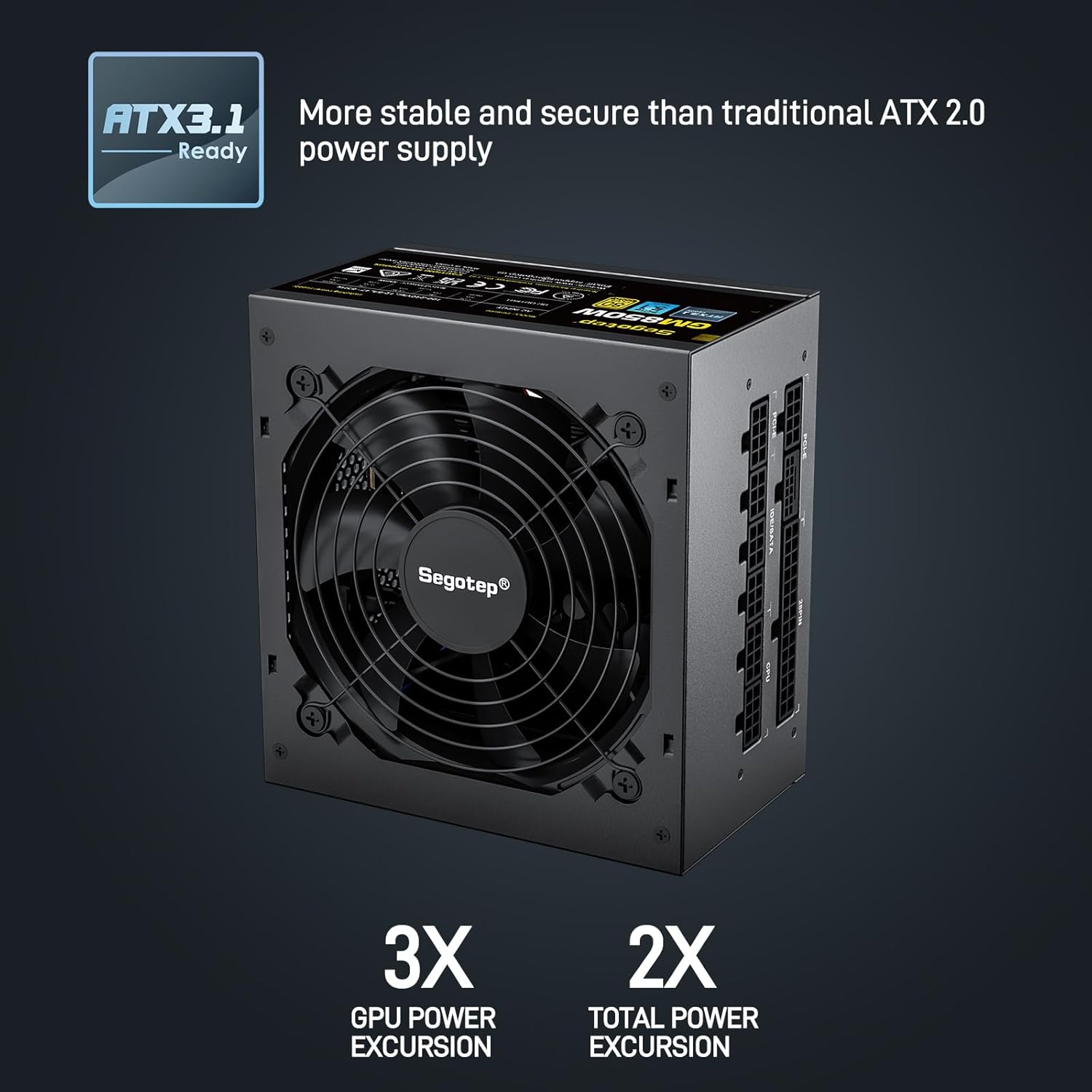
Image 4.1: ATX 3.1 Compliance and Power Excursion Handling
- 80 Plusゴールド認証: The 80 PLUS Gold certification guarantees high power efficiency, reducing energy waste and operating costs. This results in less heat generation and a quieter system.
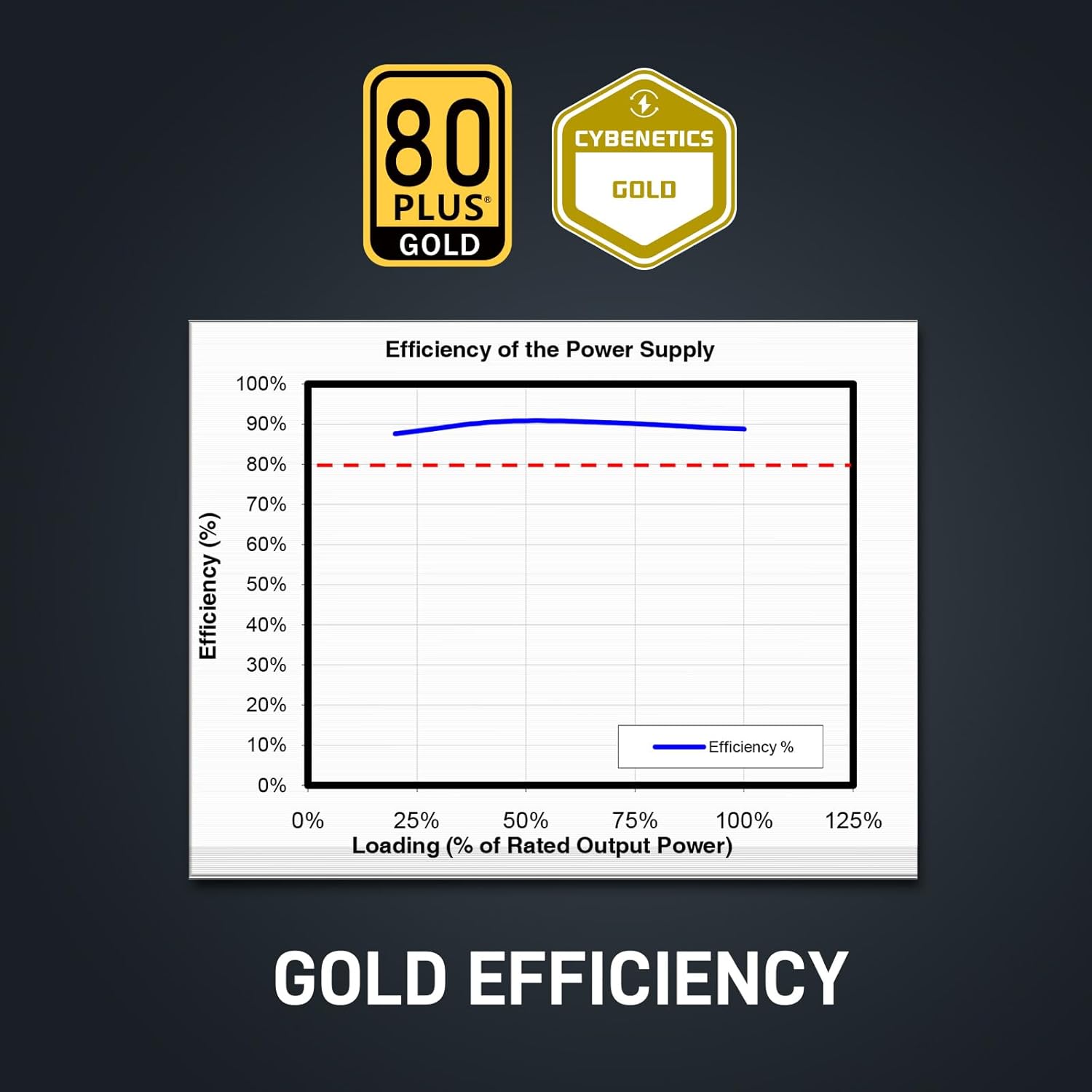
Image 4.2: 80 Plus Gold Efficiency Certification
- 完全モジュール設計: The fully modular cable system allows you to connect only the cables your system requires, improving airflow within your PC case and simplifying cable management. The flat black cables enhance the aesthetic appeal of your build.
- Native 12VHPWR Cable: Equipped with a native 12VHPWR cable, this PSU can deliver up to 600W of power directly to PCIe 5.1 graphics cards, eliminating the need for adapters and ensuring stable power delivery.
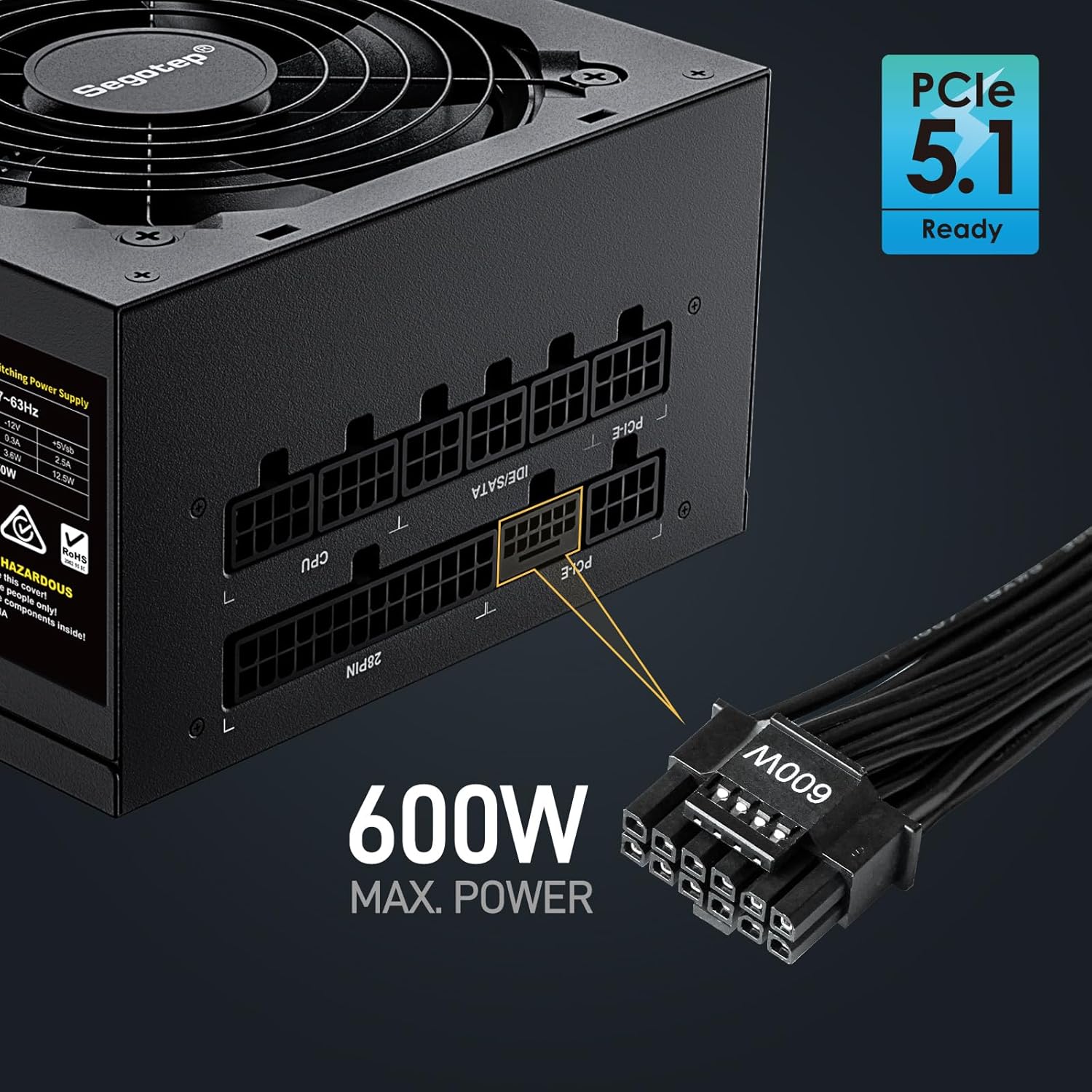
Image 4.3: Native 12VHPWR Cable for PCIe 5.1 Graphics Cards
- Stable +12V Output: Featuring a DC-DC structure, Full Bridge LLC resonance assist, and 12V synchronous rectification, the GM850 provides a highly stable and safe +12V output, crucial for sensitive components like the CPU and GPU.
- 包括的な安全保護: The power supply incorporates multiple protection circuits to safeguard your components: OVP (Over Voltage Protection), OCP (Over Current Protection), OPP (Over Power Protection), SPD (Surge Protection Device), OTP (Over Temperature Protection), UVP (Under Voltage Protection), and SCP (Short Circuit Protection).
- 120mm FDBファン: A 120mm Fluid Dynamic Bearing (FDB) fan provides efficient cooling with minimal noise, contributing to a quieter computing experience.

Image 4.4: Graphics Card Compatibility and Connector Types
5.インストールガイド
Follow these steps to install your Segotep GM850 850W Power Supply:
- 準備: コンピュータの電源がオフになっており、壁のコンセントからプラグが抜かれていることを確認してください。コンピュータのケースを開けてください。
- 古い PSU を削除します (該当する場合)。 古い電源ユニットからすべてのケーブルを外します。ネジを外して、古い電源ユニットをケースから取り外します。
- 新しいPSUを取り付けます。 Carefully slide the Segotep GM850 into the power supply bay of your computer case. Secure it with the provided mounting screws.
- 必須ケーブルを接続します。
- 20+4 Pin ATX Motherboard Cable: Connect the main motherboard power cable to the corresponding port on your motherboard.
- 4+4 Pin CPU Cable(s): Connect the CPU power cable(s) to the CPU power port(s) on your motherboard.
- Connect Graphics Card Cables:
- For PCIe 5.1 compatible graphics cards, use the native 12VHPWR (16-pin) cable.
- For older graphics cards, use the 6+2 pin PCIe cables as required by your GPU.
- 周辺ケーブルを接続します。 Connect SATA power cables to your SSDs, HDDs, and optical drives. Connect IDE/Molex cables for any other peripherals that require them.
- ケーブル管理 Utilize the fully modular design and flat cables to route and manage cables neatly within your case for optimal airflow and aesthetics.
- 最終チェック: すべての接続が確実に接続されているか再確認してください。コンピューターのケースを閉じてください。
- 電源オン: Plug the AC power cord into the power supply and then into a grounded wall outlet. Flip the power switch on the PSU to the 'ON' position. Power on your computer.

Image 5.1: Segotep GM850 Power Supply Installed in a PC Case
6. 操作
Once installed, the Segotep GM850 850W Power Supply operates automatically, providing stable power to your system. The 120mm FDB fan adjusts its speed based on the power supply's temperature and load, ensuring efficient cooling while maintaining low noise levels. No user intervention is typically required during normal operation.
7. メンテナンス
To ensure optimal performance and longevity of your power supply, consider the following maintenance tips:
- ほこりの除去: Periodically clean the exterior of the power supply and its fan grille to prevent dust buildup, which can impede airflow and cooling. Use compressed air to gently clear dust from the fan and vents. Ensure the system is powered off and unplugged before cleaning.
- ケーブル検査: Occasionally check all modular cable connections to ensure they are seated firmly.
- 環境: Maintain a clean, cool, and dry environment for your computer to prevent excessive strain on the power supply.
8。 トラブルシューティング
電源に問題が発生した場合は、次の一般的な問題と解決策を参照してください。
| 問題 | 考えられる原因 | 解決 |
|---|---|---|
| コンピュータの電源が入りません。 | Power cord not connected, PSU switch off, faulty component, insufficient power. | Ensure power cord is secure. Check PSU switch is ON. Verify all modular cables are correctly connected. Test with minimal components. |
| システムがランダムにクラッシュしたり再起動したりします。 | Overload, overheating, unstable power delivery. | システム全体の電力を確保するtage does not exceed 850W. Check for proper ventilation. Verify all cables are securely connected. |
| ファンの音が大きすぎる。 | Dust buildup, high load, fan malfunction. | Clean dust from the fan and vents. Ensure adequate case airflow. If noise persists, contact support. |
| 焦げた臭いや煙。 | 重大なコンポーネント障害。 | Immediately disconnect power from the wall outlet. Do not attempt to power on the system. Contact Segotep support. |
If these steps do not resolve your issue, please contact Segotep customer support.
9. 仕様
| 特徴 | 詳細 |
|---|---|
| モデル名 | GM850 |
| 出力ワットtage | 850ワット |
| 効率認証 | 80 PLUSゴールド |
| フォームファクター | ATX 3.0 (Compatible with ATX 3.1) |
| コネクタタイプ | ATX 3.1, PCI Express 5.1 (Native 12VHPWR) |
| 冷却方法 | エア(120mm FDBファン) |
| 製品寸法(長さ x 幅 x 高さ) | 5.91 x 5.51 x 3.35インチ |
| アイテム重量 | 5.29ポンド |
| 対応デバイス | Gaming Console (PC) |
| 保護 | OVP, OCP, OPP, SPD, OTP, UVP, SCP |
10. 保証とサポート
The Segotep GM850 850W Power Supply comes with a 5年間保証 from the date of purchase, covering defects in materials and workmanship under normal use. This warranty does not cover damage caused by improper installation, accidents, abuse, misuse, natural disaster, or unauthorized modification.
For technical support, warranty claims, or further assistance, please contact Segotep customer service through their official website or the retailer where the product was purchased. Please have your proof of purchase and product model information ready when contacting support.
Segotep Inc.
Webサイト: www.segotep.com
メールアドレス: support@segotep.us


