1. はじめにview
The WORKPRO 20V Cordless Angle Grinder Kit is a versatile and portable power tool designed for grinding, cutting, and polishing various materials. Its cordless design offers freedom of movement for both indoor and outdoor applications. Equipped with a powerful 20V 4.0Ah Lithium-Ion battery and a fast charger, this tool ensures stable and long-lasting performance. This manual provides essential information for safe and effective operation, maintenance, and troubleshooting to help you achieve optimal results.

Figure 1.1: Complete WORKPRO 20V Cordless Angle Grinder Kit.
2. 重要な安全情報
この電動工具を使用する前に、必ずすべての安全に関する警告と指示をよく読んで理解してください。警告と指示に従わないと、感電、火災、または重傷を負う可能性があります。
2.1 電動工具の一般的な安全性
- 作業エリアの安全性: 作業場は清潔に保ち、明るく保ちましょう。雑然とした場所や暗い場所は事故を招きます。可燃性の液体、ガス、粉塵など、爆発性雰囲気下では電動工具を使用しないでください。
- 電気安全: アースされている表面(例:パイプ、ラジエーター、レンジ、冷蔵庫など)への身体の接触を避けてください。身体がアースされている場合、感電の危険性が高まります。
- 個人の安全: Always wear eye protection. Use hearing protection when operating the tool for extended periods. Wear appropriate clothing; avoid loose clothing or jewelry. Keep hair, clothing, and gloves away from moving parts.
- ツールの使用と手入れ: 電動工具に無理な力を加えないでください。用途に適した電動工具を使用してください。設計通りの速度で作業すれば、より効果的かつ安全に作業できます。電動工具の調整、アクセサリの交換、保管を行う前に、必ず電動工具からバッテリーパックを外してください。
2.2 Specific Angle Grinder Safety
- 必ずツールに付属のガードを使用してください。最大限の安全性を確保するため、ガードがしっかりと取り付けられ、所定の位置に取り付けられていることを確認してください。
- Use only grinding wheels and cutting discs that are specifically designed for an angle grinder and are rated for the tool's maximum RPM.
- ワークピースを固定します。clを使用しますamps or a vise to hold the workpiece firmly. This frees both hands to operate the tool safely.
- 操作中は両手でツールをしっかりと握ってください。
- Be aware of kickback. Kickback is a sudden reaction to a pinched or snagged rotating wheel. Always maintain proper footing and balance.
3. パッケージ内容
Your WORKPRO 20V Cordless Angle Grinder Kit includes the following components:
- 1 x Cordless Angle Grinder
- 1 x 4.0Ah Lithium-Ion Battery
- 急速充電器 x 1
- 1 x Rubberized 3-Position Anti-Slip Auxiliary Handle
- 1 x Grinding Wheel Protector
- 1 x Cutting Wheel Protector
- 5 x Metal Cutting Wheels (4-1/2”)
- 5 x Grinding Wheels (4-1/2”)
- スパナ×1

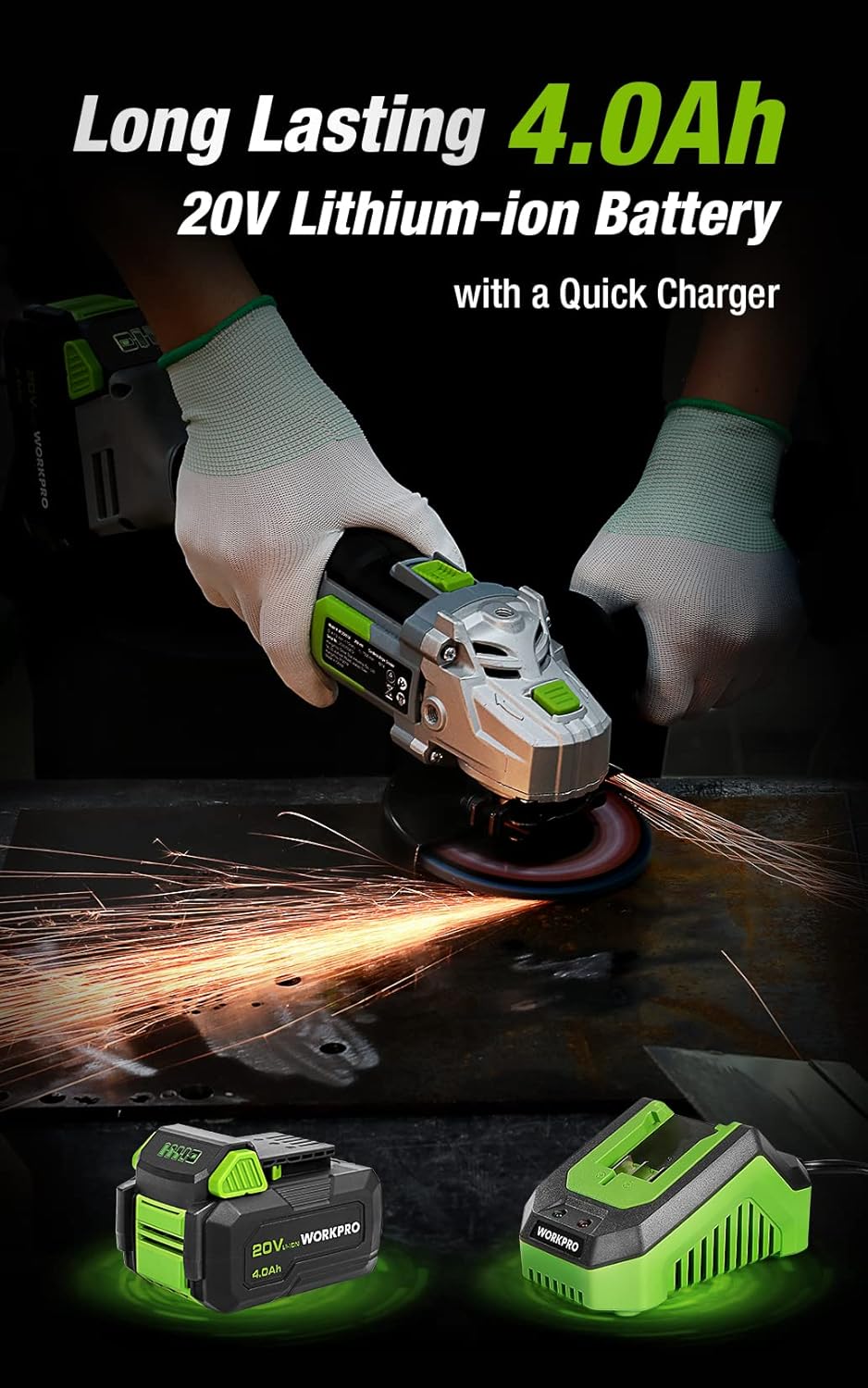
Figure 3.1: Included discs, guards, and spanner. Figure 3.2: 4.0Ah Lithium-Ion Battery and Fast Charger.
ビデオ3.1: オーバーview of the WORKPRO 20V Cordless Angle Grinder Kit and its components.
4. セットアップ
4.1 補助ハンドルの取り付け
The auxiliary handle can be installed in three different positions (left, right, or top) to provide optimal comfort and control for various tasks and user preferences. Simply screw the handle into the desired threaded opening on the grinder head.

Figure 4.1: The 3-position anti-slip auxiliary handle for enhanced ergonomics.
4.2 Installing Wheel Guards
Select the appropriate wheel guard (grinding or cutting) for your task. The guards feature a quick-installation mechanism that does not require additional tools. Align the guard with the grinder head and snap it into place, ensuring it is securely fastened and positioned to deflect sparks and debris away from you.
4.3 研削/切断ディスクの取り付け
- グラインダーからバッテリーが取り外されていることを確認してください。
- Press and hold the spindle lock button located on the grinder head.
- 内側フランジをスピンドルに取り付けます。
- Position the desired grinding or cutting disc onto the spindle, ensuring it sits flush against the inner flange.
- Place the outer flange onto the spindle, on top of the disc.
- Use the provided spanner to tighten the outer flange clockwise until the disc is securely fastened. Release the spindle lock.
4.4 バッテリーの充電
Before first use, fully charge the 4.0Ah Lithium-Ion battery. Connect the fast charger to a standard power outlet. Slide the battery pack onto the charger until it clicks into place. The charger's indicator light will show the charging status (e.g., red for charging, green for fully charged). Once fully charged, remove the battery from the charger.
Video 4.1: Demonstrates the quick installation of the guard and disc, and battery charging process.
5. 操作手順
5.1 電源のオン/オフ
The angle grinder features an ergonomic two-step operational switch located in the center of the top for convenient access by both left- and right-handed users. To turn the tool ON, push the switch forward and then up. To turn the tool OFF, simply push the switch down.

Figure 5.1: The two-step operational switch for safe and convenient use.
5.2 研削作業
For grinding tasks, ensure the grinding wheel protector is installed and a grinding disc is securely attached. Hold the grinder firmly with both hands, maintaining a stable stance. Apply light, even pressure to the workpiece, allowing the 7500 RPM speed to do the work. Move the grinder smoothly across the surface to achieve desired results. The tool's lightweight design (3.5 pounds without battery) helps reduce hand pressure during extended use.


Figure 5.2: Grinding metal with the WORKPRO Angle Grinder, demonstrating sparks and stable operation.
5.3 切断作業
When cutting, use the cutting wheel protector and a suitable cutting disc. Position the workpiece securely. Start the grinder before making contact with the material. Guide the disc through the material with steady, controlled movements. Avoid twisting or binding the disc, which can cause kickback. The tool's ergonomic design and rubberized grip provide a better user experience during cutting tasks.
Video 5.1: Demonstrates metal grinding and cutting, as well as PVC cutting, highlighting flexible use.
6. メンテナンス
Regular maintenance ensures the longevity and optimal performance of your WORKPRO Angle Grinder.
6.1 クリーニング
- After each use, clean the tool with a soft, dry cloth.
- Periodically clear dust and debris from the ventilation openings to ensure proper heat dissipation. The grinder features a stereo circulating heat dissipation system with multiple vents for more uniform heat dissipation.
- 水や化学洗剤は使用しないでください。

Figure 6.1: Stereo Circulating Heat Dissipation through multiple vents.
6.2バッテリーケア
- 電池は直射日光や極端な温度を避け、涼しく乾燥した場所に保管してください。
- Do not store fully discharged batteries for long periods. Recharge them periodically.
- バッテリーを湿気や水にさらさないでください。
6.3 ディスクの検査と交換
- Inspect grinding and cutting discs before each use for cracks, chips, or excessive wear. Replace damaged or worn discs immediately.
- Always use the correct type and size of disc for your application.
7。 トラブルシューティング
このセクションでは、アングルグラインダーで発生する可能性のある一般的な問題について説明します。
| 問題 | 考えられる原因 | 解決 |
|---|---|---|
| ツールが起動しない | バッテリーが充電されていません 電池が正しく挿入されていない スイッチが完全に作動していない | バッテリーを完全に充電する 電池がカチッとはまっていることを確認してください Push switch fully forward and up |
| パフォーマンス/速度の低下 | バッテリー残量が少ない 過熱 摩耗したディスクまたは間違ったディスク | バッテリーを充電する Allow tool to cool down; clear vents Replace disc with appropriate type |
| 過度の振動 | 損傷したディスクまたはアンバランスなディスク Improperly installed disc/flanges | ディスクを交換する Reinstall disc and flanges correctly, ensuring spindle lock is released |
8. 仕様
Technical details for the WORKPRO 20V Cordless Angle Grinder Kit:
- ブランド: ワークプロ
- モデル番号: W125051A
- 電源: 電池駆動
- 電池のタイプ: 20V 4.0Ah リチウムイオン
- 最大回転速度: 7500 回転
- ディスク直径: 4-1/2インチ
- 材料: アルミニウム(ハウジング)
- 色: 緑
- 商品重量(電池なし): 3.5ポンド(約1.59kg)
- 製品寸法: 長さ13.58インチ x 幅5.91インチ x 高さ7.48インチ
- メーカー: 漢州グレートスター工業株式会社
- 国際コード: 820909764120
9. 保証とサポート
For detailed warranty information or technical support, please refer to the official user guide PDF provided with your product or visit the WORKPRO website. You can access the user guide ここ.


