導入
ご購入ありがとうございますasing the MIPOW Mini Electric USB Fan F01. This portable and rechargeable fan is designed to provide personal cooling with adjustable airflow and angle. Please read this manual carefully before use to ensure proper operation and maintenance.
パッケージ内容
- MIPOW Mini Electric USB Fan F01
- USB充電ケーブル
- ユーザーマニュアル
安全に関する注意事項
怪我や製品の損傷を防ぐために、次の安全上の注意事項を守ってください。
- ファンを水やその他の液体に浸さないでください。
- ファンを火気、熱源、直射日光から遠ざけてください。
- ファングリルに指や異物を入れないでください。
- この機器は、安全に責任を負う人物による機器の使用に関する監督または指示がない限り、身体的、感覚的、または精神的能力が低下している人、あるいは経験と知識が不足している人(子供を含む)による使用を想定していません。
- 付属の USB 充電ケーブルまたは認定された同等品のみを使用してください。
- Do not attempt to disassemble, repair, or modify the fan. Contact customer support if service is required.
- ファンの動作中は、安定した平らな面にファンが置かれていることを確認してください。
製品終了view
Familiarize yourself with the components of your MIPOW Mini Electric USB Fan F01.
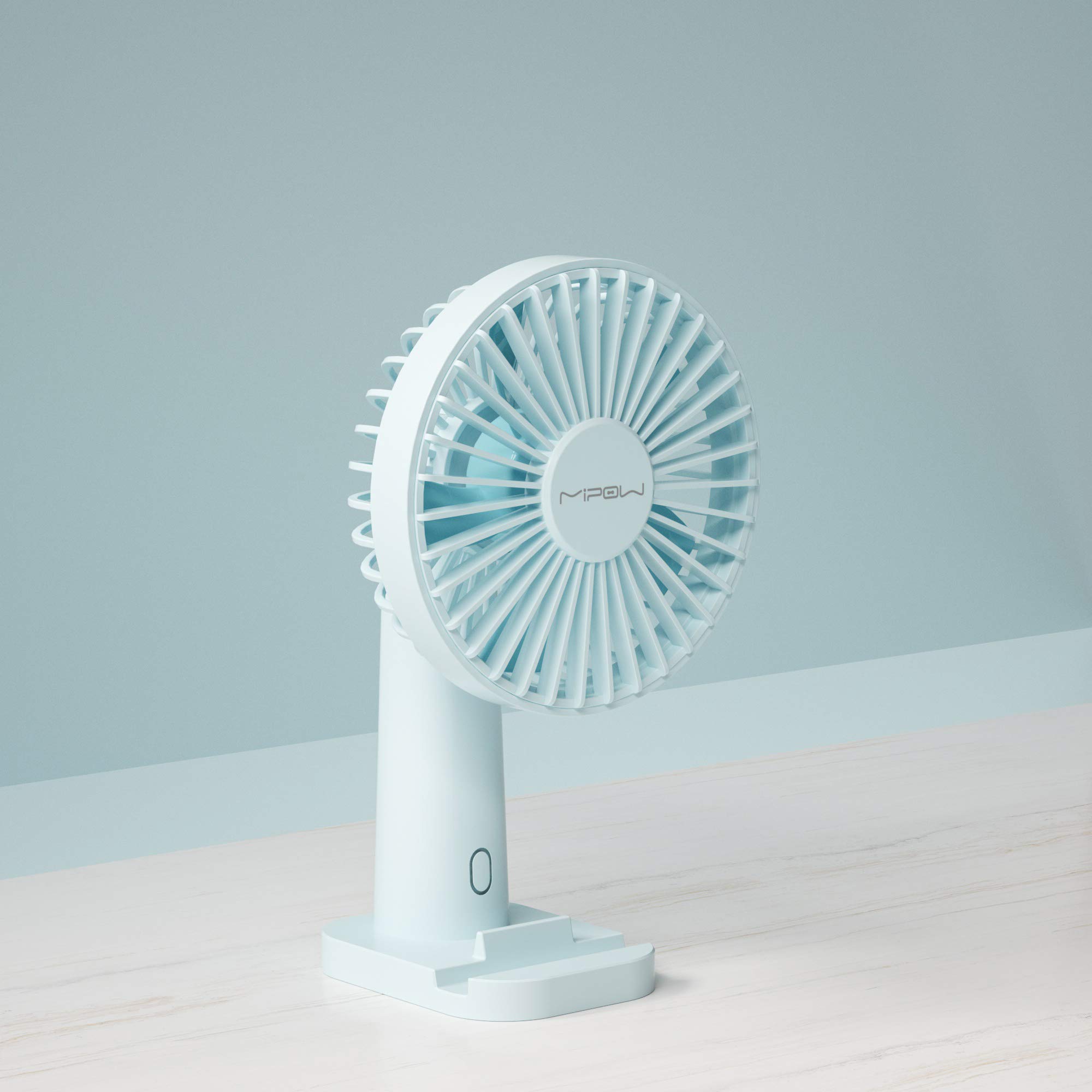
画像1: フロント view of the MIPOW Mini Electric USB Fan F01. This image displays the fan's compact design, the protective grille covering the fan blades, and the stable base. The fan is shown in a Tiffany Blue color.
- ファングリル: ファンブレードを保護するカバー。
- ファンブレード: 空気の流れを発生させます。
- コントロールボタン: Powers the fan on/off and adjusts speed settings.
- ベース: ファンの安定性を実現します。
- 充電ポート(USB): Located on the back or side of the base, used for charging the internal battery.
- インジケーターライト: Shows charging status or power status.
設定
1. ファンの充電
- Connect the small end of the USB charging cable to the charging port on the fan.
- Connect the larger end of the USB cable to a USB power adapter (not included), computer USB port, or power bank.
- The indicator light will illuminate (e.g., red) during charging and turn off or change color (e.g., blue) when fully charged.
- 完全に充電するには約2〜3時間かかります。
2.配置
- Place the fan on a flat, stable surface to prevent it from tipping over.
- Ensure there are no obstructions to the airflow around the fan.
操作手順
電源のオン/オフと速度調整
- 電源を入れるには: Press the control button once. The fan will start at Speed 1 (low).
- 速度を調整するには: Press the control button repeatedly to cycle through the speed settings:
- 1回目押下: スピード1(低速)
- 2回目の押下: 速度2(中)
- 3回目の押下: 速度3(高速)
- 電源を切るには: After Speed 3, press the control button a fourth time to turn the fan off.
ファンの角度を調整する
The fan head can be manually tilted up or down to direct the airflow as desired. Gently hold the base and adjust the fan head to your preferred angle.
メンテナンス
クリーニング
- 清掃する前に、ファンの電源がオフになっていて、プラグが抜かれていることを確認してください。
- ファンの外側を柔らかく乾いた布で拭いてください。
- 研磨剤入りの洗剤や溶剤を使用したり、ファンを水に浸したりしないでください。
- For dust accumulation on the grille, use a soft brush or compressed air to gently remove it.
ストレージ
- 長期間使用しない場合は、ファンを涼しく乾燥した場所に保管してください。
- It is recommended to fully charge the fan before storing and recharge it every 3 months to maintain battery health.
トラブルシューティング
| 問題 | 考えられる原因 | 解決 |
|---|---|---|
| ファンが作動しません。 | 電池が消耗しています。 | 付属のUSBケーブルを使用してファンを充電します。 |
| ファンの風量が弱いです。 | ファンは低速設定になっています。 | Press the control button to increase the speed. |
| ファンが充電されていません。 | USB cable or power adapter is faulty; connection is loose. | USBケーブルがしっかりと接続されていることを確認してください。別のUSBポートまたは電源アダプターをお試しください。 |
| 動作中に異常な音がする。 | ファンブレードに障害物がある、またはファンが安定した表面上に設置されていない。 | Turn off and unplug the fan. Carefully check for any obstructions and remove them. Place the fan on a stable surface. |
仕様
| ブランド | ミポウ |
| モデル番号 | F01 |
| 電源 | 電池式(充電式) |
| 速度の数 | 3 |
| 制御方法 | ボタンコントロール |
| 特集 | ポータブル |
| アイテム重量 | 172グラム |
| ブレード材質 | プラスチック |
| 色 | Tiffany Blue |
保証とサポート
MIPOW products are manufactured to high-quality standards. For information regarding warranty coverage, technical support, or service inquiries, please refer to the warranty card included with your purchase or visit the official MIPOW webサイトでご確認ください。保証請求のために購入証明書を保管してください。