1.製品オーバーview
The TP-Link Archer TX50E is a high-performance AX3000 Wi-Fi 6 Bluetooth 5.3 PCIe Adapter designed for desktop PCs. It leverages the latest Wi-Fi 6 standard to deliver extreme speeds, ultra-low latency, and uninterrupted connectivity, making it suitable for demanding applications like immersive gaming and VR. The adapter features a customized heat sink and gold-plated contactors for enhanced stability and longevity.
主な特徴:
- Wi-Fi 6パフォーマンス: Delivers speeds up to 2.4 Gbps (2402 Mbps on 5 GHz + 574 Mbps on 2.4 GHz) with 1024-QAM and 160 MHz bandwidth.
- 超低遅延: Revolutionary OFDMA and MU-MIMO technologies reduce lag for responsive gaming and VR experiences.
- Bluetooth 5.3: Achieves 2× faster speeds and 4× broader coverage than Bluetooth 4.2, enabling seamless connection with various peripherals.
- 幅広いカバレッジ: Equipped with two high-gain antennas to extend Wi-Fi range.
- プレミアムビルド: Features a customized heat sink for efficient thermal dissipation and gold-plated contactors for improved stability and oxidation resistance.
- 高度なセキュリティ: Supports WPA3, the latest network security standard, for enhanced network protection.
2. パッケージ内容
パッケージにすべてのアイテムが含まれていることを確認します。

Image: TP-Link Archer TX50E retail box showing the adapter and included accessories.
- TP-Link Archer TX50E Wi-Fi 6 Bluetooth 5.3 PCIe Adapter
- 2つの高利得アンテナ
- Bluetooth USBケーブル
- リソースCD
- クイックインストールガイド
- ロープロfile ブラケット
3. ハードウェアのインストール
始める前に:
- コンピュータの電源がオフになっており、電源プラグが抜かれていることを確認してください。
- Ground yourself to discharge any static electricity before handling components.
- Refer to your computer's manual for specific instructions on opening the case.
ステップバイステップのインストール:
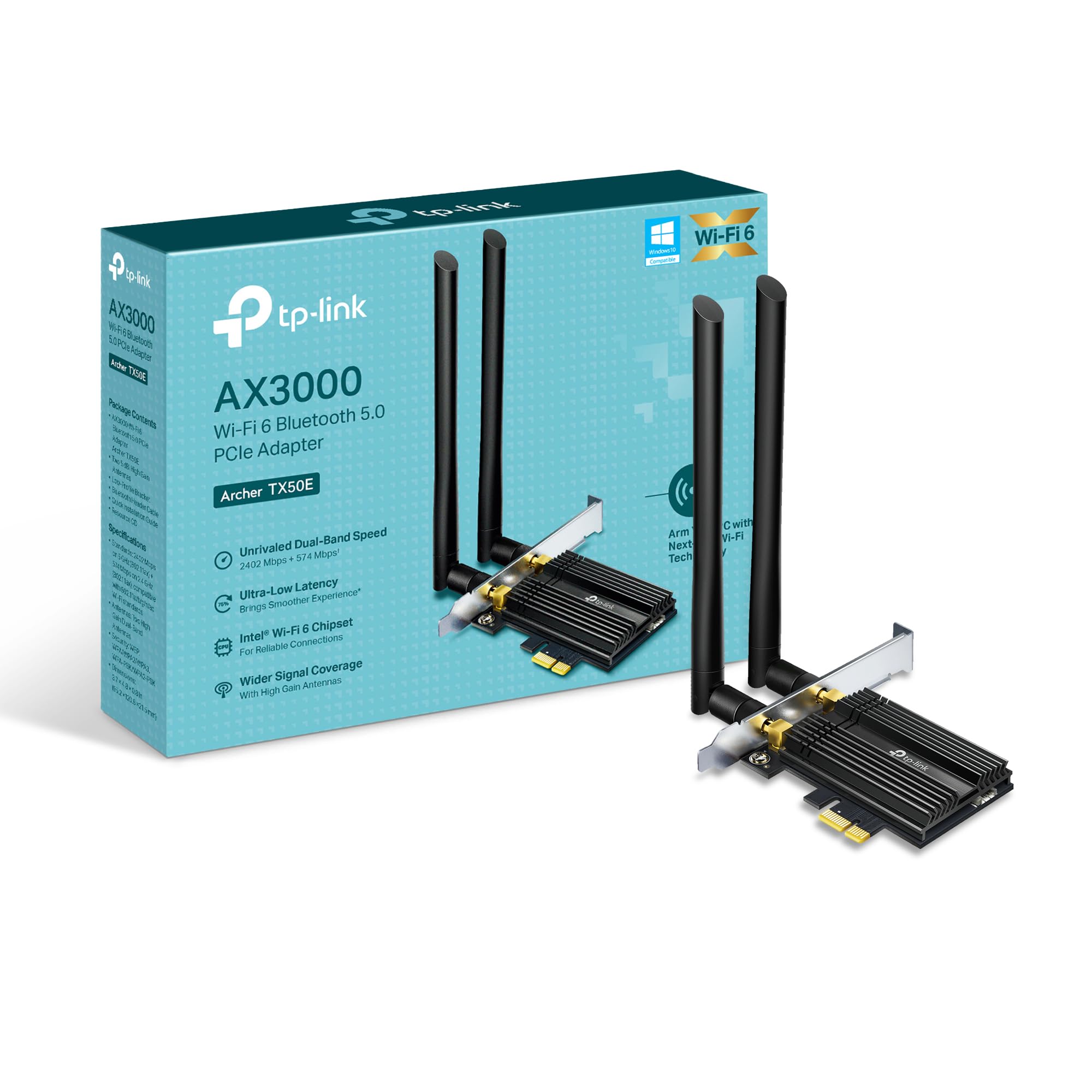
画像: 正面 view of the TP-Link Archer TX50E adapter with antennas.
- 電源を切ってプラグを抜きます: コンピュータの電源をオフにして、電源ケーブルを壁のコンセントから抜きます。
- PCケースを開く: マザーボードにアクセスするには、コンピューター ケースのサイド パネルを取り外します。
- Bluetooth USBケーブルを接続します: Connect the provided Bluetooth USB cable to the adapter's Bluetooth header.
- スロットを見つける: Identify an available PCI Express X1 slot on your motherboard and an F_USB connector (usually labeled USB910 or similar).
- 挿入アダプタ: Carefully insert the Archer TX50E adapter into the chosen PCIe X1 slot. Ensure it is seated firmly.
- USBケーブルを接続します: Connect the other end of the Bluetooth USB cable to the F_USB connector on your motherboard. This connection is essential for Bluetooth functionality.
- Secure Adapter and Antennas: Secure the adapter with a screw to the computer case. Then, connect the two high-gain antennas to the adapter's connectors. Adjust their position for optimal signal reception.
- PCケースを閉じる: コンピューターケースのサイドパネルを交換します。
- 電源オン: 電源ケーブルを壁のコンセントに差し込み、コンピューターの電源を入れます。
ビジュアルインストールガイド:
Video: A step-by-step guide demonstrating the physical installation of the TP-Link Archer TX50E PCIe adapter into a desktop computer.
4. ドライバーのインストール
After hardware installation, you need to install the Wi-Fi and Bluetooth drivers for the adapter to function correctly. 注記: Do NOT run the Bluetooth and Wi-Fi driver installers at the same time.
Step-by-Step Driver Installation:
- Insert CD or Download Drivers: Insert the provided resource CD into your computer's CD/DVD drive. If your computer does not have a CD/DVD drive, download the latest drivers from the official TP-Link website (search for Archer TX50E).
- Run Autorun: Once the CD is inserted, an Autorun window should appear. Click to run `Autorun.exe`. If it doesn't appear, navigate to 'This PC' or 'My Computer', open your CD/DVD drive, and manually run `Autorun.exe`.
- Wi-Fi ドライバーをインストールします。 In the TP-Link driver installation utility, select the option to install the Wi-Fi drivers. Follow the on-screen instructions to complete the installation. You may need to restart your computer after this step.
- Bluetooth ドライバーをインストールします。 After the Wi-Fi drivers are installed and your computer has restarted (if prompted), run the `Autorun.exe` again or manually launch the Bluetooth driver installer. Follow the on-screen instructions to complete the Bluetooth driver installation. Another restart may be required.
For a visual guide on driver installation, please refer to the setup video provided in the Hardware Installation section.
5. 操作手順
Wi-Fiへの接続:
- After successful driver installation, click the Wi-Fi icon in your system tray (usually in the bottom-right corner of your screen).
- 利用可能なワイヤレスネットワークの一覧が表示されます。ご希望のネットワークを選択してください。
- 「接続」をクリックし、プロンプトが表示されたらネットワーク セキュリティ キー (パスワード) を入力します。
- これで、コンピューターは Wi-Fi ネットワークに接続されるはずです。
Bluetoothデバイスのペアリング:
- Ensure your Bluetooth device is in pairing mode (refer to your device's manual).
- On your computer, go to 'Settings' > 'Devices' > 'Bluetooth & other devices'.
- Bluetooth がまだ有効になっていない場合はオンにします。
- 「Bluetooth またはその他のデバイスを追加する」をクリックし、「Bluetooth」を選択します。
- リストからデバイスを選択し、画面上の指示に従ってペアリング プロセスを完了します。
6。 トラブルシューティング
If you encounter issues with your Archer TX50E adapter, try the following common troubleshooting steps:
- Wi-Fi接続なし:
- アダプタが PCIe スロットに正しく装着されていることを確認します。
- アンテナがしっかりと接続されていることを確認してください。
- Check Device Manager to ensure Wi-Fi drivers are installed and the device is recognized without errors.
- Try updating or reinstalling the Wi-Fi drivers.
- コンピュータとワイヤレス ルーターを再起動します。
- Bluetoothが動作しない:
- Confirm the Bluetooth USB cable is properly connected to both the adapter and the motherboard's F_USB header.
- Check Device Manager to ensure Bluetooth drivers are installed and the device is recognized without errors.
- Verify that Bluetooth is enabled in your computer's settings.
- Try updating or reinstalling the Bluetooth drivers.
- 速度が遅い、または接続が断続的:
- 最適なパフォーマンスを得るには、ルーターが Wi-Fi 6 (802.11ax) をサポートしていることを確認してください。
- Adjust the position of the antennas for better signal reception.
- Move your computer closer to the router or reduce obstacles between them.
- 他の電子機器からの干渉がないか確認してください。
- ルーターのファームウェアを更新します。
If these steps do not resolve your issue, please contact TP-Link Technical Support.
7. 技術仕様
| 特徴 | 仕様 |
|---|---|
| モデル | アーチャーTX50E |
| ワイヤレス標準 | Wi-Fi 6 (802.11ax/ac/b/g/n) |
| Bluetoothバージョン | ブルートゥース5.3 |
| インタフェース | PCIエクスプレス |
| データ転送速度 | 最大2402 Mbps (5 GHz)、574 Mbps (2.4 GHz) |
| オペレーティング システムのサポート | Windows 11, 10 (64-bit) |
| 安全 | WPA3 |
| 寸法(長さ×幅×高さ) | 9.53 x 12.09 x 2.16 cm |
| アイテム重量 | 90.72 g (0.2 ポンド) |
| ハードウェアインターフェイス | ブルートゥース |
| 対応デバイス | デスクトップ、ラップトップ |
8. 保証と技術サポート
TP-Linkは 2年間保証 for this product. Additionally, free 24時間7日のテクニカルサポート ご質問や問題が発生した場合には、サポートさせていただきます。
さらに詳しいサポートが必要な場合は、TP-Linkの公式サポートをご覧ください。 webサイトをご覧いただくか、カスタマー サービスに直接お問い合わせください。