導入
The VIJIM VL120 LED Video Light is a compact and versatile lighting solution designed for photographers and videographers. It features 120 high-quality LED beads, adjustable bi-color temperature (3200K-6500K), and dimmable brightness, making it suitable for various shooting environments. This manual provides detailed instructions for the proper setup, operation, and maintenance of your VL120 LED Video Light.
箱の中身
- LEDビデオライト
- シリコンカバー
- Color Paper (6 pieces)
- 取付ベース
- タイプC充電ケーブル

製品の特徴
- 高CRI LEDビーズ: Equipped with 120 high-quality LED beads, offering a Color Rendering Index (CRI) of 95+ for accurate color reproduction and up to 1250 Lux maximum brightness.
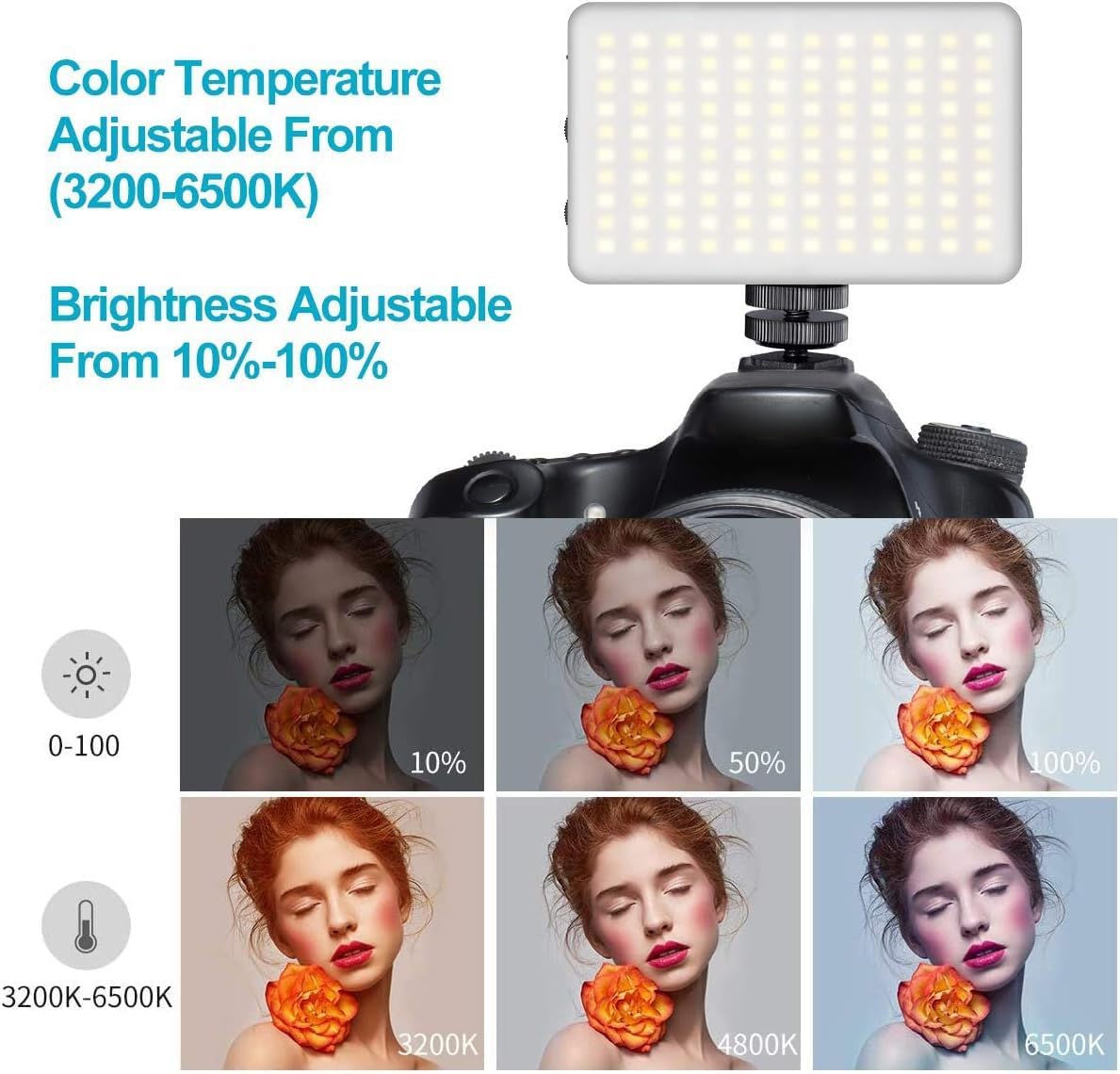
- バイカラー温度: Steplessly adjustable color temperature from 3200K (warm) to 6500K (cool) to match various lighting conditions.
- 調光可能な明るさ: Brightness is adjustable from 10% to 100% using a single switch, providing precise control over light output.
- ソフトライト拡散: Includes a silicone cover to soften the light output, protecting eyes and creating a more natural illumination.
- カラーフィルター: Six color filters (pink, red, yellow, purple, green, blue) are provided to create diverse lighting effects and moods.
- 内蔵充電式バッテリー: Features a 3100mAh lithium battery, offering 120-150 minutes of continuous use at maximum power.
- Type-C充電: Convenient Type-C charging port allows for charging while in use.
- コンパクトで持ち運びに便利: Lightweight and durable construction for easy portability.

設定
- デバイスを充電します。 Before first use, fully charge the VL120 using the provided Type-C charging cable. The battery indicator lights will show the charging status.
- 取り付けベースの取り付け: Screw the cold shoe mounting base into the 1/4-inch screw hole at the bottom of the light.
- Mount to Camera/Tripod: Slide the cold shoe mount into your camera's hot shoe or attach it to a compatible tripod.
- Apply Silicone Cover (Optional): For softer light, slide the silicone diffuser cover over the LED panel.
- Insert Color Gels (Optional): If using color filters, place the desired color paper inside the silicone cover before attaching it to the light.

操作手順
- 電源オン/オフ: Slide the "OFF/ON" switch to turn the light on or off.
- 明るさを調整: Use the "DIM +/-" knob to increase or decrease the brightness from 10% to 100%.
- 色温度を調整する: Use the "CT +/-" knob to change the color temperature from 3200K (warm) to 6500K (cool).
- モニターバッテリー: The LED indicator lights on the side of the unit display the remaining battery charge.

Video: Demonstrates the features of the VIJIM VL120 LED Video Light, including its soft light cover and color gels. This video is provided by the seller.
メンテナンス
- デバイスを乾いた状態に保ち、清潔に保ちます。
- 極端な温度や直射日光に長時間さらさないでください。
- Clean the LED panel and body with a soft, dry cloth. Do not use harsh chemicals or abrasive materials.
- ライトを使用しないときは、涼しく乾燥した場所に保管してください。
トラブルシューティング
ライトが点灯しない:
- 電源スイッチが「オン」の位置にあることを確認してください。
- Check the battery level. If low, charge the device using the Type-C cable.
Brightness/Color Temperature cannot be adjusted:
- Verify that the respective adjustment knobs are being turned correctly.
- デバイスの電源がオンになっていることを確認します。
短いバッテリー寿命:
- Battery life is shorter at maximum brightness. Reduce brightness for extended use.
- 使用する前にバッテリーが完全に充電されていることを確認してください。
仕様
| モデル番号 | VL120 |
| 製品寸法 | 4.2 x 2.6 x 0.6 インチ (10.67 x 6.6 x 1.52 cm) |
| アイテム重量 | 11.3オンス(320グラム) |
| LEDビーズ | 120個 |
| Max Brightness Illuminance | Up to 1250 Lux |
| 演色評価数(CRI) | 95以上 |
| 色温度 | 3200K-6500K (Bi-Color, Steplessly Dimmable) |
| 明るさ調整 | 10%-100% |
| バッテリー容量 | 3100mAhリチウムイオン |
| バッテリー寿命(最大電力) | 120-150 minutes (approx. 2-2.5 hours) |
| 充電ポート | USBタイプC |
| ハードウェアインターフェイス | USBタイプC |
保証とサポート
For warranty information or technical support, please refer to the product packaging or contact VIJIM customer service directly. Specific warranty terms may vary by region and retailer.


