導入
The SENTRY HPXBT960B Mini True Wireless Earbuds provide a convenient and cable-free audio experience. Designed for comfort and ease of use, these earbuds connect wirelessly to your devices via Bluetooth, offering integrated controls and a portable charging case for extended listening.
安全情報
- 聴覚保護: 聴覚障害を防ぐため、長時間大音量で聞くことは避けてください。
- 安全運転: Do not use earbuds while driving or operating machinery where the inability to hear ambient sounds could pose a danger.
- 水への露出: このイヤホンは防水ではありません。水や過度の湿気にさらさないでください。
- 子供たち: Keep earbuds and small parts away from children to prevent choking hazards.
- 廃棄: 製品とそのバッテリーは、地域の規制に従って責任を持って廃棄してください。
パッケージ内容
- SENTRY HPXBT960B Mini True Wireless Earbuds (Left & Right)
- ポータブル充電ケース
- USB充電ケーブル
- Extra Silicone Earpads (S/M/L)
- Optional Silicone Ear Hooks
製品終了view
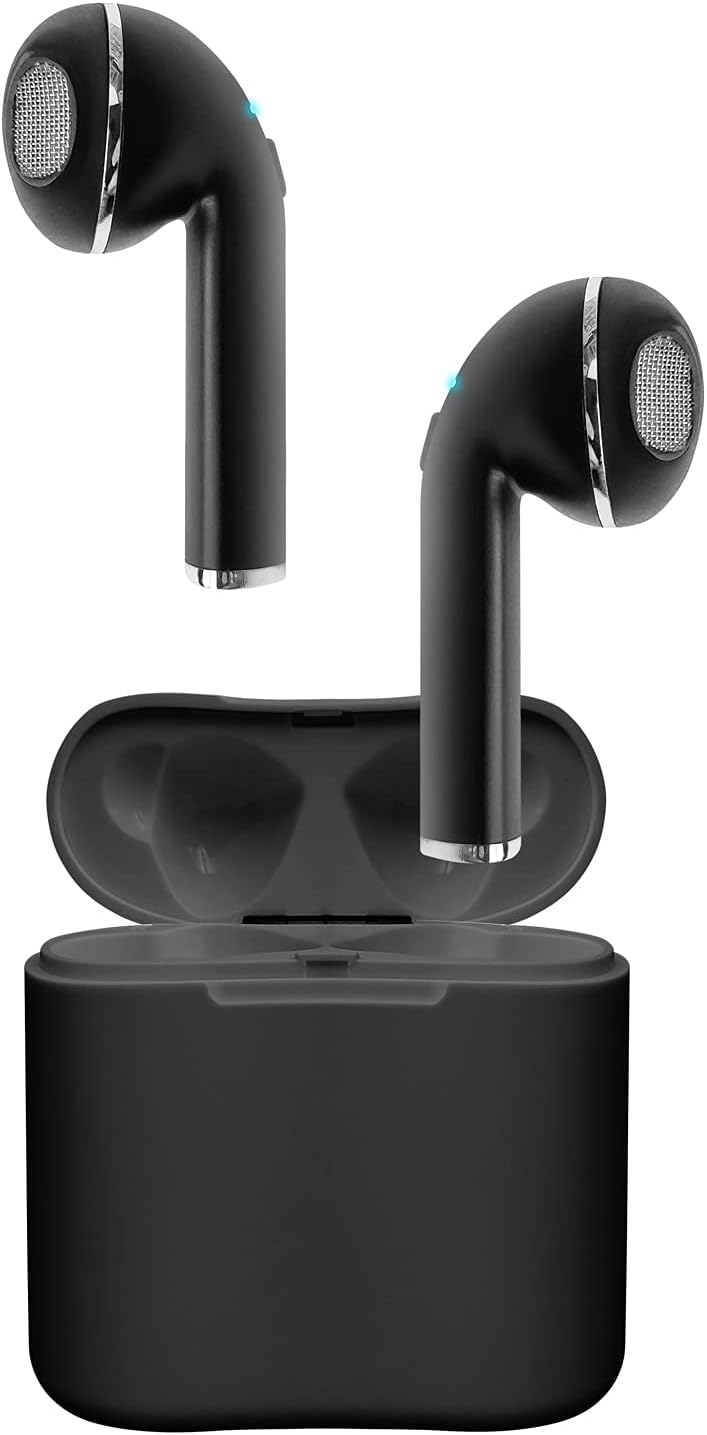
Image: The SENTRY HPXBT960B Mini True Wireless Earbuds in black, resting inside their open charging case. The earbuds feature a sleek design with visible ear tips and charging contacts.
The earbuds are designed for a comfortable in-ear fit. Each earbud features a touch-sensitive control area and a built-in microphone for hands-free communication. The portable charging case protects the earbuds and recharges them on the go.
設定
1. イヤホンとケースの充電
- イヤホンを充電ケースに入れます。充電端子が揃っていることを確認してください。
- USB 充電ケーブルをケースの充電ポートと電源に接続します。
- The indicator lights on the case and earbuds will show charging status. A full charge for the earbuds provides approximately 4 hours of playback at 50% volume. The charging case holds enough power for up to 2 full recharges, extending total playtime to about 12 hours.
2. デバイスとのペアリング
- イヤホンが充電されていることを確認します。
- Open the charging case. The earbuds will automatically enter pairing mode (indicated by flashing LED lights).
- Bluetooth 対応デバイス (スマートフォン、タブレットなど) で、Bluetooth 設定に移動します。
- 検索する available devices and select "HPXBT960B" (or similar name) from the list.
- Once connected, the earbud indicator lights will stop flashing or show a solid light. You are now ready to use your earbuds.
Video: Official product video demonstrating the setup and features of the Sentry HPXBT960B Mini True Wireless Earbuds, including pairing and charging.
操作手順
タッチコントロール
The HPXBT960B earbuds feature touch controls for easy operation. Specific functions may vary slightly by device, but common controls include:
- 再生/一時停止: どちらかのイヤホンを 1 回タップします。
- 次のトラック: 右のイヤホンをダブルタップします。
- 前のトラック: 左のイヤホンをダブルタップします。
- 通話の応答/終了: 着信中または通話中にどちらかのイヤホンを 1 回タップします。
- 通話を拒否: 着信中にどちらかのイヤホンを 2 秒間押し続けます。
- 音声アシスタントを有効にする: どちらかのイヤホンをトリプルタップします。
通話の発信と受信
With the integrated microphone, you can make and receive calls hands-free. Ensure your earbuds are connected to your phone via Bluetooth. Audio will automatically route through the earbuds during a call.
メンテナンス
- クリーニング: イヤホンと充電ケースのお手入れには、柔らかく乾いた糸くずの出ない布をご使用ください。研磨剤入りの洗剤や溶剤は使用しないでください。
- ストレージ: 使用しないときは、イヤホンを保護し、充電を保つために充電ケースに保管してください。直射日光や極端な温度を避け、涼しく乾燥した場所に保管してください。
- バッテリーのケア: バッテリー寿命を延ばすには、イヤホンと充電ケースを頻繁に完全に放電させないでください。頻繁に使用しない場合でも、定期的に充電してください。
トラブルシューティング
| 問題 | 考えられる解決策 |
|---|---|
| イヤホンがオンにならない | イヤホンと充電ケースが完全に充電されていることを確認してください。 |
| イヤフォンから音が出ない | Check if earbuds are paired correctly. Adjust volume on both the earbuds and your connected device. |
| 音質が悪い、または接続が切れる | Ensure your device is within the 10-meter Bluetooth range. Avoid obstacles between the earbuds and your device. Check for interference from other wireless devices. |
| イヤホンがデバイスとペアリングされない | Turn off Bluetooth on your device, then turn it back on. Forget the device in your Bluetooth settings and attempt to re-pair. Ensure no other devices are currently connected to the earbuds. |
仕様
- モデル: HPXBT960B
- ブランド: 歩哨
- 接続技術: ブルートゥース4.0
- 無線範囲: 最大10メートル(30フィート)
- イヤホンのバッテリー容量: 35 mAh(リチウムイオン)
- 充電ケースのバッテリー容量: 200 mAh(リチウムイオン)
- イヤホンの再生時間: 最大 4 時間 (音量 50% の場合)
- 合計プレイ時間(ケース付き): 最大12時間
- マイクロフォン: 統合された
- 制御方法: 触る
- イヤーパッド: Extra Silicone Earpads (S/M/L), Optional Silicone Ear Hooks
- 重さ: 3.2 ounces (total product weight)
- 色: 黒
- 材料: プラスチック
- 製品寸法: 1 x 1 x 1 inches (per earbud, approximate)
保証とサポート
SENTRY products are manufactured with quality and care. For information regarding the product warranty, please refer to the documentation included with your purchase or visit the official SENTRY webサイト。
For further assistance, troubleshooting, or to contact customer support, please visit the AmazonのSENTRYストア または、製造元の公式サポート チャネルにお問い合わせください。


