1.製品オーバーview
The Baseus W09 TWS Wireless Earphones (Model: Encok W09) are designed for convenient audio playback and communication. These in-ear earphones feature touch control and connect wirelessly via Bluetooth, offering a stereo bass sound experience.

Image 1: The Baseus W09 TWS Wireless Earphones securely placed within their charging case. The case is open, revealing both earbuds.
2. セットアップ
2.1 イヤホンとケースの充電
Before initial use, ensure both the earphones and the charging case are fully charged. The charging case contains a built-in Lithium Ion battery.
- イヤホンを充電ケースに入れます。
- Connect the charging case to a power source using a compatible charging cable (not specified, assume USB).
- フル充電には通常約 1.5 時間かかります。
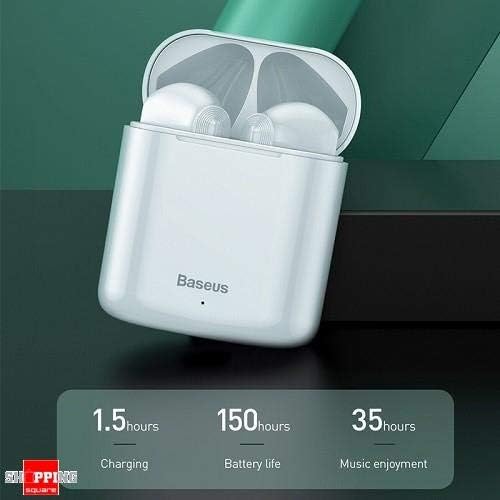
Image 2: The Baseus W09 charging case, illustrating its charging time of 1.5 hours, a standby battery life of 150 hours, and 35 hours of music enjoyment.
2.2Bluetoothペアリング
The Baseus W09 earphones are designed for quick and instant connection.
- イヤホンが充電されていることを確認してください。
- 充電ケースを開きます。
- イヤホンを充電ケースから取り出すと、自動的にペアリングモードになります。
- デバイス(スマートフォン、タブレットなど)で Bluetooth を有効にし、利用可能なデバイスを検索します。
- Select "Baseus Encok W09" or a similar name from the list to connect.
- 接続すると音声プロンプトが聞こえ、イヤホンが使用できるようになります。
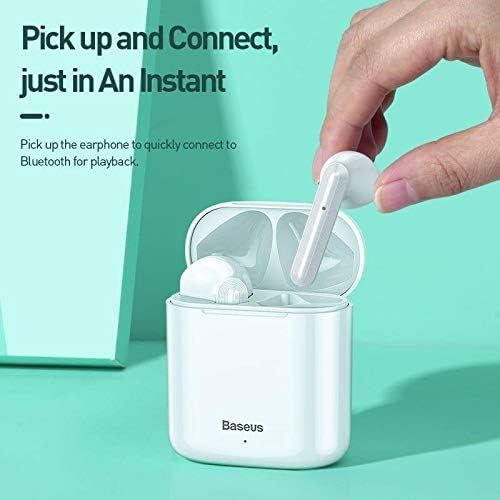
Image 3: A hand demonstrating the "Pick up and Connect" feature, showing an earphone being removed from its charging case, initiating quick Bluetooth connection.
3. 操作手順
3.1 イヤホンの装着
Gently insert each earphone into the corresponding ear canal (L for left, R for right). Adjust them for a comfortable and secure fit to ensure optimal sound quality and stability.
3.2 タッチコントロール機能
The Baseus W09 earphones feature intelligent touch controls for various functions. Specific gestures may vary; please refer to the product packaging or the official Baseus website for detailed touch control instructions.
- 再生/一時停止: Typically a single tap on either earphone.
- 通話の応答/終了: Usually a single tap during an incoming call.
- 次/前のトラック: Often a double or triple tap on a specific earphone.
- 音声アシスタントを有効にする: May involve a long press or specific tap sequence.
3.3 バッテリー寿命
The Baseus W09 earphones and charging case offer extended usage times:
- Music Enjoyment: Up to 35 hours (with charging case).
- 待機時間: 最大150時間。
4. メンテナンス
4.1 クリーニング
- 柔らかく乾いた糸くずの出ない布を使用して、イヤホンと充電ケースを清掃してください。
- 研磨剤入りの洗剤、アルコール、化学溶剤は使用しないでください。
- Ensure no moisture enters the earphone speakers or charging ports.
4.2 ストレージ
- 使用しないときは、イヤホンを保護し、充電を保つために充電ケースに保管してください。
- 直射日光や極端な温度を避け、涼しく乾燥した場所に保管してください。
5。 トラブルシューティング
If you encounter issues with your Baseus W09 earphones, try the following steps:
- 音が出ない: イヤホンが充電され、デバイスに接続され、イヤホンとデバイスの両方の音量が上がっていることを確認します。
- ペアリングできません: Make sure Bluetooth is enabled on your device and the earphones are in pairing mode. Try turning Bluetooth off and on again on your device.
- 断続的な接続: Ensure there are no obstructions between the earphones and your device. Try moving closer to your device.
- 充電の問題: Check the charging cable and power adapter. Ensure the charging contacts on the earphones and case are clean.
- リセット: If issues persist, try resetting the earphones. Refer to the official Baseus website or product packaging for specific reset instructions.
6. 仕様
| 特徴 | 詳細 |
|---|---|
| ブランド | ベースス |
| モデル番号 | エンコックW09 |
| タイプ | 耳に装着 |
| 接続技術 | ワイヤレス(Bluetooth) |
| 制御方法 | 触る |
| マイク付き | はい |
| ノイズキャンセリング | いいえ |
| 電池のタイプ | リチウムイオン(付属) |
| 充電時間 | 約1.5時間 |
| Music Enjoyment Time | 最大35時間(充電ケース付き) |
| 待機時間 | 最大150時間 |
| 互換性あり | すべてのBluetooth対応デバイス |
| 色 | 白 |
| パッケージ寸法 | 14.6 x 11 x 4 cm |
| アイテム重量 | 170グラム |
7. 保証とサポート
For warranty information, technical support, or further assistance, please refer to the documentation included with your product or visit the official Baseus webサイトでご確認ください。保証請求に備えて購入証明書を保管してください。


