導入
Welcome to your new Hitachi CV-W2000RR Canister Vacuum Cleaner. This manual provides essential information for safe and efficient operation, maintenance, and troubleshooting. Please read it thoroughly before first use and keep it for future reference.
This vacuum cleaner features a powerful 2000W motor and an advanced 7-stage filtration system, including Nano Titanium technology for superior odor removal. Its large 6.5-liter dust capacity and dust compression technology ensure efficient cleaning with minimal dust exposure during disposal.
重要な安全上の注意事項
火災、感電、または怪我のリスクを軽減するために、電気製品を使用するときは、常に次のような基本的な安全上の注意事項に従ってください。
- この機器を使用する前にすべての説明書をお読みください。
- プラグを差し込んだときにアプライアンスを放置しないでください。使用していないときやサービスを行う前に、コンセントからプラグを抜いてください。
- 屋外や濡れた地面では使用しないでください。
- おもちゃとして使用しないでください。子供が使用する場合や子供の近くで使用する場合は細心の注意が必要です。
- このマニュアルに記載されているとおりにのみ使用してください。製造元が推奨するアタッチメントのみを使用してください。
- コードやプラグが破損している場合は使用しないでください。本製品が正常に動作しない場合、落とした場合、破損した場合、屋外に放置した場合、または水に落とした場合は、サービスセンターにご返送ください。
- コードを引っ張ったり運んだり、コードをハンドルとして使用したり、コードでドアを閉めたり、鋭い角や角の周りでコードを引っ張ったりしないでください。電気製品をコードの上に乗せないでください。コードを加熱面から離してください。
- コードを引っ張ってプラグを抜かないでください。プラグを抜くときは、コードではなくプラグをつかんでください。
- 濡れた手でプラグや器具を扱わないでください。
- 開口部に物を入れないでください。開口部を塞いだ状態で使用しないでください。ほこり、糸くず、髪の毛、空気の流れを妨げるものなどを入れないでください。
- 髪の毛、ゆったりとした衣服、指、および体のすべての部分を開口部や可動部分から遠ざけてください。
- タバコ、マッチ、熱い灰など、燃えているものや煙が出ているものを拾わないでください。
- ガソリンなどの引火性または可燃性の液体を採取したり、それらが存在する可能性のある場所で使用したりしないでください。
- 有毒物質(例:塩素系漂白剤、アンモニアクリーナー、排水クリーナー)を拾わないでください。
- Do not use without dust compartment and/or filters in place.
- プラグを抜く前にすべてのコントロールをオフにしてください。
- 階段を掃除するときは特に注意してください。
パッケージ内容
パッケージにすべてのアイテムが揃っていることを確認します。
- Hitachi CV-W2000RR Vacuum Cleaner Unit
- 隙間ツール
- ダストブラシ
- Carpet/Hard Floor Nozzle
- 5-meter Power Cable (integrated)
- Aluminum Telescopic Extension Tube
- ホースアセンブリ
- 4 Filters (pre-installed or separate)

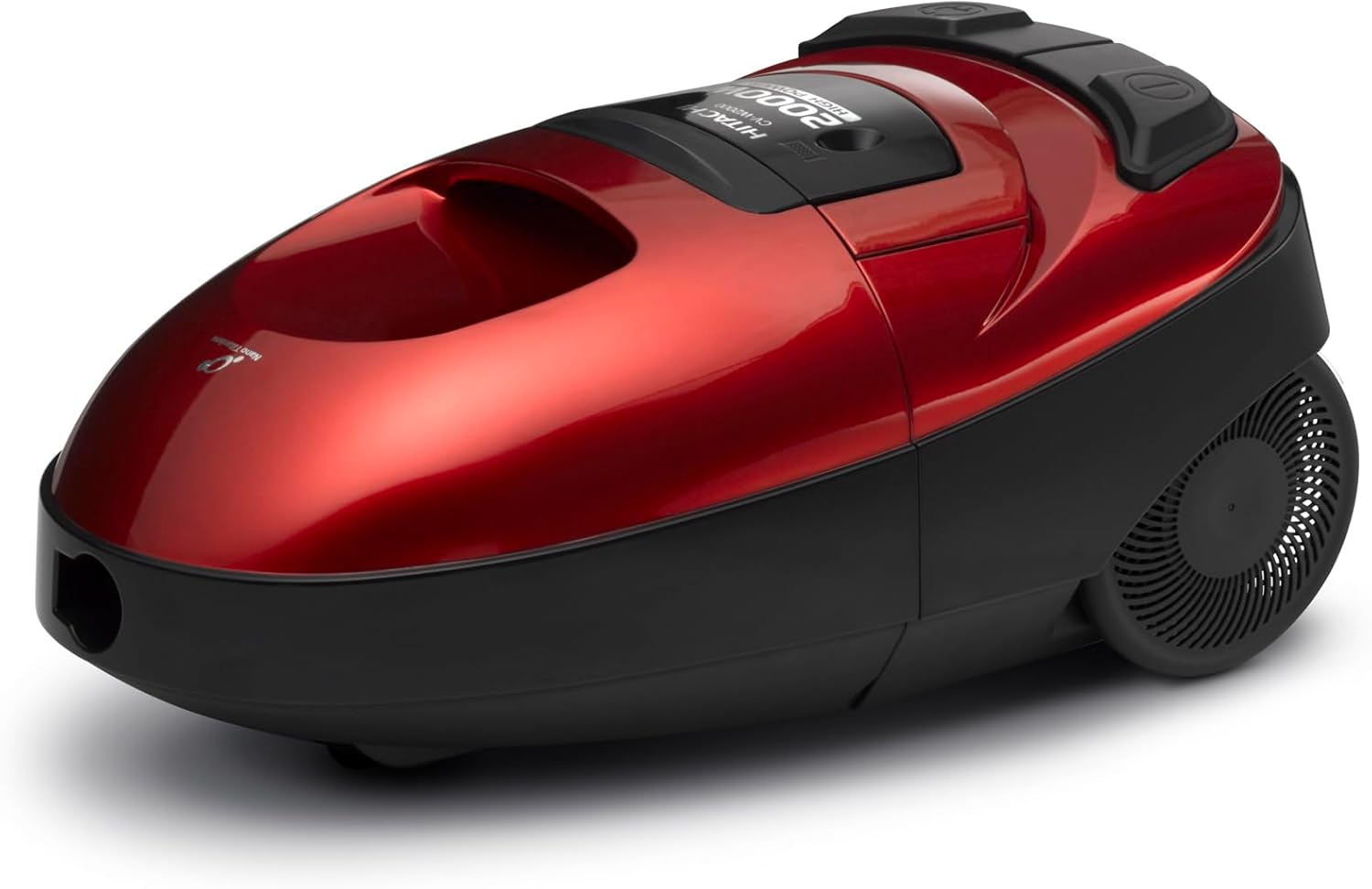
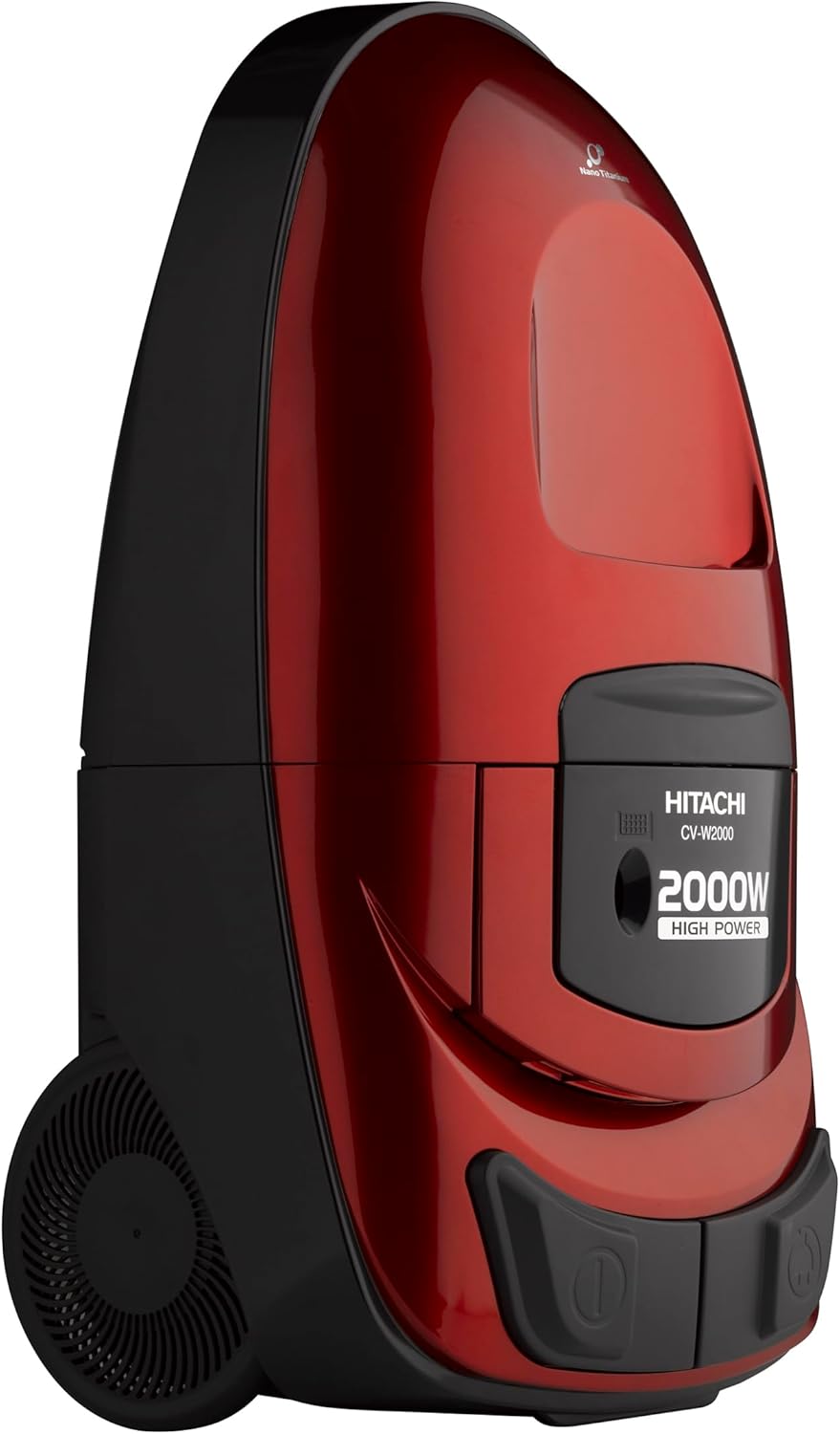
製品終了view
掃除機の主な構成部品について理解しておきましょう。

セットアップと組み立て
掃除機をセットアップするには、次の手順に従ってください。
- 開梱: パッケージからすべてのコンポーネントを慎重に取り出します。
- ホースを接続します: Insert the hose end into the suction inlet on the main vacuum cleaner unit until it clicks securely into place.
- 延長チューブを取り付ける: Connect the aluminum telescopic extension tube to the hose handle. Adjust the length of the tube by pressing the release button and sliding it to the desired position.
- ノズルの取り付け: Select the appropriate cleaning nozzle (carpet/hard floor, crevice tool, or dust brush) and attach it firmly to the end of the telescopic tube.
- 電源接続: Ensure all connections are secure before plugging the power cord into an electrical outlet.
操作手順
電源のオン/オフ
1. Insert the power plug into a suitable electrical outlet (220V).
2. Press the power button on the main unit to turn the vacuum cleaner ON.
3. Press the power button again to turn it OFF.
吸引力の調整
Use the suction control slider or dial (if present) on the main unit or hose handle to adjust suction power according to the cleaning task. Higher suction is suitable for carpets, while lower suction is better for delicate surfaces or curtains.
添付ファイルの使用
- Carpet/Hard Floor Nozzle: Ideal for general floor cleaning on both carpets and hard surfaces.
- 隙間ツール: Designed for cleaning narrow spaces, corners, and edges.
- ダストブラシ: デリケートな表面、室内装飾品、カーテンなどに適しています。
ダストインジケーター
The dust indicator will visually signal when the dust compartment is full and needs to be emptied to maintain optimal performance.
ブロワー機能
To utilize the blower function, detach the hose from the suction inlet and connect it to the blower port (typically located at the rear of the unit). This function is useful for blowing dust and debris from hard-to-reach areas or for inflating small items.
メンテナンス
ダストボックスを空にする
Your vacuum cleaner features a large 6.5-liter dust capacity and advanced dust compression technology. When the dust indicator signals that the compartment is full:
- Ensure the vacuum cleaner is turned OFF and unplugged.
- Press the one-touch release button to detach the dust compartment from the main unit.
- Position the dust compartment over a waste bin and open its lid to empty the compressed dust. The dust compression technology helps minimize airborne dust during disposal.
- Close the lid and reattach the dust compartment securely to the vacuum cleaner until it clicks into place.
フィルターの清掃
Your vacuum cleaner is equipped with a 7-stage filtration system, including a Nano Titanium filter for odor removal and a cloth filter. Regular filter cleaning is crucial for maintaining optimal suction performance and air quality.
- Ensure the vacuum cleaner is turned OFF and unplugged.
- Remove the dust compartment as described above.
- Locate and carefully remove the filters. The pleated black filter at the back can be cleaned using a special brush (included) to remove fine dust.
- For washable filters, rinse them under cool running water until the water runs clear. Do not use detergents.
- Allow all filters to air dry completely for at least 24 hours before reinstallation. Do not use a dryer or direct heat.
- Reinstall the dry filters in their correct positions and reattach the dust compartment.
一般的な清掃
- 掃除機の外面を柔らかい布で拭きます。amp 布で拭いてください。研磨剤入りの洗剤、溶剤、または刺激の強い化学薬品は使用しないでください。
- Periodically check the nozzles, hose, and telescopic tube for any blockages. Clear any debris to ensure unobstructed airflow.
トラブルシューティング
カスタマー サポートにお問い合わせいただく前に、次の表で一般的な問題とその解決策を参照してください。
| 問題 | 考えられる原因 | 解決 |
|---|---|---|
| 掃除機がオンにならない。 | しっかりと差し込まれていません。 | 電源プラグが機能しているコンセントに完全に差し込まれていることを確認してください。 |
| 電源コンセントが故障しています。 | Test the outlet with another appliance to confirm it is working. | |
| 回路ブレーカーが落ちた。 | Check your home's circuit breaker and reset if necessary. | |
| 吸引力が低い、または全く吸引力がありません。 | Dust compartment is full. | Empty the dust compartment as described in the Maintenance section. |
| フィルターが詰まっています。 | Clean or replace the filters according to the Maintenance section. | |
| ホースまたはノズルが詰まっています。 | Turn off and unplug the unit. Carefully check the hose, telescopic tube, and nozzles for any blockages and remove them. | |
| 動作中に異常な音がする。 | ホースまたはノズルの詰まり。 | Turn off and unplug the unit. Check and clear any blockages. |
| モーターの問題。 | 詰まりがないか確認した後もノイズが続く場合は、カスタマー サポートにお問い合わせください。 |
If the problem persists after attempting these solutions, please contact Hitachi customer support for further assistance.
仕様
Key technical specifications for the Hitachi CV-W2000RR Vacuum Cleaner:
| 特徴 | 詳細 |
|---|---|
| モデル番号 | CV-W2000RR |
| 力 | 2000W(最大) |
| ダスト容量 | 6.5リットル |
| 濾過システム | 7秒tage with Nano Titanium filter |
| 電源 | コード式電気 |
| 巻tage | 220ボルト |
| 製品寸法(長さ x 幅 x 高さ) | 55 x 19 x 23 cm |
| アイテム重量 | 7.03キロ |
| 特集 | Bagless, Corded, Dust Compression, Blower Function |
| フィルタータイプ | Disc (Cloth) |
| 表面の推奨事項 | 全フロア |
| 含まれるコンポーネント | Crevice tool, Dust brush, Carpet/Hard floor nozzle, 5-meter cable, Aluminum telescopic tube, 4 filters |
保証とカスタマーサポート
This Hitachi CV-W2000RR vacuum cleaner comes with a 2年間のメーカー保証保証請求のために購入証明書を保管してください。
For technical assistance, spare parts, or warranty service, please contact your local Hitachi customer service center or visit the official Hitachi website. You can find more information and support on the 日立ブランドストア.


