導入
The Sharper Image SI-160 2-in-1 Steam Mop provides a chemical-free solution for cleaning and freshening various surfaces in your home. This versatile appliance functions as both a steam mop for floors and a handheld steam cleaner for targeted cleaning tasks. Please read this manual thoroughly before initial use to ensure safe and effective operation.
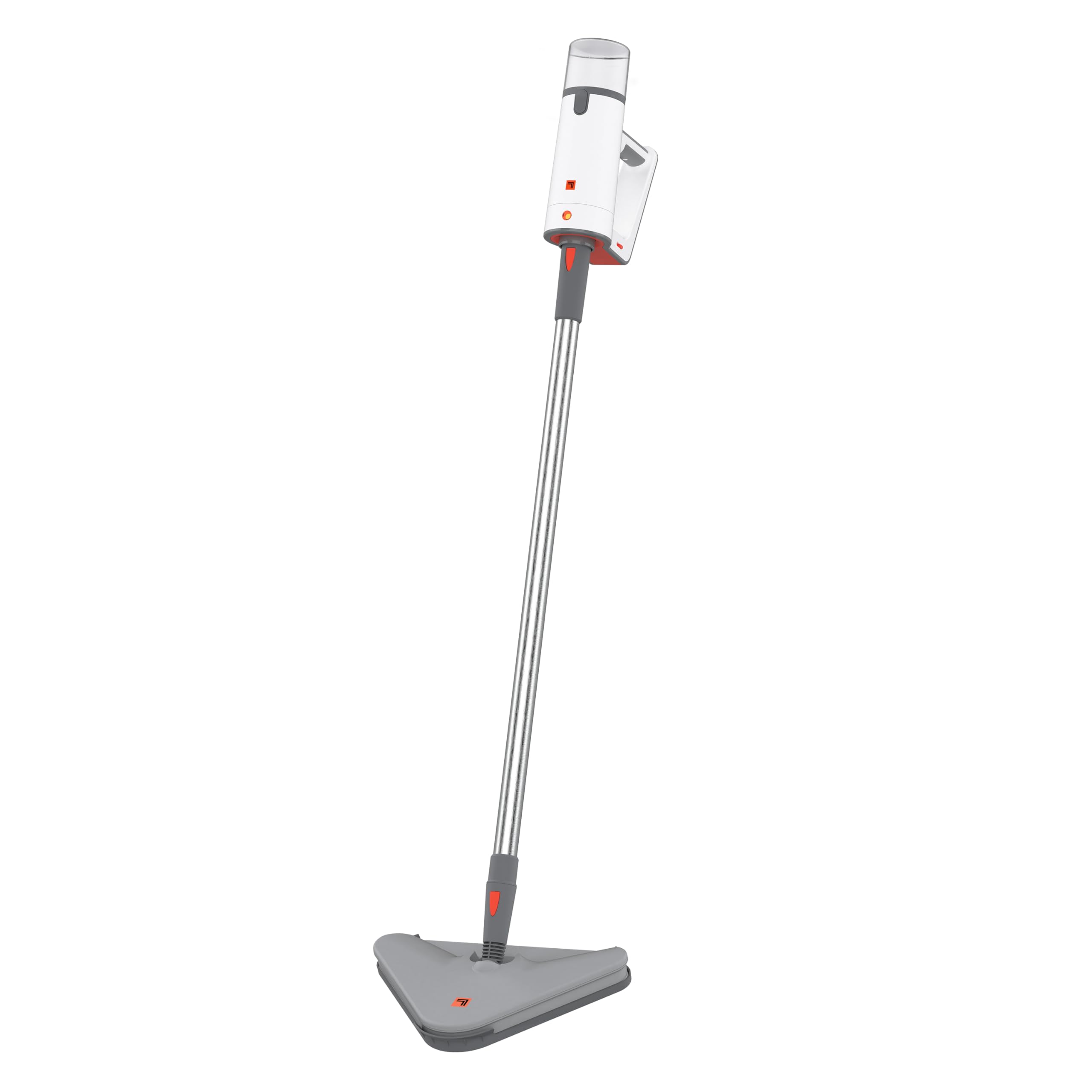
Image: The Sharper Image SI-160 2-in-1 Steam Mop in its upright configuration, ready for use.
重要な安全情報
警告: 火災、感電、または怪我のリスクを軽減するために、電気製品を使用するときは常に基本的な安全上の注意事項に従ってください。
- 機器を使用する前にすべての説明書をお読みください。
- この機器は家庭用としてのみ設計されています。
- ボリュームを確保するtage rating of the appliance matches your local power supply (120V for U.S. models). Using voltage converters or adapters may void the warranty and cause malfunction.
- 機器を水やその他の液体に浸さないでください。
- Always unplug the appliance when not in use and before performing any maintenance.
- 作動中は、子供やペットを機器から遠ざけてください。
- Use only manufacturer-recommended accessories and attachments.
- Do not direct steam at people, animals, or electrical outlets. Steam is hot and can cause burns.
- Do not use on unsealed wood floors, unglazed ceramic, or any surface that is sensitive to heat or moisture. Test on an inconspicuous area first.
パッケージ内容
Carefully unpack your Sharper Image SI-160 Steam Mop and ensure all items are present. If any parts are missing or damaged, contact customer support.
- SI-160 Steam Cleaner Unit
- エクステンションワンド
- モップヘッド
- 2 x Microfiber Mop Pads
- カーペットグライダー
- ジェットノズル
- Utility Brushes (various types)
- 取扱説明書(このマニュアル)

Image: An illustration showing the 9 versatile accessories included with the Sharper Image SI-160, including utility brushes, mop pads, and a carpet glider.
組み立て
The Sharper Image SI-160 is designed for easy assembly. Most components simply slot into place without the need for tools.
- モップヘッドを取り付けます。 Align the mop head with the bottom of the extension wand and push until it clicks securely into place.
- 延長ワンドを接続します。 Insert the top of the extension wand into the main steam cleaner unit until it locks.
- Attach a Microfiber Mop Pad: Place a clean microfiber mop pad onto the mop head, ensuring it adheres firmly to the hook-and-loop fasteners.
- 水タンクを満たします: Open the water tank cap, fill the 8.45 oz tank with distilled water (recommended to prevent mineral buildup), and securely close the cap. Do not overfill.

画像:側面 view of the Sharper Image SI-160 highlighting its lightweight design, comfortable grip, and telescopic extension pole for adjustable height.
手術
Mop Mode (Floor Cleaning)
- Ensure the unit is fully assembled with the mop head and a clean microfiber pad attached.
- 水タンクに蒸留水を入れます。
- Plug the power cord into a grounded electrical outlet. The unit will begin to heat up.
- Wait approximately 25 seconds for the steam mop to reach operating temperature.
- Press and hold the steam trigger on the handle to release steam. Move the mop slowly and steadily across the floor surface.
- The steam flow can be adjusted for different floor types. Use on sealed hardwood, ceramic tile, grout, laminate, and durable stained concrete. Avoid unsealed surfaces.
- The 8.45 oz water tank provides up to 15 minutes of continuous steam. Refill as needed.

Image: The Sharper Image SI-160 Steam Mop in action, cleaning a sealed wooden floor, demonstrating its effectiveness in mop mode.
Handheld Mode (Targeted Cleaning)
- Unplug the unit. Detach the extension wand and mop head from the main steam cleaner unit.
- Select the appropriate accessory (e.g., jet nozzle, utility brush) for your cleaning task and attach it securely to the handheld unit.
- 水タンクに蒸留水を入れます。
- 電源コードをアース付きコンセントに差し込みます。
- ユニットが温まるまで約 25 秒待ちます。
- Direct the steam nozzle towards the area to be cleaned and press the steam trigger. Use short bursts of steam for stubborn grime.
- This mode is ideal for cleaning grout, stovetops, sinks, and other hard-to-reach areas.
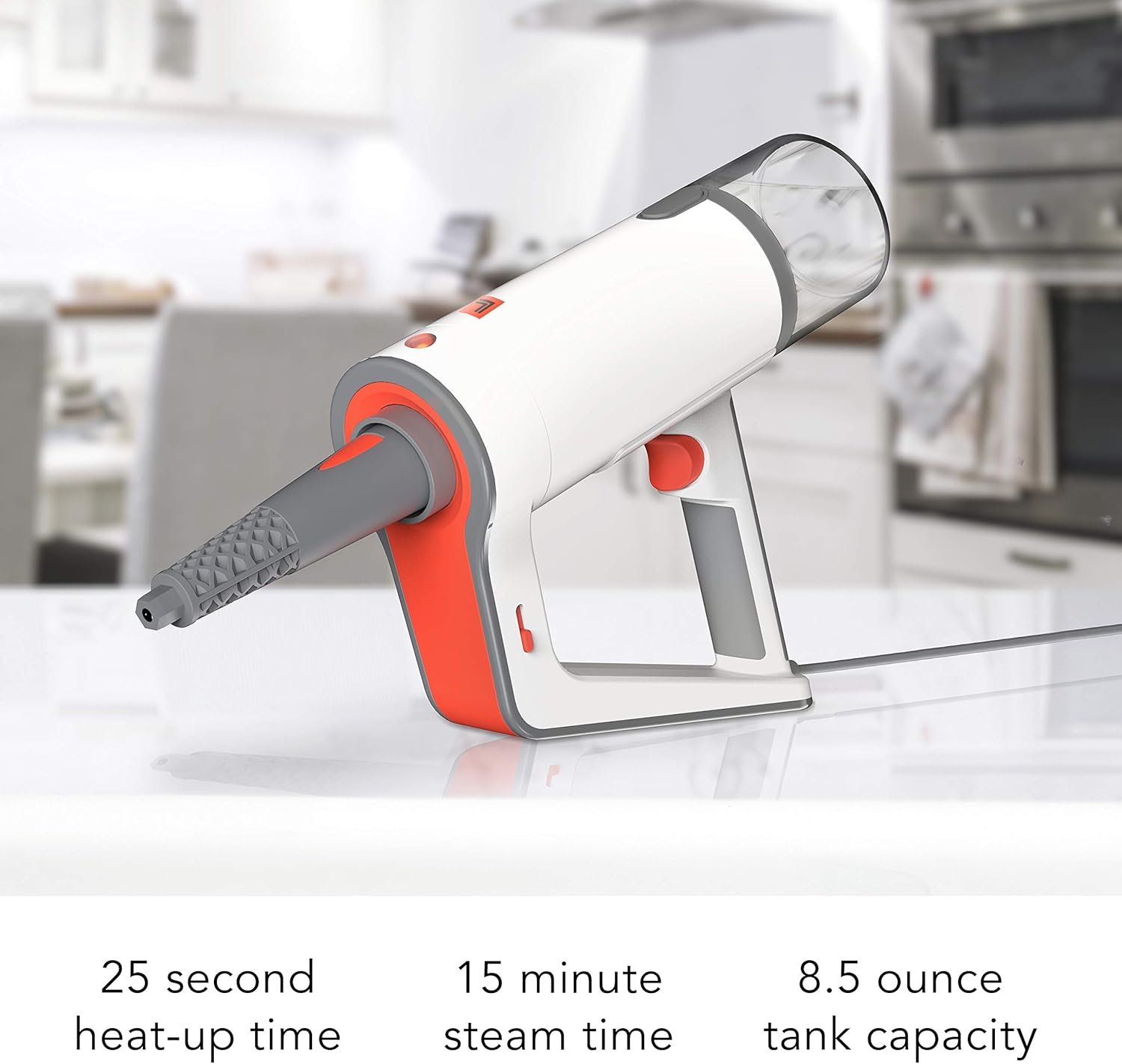
Image: The Sharper Image SI-160 in handheld mode, effectively cleaning a stovetop grate with concentrated steam.

Image: The handheld unit of the Sharper Image SI-160, illustrating its quick 25-second heat-up time, 15-minute continuous steam time, and 8.5-ounce water tank capacity.
メンテナンスとケア
適切なメンテナンスを行うことで、スチームモップの寿命が長くなり、最適なパフォーマンスが確保されます。
- 使用後: Unplug the unit and allow it to cool completely. Empty any remaining water from the tank.
- ユニットのクリーニング: スチームクリーナーの外側を拭きますamp cloth. Do not use abrasive cleaners or solvents. The manufacturer recommends 'Hand Wipe Clean'.
- マイクロファイバーモップパッド: Remove and wash microfiber mop pads after each use. They are typically machine washable; refer to the care label on the pads.
- スケール除去: Over time, mineral deposits can build up in the water tank and internal components, especially if tap water is used. To descale, fill the tank with a solution of 1 part white vinegar to 2 parts distilled water. Run the unit until half the solution is used, then turn off and let it sit for 30 minutes. Finish running the solution, then rinse the tank thoroughly with fresh distilled water. Perform descaling monthly or as needed based on water hardness.
- ストレージ: Store the steam mop in a cool, dry place, out of reach of children. Ensure the unit is completely dry before storing.
トラブルシューティング
If you encounter issues with your Sharper Image SI-160, refer to the following common problems and solutions:
| 問題 | 考えられる原因 | 解決 |
|---|---|---|
| 蒸気が出ない、または蒸気出力が低い |
|
|
| ユニットから水が漏れている |
|
|
| Mop pad not cleaning effectively |
|
|
If the problem persists after trying these solutions, please contact Sharper Image customer support.
仕様
| 特徴 | 詳細 |
|---|---|
| ブランド | より鮮明な画像 |
| モデル名 | SI-160 |
| 特集 | Carry Handle, Edge Cleaning, Lightweight, Removable Nozzle |
| 表面の推奨事項 | 床 |
| ワットtage | 1350ワット |
| フォームファクター | 直立 |
| 色 | 白 |
| 電源 | AC/DC |
| 巻tage | 120V |
| 水タンク容量 | 8.45オンス |
| 最高気温 | 華氏200度 |
| 製品寸法 | 13.7 x 13.3 x 43.8インチ |
| アイテム重量 | 6.93ポンド |
保証とサポート
Your Sharper Image SI-160 2-in-1 Steam Mop is covered by a 1年間のメーカー保証 ご購入日から1年間有効です。この保証は、通常の家庭での使用における材料および製造上の欠陥をカバーします。
For warranty claims, technical assistance, or any questions regarding your product, please contact Sharper Image customer service. Our dedicated customer service team is based in Andover, KS, and is ready to assist you.
保証を有効にするために購入証明書を保管してください。