導入
This manual provides essential instructions for the safe and efficient use of your Redmi 10000mAh Power Bank (Model PB100LZm). Please read this manual thoroughly before using the product and retain it for future reference.
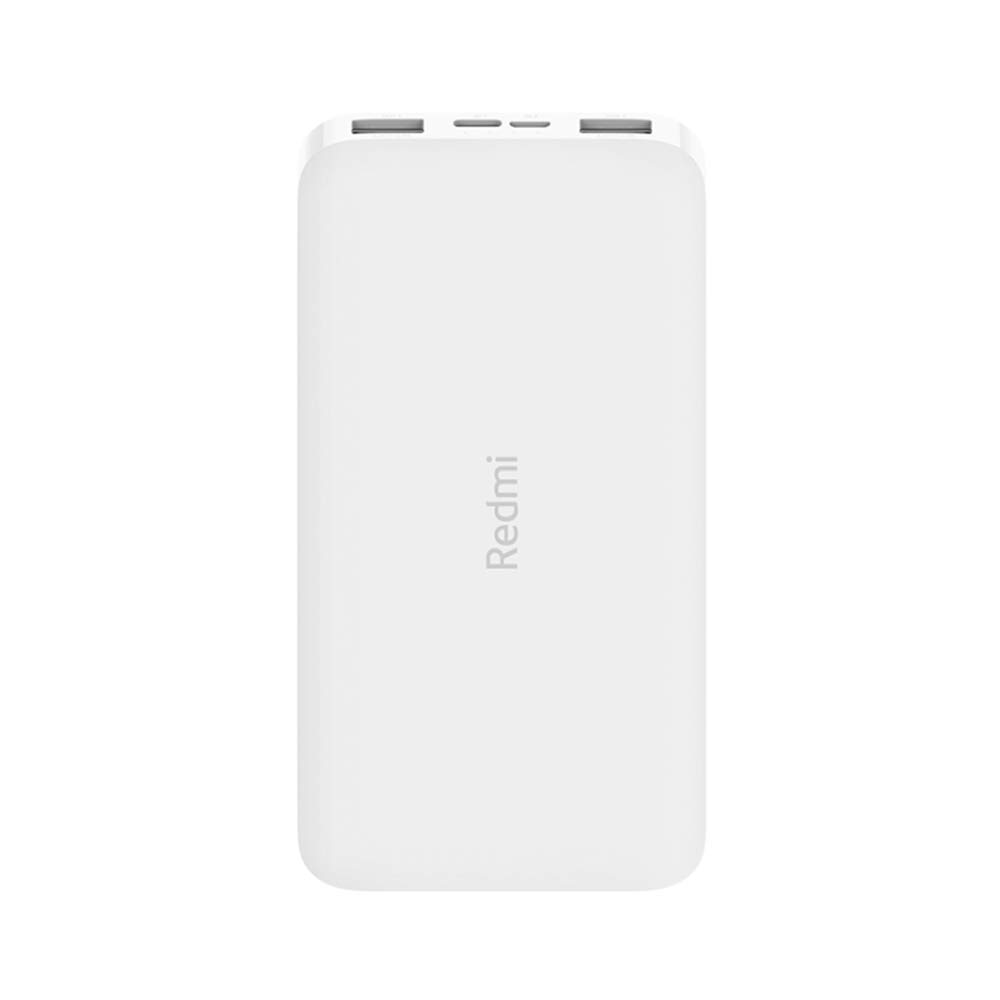
画像: 斜め view of the white Redmi 10000mAh Power Bank.
安全情報
To prevent injury, damage to the product, or damage to property, observe the following safety precautions:
- パワーバンクを分解、修理、改造しないでください。
- パワーバンクを火気、高温、直射日光にさらさないでください。
- 水やその他の液体との接触を避けてください。
- パワーバンクを落としたり、衝撃を与えたり、強い振動を与えたりしないでください。
- お子様の手の届かない場所に保管してください。
- 互換性のある充電ケーブルとアダプターのみを使用してください。
- パワーバンクは地域の規制に従って廃棄してください。
製品終了view
Familiarize yourself with the components of your Redmi 10000mAh Power Bank.

Image: Close-up of the power bank's top edge showing two USB-A output ports (OUT1, OUT2), one Micro-USB input port (IN1), one USB-C input port (IN2), and four LED battery level indicators.
- USB-A出力ポート(OUT1、OUT2): 外部機器の充電に使用します。
- Micro-USB Input Port (IN1): パワーバンクの充電に使用します。
- USB-C Input Port (IN2): パワーバンクの充電に使用します。
- LEDインジケーター: Four small lights indicating the remaining battery level.
- 電源ボタン: Located on the side, used to check battery level or activate charging.

画像: サイド view of the power bank highlighting the power button.
設定
パワーバンクの初期充電
Before first use, fully charge your Redmi 10000mAh Power Bank.
- Connect a compatible USB cable to either the Micro-USB (IN1) or USB-C (IN2) input port on the power bank.
- ケーブルのもう一方の端を USB 電源アダプター (別売) またはコンピューターの USB ポートに接続します。
- The LED indicators will light up, showing the charging progress. All four LEDs will be solid when fully charged.
デバイスの接続
The power bank is compatible with mobile phones and other USB-powered devices.
- Use the appropriate charging cable for your device.
- Connect one end of the cable to one of the USB-A output ports (OUT1 or OUT2) on the power bank.
- ケーブルのもう一方の端をデバイスの充電ポートに接続します。
操作手順
外部デバイスの充電
Once a device is connected, the power bank should automatically begin charging. If not, press the power button once to initiate charging.

Image: The power bank connected via a USB cable to charge a mobile phone, resting on a wooden table.
- The LED indicators will show the power bank's remaining battery level during charging.
- You can charge two devices simultaneously using both USB-A output ports.
バッテリー残量の確認
Press the power button once to check the remaining battery level. The LED indicators will light up for a few seconds:
- 1つのLED: バッテリー残量0〜25%
- 2つのLED: バッテリー残量25〜50%
- 3つのLED: バッテリー残量50〜75%
- 4つのLED: バッテリー残量75〜100%
メンテナンス
- クリーニング: パワーバンクは柔らかく乾いた布で拭いてください。刺激の強い化学薬品や研磨剤は使用しないでください。
- ストレージ: パワーバンクは、直射日光や極端な温度を避け、涼しく乾燥した場所に保管してください。
- バッテリーのケア: For optimal battery life, avoid fully discharging the power bank frequently. Recharge it when the battery level is low. If not used for extended periods, charge it to about 50% every three months.
トラブルシューティング
| 問題 | 考えられる解決策 |
|---|---|
| パワーバンクが充電されません。 |
|
| デバイスがパワーバンクから充電されません。 |
|
| 充電が遅い。 |
|
仕様
| ブランド | 小米 |
| モデル番号 | PB100LZm |
| 容量 | 10000mAh |
| 色 | 白 |
| 電池のタイプ | リチウムポリマー |
| 入力ポート | 1x Micro-USB, 1x USB-C |
| 出力ポート | 2x USB-A (5.1V=2.4A each) |
| 対応デバイス | Mobile Phones and other USB-powered devices |
| 寸法 | 15.8 x 8 x 2 cm |
| 重さ | 276グラム |
保証とサポート
Based on the provided product information, this product is indicated as having 無保証. For any product-related inquiries or technical support, please refer to the official Xiaomi support channels or your point of purchase.