1. はじめに
ご購入ありがとうございますasing the Majority Scholars Compact DVD Player. This device is designed for versatile media playback, supporting multiple disc formats and regions. It features both HDMI and RCA connectivity for broad compatibility with various display devices, along with a USB port for playing digital media files. This manual provides essential information for setting up, operating, and maintaining your DVD player.
2. 安全情報
- 火災や感電を防ぐため、ユニットを雨や湿気にさらさないでください。
- ユニット周囲の換気を良好に保ち、通気口を塞がないようにしてください。
- 不安定な場所にユニットを置かないでください。
- cを開けないでくださいasing. すべての修理は資格を持った担当者に依頼してください。
- 雷雨のときや長期間使用しない場合は、ユニットのプラグを抜いてください。
- メーカー指定のアタッチメント/アクセサリのみを使用してください。
3. パッケージ内容
以下の項目のボックスにチェックを入れてください。
- Majority Scholars Compact DVD Player
- リモートコントロール
- HDMIケーブル
- RCAAVケーブル
- 電源アダプター
- ユーザーマニュアル

Figure 3.1: Contents of the Majority Scholars DVD Player package.
4.製品オーバーview
4.1フロントパネル

図4.1: 前面 view of the DVD player.

Figure 4.2: Close-up of front panel controls and USB port.
The front panel includes the disc tray, a digital display, and essential control buttons such as Open/Close, Play/Pause, and Stop. A USB port is also located on the front for convenient access to digital media.
4.2 背面パネル

図 4.3: 接続ポートを備えた背面パネル。
The rear panel features the HDMI output for high-definition connection, RCA audio/video outputs for standard definition connections, and the power input port.
4.3リモコン
The included remote control provides full functionality for operating the DVD player from a distance. It requires two AAA batteries (not included).
5. セットアップ
5.1テレビに接続する
You have two primary options for connecting your DVD player to a television:
- HDMI Connection (Recommended for best quality):
Connect one end of the supplied HDMI cable to the HDMI OUT port on the rear of the DVD player and the other end to an HDMI input port on your TV. Select the corresponding HDMI input on your TV using its remote control. - RCA接続(標準解像度):
Connect the supplied RCA AV cable to the VIDEO OUT (yellow), AUDIO OUT L (white), and AUDIO OUT R (red) ports on the rear of the DVD player. Connect the other end of the cable to the corresponding AV input ports on your TV. Select the AV input on your TV using its remote control.
5.2電源接続
Connect the power adapter to the DC IN port on the rear of the DVD player, then plug the adapter into a standard electrical outlet.
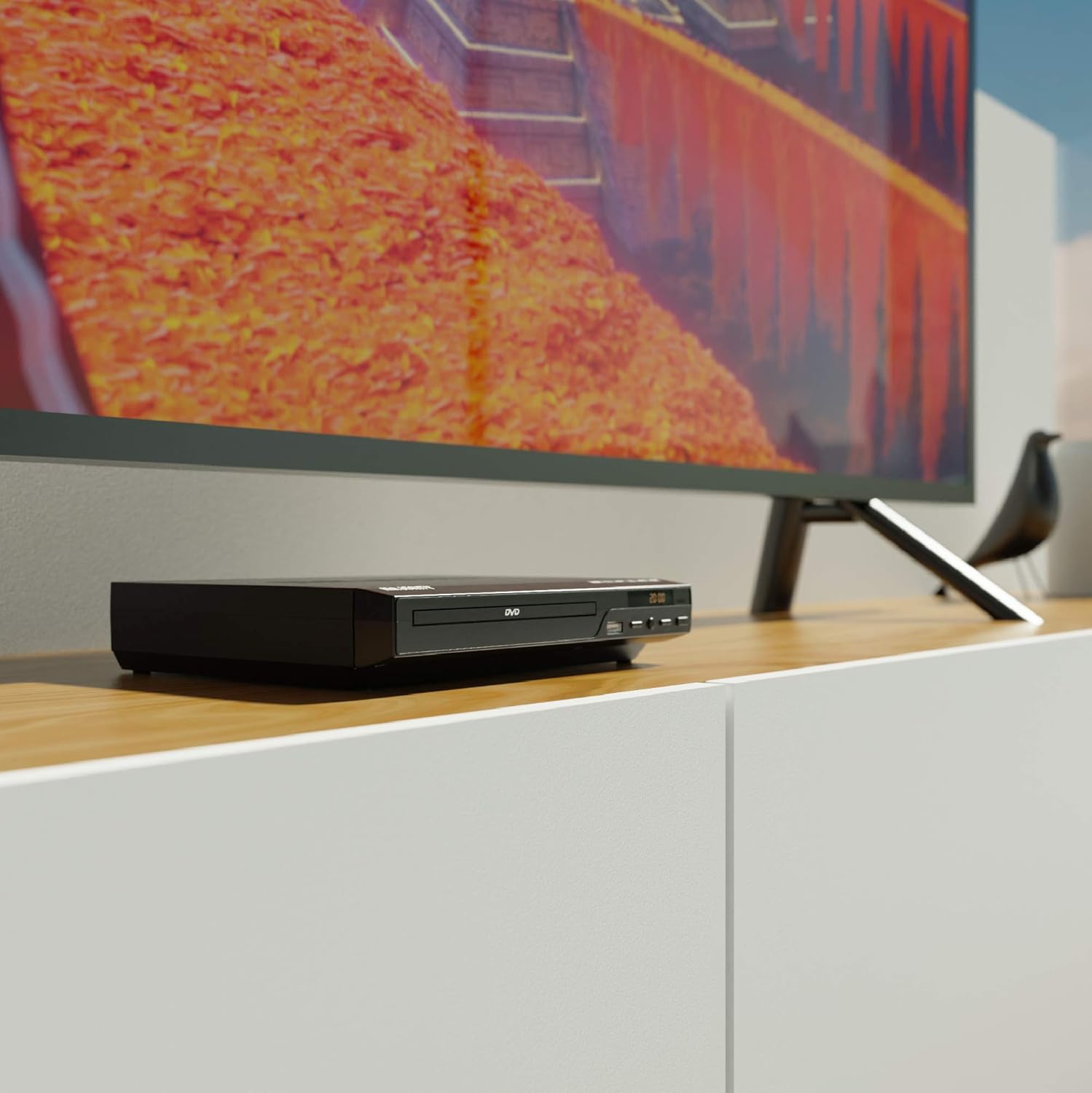
Figure 5.1: DVD player connected and ready for use.
6. 操作手順
6.1 基本的なディスク再生
- Power on the DVD player and your TV. Select the correct input source on your TV.
- を押す 開く/閉じる 前面パネルまたはリモコンのボタンを押してディスクトレイを開きます。
- DVD または CD ディスクを、ラベル面を上にしてトレイに静かに置きます。
- を押す 開く/閉じる button again to close the tray. The player will begin loading the disc.
- Playback should start automatically. If a menu appears, use the remote control's arrow keys and OK ナビゲートするボタン。
- 使用 再生/一時停止 そして 停止 リモコンまたは前面パネルのボタンを使用して再生を制御します。
6.2 USB再生
- フロントパネルの USB ポートに USB フラッシュ ドライブを挿入します。
- プレーヤーはUSBデバイスを自動的に検出し、その内容を表示します。表示されない場合は、 USB リモコンのボタン。
- ナビゲートする fileリモコンの矢印キーを使って OK to select and play media (e.g., videos, music, photos).
6.3 Multi-Region and PAL/NTSC Support
This DVD player is region-free, meaning it can play DVDs from all regions (1-6). It also features a built-in PAL/NTSC system, automatically converting video signals to match your TV's standard, ensuring compatibility with discs from different territories.
7. メンテナンス
- ユニットのクリーニング: DVDプレーヤーの外装を清掃する際は、柔らかく乾いた布をご使用ください。液体クリーナーやエアゾールスプレーは使用しないでください。
- クリーニングディスク: 柔らかく糸くずの出ない布で、ディスクの中心から外側に向かって拭いてください。再生面には触れないようにしてください。
- 換気: Ensure the ventilation slots on the player are not obstructed to prevent overheating.
8。 トラブルシューティング
| 問題 | 考えられる原因 | 解決 |
|---|---|---|
| 電源なし | 電源ケーブルが接続されていないか、コンセントに障害があります。 | 電源ケーブルの接続を確認し、別のコンセントを試してください。 |
| 映像も音声も出ない | Incorrect TV input selected or connection cables loose. | Select the correct HDMI/AV input on your TV. Ensure cables are securely connected. |
| 「ディスクなし」エラー | ディスクが汚れているか、傷が付いているか、または正しく挿入されていません。 | Clean the disc. Ensure the disc is inserted label-side up. Try a different disc. |
| リモコンが動作しない | 電池が切れているか、正しく挿入されていません。リモコンとプレーヤーの間に障害物があります。 | Replace batteries. Ensure line of sight to the player's sensor. |
| Disc playback skips or freezes | Disc is dirty or damaged. Player is on an unstable surface. | Clean the disc. Place the player on a stable, level surface. |
9. 仕様
- モデル: ojksfvx-1329
- 製品寸法: 8.86 x 7.48 x 1.77インチ
- 商品の重量: 1.5ポンド
- メディアタイプ: CD, DVD (Multi-Region, Region Free)
- サポートされているシステム: NTSC/PAL-NTSC フォーマット
- 解決: Up to 1920x1080 (via HDMI upconverting)
- コネクタタイプ: HDMI、RCA、USB
- オーディオ出力モード: ステレオ、サラウンドサウンド
- 色: 黒

Figure 9.1: Dimensions of the DVD player.
10. 保証とサポート
The Majority Scholars Compact DVD Player comes with a 3-year warranty. For technical support, warranty claims, or further assistance, please refer to the contact information provided in your product packaging or visit the official Majority webサイト。


