1. はじめに
ご購入ありがとうございますasing the ELECTROPRIME Digital Voice Recorder. This device is designed for high-quality audio recording and playback, functioning as both a dictaphone and an MP3 music player. Please read this manual carefully to ensure proper use and optimal performance.
パッケージ内容:
- ELECTROPRIME Digital Voice Recorder (Model: ASHA20BEBUBEB16153)
- USBケーブル
- ユーザーマニュアル
2.製品オーバーview
デバイスのコンポーネントとコントロールについて理解しておいてください。
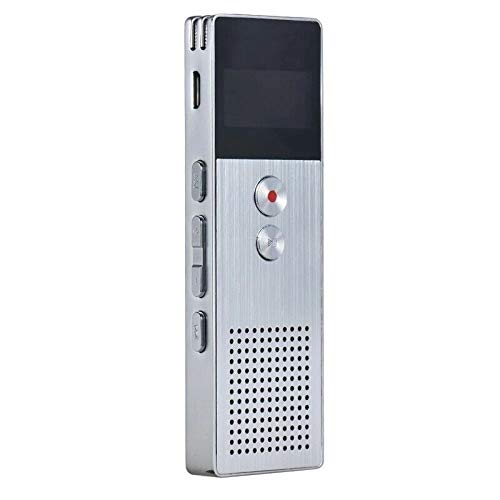
画像2.1: フロント view of the ELECTROPRIME Digital Voice Recorder. This image displays the device's screen, the prominent red record button, and other control buttons on the front panel, along with the speaker grille at the bottom.
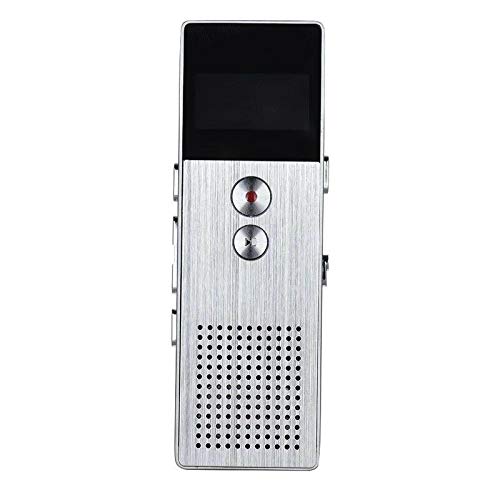
画像2.2: 側 view of the ELECTROPRIME Digital Voice Recorder. This image highlights the side controls, including the power switch, volume buttons, and the USB charging/data transfer port. The device's compact design is visible.
デバイスコンポーネント:
- 表示画面: 録画ステータス、時間、バッテリーレベル、メニュー オプションを表示します。
- 録音ボタン: Initiates and stops audio recording.
- 再生/一時停止ボタン: Starts and pauses playback of audio files.
- 音量ボタン(+/-): 再生音量を調整します。
- メニュー/モードボタン: Navigates through menus and switches operating modes.
- USBポート: 充電やパソコンへのデータ転送に。
- マイクロフォン: Built-in stereo microphone for audio input.
- スピーカー: 直接オーディオを再生します。
- ヘッドフォンジャック: プライベートリスニング用。
- 電源スイッチ: デバイスの電源をオンまたはオフにします。
3. セットアップ
3.1デバイスの充電
Before first use, fully charge the device. Connect the recorder to a computer's USB port or a USB wall adapter (not included) using the provided USB cable. The battery indicator on the screen will show charging status. A full charge typically takes 2-3 hours.
3.2 電源オン/オフ
- 電源を入れるには、 電源スイッチ ON位置に移動する。
- 電源を切るには、 電源スイッチ OFFの位置に。
3.3 初期設定
Upon first power-on or after a reset, you may need to set the date, time, and language. Use the navigation buttons to select options and confirm with the Play/Pause button.
4. 操作手順
4.1音声録音
The device supports high-quality stereo recording in .WAV format, offering up to 23 hours of continuous recording with its 8GB internal memory.
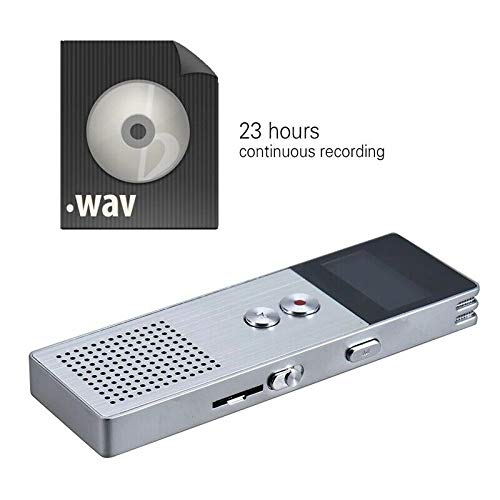
画像4.1: The recorder's capability to record in .WAV format and its impressive 23-hour continuous recording capacity are highlighted in this image, alongside the device itself.
- デバイスの電源がオンになっていることを確認します。
- を押す 録画ボタン (red circle) to start recording. The screen will display a recording indicator and elapsed time.
- 録音を一時停止するには、 再生/一時停止ボタン。 もう一度押すと再開します。
- 録画を停止して保存するには file、 録画ボタン 再び。 ザ・ file 自動的に保存されます。
ヒント: For best recording quality, ensure the microphone is not obstructed and the device is placed on a stable surface.
4.2 再生
- In the main menu, navigate to the "Recordings" or "Music" folder using the navigation buttons.
- 希望する file を押して 再生/一時停止ボタン 再生を開始します。
- 再生中は、 音量ボタン(+/-) 音量を調整します。
- を押す 再生/一時停止ボタン to pause playback, and again to resume.
- 再生を停止するには、を押します 停止ボタン (if available, otherwise navigate out of playback mode).
4.3 MP3 Music Player Functionality
The device can also function as an MP3 player. Transfer MP3 files to the device via USB connection to your computer.
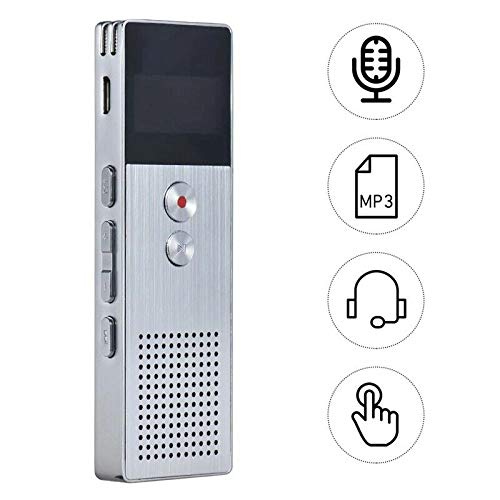
画像4.2: This image illustrates the multi-functional capabilities of the device, including its use as a voice recorder (microphone icon), an MP3 player (MP3 icon), and its compatibility with headphones (headphone icon). The touch icon suggests ease of interaction.
- USB ケーブルを使用してデバイスをコンピューターに接続します。
- The device will appear as a removable disk. Copy your MP3 files into the "Music" folder on the device.
- デバイスをコンピューターから安全に取り外します。
- On the recorder, navigate to the "Music" menu and select your desired MP3 file 再生のために。
4.4 File Management (Connecting to PC)
To transfer, delete, or organize files, connect the recorder to your computer using the USB cable. The device will be recognized as a mass storage device. You can then drag and drop files as you would with any USB drive.
5. メンテナンス
- デバイスを乾燥した状態に保ってください。湿気は内部回路に損傷を与える可能性があります。
- 極端な温度を避けてください。
- 落としたり、強い衝撃を与えないでください。
- 柔らかく乾いた布でデバイスを拭いてください。刺激の強い化学薬品や洗剤は使用しないでください。
- 重要な録音は定期的にコンピューターにバックアップしてください。
6。 トラブルシューティング
デバイスの電源が入らない:
- バッテリーが充電されていることを確認してください。電源に接続してもう一度お試しください。
- 電源スイッチがオンの位置にあるかどうかを確認します。
記録できません:
- Check available memory. If full, transfer fileをコンピューターに保存し、デバイスから削除します。
- マイクが覆われていないことを確認してください。
- Verify the device is in recording mode.
再生中に音が出ない:
- Adjust the volume using the Volume Buttons.
- ヘッドフォンを使用する場合は、正しく接続されていることを確認してください。
- 音声かどうかを確認します file 破損しています。
デバイスがコンピューターに認識されません:
- 別の USB ポートまたは USB ケーブルを試してください。
- Ensure the device is powered on when connected.
- コンピュータを再起動します。
7. 仕様
| ブランド | エレクトロプライム |
| モデル番号 | ASHA20BEBUBEB16153 |
| メモリストレージ | 8ギガバイト |
| 記録フォーマット | WAVAファイル |
| 再生フォーマット | MP3、WAV |
| マイクロフォン | ステレオ |
| 連続録画 | 最大23時間 |
| 接続性 | USB |
8. 保証とサポート
For warranty information or technical support, please refer to the product packaging or contact ELECTROPRIME customer service through their official website or the retailer where the product was purchased. Please have your model number (ASHA20BEBUBEB16153) and purchase details ready.