導入
This manual provides essential instructions for the safe and efficient operation of your Hama TH50 Thermo/Hygrometer. This device is designed to accurately measure and display indoor temperature and humidity levels. Please read this manual thoroughly before using the device and keep it for future reference.
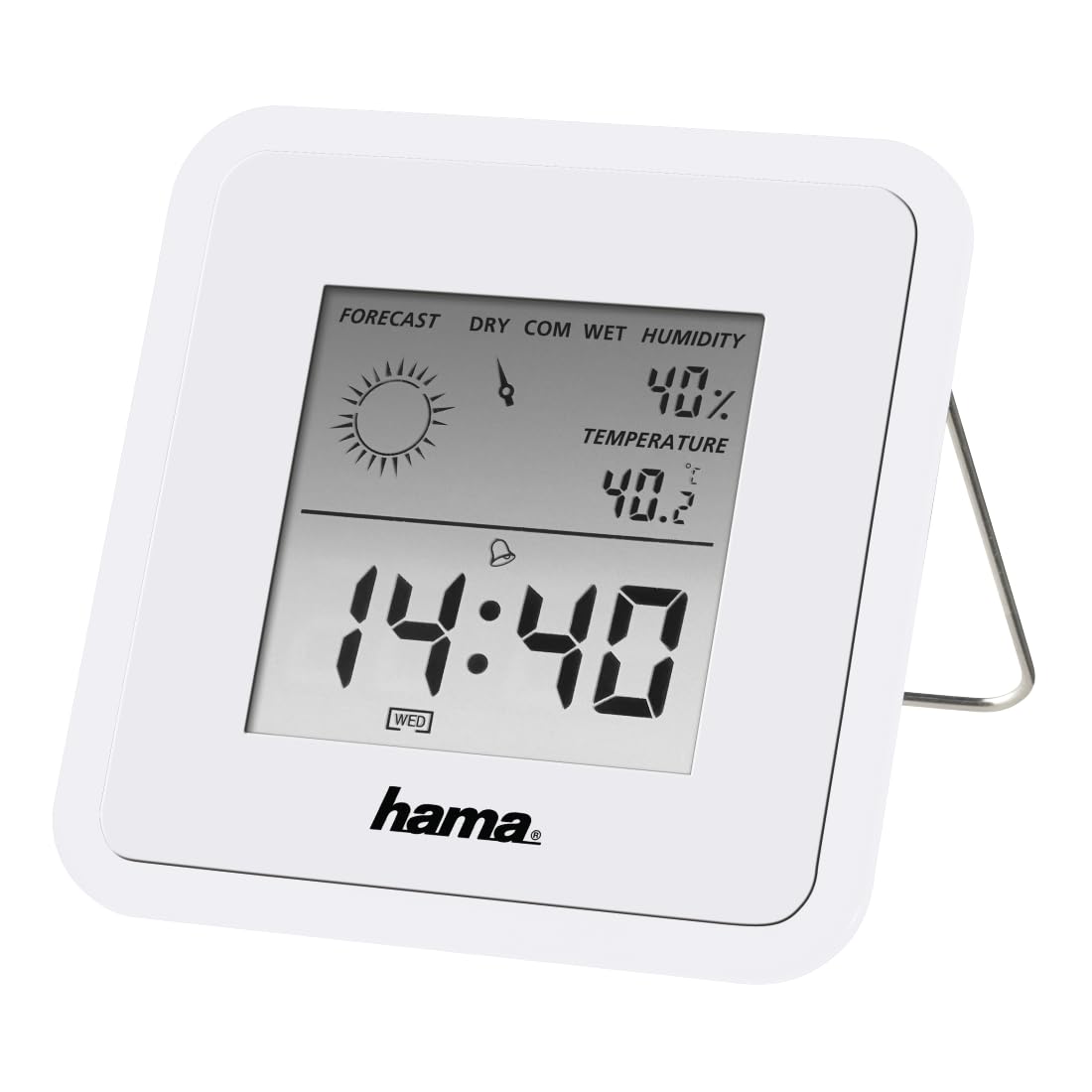
Image: The Hama TH50 Thermo/Hygrometer, a compact white device displaying digital temperature and humidity readings.
安全に関する注意事項
- デバイスを極端な温度、直射日光、高湿度にさらさないでください。
- デバイスを落としたり、強い衝撃を与えたりしないでください。
- デバイスを開けないでくださいasing or attempt to repair it yourself. Refer all servicing to qualified personnel.
- デバイスを子供の手の届かない場所に保管してください。
- 地域の規制に従ってバッテリーを廃棄してください。
パッケージ内容
すべての品物が揃っていて良好な状態であることを確認してください。
- Hama TH50 Thermo/Hygrometer
- 1 Lithium Metal Battery (pre-installed or separate)
- この取扱説明書
設定
1. バッテリーの取り付け
The Hama TH50 requires one Lithium Metal battery for operation. If the battery is not pre-installed, follow these steps:
- デバイスの背面にある電池ボックスのカバーを見つけます。
- 電池ボックスのカバーを開きます。
- Insert the Lithium Metal battery, ensuring the correct polarity (+/-) as indicated inside the compartment.
- 電池カバーをしっかりと閉じてください。
2.配置
The Hama TH50 is designed for tabletop mounting. For accurate readings, place the device in a central location within the room, away from direct heat sources, air conditioning vents, or open windows that could affect temperature and humidity measurements.

Image: The Hama TH50 Thermo/Hygrometer displayed on a small table in a modern living room setting, demonstrating typical placement.
デバイスの操作
情報を表示
Once the battery is installed, the device will automatically power on and begin displaying the current temperature and humidity. The display typically shows:
- 温度: Measured in degrees Celsius (°C). The accuracy is ±1°C.
- 湿度: パーセントで測定tage(%)。
- 時間: The current time may also be displayed, depending on the model's features.
There are no user-adjustable settings or buttons on this model for changing units or modes. The device operates automatically.
メンテナンス
クリーニング
To clean the device, use a soft, dry, lint-free cloth. Do not use abrasive cleaners, solvents, or chemical agents, as these can damage the display or casing. デバイス内に湿気が入らないようにしてください。
バッテリー交換
When the display becomes dim or the readings appear inaccurate, it may be time to replace the battery. Follow the battery installation steps outlined in the "Setup" section to replace the Lithium Metal battery. Ensure proper disposal of the old battery.
トラブルシューティング
| 問題 | 考えられる原因 | 解決 |
|---|---|---|
| Device does not power on / Display is blank. | Battery is not installed or is depleted. Incorrect battery polarity. | Check battery installation and polarity. Replace with a new Lithium Metal battery if necessary. |
| 温度/湿度の測定値が不正確です。 | Device placed near heat sources, vents, or in direct sunlight. Battery low. | Relocate the device to a more central and stable environment. Replace the battery. |
| ディスプレイが暗くなっています。 | バッテリー残量が少なくなっています。 | リチウム金属電池を交換してください。 |
仕様
- モデル番号: 00186371
- ブランド: ハマ
- 製品寸法: 10.5 x 8.6 x 3.2 cm
- 商品の重量: 66グラム
- 色: 白
- 取り付けタイプ: テーブルトップ
- 温度読み取り精度: ±1℃
- 電池: リチウム金属電池 1 個 (付属)
保証とサポート
Hama provides a limited warranty for this product. For detailed warranty information, technical support, or service inquiries, please refer to the official Hama web購入サイトをご覧いただくか、カスタマーサービス部門にお問い合わせください。購入証明書としてレシートを保管してください。
注意:製品の仕様および外観は予告なく変更されることがあります。


