1. はじめに
The Mantis X3 is a data-driven shooting performance system designed to enhance your shooting accuracy and technique. It provides real-time feedback and analysis for both dry fire and live fire training sessions, compatible with pistols, rifles, and airsoft/CO2 guns. This manual provides essential information for setting up, operating, and maintaining your Mantis X3 system.

Image: Mantis X3 system components including the smart sensor, carrying case, and smartphone displaying the app interface.
2. 箱の中身
Upon unboxing your Mantis X3 Shooting Performance System, verify that all the following items are included:
- Mantis X3 Smart Sensor
- Mantis X Case
- マイクロUSBケーブル
- クイックスタートガイド

Image: A visual guide illustrating the four steps of using the Mantis X3: attach the device, connect the phone, collect data, and improve shooting.
3. セットアップ手順
Follow these steps to set up your Mantis X3 system:
- Download the MantisX App: 検索する "MantisX" in your device's App Store (iOS) or Google Play Store (Android) and install the application.
- Attach the Mantis X3 Smart Sensor: Securely attach the Mantis X3 device to the Picatinny rail of your pistol or rifle. Ensure it is firmly mounted. If your firearm lacks a Picatinny rail, a separate adapter (sold separately) is required.
- Connect to Your Phone: Open the MantisX app on your smartphone. Turn on the Mantis X3 device. The app will guide you through the Bluetooth pairing process.
- キャリブレーション(必要な場合): Follow any on-screen prompts within the app for initial calibration or setup specific to your firearm.

Image: Step-by-step instructions for attaching the Mantis X to a firearm, connecting it to a smartphone, and receiving feedback.
Video: A brief demonstration of the MantisX Dry Fire Training System, showing the device and app interface.
4. Operating the Mantis X3
The Mantis X3 system provides comprehensive data to improve your shooting. Here's how to utilize its features:
4.1 Data-Driven Training
The Mantis X3 tracks the movement of your firearm during every shot, providing a score and detailed analysis. The app offers various training courses and drills with personalized feedback.
- Trace Movement: Visualize the movement of your firearm's barrel during the trigger pull.
- Score & Analyze: Each shot is scored based on deviation from the aiming position, with detailed analysis of potential issues.
- 進捗状況を追跡: Monitor your performance over time to identify trends and measure improvement.

画像: オーバーview of the Mantis X3's data-driven training capabilities, including shot tracing, scoring, and progress tracking within the app.
4.2 Feedback Mechanism
The MantisX app provides feedback in three key areas:
- スコア: A numerical score (up to 100) indicating the quality of your shot based on movement during trigger pull.
- 方向: Identifies the direction of barrel movement during the trigger pull, highlighting tendencies (e.g., shooting left).
- 提案: Offers coaching tips and suggestions to address identified issues and improve mechanics.

Image: Explanation of the Mantis X feedback system, covering shot scoring, directional analysis of movement, and corrective suggestions.
4.3 Training Modes and Courses
The MantisX app includes a variety of training modules and courses suitable for all skill levels, from beginners to advanced users. These include daily challenges, open training, shot timers, and more.

Image: Screenshots from the Mantis X app showcasing different training modes, courses, and options for competing with friends.
5. 互換性
The Mantis X3 offers broad compatibility with various firearms and training methods:
- Firearms: Compatible with any pistol or rifle.
- トレーニングの種類: Supports both dry fire and live fire training.
- Additional Compatibility: Can be used with airsoft/CO2 guns.
- 取り付け: Requires a Picatinny rail for attachment. Adapters for firearms without a Picatinny rail are sold separately.
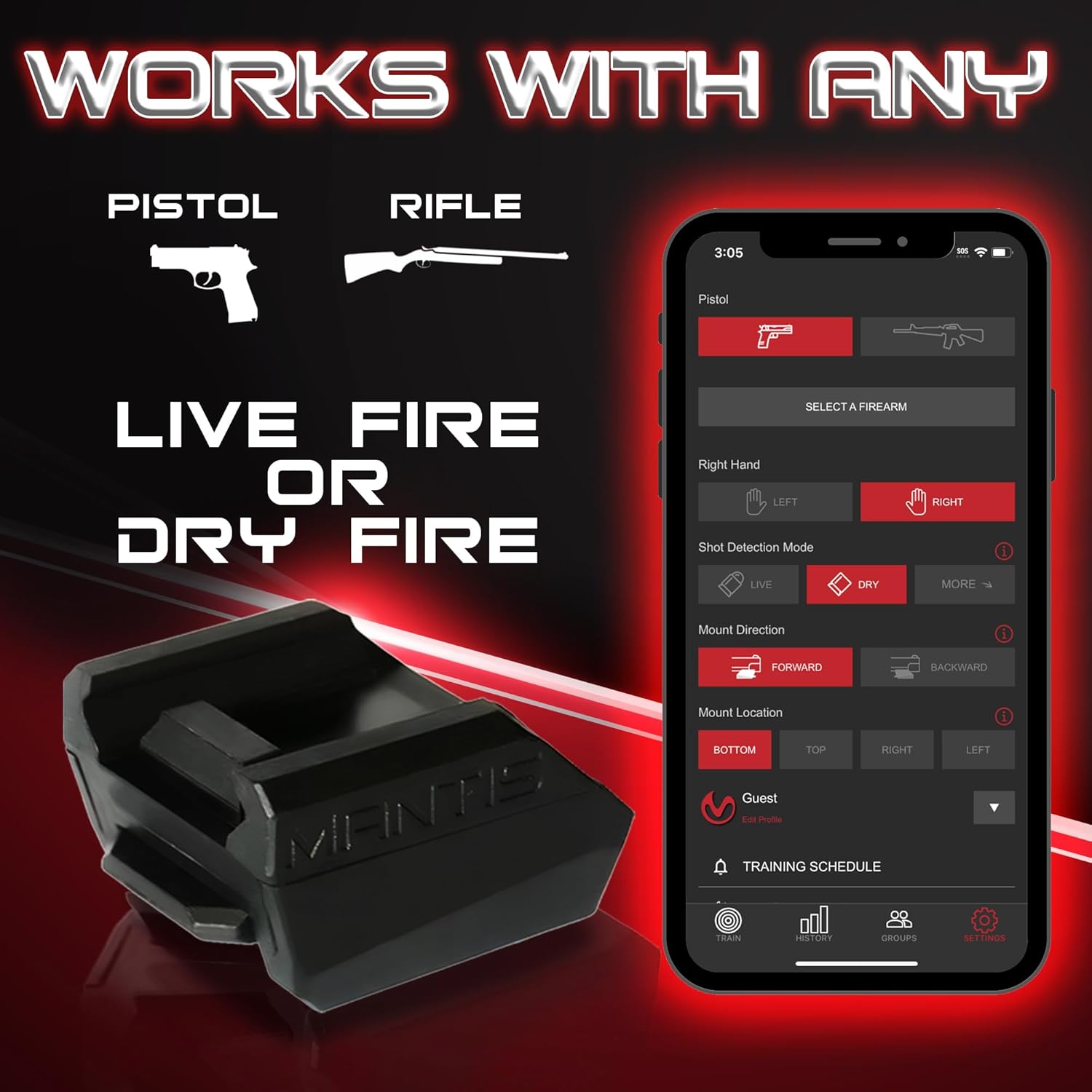
Image: The Mantis X3 device highlighting its compatibility with pistols, rifles, and both live and dry fire training scenarios.
6. メンテナンス
To ensure the longevity and optimal performance of your Mantis X3 system, follow these general maintenance guidelines:
- クリーニング: Keep the smart sensor clean and free from dust, debris, or moisture. Use a soft, dry cloth for cleaning.
- 充電: Charge the device using the provided Micro USB cable. Avoid overcharging or completely draining the battery for extended periods.
- ストレージ: Store the Mantis X3 in its protective case when not in use to prevent damage.
- ソフトウェアアップデート: Regularly check the MantisX app for software and firmware updates to ensure you have the latest features and improvements.
7。 トラブルシューティング
If you encounter issues with your Mantis X3, consider the following common troubleshooting steps:
- 接続の問題: Ensure Bluetooth is enabled on your smartphone and the Mantis X3 device is powered on. Try restarting both the device and the app.
- 不正確な読み取り: Verify that the Mantis X3 is securely attached to the Picatinny rail and that there is no excessive movement or wobble. Ensure the app settings match your firearm and training mode.
- アプリが応答しない: Close and restart the MantisX app. If the issue persists, try reinstalling the app.
- バッテリー寿命: If the device is not holding a charge, ensure the Micro USB cable and charging port are clean and undamaged.
For more detailed troubleshooting or persistent issues, refer to the comprehensive instruction guide available within the MantisX app under Settings > Instruction Guide, or contact customer support.
8. 仕様
| 特徴 | 詳細 |
|---|---|
| 商品パッケージ寸法 L x W x H | 5.94 x 4.02 x 2.2インチ |
| パッケージ重量 | 0.16キログラム |
| ブランド名 | カマキリ |
| メーカー | Mantis Tech |
| 部品番号 | MT1002 |
9. 保証
The Mantis X3 Shooting Performance System comes with a 2年間保証. For detailed terms and conditions, please refer to the official Mantis Tech webサイトをご覧いただくか、カスタマー サポートにお問い合わせください。
10. サポート
For any questions, suggestions, or assistance with your Mantis X3 system, please utilize the following support channels:
- メールサポート: help@mantisx.com
- Webサイト: 訪問 www.mantisx.com for additional resources, FAQs, and product information.


