導入
Thank you for choosing Obbug True Wireless Earbuds. These earbuds are designed for comfort, durability, and high-quality audio, featuring an ergonomic design, IPX7 waterproof rating, and advanced Bluetooth 5.1 technology for stable connections and long battery life. This manual provides essential information for setup, operation, maintenance, and troubleshooting to ensure you get the best experience from your new earbuds.
箱の中身
- 1 x Pair of Wireless Earbuds
- 1xポータブル充電ケース
- タイプCケーブル x 1
- イヤーチップ4個(各種サイズ)
- 取扱説明書 x 1
製品終了view

The Obbug True Wireless Earbuds come with a sleek, portable charging case. The earbuds feature a compact design for a comfortable and secure fit.

イヤホンはワンステップペアリング用に設計されており、充電ケースから取り出すと自動的にデバイスに接続されます。

Weighing only 4g each, these earbuds offer a super lightweight design for hassle-free listening and extended comfort.
設定
イヤホンの充電
Before first use, fully charge the earbuds and the charging case. Place the earbuds into their respective slots in the charging case. The indicator lights on the case will show the charging status. Connect the Type-C cable to the charging case and a USB power source.

The charging case provides up to 120 hours of standby time and can fully recharge the earbuds 2-3 times, offering up to 5 hours of talk/play time per charge.
Official product video demonstrating the charging case and earbuds. This video highlights the design and charging functionality of the pink wireless earbuds.
公式製品ビデオショーasing the Mini Wireless Earbuds and their TWS Bluetooth Headset Charging Case. This video provides a visual guide to the product's features and charging capabilities.
デバイスとのペアリング
- 充電ケースを開けると、イヤホンの電源が自動的にオンになり、ペアリングモードになります。
- デバイス(スマートフォン、タブレットなど)で Bluetooth を有効にします。
- 検索する "Q13S TWS" in the list of available Bluetooth devices and select it to connect.
- 接続されると、確認プロンプトが聞こえ、イヤホンのインジケーターライトが変化します。
The earbuds offer one-step pairing, compatible with iOS, Android, and Windows devices for seamless connection.
適切なイヤーチップの選び方
The earbuds come with three different sizes of ear tips to ensure a comfortable and secure fit. Experiment with the different sizes to find the best fit for your ears. A proper fit enhances sound quality and noise isolation.
The ergonomic design and lightweight nature of the earbuds ensure a snug and comfortable fit for various activities, including sports and exercise.
操作手順
基本操作
The Obbug True Wireless Earbuds feature intuitive touch controls for easy management of your audio and calls.

Control your music and calls with simple finger taps on the earbuds.
| 関数 | アクション |
|---|---|
| 再生/一時停止 | どちらかのイヤフォンをシングルタップ |
| ボリューム+ | 右のイヤホンをタップして長押し |
| ボリューム- | 左のイヤホンをタップして長押し |
| 次のトラック | 右のイヤホンをダブルタップ |
| 前のトラック | 左のイヤホンをダブルタップ |
| 通話の応答/終了 | どちらかのイヤフォンをシングルタップ |
| 電話を切る | どちらかのイヤホンをタップして長押しします |
| 音声アシスタント | どちらかのイヤホンをトリプルタップ |
シングルイヤフォンモード
Both earbuds can be used independently. Simply take one earbud out of the charging case, and it will automatically connect to your device. This allows for flexible usage, such as sharing one earbud with a friend or using one while the other charges.

Each earbud can be used independently, offering flexibility for various listening scenarios.
メンテナンス
クリーニング
To maintain optimal performance and hygiene, regularly clean your earbuds and charging case. Use a soft, dry, lint-free cloth to wipe down the surfaces. For ear tips, remove them and clean with a mild soap solution, then rinse thoroughly and dry completely before reattaching. Avoid using harsh chemicals or abrasive materials.
耐水性
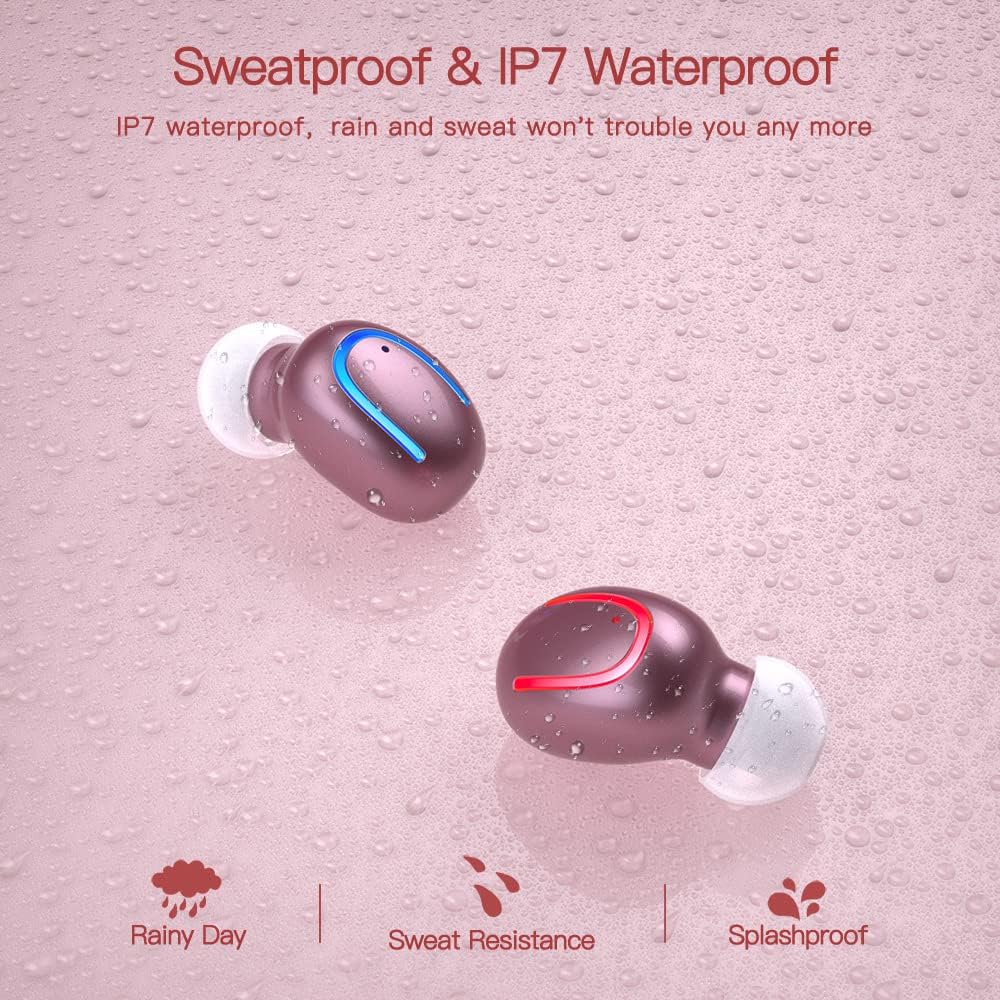
The earbuds are IPX7 waterproof, meaning they can withstand heavy rain and sweat during intense workouts. This protection is ideal for sports and all-weather conditions. 注意: 充電ケースは防水ではありません。 Avoid submerging the charging case in water.

IPX7 water and sweat resistant nano-coating protects the earbuds from heavy rain or sweat during intense workouts.
トラブルシューティング
- イヤホンがペアリングされない: Ensure both earbuds are charged and removed from the case. Turn off and on your device's Bluetooth. If issues persist, try resetting the earbuds (refer to the full manual for specific reset instructions if available).
- 音が出ない、または音量が低い: Check the volume levels on both your device and the earbuds. Ensure the earbuds are properly seated in your ears and that the ear tips are clean and correctly sized.
- 切断の問題: デバイスがBluetoothの12メートル圏内にあることを確認してください。信号に干渉する可能性のある障害物を避けてください。
- 充電に関する問題: Verify the Type-C cable is securely connected to both the case and the power source. Check if the charging indicators on the case are active.
- マイクが機能しません: 通話中にイヤホンが正しく接続され、携帯電話のオーディオ入力デバイスとして選択されていることを確認してください。
For further assistance, please consult the customer service for 24-hour after-sales support.
仕様
| 特徴 | 詳細 |
|---|---|
| ブランド | オブバグ |
| モデル名 | Obbq13 / Q13S TWS |
| 接続技術 | ワイヤレス(Bluetooth 5.1) |
| 耐水性レベル | IPX7防水 |
| バッテリー寿命(イヤホン) | Up to 5 hours talk/play time |
| バッテリー寿命(ケース付き) | 合計再生時間は最大20時間 |
| 充電時間 | 約1~2時間 |
| 充電ケース容量 | 600mAh |
| コントロールタイプ | タッチコントロール |
| 耳の位置 | 耳に装着 |
| アイテム重量 | 0.64オンス |
| 材料 | プラスチック |
| 対応デバイス | Android, iPhone, iPad, Samsung Galaxy, iPod Nano, Laptops & Tablets, etc. |
保証とサポート
Obbug products are manufactured with high-quality standards. For any product-related inquiries, technical support, or warranty claims, please contact Obbug customer service. Refer to your purchase documentation for specific warranty terms and contact information.
Customer service is available for 24 hours after-sales support to assist you with any concerns or issues you may encounter.


