
1. はじめに
Welcome to the instruction manual for your Sygonix SY-RSL-T3 Wireless Wall Switch. This manual provides essential information for the safe and efficient use of your device. Please read it thoroughly before installation and operation, and keep it for future reference.
2. 安全に関する注意事項
怪我やデバイスの損傷を防ぐために、常に次の安全上の注意事項を守ってください。
- デバイスを開けないでくださいasing. 内部にはユーザーが修理できる部品はありません。
- デバイスを湿気、水、極端な温度から遠ざけてください。
- Use only the specified battery type (12V, not included) and ensure correct polarity during installation.
- 使用済みの電池は、地域の条例に従って廃棄してください。家庭ごみとして廃棄しないでください。
- This device is designed for indoor use. If used outdoors, ensure it is protected from direct weather exposure.
- 梱包材はお子様の手の届かないところに保管してください。
3.製品オーバーview
3.1。 構成部品
The Sygonix SY-RSL-T3 Wireless Wall Switch consists of the following main components:
- Wireless Wall Switch Unit (1 piece)
- Mounting Hardware (screws, if included with purchase)
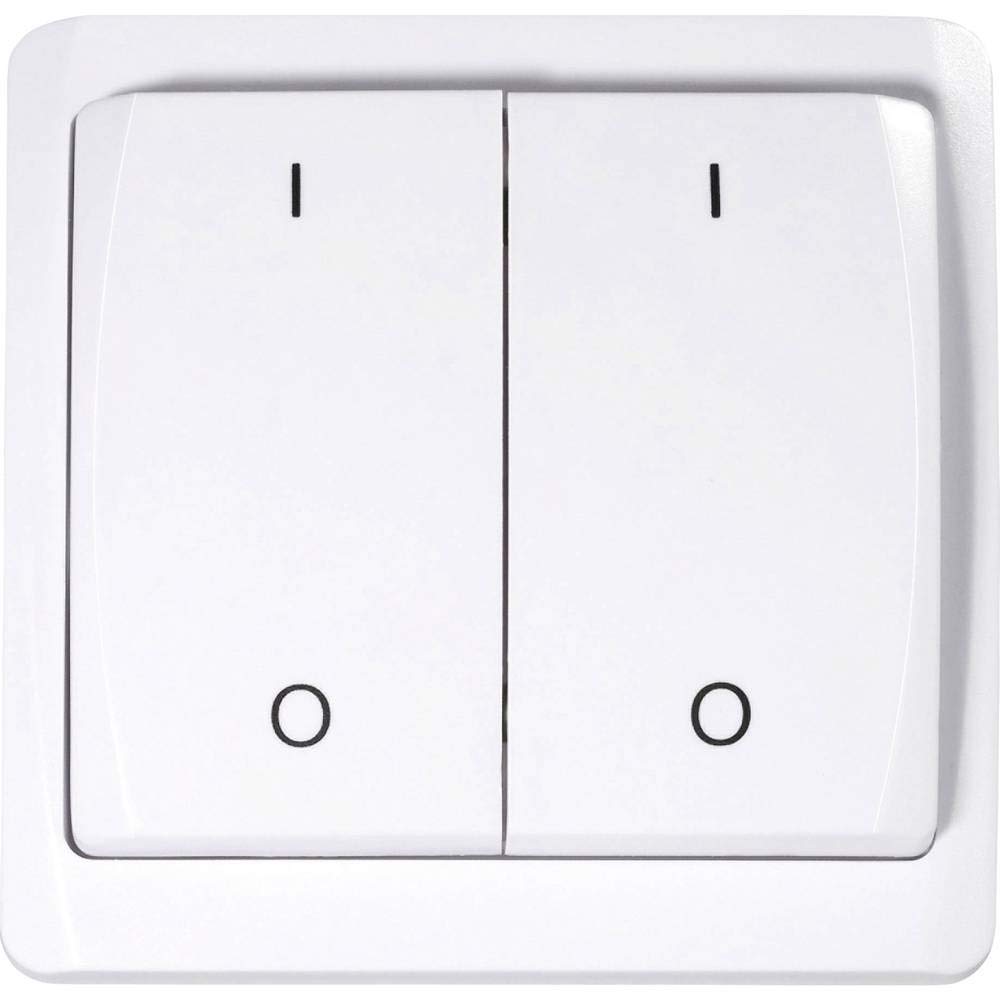
This image shows the front of the Sygonix SY-RSL-T3 wireless wall switch. It is white with two large push-buttons. The left button is marked with an 'I' (for ON) and a circle (for OFF), and the right button is similarly marked. The switch has a slightly curved, modern design.
3.2. 特徴
- Surface-mounted RSL wall switch
- Maximum wireless range: 70 meters (in open field)
- Push-button style operation (ON-OFF mode)
- Requires 12V battery (not included)
- 材質: プラスチック
4. セットアップとインストール
4.1. 開梱
すべての部品をパッケージから慎重に取り出してください。すべての部品が揃っていて、損傷がないことを確認してください。将来の輸送や保管のために、パッケージは保管しておいてください。
4.2. バッテリーの取り付け
The device requires a 12V battery (not included). To install the battery:
- スイッチの背面にある電池ボックスを見つけます。
- 電池ボックスのカバーを開きます。
- Insert the 12V battery, ensuring correct polarity (+ and - terminals match the markings).
- 電池カバーをしっかりと閉じてください。
4.3. Mounting the Wall Switch
The SY-RSL-T3 is a surface-mounted switch. Choose a suitable, flat location for installation, free from excessive moisture or heat. Use appropriate screws or adhesive (not specified if included) to secure the switch to the wall. Ensure the mounting surface is clean and dry before installation.

角度のついた view of the white Sygonix SY-RSL-T3 wireless wall switch, highlighting its two push-buttons and sleek profile.

サイド view of the Sygonix SY-RSL-T3 wireless wall switch, showing its depth and how it would sit on a surface.
5. 操作手順
5.1. Pairing with an RSL Receiver
To operate the switch, it must first be paired with a compatible Sygonix RSL receiver (sold separately). The SY-RSL-T3 uses the RSL wireless protocol.
- Refer to your RSL receiver's instruction manual for specific pairing instructions.
- Typically, you will need to put the RSL receiver into a pairing or learning mode.
- Within the specified time frame (usually a few seconds), press one of the buttons (e.g., 'I' or 'O') on the SY-RSL-T3 wall switch.
- The receiver should indicate successful pairing (e.g., by flashing an LED or clicking).
- Repeat the process if you wish to pair the other button to a different receiver or channel, if supported by your receiver.
5.2. 基本操作
Once successfully paired with an RSL receiver:
- Press the button marked with 'I' to send an ON signal to the paired receiver.
- Press the button marked with 'O' to send an OFF signal to the paired receiver.
The switch operates in a simple ON-OFF mode, controlling the connected device via the RSL receiver.
6. メンテナンス
6.1. 清掃
Clean the surface of the switch with a soft, dry, lint-free cloth. Do not use abrasive cleaners, solvents, or harsh chemicals, as these can damage the plastic surface.
6.2. バッテリーの交換
When the switch's wireless range decreases significantly, or it stops responding to button presses, the battery may need replacement. Follow the steps in section 4.2 (Battery Installation) to replace the 12V battery.
7。 トラブルシューティング
| 問題 | 考えられる原因 | 解決 |
|---|---|---|
| Device not responding to button presses. | 電池切れまたは電池残量低下。 受信機とペアリングされていません。 Receiver is out of range or not powered. | 12V電池を交換してください。 Perform the pairing procedure (see section 5.1). Ensure the RSL receiver is powered and within the 70m range. |
| 無線範囲が狭まりました。 | バッテリー残量が少なくなりました。 Obstructions between switch and receiver. | 12V電池を交換してください。 Minimize physical obstructions (e.g., thick walls, metal objects) between the switch and the receiver. |
8. 仕様
| 特徴 | 詳細 |
|---|---|
| メーカー | シゴニックス |
| モデル番号 | SY-3523488 |
| 製品寸法(長さ x 幅 x 高さ) | 1.9 x 8 x 8 cm (19 x 80 x 80 mm) |
| 重さ | 100グラム |
| 材料 | プラスチック |
| 電源 | 電池駆動 |
| 必要なバッテリー | Yes (12 Volts, not included) |
| スイッチスタイル | プッシュボタン |
| 動作モード | オンオフ |
| 現在の評価 | 1A |
| ワイヤレスプロトコル | RSL |
| Max. Range (open field) | 70メートル |
| パッケージあたりの数量 | 1ユニット |
| スペアパーツの在庫状況(EU) | 1年 |
9. 保証とサポート
Sygonix provides a 1-year warranty for spare parts availability within the EU. For further support, technical assistance, or warranty claims, please contact your retailer or Sygonix customer service. Please have your model number (SY-3523488) and ASIN (B07NLBNPTF) ready when contacting support.
メーカー: シゴニックス
モデル番号: SY-3523488
ASIN: B07NLBNPTF


