1. はじめに
The Osmo Genius Starter Kit for iPad & iPhone transforms your device into a hands-on learning tool, combining physical play with digital interaction. Designed for children aged 6-10, this kit offers five educational games that cover subjects like math, spelling, creativity, and problem-solving. Children interact with physical game pieces, and the Osmo Base and Reflector allow the device to 'see' and react to their real-life movements, bringing their creations and actions to life on screen.
Official Osmo overview video demonstrating the interactive learning experience.
2. 箱の中身
Your Osmo Genius Starter Kit includes the following components:
- Osmo Base & Reflector for iPad
- Tangram pieces
- Numbers tiles
- Words tiles
- Stackable storage for each game
- Access to 5 Game Apps: Numbers, Tangram, Words, Newton, and Masterpiece
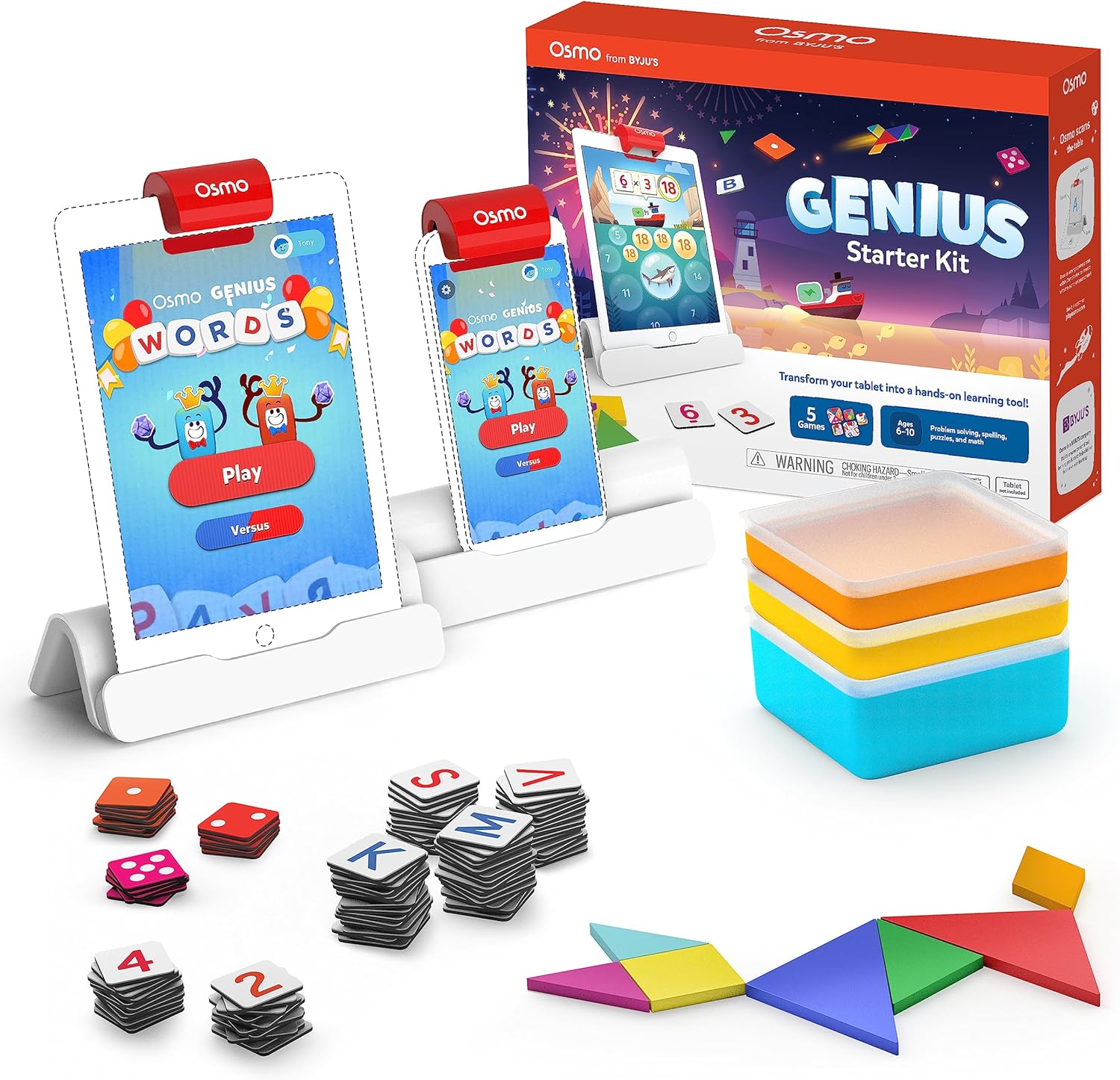
Image showing the Osmo Genius Starter Kit packaging, base, and included game pieces.
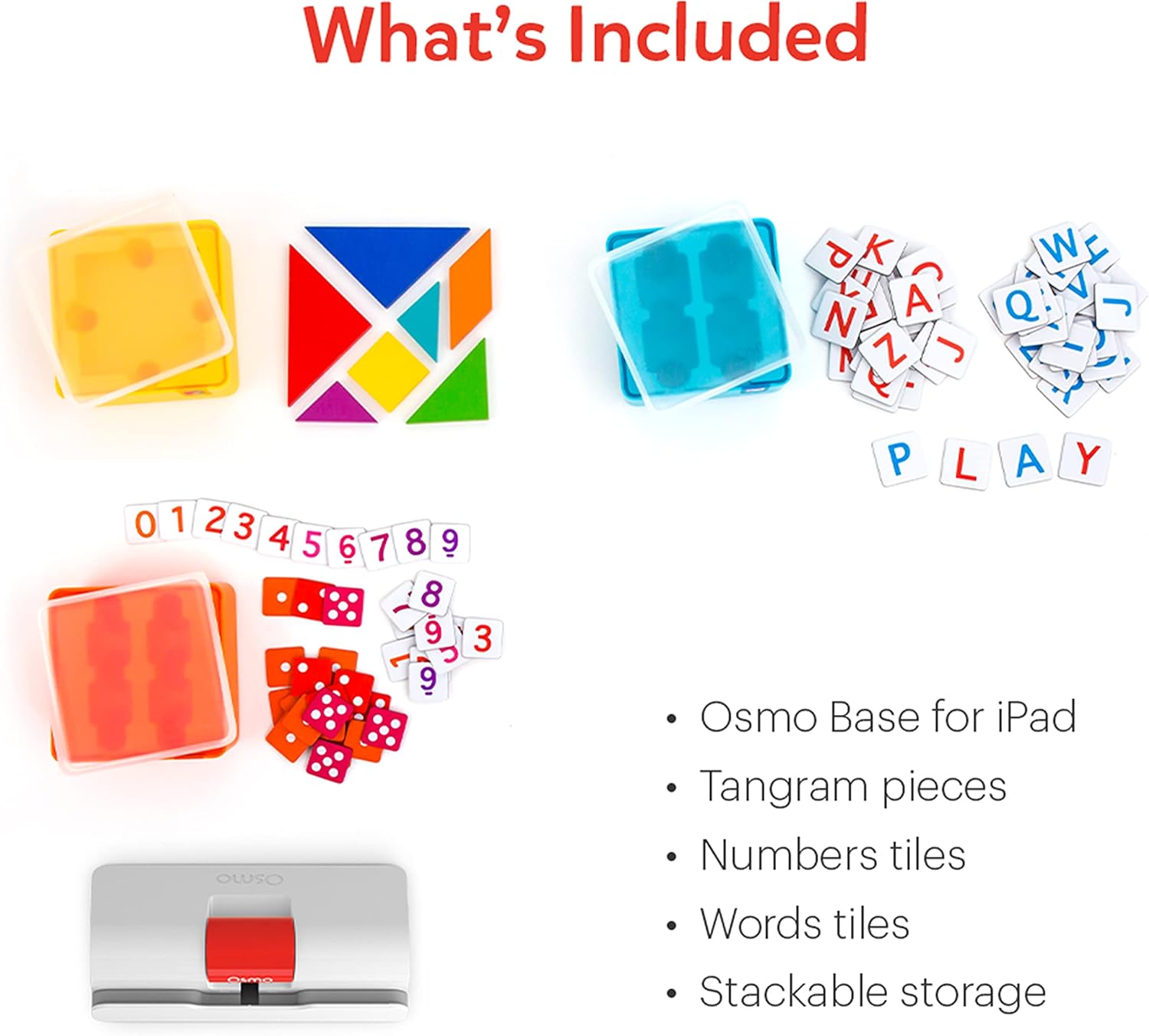
詳細 view of the physical game pieces and their convenient stackable storage containers.
3. 互換性
The Osmo Genius Starter Kit is compatible with most iPad and iPhone models. Please verify your device's compatibility before use.
- iPadの互換性: All iPads except Generation 1-4, Air Gen 1, & iPad Mini Gen 1-3. The new iPad 10th Gen, iPad Pro 11” (4th Gen), & iPad Pro 12.9” (6th Gen) are not currently compatible; compatibility coming later in 2023. iPad Reflector 2021 required for: iPad Mini 6, iPad Air 4-5, iPad Pro 11-inch & iPad Pro 12.9-inch. The minimum iOS version needed is iOS 15.
- iPhone 互換性: iPhone 12, 12 Pro, 12 Pro Max, 13, 13 Pro, 13 Pro Max, 14, 14 Plus. No other iPhones are compatible. Requires the Osmo iPad base & 2021 reflector hardware. The minimum iOS needed is iOS 14.0.

Visual guide to compatible iPhone and iPad models for the Osmo system.
4. セットアップ手順
Follow these steps to set up your Osmo Genius Starter Kit:
- Place your device in the Osmo Base: Ensure your iPad or iPhone is securely seated in the white Osmo Base. The device should be positioned vertically.
- リフレクターを取り付ける: Gently place the red Osmo Reflector over the top edge of your device, ensuring it covers the front-facing camera. The reflector is crucial for the Osmo system to 'see' the physical game pieces on your table.
- Download Osmo Apps: 検索する
関連文書 - 901-00011

Osmo Numbers および Osmo Newton ユーザーマニュアル
Osmo Numbers と Osmo Newton の使用に関する包括的なガイド。魅力的な教育体験のためのゲームの仕組み、ヒント、ベスト プラクティスについて詳しく説明します。
Osmo Wordsを使い始める
Osmo Wordsの包括的なガイド。ゲームのセットアップ、ゲームプレイ、モード、カスタムアルバムの作成、そして最適なパフォーマンスを実現するためのベストプラクティスを網羅しています。文字タイルを使って画像に基づいて単語を綴る方法、アドベンチャー、対戦、禅などの様々なゲームモードを体験する方法、そして自分だけの単語アルバムを作成して共有する方法を学びましょう。
Fireタブレット向けOsmoセットアップガイド
このガイドでは、Amazon FireタブレットでOsmo教育玩具を設定するための手順を段階的に説明し、デバイスの互換性、基本設定、アカウントの作成、ゲームのダウンロード、プロについて説明しています。file 管理。
iPadおよびFireタブレット向けOsmoセットアップガイド
Osmo Creative Set や Osmo Newton などの Osmo 製品の包括的なセットアップ ガイド。互換性、セットアップ手順、ゲームの説明、トラブルシューティングについて詳しく説明しています。
Getting Started with Osmo Numbers
A guide to Osmo Numbers, an educational game for early learners focusing on math concepts like counting, addition, subtraction, and multiplication. Learn how to play, master game modes, and discover tips for maximizing scores and unlocking new content.
Osmo Tangramを使い始める
Osmo Tangramのガイド。ゲーム機能、レベル、実績、そして最適な体験のためのベストプラクティスを詳細に解説しています。遊び方、メニューの操作方法、タングラムピースの収納方法を学びましょう。