導入
The Canon VIXIA HF G50 4K30P Camcorder is designed for capturing high-quality video with exceptional detail and color. Featuring a large-format CMOS Sensor and DIGIC DV 6 Image Processor, it delivers brilliant results. The advanced 20x Optical Zoom lens provides impressive telephoto power and a wide angle of view, complemented by a 5-axis Image Stabilization system for steady footage. This manual provides essential information for setting up, operating, and maintaining your camcorder.
箱の中身
始める前に、すべてのコンポーネントが揃っていることを確認してください。
- VIXIA HF G50 Camcorder Body
- コンパクトパワーアダプター CA-570
- バッテリーパック BP-820
- レンズバリア付きレンズフード
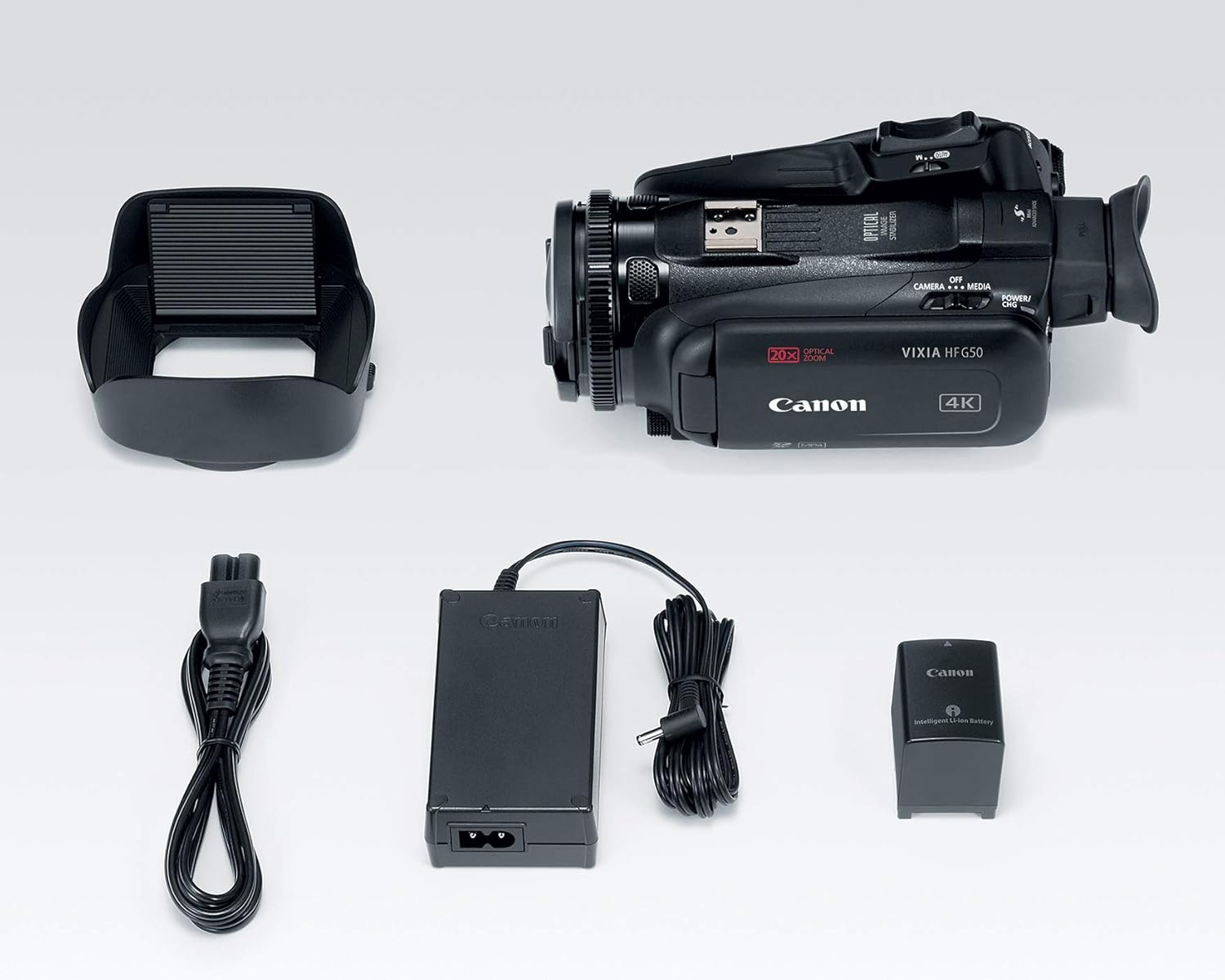
Image: All components included in the Canon VIXIA HF G50 camcorder package.
設定
1. バッテリーの充電
- Connect the Compact Power Adapter CA-570 to the camcorder and a power outlet.
- Insert the Battery Pack BP-820 into the camcorder. The charging indicator will illuminate.
- Charge until the indicator turns off, signifying a full charge.
2. SDカードの挿入
- SDカードスロットカバーを開きます。
- Insert an SDXC memory card into one of the dual slots until it clicks into place.
- SDカードスロットカバーを閉じます。

画像: 背面 view of the camcorder, highlighting the battery and dual SD card slots.
3. レンズフードの取り付け
- レンズフードをレンズの前面に合わせます。
- Twist the lens hood clockwise until it locks securely.
- Ensure the lens barrier is open before recording.
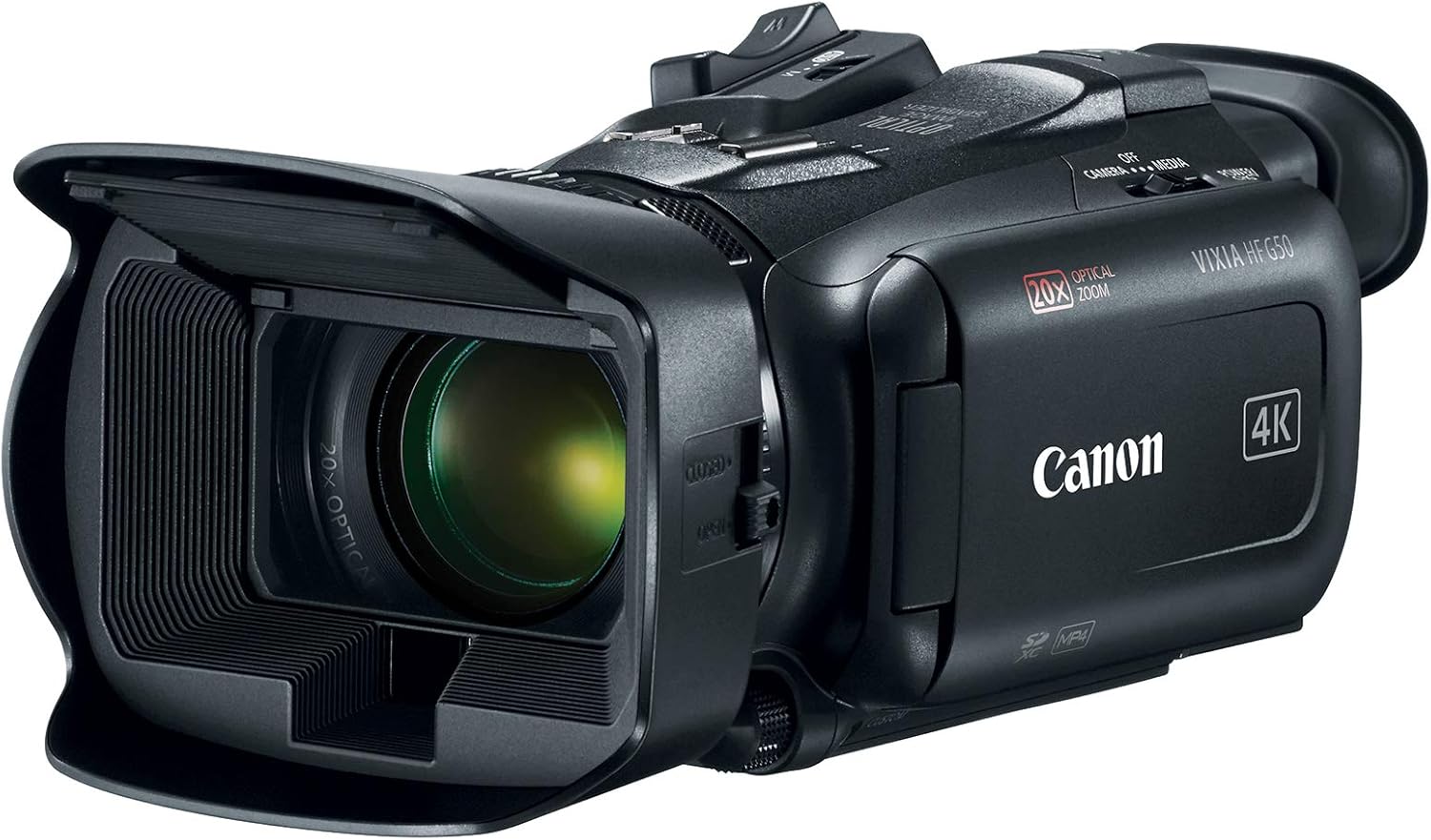
Image: The Canon VIXIA HF G50 camcorder with its lens hood and open LCD screen.
4.電源のオン/オフ
To power on the camcorder, slide the POWER switch to the 'CAMERA' or 'MEDIA' position. To power off, slide the switch to 'OFF'.
操作手順
Recording 4K UHD 30p Video
The VIXIA HF G50 supports 4K UHD 30p recording for high-resolution video. Ensure your SD card has sufficient space and speed for 4K recording. Press the record button to start and stop recording.
20倍光学ズーム
Utilize the zoom lever to control the 20x optical zoom lens. Push the lever towards 'W' for wide-angle shots and towards 'T' for telephoto magnification.
Intelligent 5-axis Image Stabilization
The camcorder features Intelligent 5-axis Image Stabilization to reduce blur caused by camera shake. This function is automatically engaged during recording to ensure smooth footage.
ディスプレイと Viewファインダ
The 3.0-inch LCD Capacitive Touchscreen allows for intuitive control and menu navigation. For bright conditions or precise framing, use the Tiltable Electronic Viewファインダ。

Image: The camcorder with its LCD screen open, showing the interface for operation.
カスタムコントロール
Personalize your shooting experience using the five assignable buttons, joystick, lens ring, and custom dial. These controls can be configured for quick access to frequently used functions.
Special Recording Modes
Explore creative options with Slow and Fast Motion recording, including Interval Recording, available for both 4K and Full HD resolutions.
Webcam Functionality with Clean HDMI Output
Transform your VIXIA HF G50 into a high-quality webcam using its clean HDMI output. This feature allows you to stream video without on-screen display information, ideal for live streaming and video conferencing.
Video: Official Canon guide on using your camcorder for livestreaming with clean HDMI output.
メンテナンス
ビデオカメラのクリーニング
- ビデオカメラ本体を清掃するときは、柔らかく乾いた布を使用してください。
- For the lens, use a lens brush or a soft, lint-free cloth specifically designed for optical surfaces. Avoid touching the lens directly with your fingers.
- Do not use organic solvents such as alcohol or benzene, as these may damage the finish.
バッテリーケア
- バッテリーを使用しないときは、涼しく乾燥した場所に保管してください。
- 長期間にわたってバッテリーを完全に放電することは避けてください。
- Charge the battery at least once every six months to maintain its lifespan.
ストレージ
When storing the camcorder for an extended period, remove the battery and store it separately. Keep the camcorder in a dry, dust-free environment, ideally in a protective case.
トラブルシューティング
電源なし
- バッテリーが完全に充電され、正しく挿入されていることを確認してください。
- Verify the power adapter is securely connected to both the camcorder and a working power outlet.
- POWERスイッチの位置を確認してください。
録音の問題
- Confirm an SD card is inserted and has sufficient free space.
- Check the SD card's write-protect tab.
- Ensure the camcorder is in recording mode.
画質に関する懸念
- 画像がぼやけたり汚れたりしている場合は、レンズを清掃してください。
- Adjust lighting conditions for optimal exposure.
- Check image stabilization settings if footageは不安定です。
For more detailed troubleshooting or persistent issues, please refer to the comprehensive user manual available on the Canon support webサイトをご覧いただくか、キヤノンのカスタマーサポートにお問い合わせください。
仕様
| 特徴 | 詳細 |
|---|---|
| 製品寸法 | 9.1 x 4.5 x 3.3インチ |
| アイテム重量 | 1.25ポンド |
| 商品型番 | 3667C002 |
| バッテリー | 1 リチウムイオン電池が必要 (付属) |
| フォトセンサー技術 | シーモス |
| ビデオキャプチャ解像度 | 4K、1080p |
| 最大焦点距離 | 73.4ミリメートル |
| 最大絞り | 2.8 倍 |
| フラッシュメモリタイプ | SDXC |
| ビデオキャプチャフォーマット | MPEG-4 |
| サポートされているオーディオ形式 | AAC, Dolby Digital/AC-3 |
| 画面サイズ | 3インチ |
| 接続技術 | USB、ワイヤレス |
| 4K UHD 30p Recording | はい |
| 光学ズーム | 20倍 |
| 画像安定化 | Intelligent 5-axis |
| Clean HDMI Output | はい |
| デュアルSDカードスロット | はい |
保証とサポート
The Canon VIXIA HF G50 Camcorder is covered by a manufacturer's warranty. For specific warranty terms and conditions, please refer to the documentation included with your product or visit the official Canon webサイト。
For technical support, driver downloads, or to access the full user manual, please visit the Canon USA support webサイト.