導入
This manual provides comprehensive instructions for the installation, operation, and maintenance of your SP Connect 53214 SP Moto Stem Mount. Designed for supersports motorcycles with clip-on handlebars, this mount offers a secure and convenient way to attach your smartphone.

Image 1: The SP Connect Moto Stem Mount, a black, compact device designed for motorcycle stem installation.
パッケージ内容
パッケージにすべてのコンポーネントが含まれていることを確認します。
- 1x SP Connect Moto Stem Mount
- 5-6x Diameter Adapters (various sizes)
- Plastic spacing cones
- 取扱説明書(本書)

Image 2: The product packaging for the SP Connect Moto Stem Mount, showing its compact size.
セットアップとインストール
Follow these steps to properly install the SP Connect Moto Stem Mount on your motorcycle.
1. Determine Stem Diameter
The Moto Stem Mount is compatible with stem diameters ranging from 12mm to 35mm. Use the provided diameter adapters to ensure a snug fit. Available adapter sizes include:
- 12-15mm, 15-18mm, 18-21mm, 21-24mm, 24-27mm, 27-30mm
- 15-19mm, 19-23mm, 23-27mm, 27-31mm, 31-35mm
Select the adapter that best matches your motorcycle's stem opening.
2. Insert Adapter and Mount
- Insert the chosen diameter adapter into the motorcycle's stem opening.
- Place the Moto Stem Mount into the adapter. Ensure it sits securely.
- Tighten the stainless steel hardware using an appropriate tool until the mount is firmly secured and does not rotate freely. Do not overtighten.

Image 3: The SP Connect Moto Stem Mount securely installed in the stem of a motorcycle.

画像4: クローズアップ view of the SP Connect Moto Stem Mount installed on a green motorcycle, ready for a smartphone.
The mount is CNC machined from aircraft-grade aluminum, providing durability and a precise fit.
操作手順
The SP Connect Moto Stem Mount features a patented rotation lock mechanism for quick and secure attachment of your smartphone.
1. スマートフォンを取り付ける
- Ensure your smartphone is equipped with a compatible SP Connect Phone Case.
- Align the SP Connect interface on your phone case with the mounting head on the Moto Stem Mount.
- Place the phone case onto the mount and rotate it 90 degrees clockwise until it locks securely into place. You should feel a distinct click.
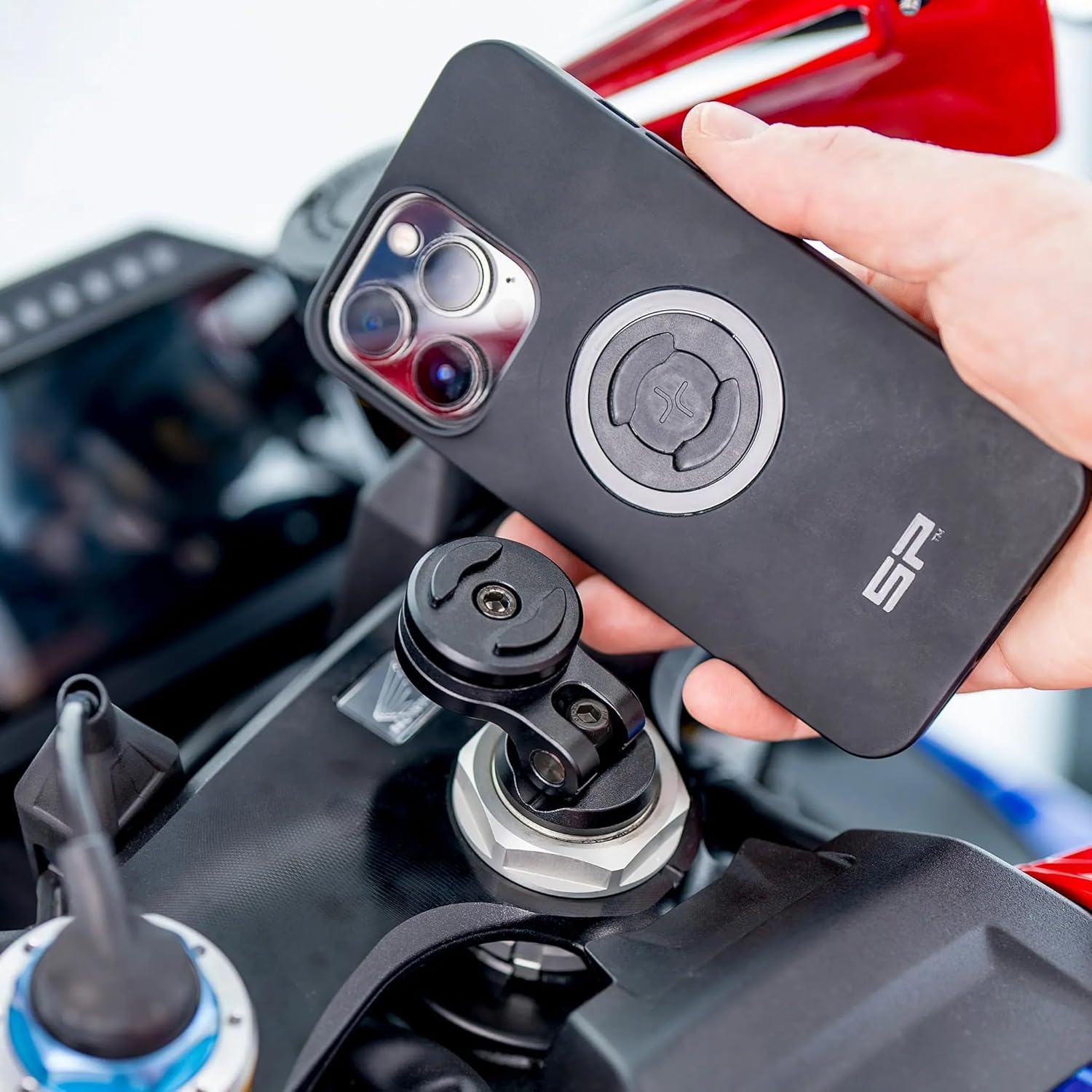
Image 5: A hand demonstrating the attachment of an SP Connect phone case to the Moto Stem Mount.
2. Detaching Your Smartphone
To remove your smartphone, simply rotate the phone case 90 degrees counter-clockwise until it unlocks, then lift it off the mount.
3. Adjusting Orientation
The mount allows for both portrait and landscape orientation of your smartphone. Depending on the direction the mount is installed, you can adjust the phone's position to suit your viewing preference for navigation, apps, or music playlists.
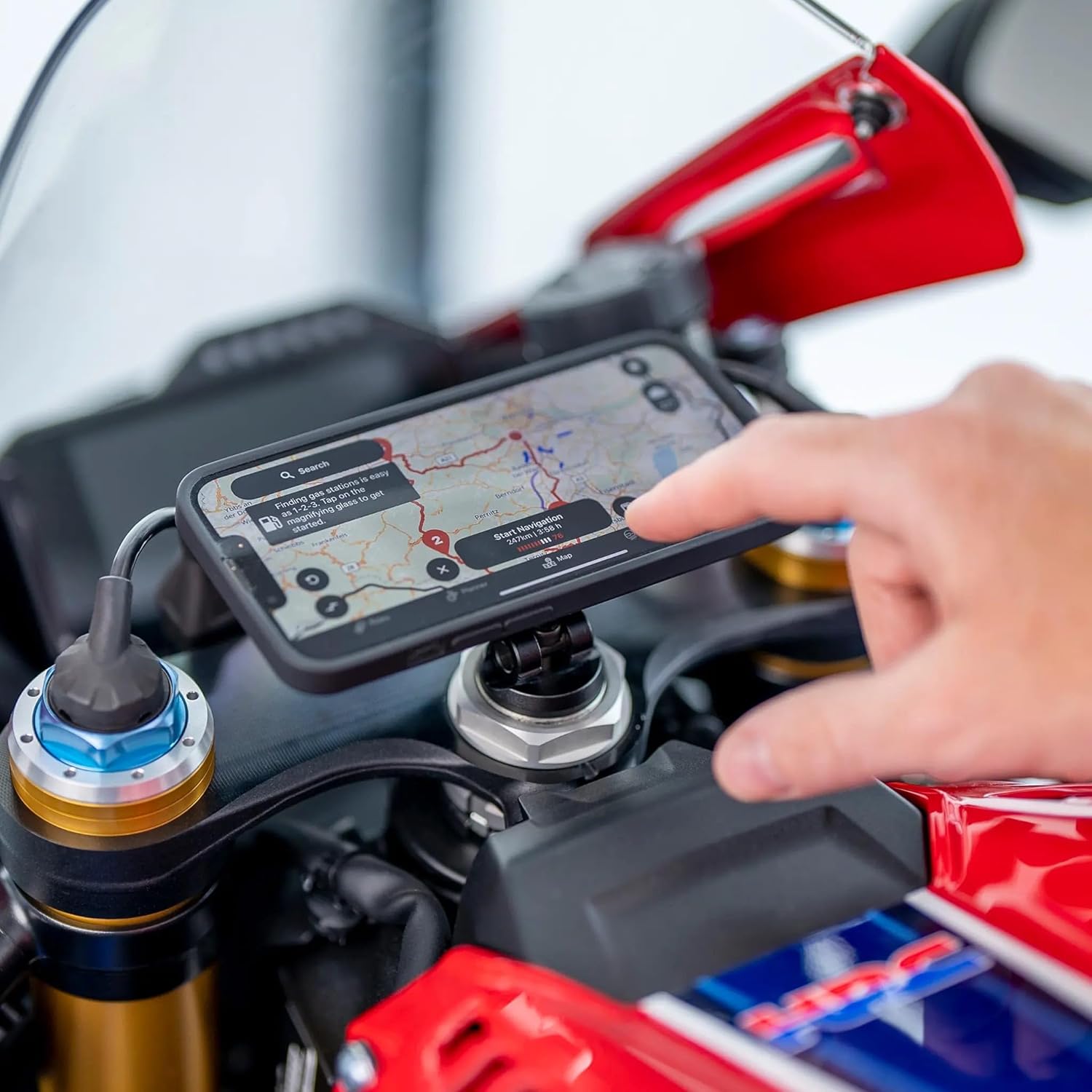
Image 6: A smartphone mounted in landscape orientation on the motorcycle, displaying a navigation map.

Image 7: A smartphone mounted in portrait orientation on the motorcycle.

Image 8: A smartphone mounted in landscape orientation on a green motorcycle, providing a wide view.

Image 9: A smartphone mounted in portrait orientation on a green motorcycle, ideal for vertical content.
メンテナンス
To ensure the longevity and optimal performance of your SP Connect Moto Stem Mount, follow these maintenance guidelines:
- クリーニング: マウントを定期的に柔らかくて乾いた布で拭いてください。amp 布で埃や汚れを拭き取ってください。研磨剤入りの洗剤や溶剤は使用しないでください。
- 検査: Periodically check all screws and connections to ensure they remain tight. Re-tighten if necessary, but do not overtighten.
- 素材のお手入れ: The mount is constructed from aircraft-grade aluminum and stainless steel hardware, designed for durability. While resistant to corrosion, prolonged exposure to harsh weather conditions should be minimized.
トラブルシューティング
If you encounter issues with your Moto Stem Mount, consider the following:
- マウントが緩んでいる: Ensure the correct diameter adapter is used and that the securing screw is tightened sufficiently. If the mount still feels loose, verify the stem opening's diameter and consider if a different adapter size is needed.
- 電話がしっかりと接続されていない: Confirm that your smartphone is using an official SP Connect Phone Case. Ensure the phone case is properly aligned with the mount and rotated 90 degrees clockwise until a click is heard.
- Clearance Issues: On some motorcycle models, particularly with larger smartphones, there might be insufficient space between the stem mount and the gas tank or handlebars. Before permanent installation, test the fit with your phone attached to ensure adequate clearance for steering and operation.
仕様
| 特徴 | 詳細 |
|---|---|
| 製品寸法 | 5.12 x 3.94 x 1.5インチ |
| アイテム重量 | 3.87オンス |
| モデル番号 | 53214 |
| ブランド | SPコネクト |
| 取り付けタイプ | Handlebar (Stem) |
| 対応デバイス | Smartphones (with compatible SP Connect Phone Case) |
| Compatible Stem Diameters | 12-30mm and 15-35mm (with included adapters) |
| 材料 | CNC machined aircraft grade aluminum, Stainless steel hardware |
| 特集 | Rotatable (Portrait/Landscape Orientation), Vibration damp強化 |

画像10: サイドプロfile of the SP Connect Moto Stem Mount, indicating a dimension of 26mm.
保証とサポート
For specific warranty information regarding your SP Connect Moto Stem Mount, please refer to the warranty documentation included with your purchase or visit the official SP Connect website. For technical support, product inquiries, or assistance with installation, please contact SP CONNECT customer service directly.
連絡先情報と追加リソースについては、 SP CONNECT Store on Amazon または公式ブランド webサイト。


