導入
This manual provides detailed instructions for the setup, operation, and maintenance of your VTech VT1301-3 Triple Cordless Phone system. Please read this guide thoroughly to ensure optimal performance and longevity of your device. This system features digital enhanced clarity for clear communication and includes three handsets for convenience.
1. セットアップ
1.1 開梱とコンポーネント
箱からすべての部品を慎重に取り出し、すべての部品が揃っていることを確認してください。
- メインベースユニット
- コードレスハンドセット3台
- Three charging cradles
- Three power adapters
- One telephone line cord
- Rechargeable batteries (pre-installed or separate)

Image: The VTech VT1301-3 triple cordless phone system, showing the blue, red, and green handsets with their respective charging bases and power adapters.
1.2 ベースユニットの接続
- Connect one end of the telephone line cord to the TEL LINE jack on the back of the main base unit.
- 電話回線コードのもう一方の端を壁の電話ジャックに接続します。
- Plug the power adapter into the POWER jack on the main base unit.
- 電源アダプタのもう一方の端をコンセントに差し込みます。
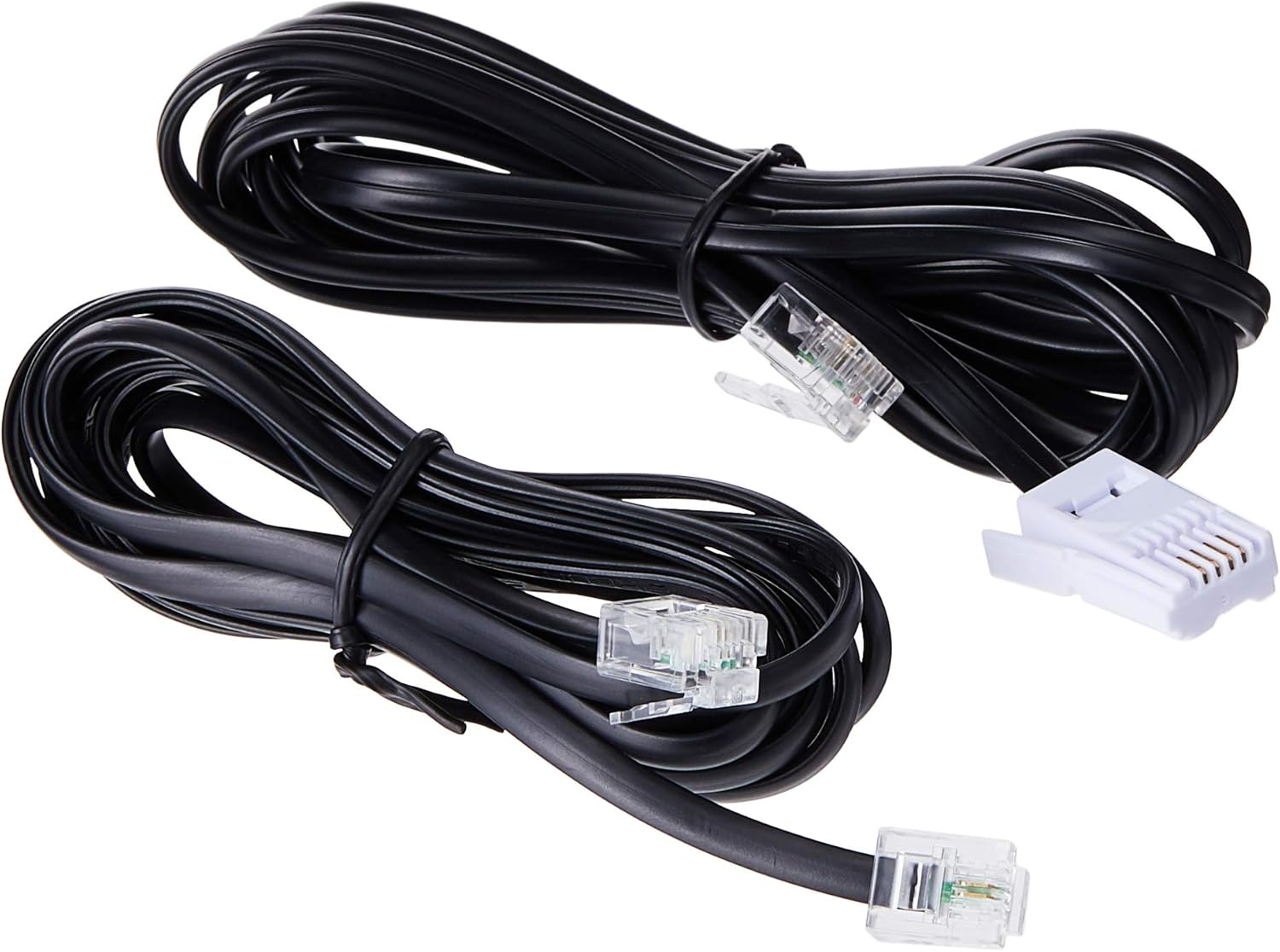
Image: Two black telephone line cords, essential for connecting the base unit to a telephone wall jack.
1.3 Charging the Handsets
Before initial use, charge each handset for at least 16 hours. Place each handset face forward in its respective charging cradle. The charge indicator on the handset or base will illuminate to confirm proper placement and charging.
- Ensure the power adapters for all charging cradles are plugged into electrical outlets.
- Place each handset securely in its cradle.
- A full charge ensures optimal battery performance.
2. 操作手順
2.1 基本的な呼び出し関数

画像: 詳細な view of the VTech VT1301-3 handset, highlighting its large character blue backlit LCD display and functional keypad.
- 電話をかける: プレス 話すを押してから番号をダイヤルします。または、最初に番号をダイヤルしてから 話す.
- 電話に出る: 電話が鳴ったら、を押します 話す または任意のダイヤル キー (0 ~ 9、#、*)。
- 通話を終了する: プレス オフ or place the handset back in its charging cradle.
- ハンドセットスピーカーフォン: 通話中に を押す スピーカーフォン button (often integrated with TALK or a separate icon) to activate or deactivate the speakerphone.
2.2つの高度な機能
- 電話帳ディレクトリ: Store up to 20 names and numbers. Access via the メニュー/ OK ボタンをクリックし、電話帳オプションに移動します。
- 発信者番号: The phone displays the last 10 caller numbers. Press CID (Caller ID) to review リスト。
- リダイヤル: プレス リダイヤル に view 最後にかけた 5 件の番号をリダイヤルします。
- 通話転送: 外線通話中に、 メニュー/ OK, select 'Transfer', and choose the internal handset to transfer the call to.
- 内部通話: Make calls between handsets by pressing the 内部 or メニュー/ OK button and selecting the desired handset.
- 3者間電話会議: Initiate a 3-way conference call involving two internal handsets and one external line.
- ページ/ハンドセットロケーター: を押す ページ button on the main base unit to locate a misplaced handset.
- 着信メロディー: Choose from 10 ringer melodies (5 polyphonic and 5 standard) in the handset settings.
- キーパッドロック: を押し続けます # key to lock/unlock the keypad.
- アラーム: ハンドセットのメニューからアラームを設定します。
3. メンテナンス
3.1 携帯電話のクリーニング
To keep your phone clean, wipe it with a soft, slightly damp cloth. Do not use cleaning sprays or harsh chemicals as they may damage the finish or electrical components. Ensure the phone is disconnected from power before cleaning.
3.2バッテリーケア
- Always use the VTech approved rechargeable batteries provided with your phone.
- For optimal battery life, avoid placing the phone in direct sunlight or in areas with extreme temperatures.
- 長期間携帯電話を使用しない場合は、液漏れを防ぐために電池を取り外してください。
4。 トラブルシューティング
If you experience any issues with your VTech VT1301-3 phone, please refer to the following common solutions:
- ダイヤルトーンなし: Ensure the telephone line cord is securely connected to both the base unit and the wall jack. Check if the power adapter is properly connected to the base unit and an electrical outlet.
- 電話をかけたり受けたりできない: Verify that the handset batteries are charged. Check the telephone line connection. If you have a DSL service, ensure a DSL filter is installed.
- 音質が悪い: Move closer to the base unit. Ensure there are no large metal objects or other electronic devices interfering with the signal. Check for any loose connections.
- 端末が充電されない: Ensure the handset is correctly seated in the charging cradle. Verify that the charging cradle's power adapter is plugged into a working electrical outlet. Clean the charging contacts on both the handset and cradle with a dry cloth.
- Handset displays "Out of Range" or "No Link": Move the handset closer to the main base unit. If the issue persists, try resetting the base unit by unplugging its power adapter for a few minutes, then plugging it back in.
5. 仕様
| 特徴 | 説明 |
|---|---|
| モデル番号 | VT1301-3 |
| 電話の種類 | コードレス(DECT) |
| 通話範囲 | Up to 300m (outdoor)* |
| Radiation Mode | Ultra-low Radiation Mode** |
| 画面 | Large character with blue backlit LCD display |
| 電話帳ディレクトリ | 20 Name and Number entries |
| 発信者IDの表示 | 10件の発信者番号表示 |
| 最後の番号のリダイヤル | 5 last number redial |
| 着信メロディー | 10 (5 polyphonic and 5 standard) |
| 電話会議 | 3-Way conference call capability |
| 電源 | コード式電気 |
| 欧州連合 | 735078040251 |
* The actual talk range may vary depending on environmental conditions.
** Ultra-low Radiation Mode operates with the lowest radiation.
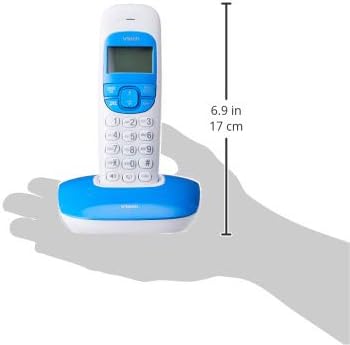
Image: Dimensions of a VTech cordless phone handset in its charging cradle, showing a height of 17 cm.
6. 保証とサポート
For specific warranty terms and conditions, please refer to the warranty card included in your product packaging. This document outlines the coverage period and conditions for service.
For technical support, frequently asked questions, or to download the latest version of this manual, please visit the official VTech webサイトをご覧いただくか、製品ドキュメントに記載されている連絡先情報を使用してカスタマー サービス部門にお問い合わせください。