導入
This manual provides detailed instructions for the installation, operation, and maintenance of your WOOX R4600 Smart Indoor WiFi Camera. Please read this manual thoroughly before using the product to ensure correct usage and optimal performance. Keep this manual for future reference.
設定
パッケージ内容
- WOOX R4600 Smart Indoor WiFi Camera
- 電源アダプター
- USBケーブル
- 取り付けキット(ネジ、壁プラグ)
- ユーザーマニュアル
App Installation and Device Pairing
- WOOX Homeアプリをダウンロードしてください: 検索する 'WOOX Home' in your smartphone's app store (iOS or Android) and install the application.
- アカウントを作成する: Open the WOOX Home app and register for a new account or log in if you already have one.
- カメラの電源をオンにする: 付属のUSBケーブルと電源アダプターを使用して、カメラを電源に接続します。カメラのインジケーターライトが点滅し始め、ペアリングの準備が整ったことを示します。
- デバイスを追加: In the WOOX Home app, tap the '+' icon or 'Add Device' to begin the pairing process. Select 'Smart Camera' from the device list.
- 2.4GHz WiFiに接続します: Ensure your smartphone is connected to a 2.4GHz WiFi network. The WOOX R4600 camera only supports 2.4GHz WiFi. Enter your WiFi network password in the app.
- QRコードをスキャンします: The app will generate a QR code. Hold your smartphone screen with the QR code approximately 15-20 cm (6-8 inches) in front of the camera lens. The camera will emit a sound when the QR code is successfully scanned.
- ペアリング完了: Follow the on-screen prompts in the app to complete the pairing process. Once connected, you can name your camera and access its features.

WOOX R4600 Smart Camera setup process: Install Woox Home App, Add device, Go to the operation page. This image illustrates the three main steps for initial setup and connection of the camera to the mobile application.
操作手順
ライブ View 録音
Once the camera is successfully paired, open the WOOX Home app and select your camera from the device list to access the live video feed. From the live view インターフェースでは、手動でビデオを録画したり、スクリーンショットを撮ったり、録画したファイルにアクセスしたりできます。tage.
双方向オーディオ
The WOOX R4600 camera features a built-in microphone and speaker, enabling two-way communication. Tap the microphone icon in the live view カメラを通して話したり、カメラの周囲の音声を聞いたりするためのインターフェースです。

WOOX R4600 Smart Camera demonstrating two-way audio conversation. A user is shown interacting with a baby via the camera's built-in microphone and speaker, controlled through the WOOX Home app on a smartphone.
モーション検知とスマートアラート
The camera is equipped with motion detection technology. You can enable and customize motion detection settings within the WOOX Home app. When motion is detected, the camera can send push notifications to your smartphone, allowing you to monitor activity in real-time.
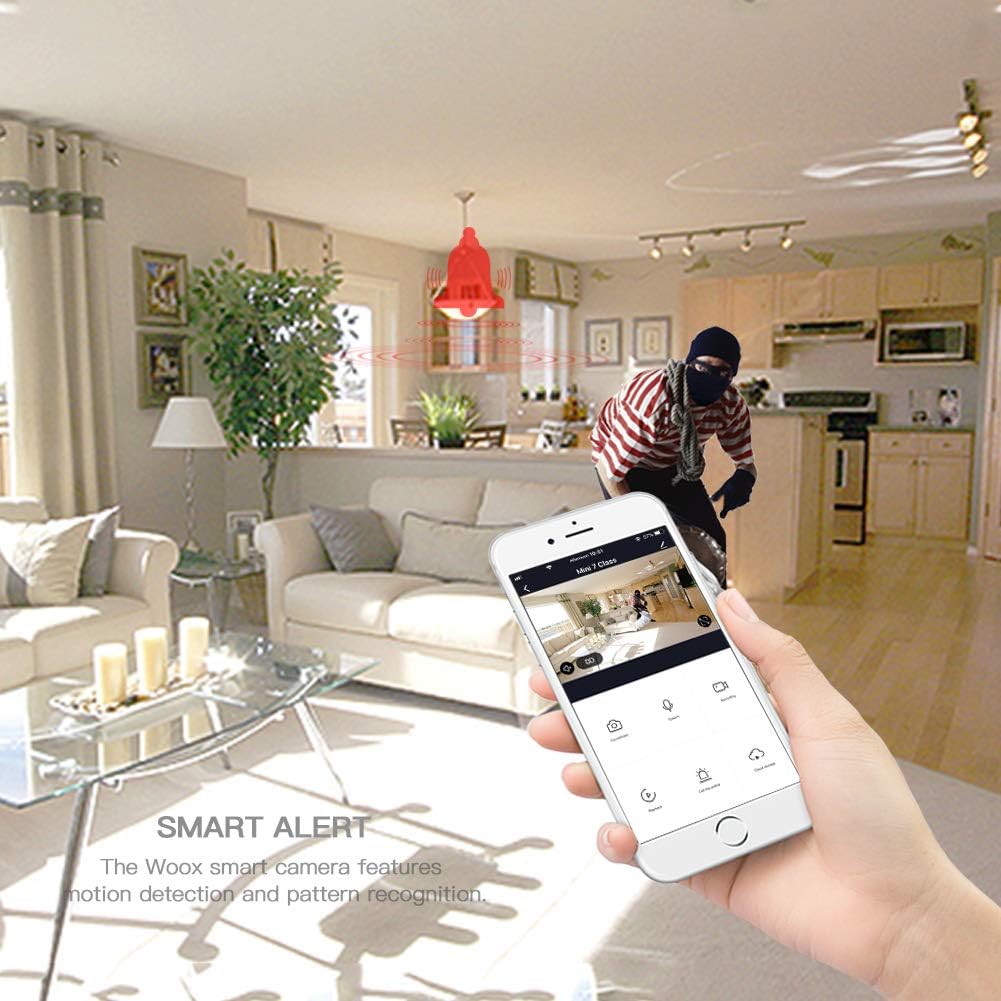
WOOX R4600 Smart Camera's smart alert feature. The image depicts a motion detection event, with a red bell icon indicating an alert, and a smartphone displaying the live feed of the detected activity.
赤外線ナイトビジョン
The WOOX R4600 automatically switches to infrared night vision mode in low-light conditions, providing clear black-and-white video footage even in complete darkness. This feature ensures continuous surveillance around the clock.

WOOX R4600 Smart Camera's infrared night vision device. The image shows a child sleeping in a dimly lit room, illustrating how the camera intelligently senses light changes to activate night vision mode for clear monitoring in low-light conditions.
広角 View
The camera features a wide-angle lens designed to cover a broad area, minimizing blind spots and allowing you to monitor more of your indoor space with a single device.
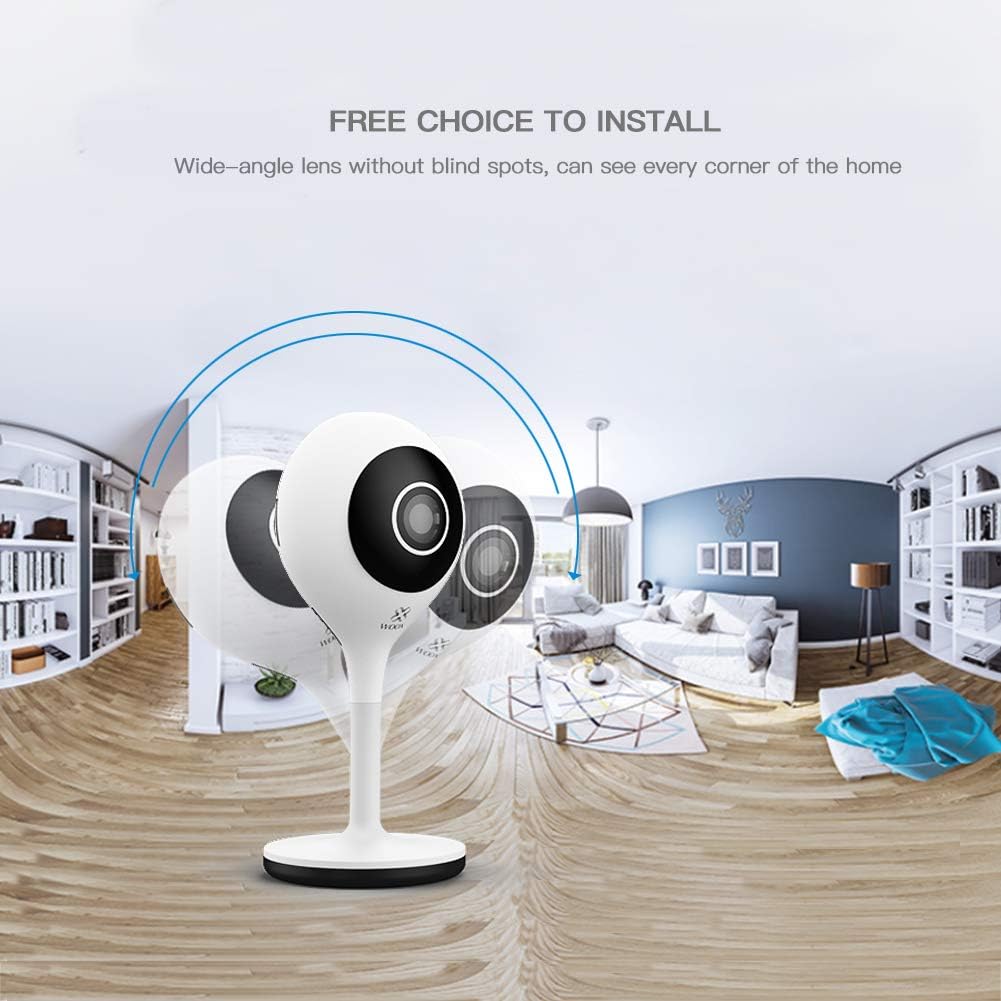
WOOX R4600 Smart Camera's wide-angle lens capability. The image shows a panoramic view of a room, illustrating how the camera provides extensive coverage without blind spots, capturing every corner of the home.
AmazonAlexa統合
The WOOX R4600 camera is compatible with Amazon Alexa. You can link your camera to your Alexa account to view the live feed on compatible devices such as the Echo Show by using voice commands like "Alexa, show me the [camera name] camera."

WOOX R4600 Smart Camera integrated with Amazon Alexa. An Echo Show device displays the live feed from the camera, demonstrating the voice command 'Alexa, show me the living room camera'.
ローカルストレージ
The camera supports local storage via a microSD card (up to 128GB, not included). Insert a formatted microSD card into the designated slot to enable continuous recording or event-triggered recording, which can be configured in the app.
メンテナンス
カメラの掃除
To maintain optimal image quality, regularly clean the camera lens and body. Use a soft, dry, lint-free cloth. Avoid using harsh chemicals, abrasive cleaners, or solvents, as these can damage the camera's surface or lens coating.
ファームウェアの更新
Periodically check for firmware updates through the WOOX Home app. Keeping your camera's firmware updated ensures you have the latest features, security enhancements, and bug fixes. Follow the app's instructions for any available updates.
トラブルシューティング
Camera Not Connecting to WiFi
- Ensure your WiFi network is 2.4GHz. The WOOX R4600 does not support 5GHz WiFi.
- Verify that your WiFi password is entered correctly in the WOOX Home app.
- 信号強度を改善するには、カメラを WiFi ルーターの近くに配置します。
- ルーターとカメラを再起動して、ペアリングプロセスを再度試してください。
- If the indicator light is not flashing, try resetting the camera (refer to the app for specific reset instructions).
画質が悪い
- 柔らかい布でカメラのレンズを拭いて、ほこりや汚れを取り除きます。
- Ensure there is adequate lighting in the area, or that night vision is functioning correctly in low light.
- インターネット接続速度を確認してください。接続速度が遅いとストリーミング品質に影響する可能性があります。
動き検出アラートなし
- Verify that motion detection is enabled in the WOOX Home app settings for your camera.
- Check the sensitivity settings for motion detection; adjust if too low.
- Ensure that notification permissions are enabled for the WOOX Home app on your smartphone.
- Confirm that the camera has a stable internet connection.
双方向オーディオの問題
- スマートフォンの音量が上がっていることを確認してください。
- Check that the microphone and speaker functions are enabled in the app.
- Verify that the WOOX Home app has microphone permissions on your smartphone.
仕様
| 特徴 | 仕様 |
|---|---|
| モデル名 | ウークス R4600 |
| ビデオ録画解像度 | 1080p HD |
| 無線通信技術 | Wi-Fi(2.4GHzのみ) |
| フォームファクター | ドーム |
| 巻tage | 5 ボルト (DC) |
| 消費電力 | 5ワット時 |
| 寸法(長さ×幅×高さ) | 5.3 x 3.2 x 11.3 cm |
| 重さ | 96グラム |
| 特集 | Motion Detector, Two-Way Audio, Night Vision |
| 対応デバイス | スマートフォン(iOS/Android)、Amazon Alexa |
| 電源 | AC電源 |
| 推奨用途 | 監視 |
| ストレージ | MicroSDカード(最大128GB) |
保証情報
WOOX products typically come with a limited warranty. Please refer to the warranty card included in your product packaging or visit the official WOOX website for detailed warranty terms and conditions, including coverage period and claim procedures. Keep your proof of purchase for warranty service.
カスタマーサポート
If you encounter any issues or have questions regarding your WOOX R4600 Smart Indoor WiFi Camera that are not addressed in this manual, please contact WOOX customer support. You can usually find contact information (email, phone, or support portal) on the official WOOX webサイトまたは WOOX Home アプリケーション内にあります。
追加のリソースについては、 WOOX公式 Webサイト.


