1. はじめに
The NETGEAR GS116PP Unmanaged Power over Ethernet (PoE) Switch is designed for desktop or rackmount installations. It features 16 Gigabit Ethernet ports, including 16 PoE+ ports with a total power budget of 183 watts. This switch offers simple plug-and-play functionality without requiring software installation or complex configuration, making it suitable for various networking environments.
2. パッケージ内容
パッケージに次のアイテムが含まれていることを確認してください。
- 16-port Gigabit Ethernet PoE+ Unmanaged Switch (GS116PP)
- Power adapter (External 200W)
- クイックインストールガイド
- ラックマウントキット
- ウォールマウントキット
3. フィジカルオーバーview
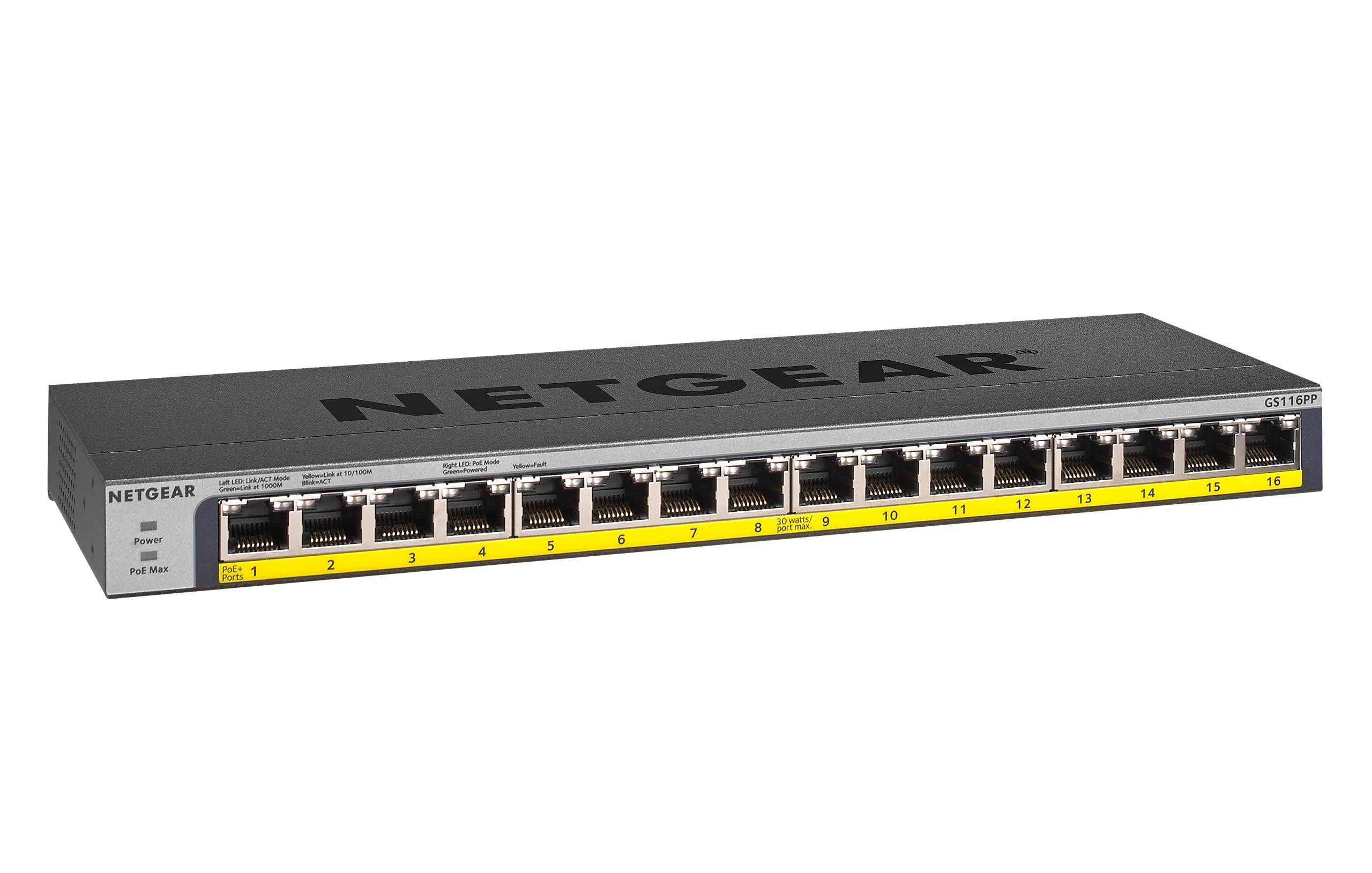
図1: フロント view of the NETGEAR GS116PP Switch.

図2: Close-up of the front panel with 16 Gigabit Ethernet PoE+ ports.

図3: 後方 view of the NETGEAR GS116PP Switch, showing the power input and ventilation.

図4: Dimensions of the NETGEAR GS116PP Switch (11.3"L x 4"W x 1.1"H).
4. セットアップ
4.1開梱と配置
Carefully remove the switch and all accessories from the packaging. The GS116PP supports desktop, wall-mount, or rack-mount placement. Ensure adequate ventilation around the device and avoid placing it near heat sources or in enclosed spaces.
4.2電源接続
- Connect the provided external 200W power adapter to the power input port on the rear of the switch.
- Plug the power adapter into a standard electrical outlet. The power LED on the front panel will illuminate, indicating the switch is powered on.
4.3ネットワーク接続
The GS116PP is an unmanaged switch, offering simple plug-and-play connectivity. No software installation or configuration is required.
- Connect your network router or main network device to any of the 16 Gigabit Ethernet ports on the switch using a standard Ethernet cable.
- Connect your network devices (computers, IP cameras, VoIP phones, wireless access points, etc.) to the remaining ports.
- For PoE-powered devices, simply connect them to any of the 16 PoE+ ports. The switch will automatically detect and provide power to compatible devices.
ビデオ1: オーバーview of Power over Ethernet (PoE) switching concepts and applications.
5. スイッチの操作
5.1 基本操作
The NETGEAR GS116PP operates as a standard unmanaged network switch. It automatically detects the speed and duplex mode of connected devices and adjusts accordingly. Data is forwarded efficiently between connected devices at Gigabit speeds.
5.2 Power over Ethernet(PoE+)機能
All 16 ports on the GS116PP support PoE+ (802.3at) and standard PoE (802.3af). This allows you to power compatible devices directly through the Ethernet cable, eliminating the need for separate power adapters and simplifying cable management.
- 総電力予算: The switch provides a total power budget of 183W across all 16 PoE+ ports.
- Per-Port Power: Each PoE+ port can deliver up to 30W of power to a connected device.
- 自動検出: The switch automatically detects if a connected device is PoE-compatible and supplies the necessary power. Non-PoE devices can also be connected safely, as the switch will not supply power to them.
ビデオ2: A brief demonstration of the NETGEAR 16-Port Gigabit Ethernet Unmanaged PoE Switch (GS116PP) and its PoE capabilities.
6. 特徴
- 16ギガビットイーサネットポート: Provides high-speed wired connections for all your network devices.
- 16 PoE+ Ports with 183W Budget: Powers compatible devices like IP cameras, VoIP phones, and wireless access points directly through the Ethernet cable.
- プラグアンドプレイのセットアップ: No software to install or configuration needed for immediate use.
- 柔軟な取り付けオプション: Supports desktop, wall-mount, or rack-mount placement with included hardware.
- エネルギー効率の高い設計: IEEE802.3azに準拠し、消費電力を削減します。
- サイレント操作: Fanless design makes it ideal for noise-sensitive environments.
- 地域互換性: Made for use in U.S. & CA only.
7. 仕様
| 特徴 | 仕様 |
|---|---|
| モデル番号 | GS116PP-100NAS |
| ポート数 | 16 ギガビット イーサネット ポート |
| PoE+ ポート | 16 (IEEE 802.3at/af) |
| PoEパワーバジェットの合計 | 183W |
| データ転送速度 | 1 ギガビット/秒 |
| 製品寸法(長さx幅x高さ) | 11.3インチ x 4インチ x 1.1インチ (28.7 cm x 10.16 cm x 2.79 cm) |
| アイテム重量 | 1.94ポンド(0.88kg) |
| ケース素材 | 金属 |
| 巻tage | 240ボルト |
| 動作温度 | 最高130度(54.4℃) |
8. メンテナンス
To ensure optimal performance and longevity of your NETGEAR GS116PP switch, follow these maintenance guidelines:
- 清潔に保ちます: スイッチの外側は、柔らかく乾いた布で定期的に清掃してください。液体洗剤やエアゾール洗剤の使用は避けてください。
- 換気を確保してください: Do not block the ventilation openings on the switch. Proper airflow prevents overheating.
- ケーブル管理 信号の劣化を防ぐために、ネットワーク ケーブルを整理し、よじれたり過度に曲がったりしないようにしてください。
- Power Cycle (if needed): If the switch or connected devices are experiencing issues, a simple power cycle (unplugging and replugging the power adapter) can often resolve minor problems.
9。 トラブルシューティング
If you encounter issues with your GS116PP switch, consider the following troubleshooting steps:
- 電源なし:
- 電源アダプタがスイッチと正常な電源コンセントの両方にしっかりと接続されていることを確認します。
- 前面パネルの電源 LED を確認してください。点灯しているはずです。
- ネットワーク接続なし:
- Verify that Ethernet cables are securely plugged into both the switch and the connected devices.
- Check the link/activity LEDs on the switch ports; they should be lit or blinking for active connections.
- Ensure your router or upstream network device is functioning correctly.
- PoE デバイスの電源が入らない:
- Confirm that the connected device is PoE-compatible (IEEE 802.3af or 802.3at).
- Check the PoE status LED for the specific port; it should indicate power delivery.
- Ensure the total power consumption of all connected PoE devices does not exceed the 183W budget. If the budget is exceeded, the switch may prioritize power to certain ports or disable power to others.
- Try connecting the PoE device to a different port.
- ネットワーク速度が遅い:
- 最適なパフォーマンスを得るには、接続されているすべてのデバイスとケーブルがギガビット イーサネットをサポートしていることを確認してください。
- Check for faulty cables by testing with known good cables.
- Avoid network loops by ensuring cables are not connected in a way that creates a circular path.
10. 保証とサポート
The NETGEAR GS116PP Switch comes with a Lifetime Limited Hardware Warranty. This includes Next Business Day Replacement for eligible hardware failures.
For technical assistance and support, NETGEAR offers 24/7 chat support with a NETGEAR expert. Please refer to the official NETGEAR website or the quick install guide for detailed support contact information and warranty terms.


