導入
This manual provides detailed instructions for the installation, setup, and operation of your LUX Kono KN-S-MG1 Smart Thermostat. Please read this manual thoroughly before beginning installation or operation to ensure proper functionality and safety.
The LUX Kono KN-S-MG1 is a programmable smart thermostat designed to personalize your home comfort and optimize energy savings through features like geofencing and remote control via the LUX app.
安全情報
警告: 感電の危険
- Always turn off power to the heating and cooling system at the main circuit breaker or fuse box before installing or servicing the thermostat.
- Improper wiring can cause damage to the thermostat or the HVAC system.
- 手順が不明な場合は、資格のある技術者がインストールを実行する必要があります。
- Ensure all wiring connections are secure and insulated.
パッケージ内容
パッケージにすべてのアイテムが含まれていることを確認します。
- LUX Kono KN-S-MG1 Smart Thermostat
- 取り付け金具(ネジ、壁アンカー)
- LUX Power Bridge (for systems without a C-wire)
- インストールガイド(このドキュメント)
インストール
Before installation, ensure the power to your HVAC system is turned off at the circuit breaker.
1. 古いサーモスタットを取り外す
- 回路ブレーカーで HVAC システムの電源をオフにします。
- 古いサーモスタットのカバーを取り外します。
- 参考のために配線接続の写真を撮ります。
- Disconnect the wires one by one, labeling each wire with the corresponding terminal letter (e.g., R, C, Y, G, W).
- Remove the old thermostat's backplate from the wall.
2. Wiring the Kono KN-S-MG1
The Kono KN-S-MG1 requires a C-wire for continuous power. If your system does not have a C-wire, use the included LUX Power Bridge.
互換性:
- Forced air, gas, oil & electric furnaces (up to 2 Heat/1 Cool stages)
- Heat pump systems (with or without auxiliary/emergency heat)
Refer to the wiring diagram specific to your HVAC system type. Connect the labeled wires to the corresponding terminals on the Kono backplate.
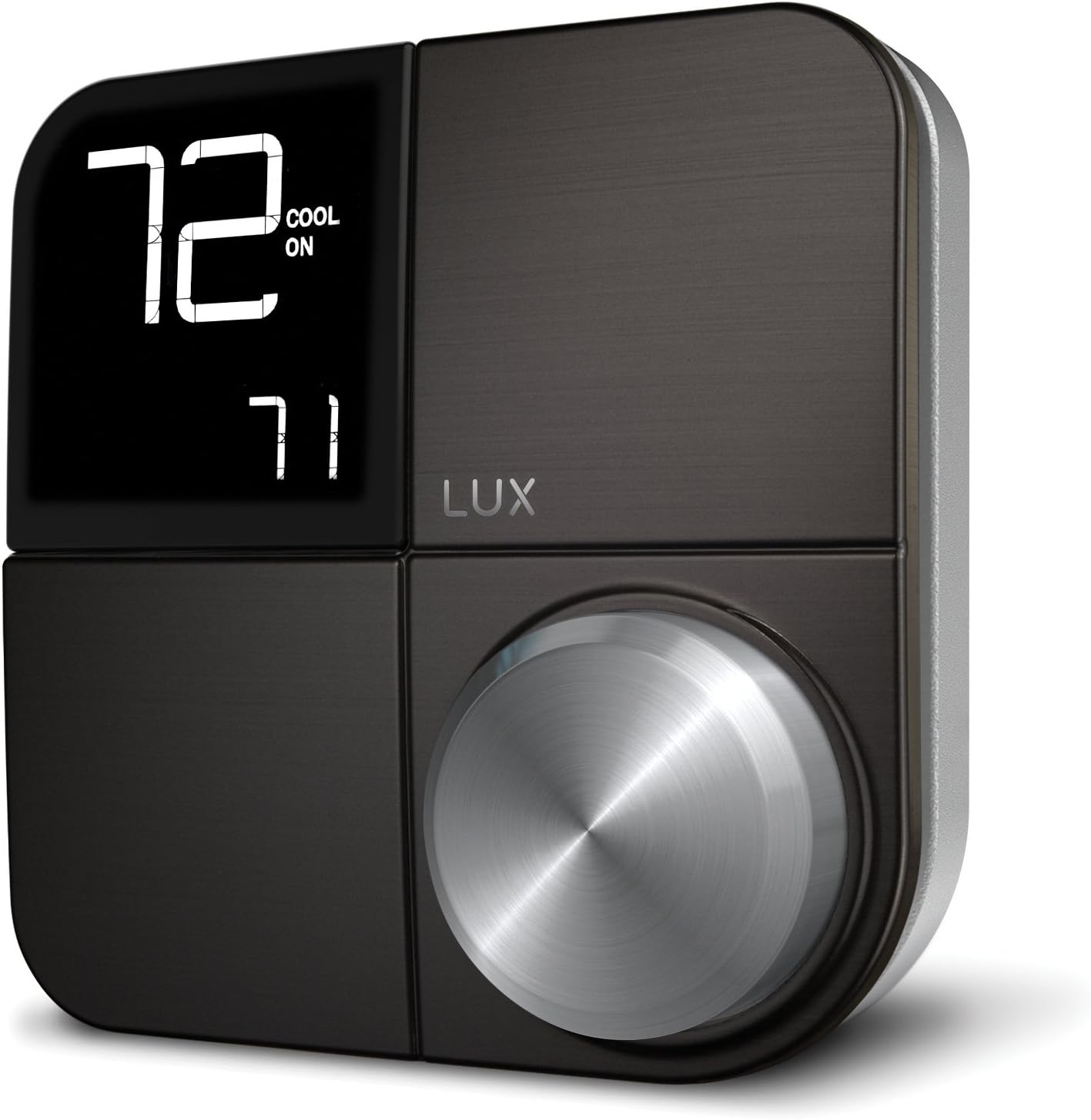 画像: 正面 view of the LUX Kono KN-S-MG1 Smart Thermostat, displaying its digital screen and control knob.
3. サーモスタットの取り付け
- Mount the Kono backplate to the wall using the provided screws and anchors. Ensure it is level.
- Carefully push any excess wire back into the wall opening.
- Align the Kono thermostat body with the backplate and gently push it into place until it clicks securely.
 Image: The LUX Kono KN-S-MG1 Smart Thermostat installed on a wall, blending into a modern dining room environment.
初期設定とWi-Fi接続
- 電源オン: Restore power to your HVAC system at the circuit breaker. The thermostat display should illuminate.
- Download the LUX App: Download the official LUX app from your smartphone's app store.
- アカウントを作成する: アプリ内の指示に従って新しいユーザー アカウントを作成するか、既にアカウントをお持ちの場合はログインしてください。
- Wi-Fiに接続します: The app will guide you through connecting your Kono thermostat to your home Wi-Fi network. Ensure your Wi-Fi network is 2.4GHz compatible.
- システム構成: The app will prompt you to configure your HVAC system type (e.g., conventional, heat pump) and other settings.
操作手順
基本操作
- 温度調整: Use the control knob on the thermostat or the LUX app to set your desired temperature.
- システム モード: Switch between Heat, Cool, Auto, and Off modes using the thermostat interface or the app.
- ファンモード: Select Fan On (continuous operation) or Fan Auto (fan runs only when heating/cooling) via the thermostat or app.
プログラミングスケジュール
The Kono KN-S-MG1 allows you to create custom heating and cooling schedules to optimize comfort and energy usage. Schedules are typically managed through the LUX app for ease of use.
- Open the LUX app and navigate to the scheduling section.
- Create daily or weekly schedules with different temperature settings for various times of the day (e.g., Wake, Away, Home, Sleep).
- Save your schedules to activate them on the thermostat.
高度な機能
- Geofencing (Home & Away Aware): This feature uses your smartphone's location to automatically adjust the thermostat when you leave or approach your home, saving energy when away and ensuring comfort upon return. Enable and configure this feature within the LUX app.
- リモートコントロール: Control your thermostat from anywhere using the LUX app on your smartphone.
- 音声コントロール: The Kono KN-S-MG1 supports integration with certain smart home platforms like Android and Vera for voice control. Note: This product does NOT work with Amazon Alexa or Apple HomeKit.
メンテナンス
- クリーニング: サーモスタットの外側を柔らかくて乾いた布で拭きます。amp 布で拭いてください。研磨剤や溶剤は使用しないでください。
- ソフトウェアアップデート: Ensure your LUX app and thermostat firmware are up to date for optimal performance and new features. Updates are typically managed through the LUX app.
- 電池不要: The Kono KN-S-MG1 is powered by your HVAC system (C-wire) or the LUX Power Bridge, so no battery replacement is necessary.
トラブルシューティング
| 問題 | 考えられる原因 | 解決 |
|---|---|---|
| サーモスタットのディスプレイが空白です。 | サーモスタットに電力が供給されていません。 | Check the circuit breaker for your HVAC system. Ensure the C-wire or LUX Power Bridge is correctly installed and connected. |
| HVAC システムがサーモスタットに応答しません。 | Incorrect wiring; system mode incorrect; power issue. | Verify wiring connections. Ensure the system mode (Heat/Cool/Auto) is correctly selected. Check power to the HVAC unit. |
| Cannot connect to Wi-Fi or app shows "no internet". | Incorrect Wi-Fi password; router issues; 5GHz network. | Ensure correct Wi-Fi password. Restart your router. Confirm your Wi-Fi network is 2.4GHz. Re-attempt Wi-Fi setup through the LUX app. |
| Temperature not maintained as programmed. | Incorrect schedule settings; geofencing interference; system limitations. | Review your schedules in the LUX app. Check geofencing settings. Ensure your HVAC system is functioning correctly. |
For further assistance, please contact LUX customer support.
仕様
| ブランド | ルクス |
| モデル名 | KN-S-MG1 |
| 製品寸法 | 2.8 x 6.5 x 6インチ |
| アイテム重量 | 9.6オンス |
| 色 | 黒 |
| 材料 | プラスチック |
| 電源 | Electric (System C-wire or LUX Power Bridge) |
| 巻tage | 230ボルト(AC) |
| 接続技術 | Wi-Fi(2.4GHz) |
| コントローラータイプ | Android, Vera (Note: Does NOT work with Amazon Alexa or Apple HomeKit) |
| 特集 | Geofencing: Home & Away Aware |
| 表示タイプ | バックライト付きLCD |
| コントロールタイプ | Button Control, Voice |
| 取り付けタイプ | 壁掛け |
| 欧州連合 | 021079170098 |
保証とサポート
For warranty information and technical support, please refer to the official LUX website or contact LUX customer service directly. Keep your purchase receipt as proof of purchase.
 Image: The retail packaging for the LUX Kono Smart Thermostat, showing the product image and key features.


