1. はじめに
Thank you for choosing the HTC USB Type-C Hi-Res Earphones, Model 99H20317-00. These earphones are designed to provide a high-quality audio experience with their advanced features and ergonomic design. This manual provides essential information for the proper setup, operation, maintenance, and troubleshooting of your new earphones.
主な機能は次のとおりです。
- Concert hall design for unparalleled sound.
- Larger 13mm speakers for a fuller sound profile.
- Enhanced port optimization for improved bass reproduction.
- Lighter and thinner aerospace polymer diaphragm to increase sound frequency response.
- Ergonomic design for maximum comfort during extended use.
2. 安全情報
Please read and follow these safety guidelines to ensure safe and optimal use of your earphones:
- 聴覚保護: 聴覚障害を防ぐため、大音量で長時間聴くことは避けてください。
- 環境への意識: Do not use earphones in situations where the inability to hear ambient sounds could be dangerous, such as while driving, cycling, or walking in traffic.
- クリーニング: Clean the earphones regularly with a soft, dry cloth. Do not use liquid cleaners or solvents.
- 水への露出: このイヤホンは防水ではありません。水や過度の湿気にさらさないでください。
- 子供たち: 小さな部品が含まれており、窒息の危険があるため、小さなお子様の手の届かないところに保管してください。
3. パッケージ内容
パッケージにすべてのアイテムが含まれていることを確認します。
- HTC USB Type-C Hi-Res Earphones (Model: 99H20317-00)
- Additional ear tips (if included)
- ユーザーマニュアル(このドキュメント)
4. セットアップ
These earphones are designed for simple plug-and-play operation.
- 接続する: Insert the USB Type-C connector of the earphones into the USB Type-C port of your compatible device (Smartphone, Laptop, Tablet).
- デバイス認識: Your device should automatically recognize the earphones. If prompted, select the earphones as the audio output device.
- 音量を調整: Begin playback at a low volume and gradually increase to a comfortable listening level.
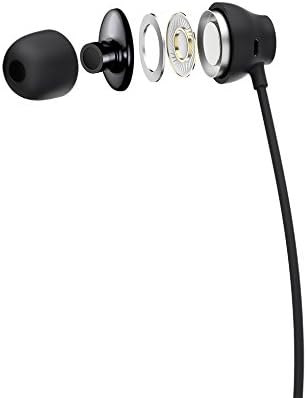
Figure 1: HTC USB Type-C Hi-Res Earphones connected to a device.
5. 操作手順
Once connected, your earphones are ready for use.
- オーディオ再生: Play audio from your connected device. The sound will be routed through the earphones.
- 通話管理: For devices supporting call functions, you can typically answer/end calls using the device's interface.
- アプリコントロール: This model supports control via an application. Refer to your device's app store for any official HTC audio control applications that may offer additional features or sound customization.
6. メンテナンスとケア
Proper care extends the lifespan of your earphones:
- 耳掃除用チップ: Gently remove ear tips and clean them with a mild soap solution and water. Ensure they are completely dry before reattaching.
- イヤホン本体のクリーニング: Wipe the earphone body and cable with a soft, dry, lint-free cloth. Do not use abrasive materials or harsh chemicals.
- ストレージ: 使用していないときは、絡まりや損傷を防ぐために、イヤホンを清潔で乾燥した場所に保管し、できれば保護ポーチに入れてください。
- ケーブル管理 Avoid tightly winding the cable or subjecting it to sharp bends, which can damage internal wires.
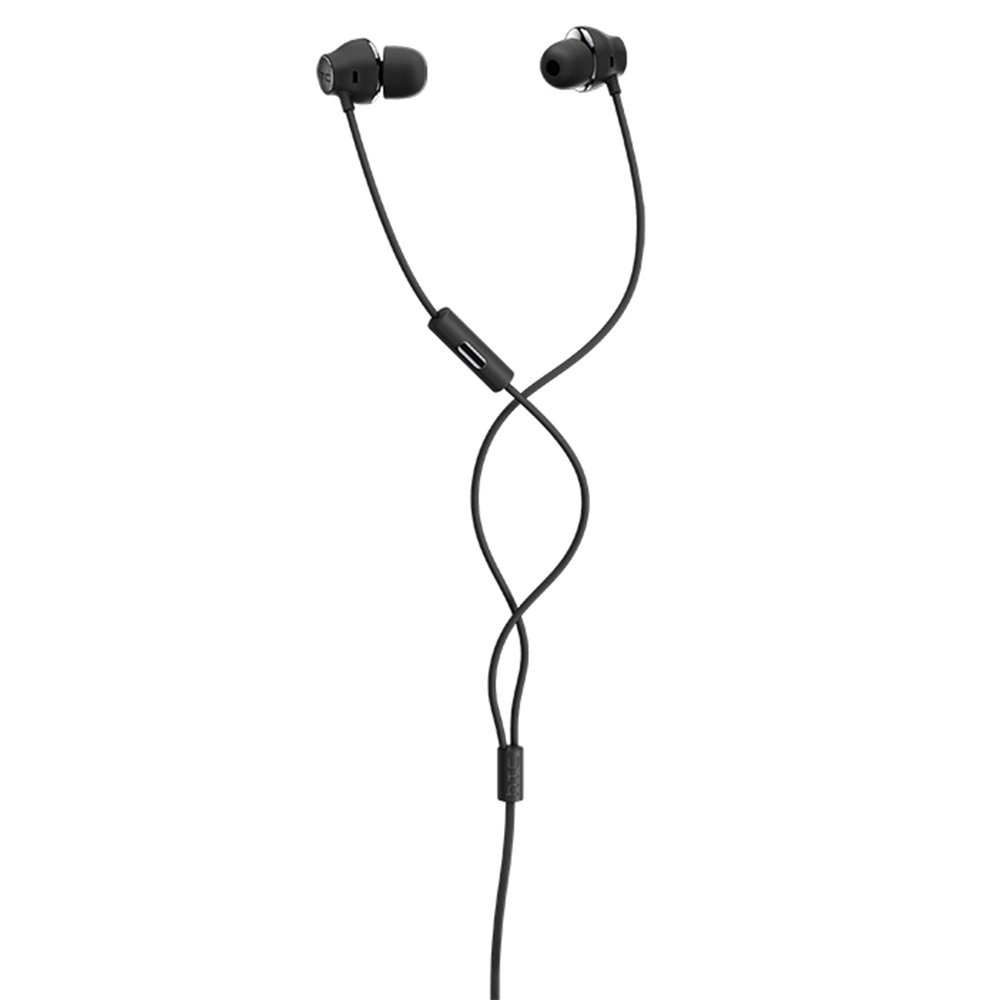
図 2: 分解 view of earphone components, highlighting the 13mm speaker and aerospace polymer diaphragm.
7。 トラブルシューティング
問題が発生した場合は、次の一般的な問題と解決策を参照してください。
| 問題 | 考えられる原因 | 解決 |
|---|---|---|
| 音が出ない | Earphones not properly connected; device volume too low; incorrect audio output selected on device. | Ensure the USB Type-C connector is fully inserted. Increase device volume. Check device audio settings to confirm earphones are selected as output. |
| 音質が悪い | Dirty ear tips; damaged cable; low-quality audio source. | Clean ear tips. Inspect the cable for visible damage. Try a different audio source or file. |
| Earphones uncomfortable or fall out | イヤーチップのサイズが間違っています。 | Try different sized ear tips (if provided) to find the best fit for your ears. |
8. 仕様
| 特徴 | 詳細 |
|---|---|
| ブランド | HTC |
| モデル番号 | 99H20317-00 |
| 接続技術 | 有線(USB Type-C) |
| スピーカーサイズ | 13ミリメートル |
| 材料 | Synthetic leather (ear tips/housing accents) |
| 重さ | 50グラム |
| 製品寸法 | 0.1 x 0.1 x 0.1 cm (packaging/shipping dimensions, actual earphone size is compact) |
| 制御方法 | アプリ |
| Bluetooth サポート | いいえ |
| 電池が必要 | いいえ |
| 対応デバイス | Smartphone, Laptop, Tablet with USB Type-C audio output |
| 色 | ダークグレー |
| 耳の位置 | インイヤー |
9. 保証とサポート
For warranty information and technical support, please refer to the documentation provided with your purchase or visit the official HTC support webサイトでご確認ください。保証請求に備えて購入証明書を保管してください。


