1.製品オーバーview
The Snap-On 18V 1/2" Drive Green MonsterLithium Impact Wrench Kit (Part #CT8850GK2) is a high-performance cordless tool designed for professional use in automotive, industrial, and general maintenance applications. This kit provides powerful fastening and loosening capabilities for various bolts and nuts, offering portability and efficiency with its MonsterLithium battery technology.
The kit includes the impact wrench, two 5 Ah MonsterLithium batteries, a dual-charger, and this instruction manual, ensuring you have everything needed for immediate operation.
2. 安全情報
電動工具を使用するときは、火災、感電、および人身傷害のリスクを軽減するために、常に基本的な安全上の注意事項を守ってください。
- すべての指示をお読みください: 使用する前に、ツールの操作と安全に関するガイドラインをよく理解しておいてください。
- 目の保護具を着用してください: 必ず ANSI 認定の安全ゴーグルまたはサイドシールド付きの安全メガネを着用してください。
- 聴覚保護具を着用してください: 電動工具の騒音に長時間さらされると、聴覚障害を引き起こす可能性があります。
- 作業エリアを清潔で明るい状態に保ちます。 雑然とした場所や暗い場所では事故が起こりやすくなります。
- 爆発性雰囲気中では操作しないでください。 可燃性の液体、ガス、または粉塵がある場所で電動工具を使用しないでください。
- ワークピースの固定: 常にclamp または、操作中にワークピースが動かないように固定します。
- Use correct tool for the job: Do not force a small tool or attachment to do the work of a heavy-duty tool.
- 工具は慎重にメンテナンスしてください。 切削工具は、より優れた性能と安全性を実現するために、常に鋭利で清潔な状態を保ってください。潤滑油の塗布や付属品の交換については、取扱説明書に従ってください。
- バッテリーの安全性: Use only specified chargers and batteries. Do not short-circuit, incinerate, or expose batteries to high temperatures.
3. パッケージ内容
Your Snap-On 18V 1/2" Drive Green MonsterLithium Impact Wrench Kit (Part #CT8850GK2) should include the following items:
- 1 x Snap-On 18V 1/2" Drive MonsterLithium Impact Wrench
- 2 x Snap-On 5 Ah MonsterLithium Batteries
- 1 x Snap-On Dual-Charger
- 取扱説明書 x 1
- キャリーバッグ x 1
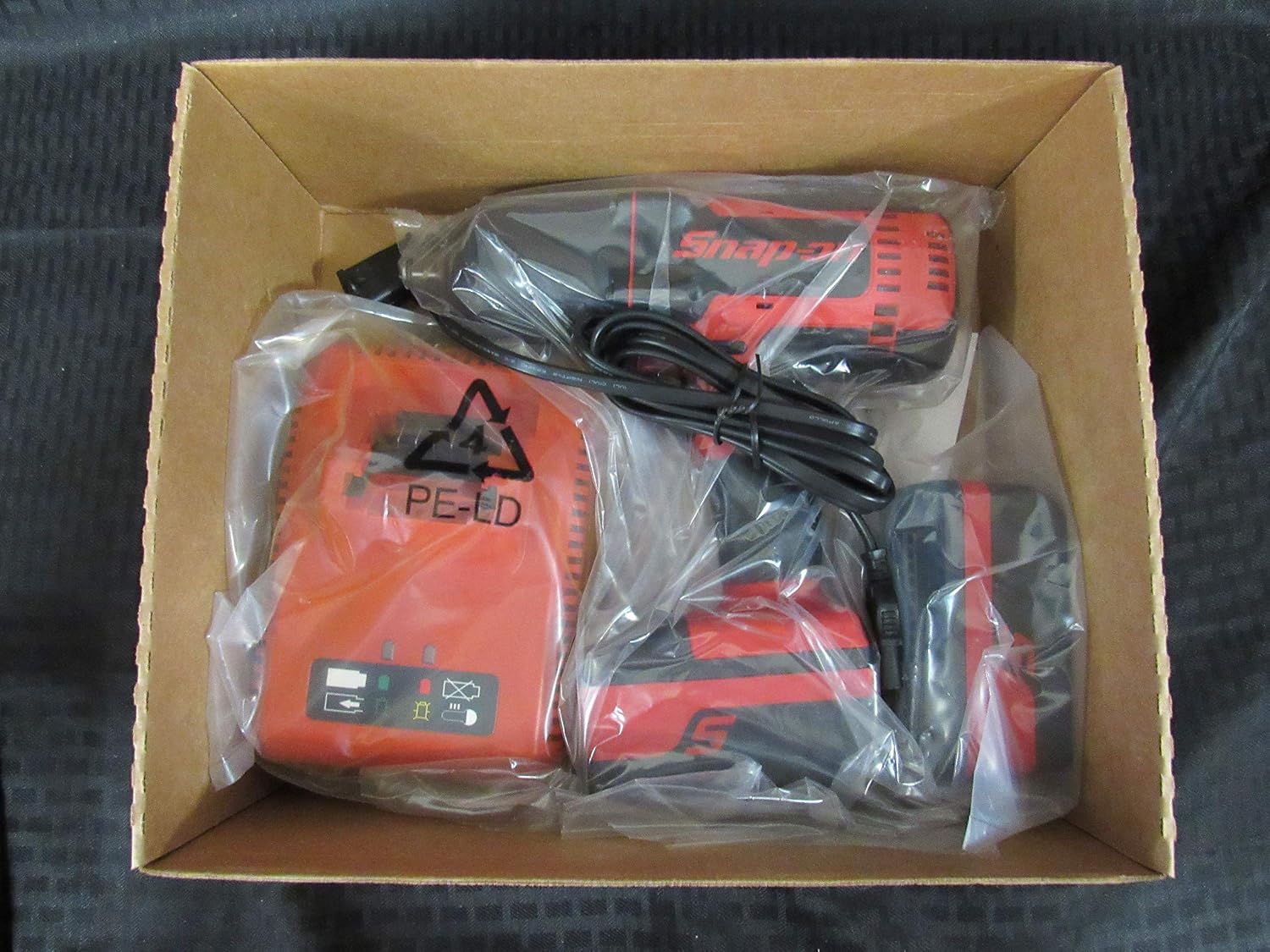
Image 1: The Snap-On 18V 1/2" Drive Green MonsterLithium Impact Wrench Kit contents, including the impact wrench, batteries, and charger, neatly packed in the box.

Image 2: The black Snap-On branded carry bag, designed for convenient storage and transport of the impact wrench kit components.
4. セットアップ
4.1 バッテリーの充電
- Connect the dual-charger to a standard electrical outlet.
- Slide the 5 Ah MonsterLithium batteries into the charging slots on the dual-charger. Ensure they are fully seated.
- The charger's indicator lights will show the charging status. Refer to the charger's specific manual for detailed light indications.
- 完全に充電されたら、充電器からバッテリーを取り外します。
4.2 Installing/Removing Batteries
- インストールするには: Align the battery with the battery port on the impact wrench and slide it in until it clicks securely into place.
- 削除するには: Press the battery release button(s) on the side of the battery and slide the battery out of the tool.
4.3 Attaching/Removing Sockets
- 添付する: Push the desired 1/2" drive socket onto the square drive anvil of the impact wrench until it locks securely.
- 削除するには: Pull the socket firmly off the anvil. Some sockets may require a slight twist while pulling.
5. 操作手順
5.1 電源のオン/オフ
The impact wrench is activated by pressing the variable speed trigger. The tool will turn off when the trigger is released.
5.2 Forward/Reverse Selection
A forward/reverse selector switch is located above the trigger. Push the switch to the left for forward (tightening) rotation and to the right for reverse (loosening) rotation. Ensure the switch is in the center position for trigger lock-off when not in use or when changing accessories.
5.3 Operating the Impact Wrench
- ファスナーに適したソケットを選択します。
- バッテリーが完全に充電され、正しく取り付けられていることを確認してください。
- 前進/後進セレクターを希望の方向に設定します。
- ソケットをファスナーにしっかりと取り付けます。
- Press the variable speed trigger to begin operation. The speed is controlled by the amount of trigger depression.
- Apply steady pressure to the tool to prevent it from jumping off the fastener.
- For tightening, stop when the fastener is snug or reaches the desired torque. For loosening, continue until the fastener is free.
6. メンテナンスとケア
6.1 クリーニング
- 過熱を防ぐために、ツールの通気口を定期的に清掃してください。
- 柔らかくてamp ツールの外側を布で拭いてください。刺激の強い化学薬品や研磨剤入りの洗剤は使用しないでください。
- Keep the drive anvil clean and free of debris.
6.2 ストレージ
- ツールと電池は、直射日光や極端な温度を避け、涼しく乾燥した場所に保管してください。
- Ensure the forward/reverse selector is in the center (locked) position before storing.
- Store batteries with a partial charge (around 50%) if storing for extended periods to prolong battery life.
- Utilize the provided carry bag for organized and protected storage.
6.3バッテリーケア
- Do not allow batteries to fully discharge before recharging.
- Avoid exposing batteries to water or extreme heat.
- If a battery is damaged or no longer holds a charge, dispose of it properly according to local regulations.
7。 トラブルシューティング
| 問題 | 考えられる原因 | 解決 |
|---|---|---|
| ツールが起動しない | バッテリーが充電されていません バッテリーが正しく取り付けられていない 前進/後進スイッチが中央(ロック)位置にある | バッテリーを充電する バッテリーをしっかりと取り付け直す スイッチを前進または後進の位置に動かします |
| 電力/パフォーマンスの低下 | バッテリーの充電量が少ない 過熱 Worn carbon brushes (if applicable) | バッテリーを充電する ツールを冷却する 認定サービスセンターにお問い合わせください |
| ソケットがアンビル上に留まらない | ソケットサイズが正しくありません Worn anvil or socket retention pin | Ensure 1/2" drive socket is used Inspect anvil and retention pin; contact service if damaged |
If you encounter issues not listed here or if the suggested solutions do not resolve the problem, please contact Snap-On customer support or an authorized service center.
8. 技術仕様
| 特徴 | 仕様 |
|---|---|
| モデル番号 | CT8850 |
| 部品番号 | CT8850GK2 |
| 巻tage | 18ボルト |
| ドライブサイズ | 1/2インチ |
| 電池のタイプ | MonsterLithium |
| バッテリー容量 | 5 ああ |
| 操作モード | 電気 |
| ヘッドスタイル | 固定スクエア |
| 仕上げタイプ | 粉体塗装 |
| 色 | 緑、赤 |
| アイテムの長さ | 8.2インチ |
| 材料 | 道具 |
| 欧州連合 | 635133722569 |
9. 保証と顧客サポート
Specific warranty information for the Snap-On 18V 1/2" Drive Green MonsterLithium Impact Wrench Kit is typically provided with the product at the time of purchase or can be found on the official Snap-On webサイトでご確認ください。保証請求のために購入証明書を保管してください。
For customer support, technical assistance, or to locate an authorized service center, please visit the official Snap-On webメーカーのウェブサイトをご覧いただくか、カスタマーサービス部門に直接お問い合わせください。連絡先は通常、メーカーのウェブサイトに記載されています。 webサイトまたは製品パッケージに記載されています。