1.はじめにおよび安全情報
ご購入ありがとうございますasing the Sharp R-742BKW Microwave Grill. This manual provides essential instructions for the safe and efficient operation of your appliance. Please read it thoroughly before use and keep it for future reference.
重要な安全上の注意事項
- 機器を使用する前にすべての説明書をお読みください。
- ドアを開けたままこのオーブンを操作しないでください。電子レンジのエネルギーに有害にさらされる可能性があります。
- 爆発する恐れがあるので、密閉容器に入った液体やその他の食品を加熱しないでください。
- 子供がオーブンを安全に使用でき、不適切な使用の危険性を理解できるように適切な指示が与えられた場合にのみ、子供が監督なしでオーブンを使用できるようにします。
- ドアまたはドアシールが破損している場合は、有資格者による修理が完了するまでオーブンを操作しないでください。
- オーブンは定期的に掃除し、食べ物の残りを取り除く必要があります。
- オーブンを清潔な状態に維持しないと、表面が劣化し、機器の寿命に悪影響を与え、危険な状況を引き起こす可能性があります。
2.製品オーバーview
The Sharp R-742BKW is a 25-liter microwave grill designed for versatile cooking. It features a powerful 900W microwave and a 1000W grill, along with an electronic control panel and a 31.5 cm turntable.
主な特徴:
- 25リットル容量
- 900W Microwave Power
- 1000W Grill Power
- 31.5 cm Turntable
- 11つのパワーレベル
- 6 Automatic Programs (Popcorn, Jacket Potatoes, Pizza, Frozen Vegetables, Beverage, Dinner Plate)
- Defrost by Time and Weight
- シーケンスクッキング
- チャイルドセーフティロック
コンポーネント:
Your microwave grill comes with the following components:
- Microwave Grill Unit
- ガラスターンテーブル(直径31.5cm)
- ターンテーブルサポートリング
- グリルラック

図2.1: 前面 view of the Sharp R-742BKW Microwave Grill, showcasing the control panel and door.
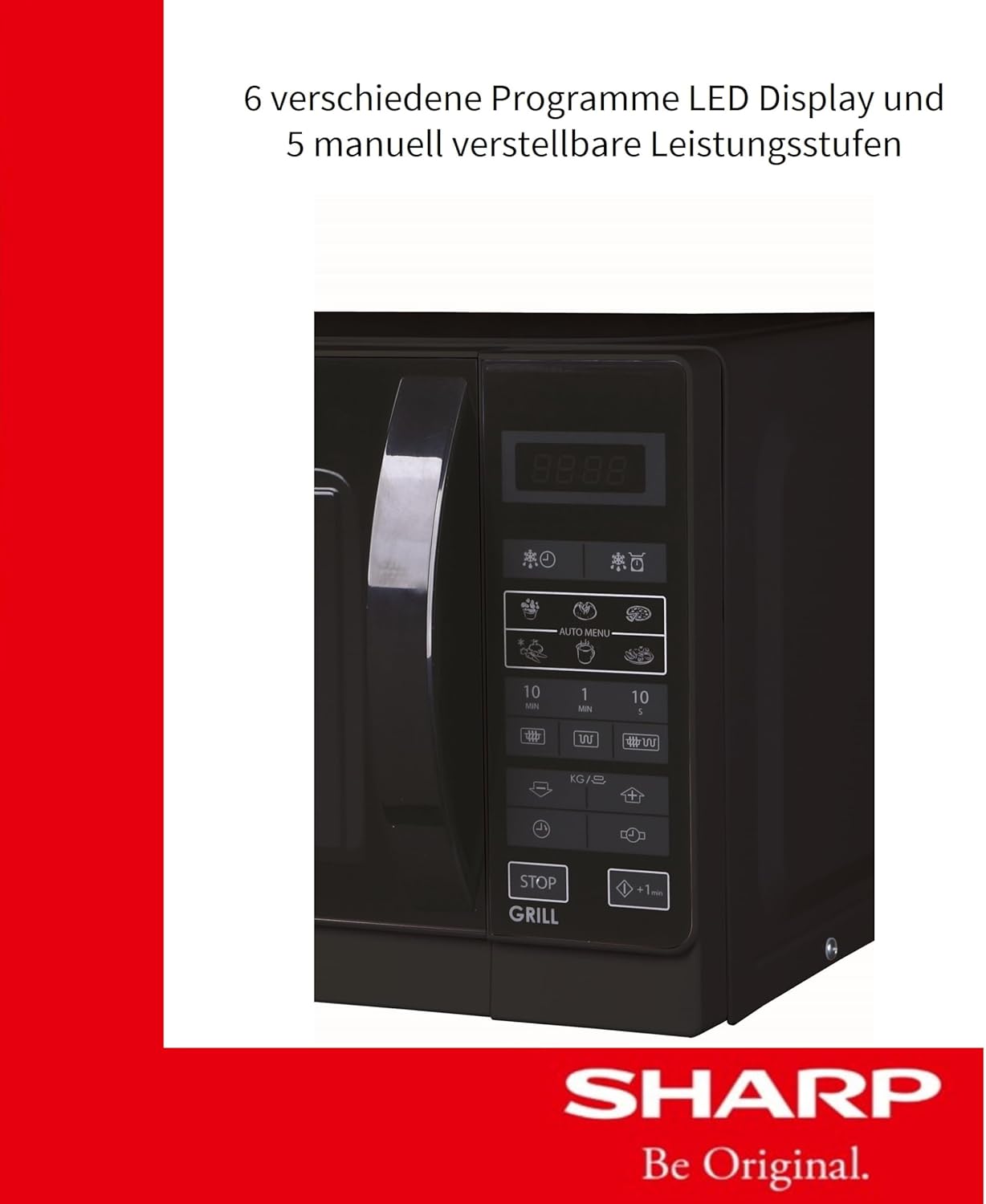
図2.2: 内部 view of the microwave grill, showing the heating element and the included grill rack.
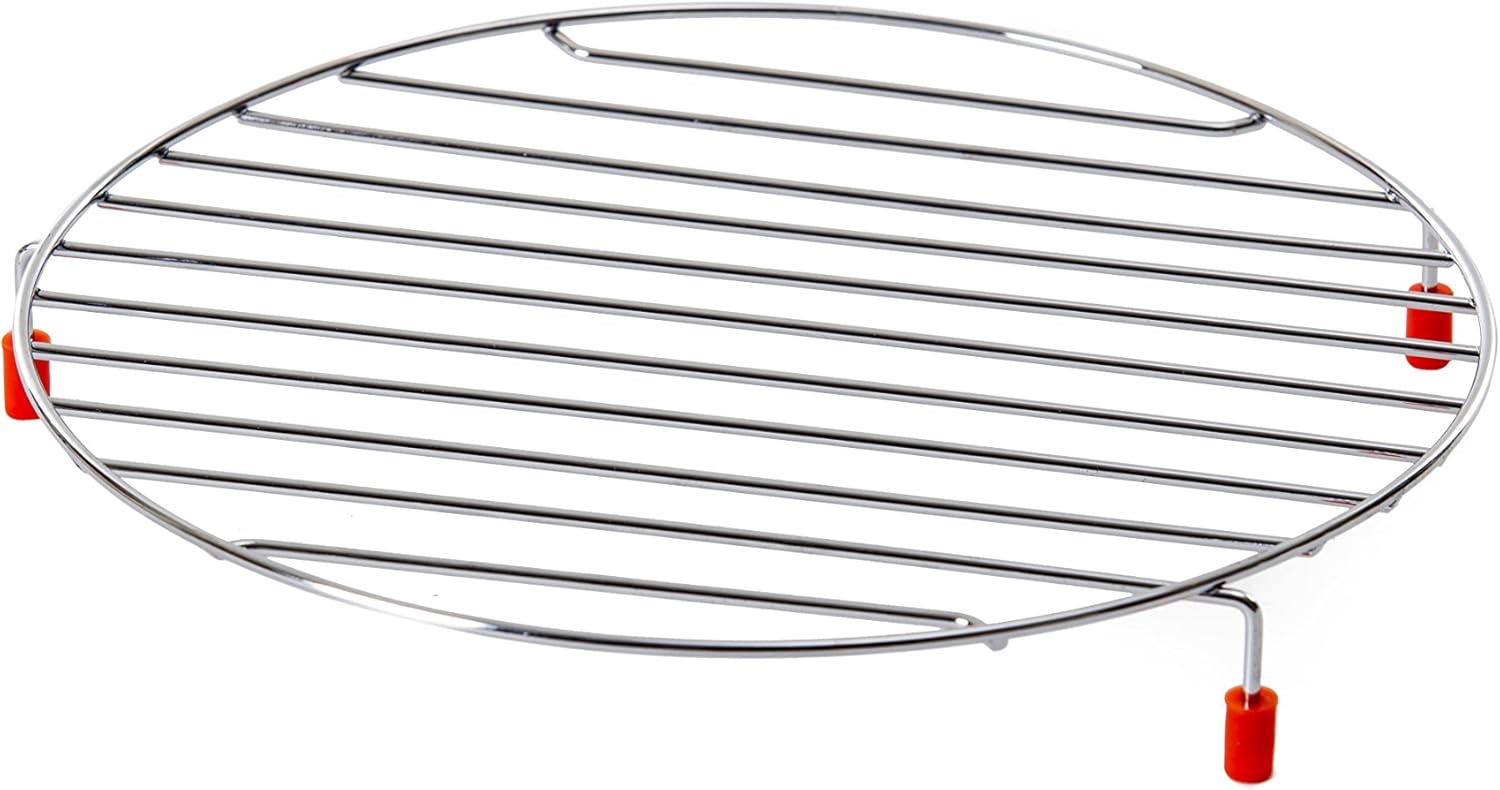
図2.3: 内部 view of the microwave grill, showing the glass turntable in place.

Figure 2.4: The glass turntable and metal grill rack, essential accessories for cooking and grilling.
3. セットアップとインストール
開梱
- オーブンの内側と外側にあるすべての梱包材を取り除きます。
- Check the oven for any damage, such as a misaligned or bent door, damaged door seals and sealing surface, broken or loose door hinges and latches, or dents inside the cavity or on the door. If any damage is present, do not operate the oven and contact your dealer.
配置
Place the microwave grill on a flat, stable surface that can support its weight and the heaviest food likely to be cooked in it. Ensure adequate ventilation around the unit.
- Allow a minimum of 20 cm (8 inches) of space above the oven.
- Allow a minimum of 10 cm (4 inches) of space at the rear and sides for proper ventilation.
- 通気口を塞がないでください。
- Do not place the oven near heat sources such as a conventional oven or radiator.

図3.1:側面 view of the microwave, illustrating the compact design and ventilation requirements.
電気的接続
電源コードを適切にアースされたコンセントに差し込みます。tage は機器の定格ラベルと一致します。
4. 操作手順
コントロールパネルオーバーview
The electronic control panel features an LED display and various buttons for setting cooking functions, time, and power levels.

図4.1:詳細 view of the electronic control panel with LED display and function buttons.
電子レンジ調理の基本
- 電子レンジ対応容器に入った食品をターンテーブルの上に置きます。
- ドアを閉める。
- Press the 'Microwave' button to select desired power level (11 levels available).
- Use the '10 MIN', '1 MIN', '10 SEC' buttons to set the cooking time.
- Press 'START' to begin cooking.
グリル操作
Use the grill function for browning and crisping food. Always use the provided grill rack.
- グリルラックに食材を置き、ラックをターンテーブルの上に置きます。
- ドアを閉める。
- 「グリル」ボタンを押します。
- Set the desired grilling time using the time buttons.
- Press 'START'.
コンビネーション調理(電子レンジ+グリル)
This mode combines microwave energy with grilling for faster cooking and browning.
- Place food on the grill rack, then on the turntable.
- ドアを閉める。
- Press the 'Combi' button to select the desired combination mode.
- 調理時間を設定します。
- Press 'START'.
自動プログラム
The oven includes 6 pre-set automatic programs for common food items:
- ポップコーン
- ジャケットポテト
- ピザ
- 冷凍野菜
- 飲料
- ディナープレート
自動プログラムを使用するには:
- 食べ物をオーブンに入れます。
- Press the 'Auto Menu' button repeatedly to select the desired program.
- Use the 'KG/G' button to select the weight or quantity if applicable.
- Press 'START'.
解凍
The oven offers defrosting by time or by weight.
- 重量による霜取り: Press the 'Defrost by Weight' button, select the weight using the 'KG/G' button, then press 'START'.
- 時間による解凍: Press the 'Defrost by Time' button, set the time using the time buttons, then press 'START'.
チャイルドセーフティロック
To prevent unintended operation, activate the child safety lock.
- 有効化するには: Press and hold the 'STOP' button for 3 seconds until a lock indicator appears on the display.
- 非アクティブ化するには: Press and hold the 'STOP' button for 3 seconds until the lock indicator disappears.
5. メンテナンスと清掃
Regular cleaning and maintenance will ensure the longevity and optimal performance of your microwave grill.
外装の清掃
外側の表面を柔らかい布で拭きます。amp 布。 研磨クリーナーや刺激の強い化学薬品は使用しないでください。
内部の清掃
オーブン使用後は毎回オーブン内を清掃してください。amp cloth and mild detergent. For stubborn food splatters, place a bowl of water with lemon juice inside and microwave for a few minutes to loosen residue, then wipe clean.
Cleaning the Turntable and Grill Rack
The glass turntable and grill rack can be washed in warm, soapy water or in a dishwasher.
6。 トラブルシューティング
If you encounter issues with your microwave grill, consult the following table before contacting service.
| 問題 | 考えられる原因 | 解決 |
|---|---|---|
| オーブンが起動しない | 電源コードが差し込まれていない。ドアがきちんと閉まっていない。ヒューズが切れているか回路ブレーカーが落ちている。 | プラグがコンセントにしっかりと差し込まれていることを確認してください。ドアをしっかり閉めてください。家庭用ヒューズ/回路ブレーカーを確認してください。 |
| 食品が加熱されない | Door not closed properly; Incorrect cooking time/power level set; Food not suitable for microwave. | Ensure door is closed; Adjust time/power; Use microwave-safe dishes. |
| Sparks or arcing inside oven | Metal in oven; Food residue. | Remove any metal objects; Clean oven cavity thoroughly. |
| ターンテーブルが回転しない | Turntable not correctly placed; Obstruction; Motor fault. | Ensure turntable and support ring are correctly positioned; Remove any obstructions; Contact service if motor fault suspected. |
7. 仕様
| 特徴 | 仕様 |
|---|---|
| ブランド | シャープ |
| モデル番号 | R-742BKW (18100111) |
| 容量 | 25リットル |
| マイクロ波電力 | 900ワット |
| グリルパワー | 1000ワット |
| 巻tage | 230ボルト |
| 製品寸法(長さ x 幅 x 高さ) | 51.3 x 42.95 x 30.62 cm |
| 重さ | 15.1キログラム |
| ターンテーブル直径 | 31.5センチ |
| 材料 | ガラス、金属 |
| インストールタイプ | フリースタンディング |
| 特集 | Microwave Function, Grill, Automatic Programs, Child Safety Lock |
8. 保証とサポート
保証情報
Your Sharp R-742BKW Microwave Grill is covered by a manufacturer's warranty. Please refer to the separate warranty card included with your purchase for specific terms and conditions, including the warranty period and coverage details.
カスタマーサポート
For technical assistance, service, or to order replacement parts, please contact Sharp customer support. Contact details can typically be found on the Sharp official webサイトまたは保証書に記載されています。


