導入
This manual provides detailed instructions for the ORICO 3.5 inch Hard Drive Docking Station (Model 6139U3). This device allows for easy external access to 2.5-inch and 3.5-inch SATA I/II/III hard drives and SSDs, supporting capacities up to 12TB. Please read this manual carefully before use to ensure proper operation and to maximize the lifespan of your device.
パッケージ内容
- 1 x USB 3.0 to SATA Hard Drive Dock
- 12V 3A電源アダプター×1
- USB 3.0データケーブル1本
- ユーザーマニュアル x 1
製品終了view

透明なデザイン: The docking station features a transparent case, allowing visibility of the internal components and a modern aesthetic.

高速データ転送: Equipped with a USB 3.0 interface and UASP protocol, it supports data transfer rates up to 5Gbps, enabling quick file 転送。

効率的な放熱: The vertical design promotes superior heat dissipation for the hard drive while providing shock absorption.

自動スリープ機能: To extend the lifespan of your hard drive, the device automatically enters sleep mode after 10 minutes of inactivity.
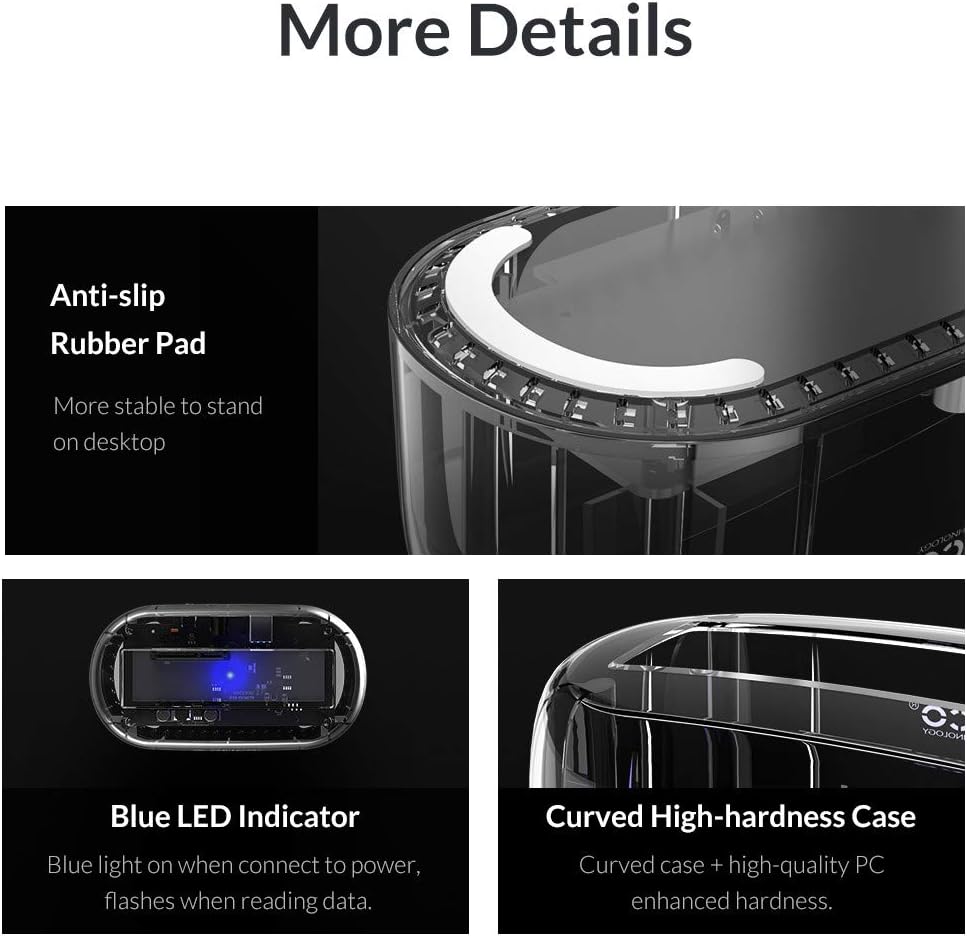
Enhanced Durability and User Feedback: Features an anti-slip rubber pad for stability, a blue LED indicator for operational status (solid blue for power, flashing for data transfer), and a curved, high-hardness PC enhanced case.
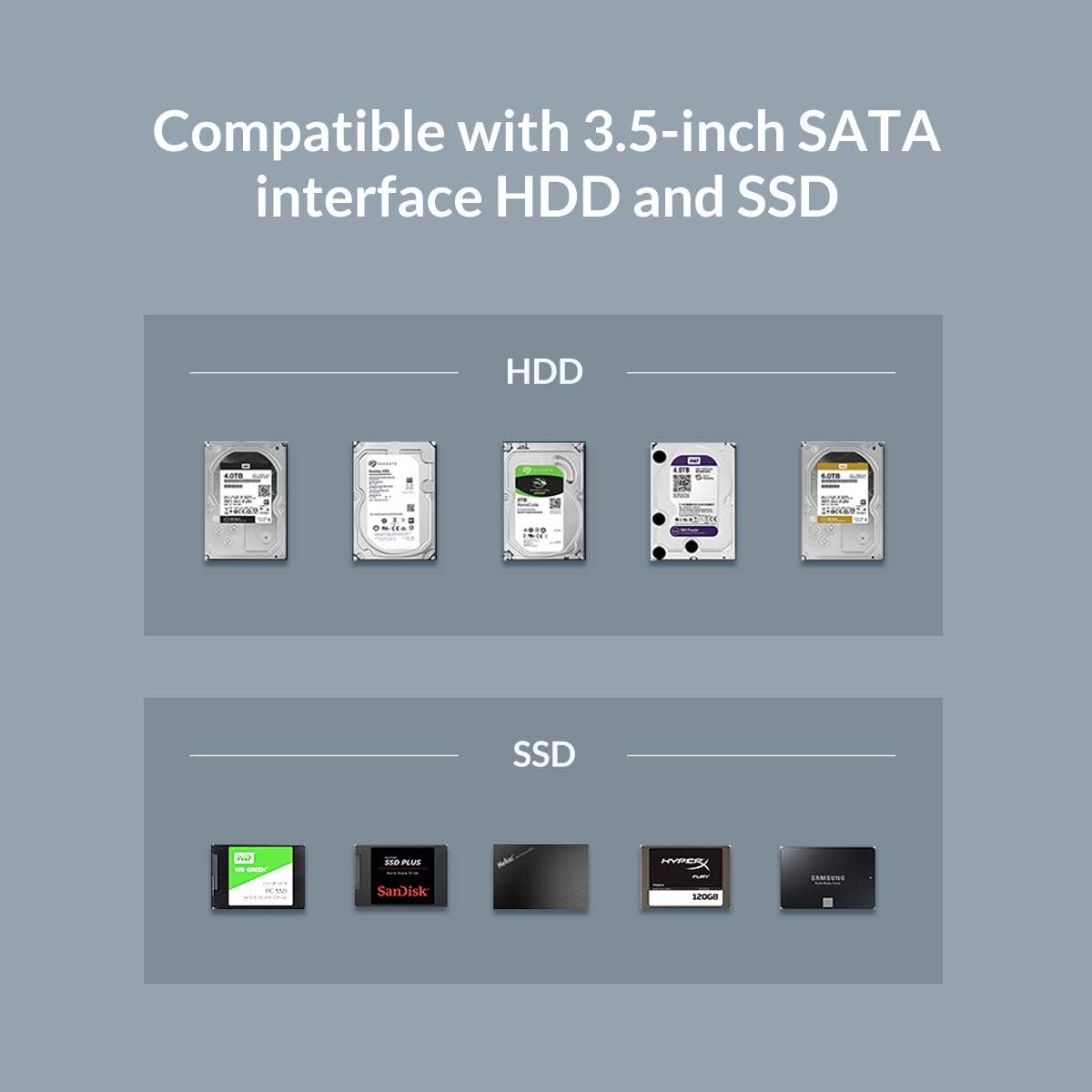
幅広い互換性: Supports all 2.5-inch and 3.5-inch SATA I/II/III hard drives and SSDs, with a maximum capacity of 12TB.
セットアップ手順
- 接続電源: Connect the provided 12V 3A power adapter to the docking station's power input port, then plug the adapter into a standard power outlet.
- コンピュータに接続します: Connect the USB 3.0 data cable from the docking station's USB 3.0 port to an available USB 3.0 port on your computer.
- ハードドライブを挿入します: Gently insert your 2.5-inch or 3.5-inch SATA hard drive or SSD into the docking slot until it is securely seated. Ensure the SATA connectors align properly.
- 電源オン: Press the power button on the docking station. The blue LED indicator will illuminate, signifying that the device is powered on and ready for use.
操作手順
- 自動検出: Once powered on and connected, your computer should automatically detect the hard drive. No additional drivers are typically required for Windows, Linux, or Mac OS 10.10 or higher.
- データ転送: データを転送するには、ドラッグアンドドロップするだけです files to and from the detected drive in your operating system's file explorer. The blue LED will flash during data transfer.
- ホットスワップ: The docking station supports hot-swapping, allowing you to insert and remove drives without rebooting your computer, provided the drive is not actively in use. Always safely eject the drive from your operating system before physical removal.
- UASP サポート: The UASP (USB Attached SCSI Protocol) support ensures optimized data transfer speeds, especially with compatible operating systems and drives.
- 自動スリープ: The device will automatically enter sleep mode after 10 minutes of inactivity to conserve energy and extend the lifespan of your hard drive.
メンテナンス
- クリーニング: ドッキングステーションは清潔に保ち、ほこりを取り除いてください。清掃には柔らかく乾いた布を使用してください。液体洗剤は使用しないでください。
- 換気: 特に長時間使用する場合、過熱を防ぐためにデバイスの周囲に適切な換気を確保してください。
- 環境条件: デバイスを湿気、極端な温度、直射日光にさらさないでください。
- 安全な排出: Always safely eject the hard drive from your operating system before physically removing it from the docking station or powering off the device to prevent data loss or corruption.
トラブルシューティング
- Drive Not Detected or Recognized:
- 電源アダプタがしっかりと接続され、ドッキング ステーションの電源がオンになっていることを確認します (青色の LED が点灯している必要があります)。
- Verify the USB 3.0 data cable is firmly connected to both the docking station and a functional USB 3.0 port on your computer. Try a different USB port or cable if available.
- Confirm the hard drive is correctly inserted into the docking slot.
- For new drives or drives not appearing in 'My Computer'/'This PC', check Disk Management (Windows) or Disk Utility (Mac) to see if the drive needs to be initialized, partitioned, or formatted.
- If using a 4TB or larger drive and experiencing recognition issues (e.g., showing as a 2TB GPT protected partition), ensure your operating system and the docking station's firmware (if applicable, check manufacturer's website) support large drives. Some older systems or firmware might have limitations.
- Try a different hard drive to rule out an issue with the original drive.
- データ転送速度が遅い:
- お使いのコンピューターがUSB 3.0ポートに接続されていることを確認してください。USB 2.0ポートに接続すると、速度が大幅に低下します。
- Verify that UASP is enabled and supported by your operating system and computer's USB controller for optimal performance.
- The actual transfer speed can be affected by the hard drive's performance, file size, and system load.
- デバイスの電源が突然切れる:
- Check the power adapter and cable for any damage or loose connections.
- The device has an automatic sleep function after 10 minutes of inactivity. This is normal behavior to conserve energy and extend drive life.
仕様
| 特徴 | 仕様 |
|---|---|
| ブランド | オリコ |
| モデル番号 | 6139U3 |
| 対応デバイス | 2.5" / 3.5" SATA I / II / III Hard Drive and SSD |
| 最大ストレージ容量 | Up to 12TB (as per product title, JSON spec says 8TB, using title's higher value) |
| データ転送速度 | 5ギガバイト/秒(5Gbps) |
| 接続技術 | USB3.0 について |
| ハードウェアインターフェイス | USB |
| ハードディスクのフォームファクタ | 3.5インチ |
| サポートされるデバイスの最大数 | 1 |
| アイテム重量 | 15.5オンス(440グラム) |
| 製品寸法 | 5.71 x 3.07 x 2.36インチ |
| 色 | クリア |
| 材料 | プラスチック |
| ハードウェアプラットフォーム | Windows (also supports Linux/Mac OS) |
保証とサポート
ORICO provides customer support for this product. If you encounter any issues or have questions, please contact ORICO customer service. Information regarding specific warranty periods can be found on the official ORICO website or by contacting their support team. As per product information, support is available 24 hours.


