導入
This manual provides detailed instructions for the setup, operation, and maintenance of your Shure UA844+SWB/LC Five-way Active Antenna Splitter and Power Distribution System. This system is designed to enhance the performance of QLX-D, ULX, ULX-D, SLX, and BLX (BLX4R only) wireless receivers by providing efficient antenna signal splitting and power distribution. Please read this manual thoroughly before using the product to ensure optimal performance and safety.
安全情報
- デバイスが指定された電圧に一致する電源に接続されていることを確認してくださいtage および現在の要件。
- ユニットを水や過度の湿気にさらさないでください。
- 過熱を防ぐため、換気口をふさがないようにしてください。
- メーカー指定のアクセサリおよびアタッチメントのみを使用してください。
- すべてのメンテナンスは資格のあるサービス担当者に依頼してください。
パッケージ内容
- Shure UA844+SWB/LC Five-way Active Antenna Splitter and Power Distribution System
- Front-mounting antenna hardware
- ラックマウントハードウェア
- Power supply (15V, 2.5A max)
- Note: Antenna cables and locking power cables are excluded.
製品終了view
The Shure UA844+SWB/LC is a central unit for managing antenna signals and power for multiple wireless receivers. It features inputs for external antennas and multiple outputs to connect to your wireless receiver units.
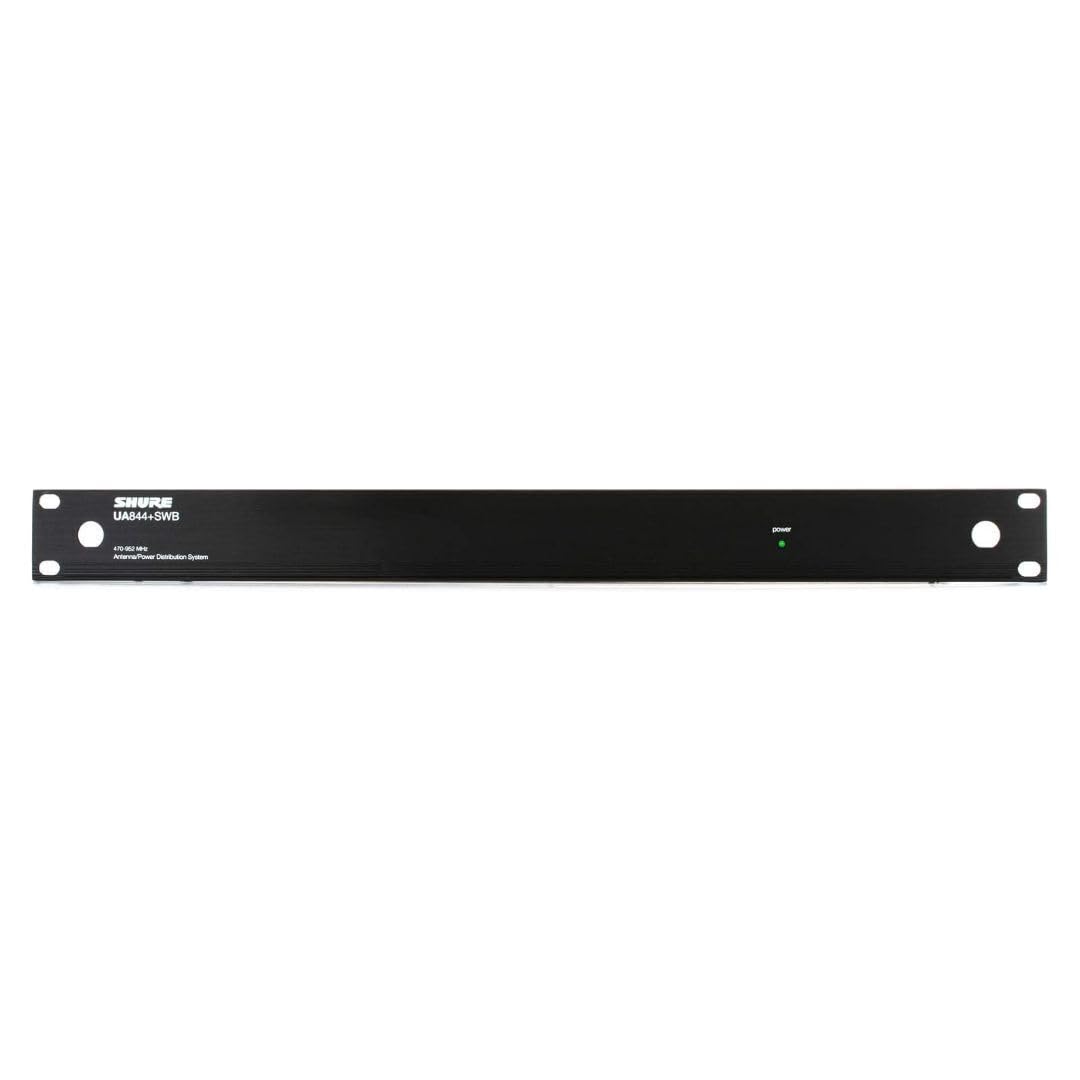

設定
1. アンテナの接続
Connect your external antennas to the BNC connectors on the Shure UA844+SWB/LC unit. Ensure connections are secure to maintain signal integrity. The system supports active antennas for boosted signal reception.
2. 電源の接続
Connect the provided power supply to the UA844+SWB/LC unit and then to a suitable power source. The unit also provides 4 DC power feeds for your receivers (15V, 2.5A max), eliminating the need for individual power bricks for each receiver.
3. Connecting Receivers
Connect your QLX-D, ULX, ULX-D, SLX, or BLX4R receivers to the antenna outputs and DC power feeds on the UA844+SWB/LC. Use appropriate coaxial cables for antenna connections and locking power cables if available for secure power delivery.
4. Network Setup for QLX-D Systems
For QLX-D systems, network your receivers together using Cat 5e or Cat 6 Ethernet cables connected from the back of each receiver to a network switch. This enables features like Network Scan for coordinated frequency management. Ensure your network uses a DHCP-enabled router for automatic IP address assignment. Manual IP address setup is also possible. Receivers must be on the same subnet.
オペレーティング
1. Finding an Open Channel (QLX-D)
On your QLX-D receiver, press the 'menu' button to access the scan function. Press 'enter' to initiate a scan for available frequencies. The group and channel will appear on the display once the scan is complete.
2. Syncing Transmitters (QLX-D)
Install batteries into your transmitter and turn it on. Press the 'sync' button on the receiver and align the transmitter's IR window about 6 inches away from the receiver's IR port. 'Good' will display on the receiver when sync is complete, and the blue RF LED will illuminate.
3. Checking Levels (QLX-D)
During a sound check, monitor the audio meter and LED on the receiver. The meter should display at least three bars, and the LED should be green. Adjust the gain using the arrow buttons on the front of the receiver if necessary to achieve optimal audio levels without clipping.
4. Using Network Scan (QLX-D)
Once receivers are networked, select a group or custom group on the receiver to initiate the Network Scan. Press the 'menu' button until 'Network Scan' appears and is flashing, then press 'enter'. The front panel LEDs of all receivers will blink when frequencies have been assigned. If full deployment does not occur due to insufficient open frequencies, select another group and re-scan. Consult the Shure online Wireless Frequency Finder tool if you are unsure which group is best to use.
メンテナンス
- 本体を清潔に保ち、ほこりを取り除いてください。お手入れには乾いた柔らかい布をご使用ください。
- すべてのケーブル接続部の摩耗や損傷を定期的に確認してください。
- 使用しないときは、ユニットを涼しく乾燥した場所に保管してください。
トラブルシューティング
- 信号なし: Check all antenna connections and ensure receivers are powered on and synced. Verify that the antennas are positioned correctly and unobstructed.
- 断続的な信号: Re-scan for open frequencies, especially in environments with high RF interference. Ensure all components are securely connected.
- 電力の問題: Confirm the power supply is correctly connected and functioning. Check all DC power feeds to receivers.
- Network Scan Not Appearing: Ensure all QLX-D receivers are properly networked together and recognized by the system.
仕様
| 特徴 | 詳細 |
|---|---|
| アイテム重量 | 8.51ポンド |
| 製品寸法 | 23.2 x 16.4 x 4インチ |
| 商品型番 | UA844 + SWB / LC |
| 色 | 黒 |
| アンテナタイプ | 無線 |
| チャンネル数 | 5 |
| 欧州連合 | 042406461535 |
| メーカー | シュア |
保証とサポート
For warranty information, technical support, or further assistance, please visit the official Shure web公式サイトをご覧いただくか、カスタマーサービスまでお問い合わせください。保証請求のために購入時のレシートを保管してください。
公式Shure Webサイト: Visit the Shure Store


