導入
Thank you for choosing the Domo DO7280S Vacuum Cleaner. This manual provides essential information for the safe and efficient use, maintenance, and troubleshooting of your appliance. Please read it thoroughly before first use and keep it for future reference.
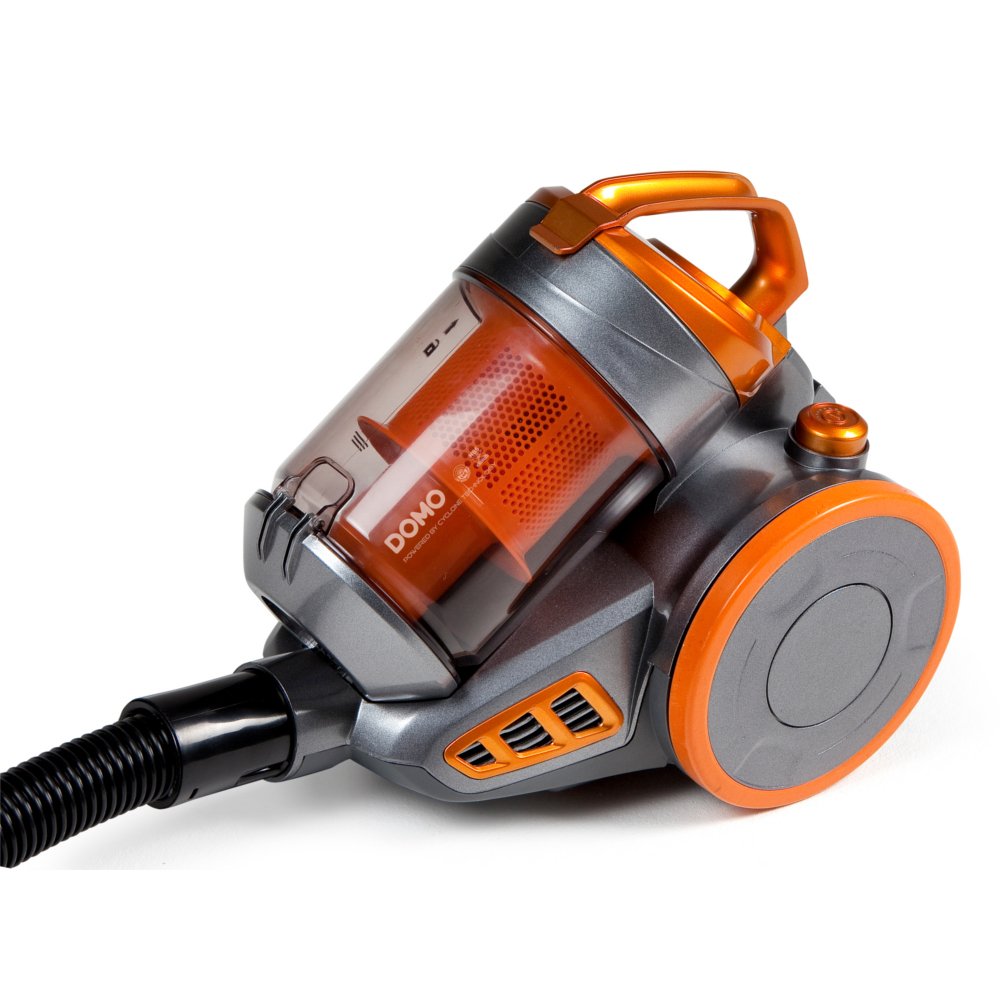
Image: The Domo DO7280S vacuum cleaner, fully assembled with its hose, telescopic tube, and floor brush, ready for use. The main unit is grey and orange.
安全に関する注意事項
火災、感電、および人身傷害のリスクを軽減するために、電気製品を使用するときは常に基本的な安全上の注意事項を守ってください。
- 電源のボリュームを確認してくださいtage は機器の定格ラベルと一致します。
- 水や濡れた物質を吸い取るために掃除機を使用しないでください。
- 可燃性または燃焼性の物質、熱い灰、鋭利な物体を掃除機で吸い込まないでください。
- 髪の毛、ゆったりとした衣服、指、および体のすべての部分を開口部や可動部分から遠ざけてください。
- 清掃やメンテナンスを行う前に、機器の電源プラグをコンセントから抜いてください。
- コードやプラグが損傷している状態で掃除機を作動させないでください。
- この機器は家庭用にのみご使用いただけます。
製品終了view
The Domo DO7280S is a cylinder vacuum cleaner designed for efficient cleaning across various surfaces. It features a multi-filter system and electronic suction control.
メインコンポーネント:
- Main Unit (Motor, Dust Container, Filters)
- フレキシブルホース
- 伸縮式金属管
- Eco-brush Floor Nozzle
- Crevice Tool with Brush (Accessory)

画像: サイド view of the Domo DO7280S vacuum cleaner, highlighting the main unit, large wheels, and the connection point for the hose and telescopic tube.
設定
- 開梱: すべての部品をパッケージから慎重に取り出してください。パッケージは保管または輸送のために保管してください。
- Attaching the Flexible Hose: フレキシブルホースの先端を本体の吸引口にカチッと音がするまで差し込みます。
- 伸縮チューブの組み立て: Connect the handle end of the flexible hose to the telescopic metal tube. Adjust the tube length by pressing the release button and sliding it to the desired height.
- Connecting the Floor Nozzle: Attach the Eco-brush floor nozzle to the end of the telescopic tube. Ensure it is firmly connected.
- 電源接続: Extend the power cord from the main unit and plug it into a suitable electrical outlet.
オペレーティング
- 電源オン/オフ: 本体にある電源ボタンを押して、掃除機の電源をオンまたはオフにします。
- 吸引力の調整: Use the electronic suction control dial or buttons on the main unit to adjust the suction strength according to the surface being cleaned. Lower settings are suitable for delicate fabrics, while higher settings are for carpets and hard floors.
- Using the Eco-brush: The Eco-brush is designed for efficient cleaning on various floor types. For optimal performance, move the nozzle slowly over the surface.
- アクセサリの使用: For specific cleaning tasks, detach the Eco-brush and attach the crevice tool with brush for corners, edges, and upholstery.
- Dust Container Full Indicator: The vacuum cleaner is equipped with an indicator that signals when the dust container needs to be emptied. Observe this indicator for optimal performance.
メンテナンス
Regular maintenance ensures the longevity and optimal performance of your Domo DO7280S vacuum cleaner. Always unplug the appliance before performing any maintenance.
ダストコンテナを空にする:
- リリースボタンを押してダスト容器を本体から取り外します。
- ダストコンテナをゴミ箱の上に置きます。
- Open the bottom lid of the dust container to release the collected dirt.
- Close the lid securely and reattach the dust container to the main unit.
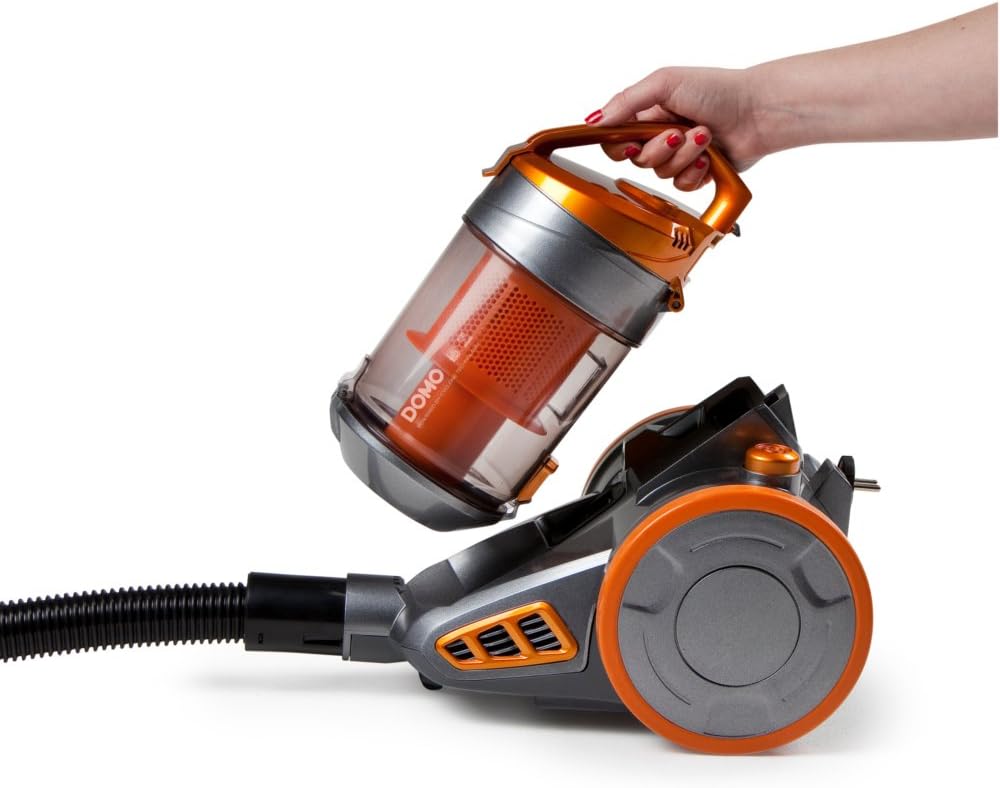
Image: A hand demonstrating the removal of the transparent orange dust container from the main body of the Domo DO7280S vacuum cleaner.

Image: A hand opening the bottom lid of the transparent orange dust container, revealing the internal filter system, ready for emptying.
フィルターのクリーニング:
The Domo DO7280S features a multi-filter system. Regular cleaning of these filters is crucial for maintaining suction power.
- After emptying the dust container, remove the internal filters.
- Tap the filters gently over a bin to dislodge fine dust.
- If washable, rinse filters under cold running water. Ensure they are completely dry before reinserting.
- Do not use detergents or hot water on filters unless specified.
- Replace filters if they are damaged or excessively worn.
トラブルシューティング
| 問題 | 考えられる原因 | 解決 |
|---|---|---|
| 電源なし | プラグが差し込まれていない、電源コンセントに障害がある、電源ボタンが押されていない。 | プラグの接続を確認し、別の電化製品でコンセントをテストし、電源ボタンをしっかりと押します。 |
| 吸引力が低い | Dust container full; filters clogged; hose/tube/nozzle blocked. | Empty dust container; clean or replace filters; check for and remove blockages. |
| 異常なノイズ | Blockage in hose/tube/nozzle; motor issue. | 詰まりがないか確認し、取り除いてください。ノイズが続く場合は、カスタマーサポートにお問い合わせください。 |
| ダストエスケープ | Dust container not properly closed; filters not correctly installed or damaged. | Ensure dust container is securely closed; check filter installation; replace damaged filters. |
仕様
| 特徴 | 詳細 |
|---|---|
| ブランド | ドーモ |
| モデル番号 | DO7280S |
| 製品寸法 | 43 x 32.99 x 27 cm |
| アイテム重量 | 5.58キロ |
| Capacity (Dust Container) | 1.5リットル |
| ワットtage | 1000ワット |
| エネルギー効率クラス | C |
| 年間エネルギー消費量 | 38 Kilowatt-hours per year |
| 表面の推奨事項 | 全フロア |
| フォームファクター | キャニスター |
保証とサポート
For warranty information, technical support, or service inquiries, please refer to the warranty card included with your product or contact Domo customer service directly. Keep your proof of purchase for warranty claims.


