1. はじめに
This manual provides detailed instructions for the installation, operation, maintenance, and troubleshooting of your Lexicon LP-1618-K Quartz Kitchen Sink. Please read this manual thoroughly before beginning installation or use to ensure proper function and longevity of your product. Keep this manual for future reference.

画像1.1: 上 view of the Lexicon LP-1618-K Galaxy Black Quartz Kitchen Sink. This image shows the single bowl design with the drain opening centered.
2. 安全情報
設置および使用中は、次の安全上の注意事項を守ってください。
- 設置中は、必ず安全メガネや手袋などの適切な個人用保護具 (PPE) を着用してください。
- 設置場所が十分に明るく、障害物がないことを確認してください。
- 配管作業を始める前に、給水を停止してください。
- Handle the sink with care to prevent chipping or damage.
- インストール手順が不明な場合は、資格のある専門家にご相談ください。
3. パッケージ内容
インストールを続行する前に、すべてのコンポーネントが揃っていて損傷がないことを確認してください。
- Lexicon LP-1618-K Quartz Kitchen Sink
- Color-Matched Strainer Basket
- 304 Stainless Steel Sink Grid
- Mounting Clips (for drop-in installation)
- 切り抜きテンプレート

Image 3.1: The Lexicon LP-1618-K sink shown with its included stainless steel grid and color-matched strainer.
4. 仕様
| 特徴 | 詳細 |
|---|---|
| モデル番号 | LP-1618-K |
| 材料 | 80% Quartz, Granite Composite |
| 色 | ギャラクシーブラック |
| 全体寸法(長さ x 幅 x 高さ) | 16.5インチ x 18インチ x 8.75インチ |
| ボウルの深さ | 8インチ |
| 最小キャビネットサイズ | 19.5インチ |
| 排水口径 | 3.5インチ(標準) |
| インストールタイプ | ドロップインまたはアンダーマウント |
| アイテム重量 | 31.3ポンド |

Image 4.1: Detailed dimensions of the Lexicon LP-1618-K Quartz Kitchen Sink, including length, width, and depth.
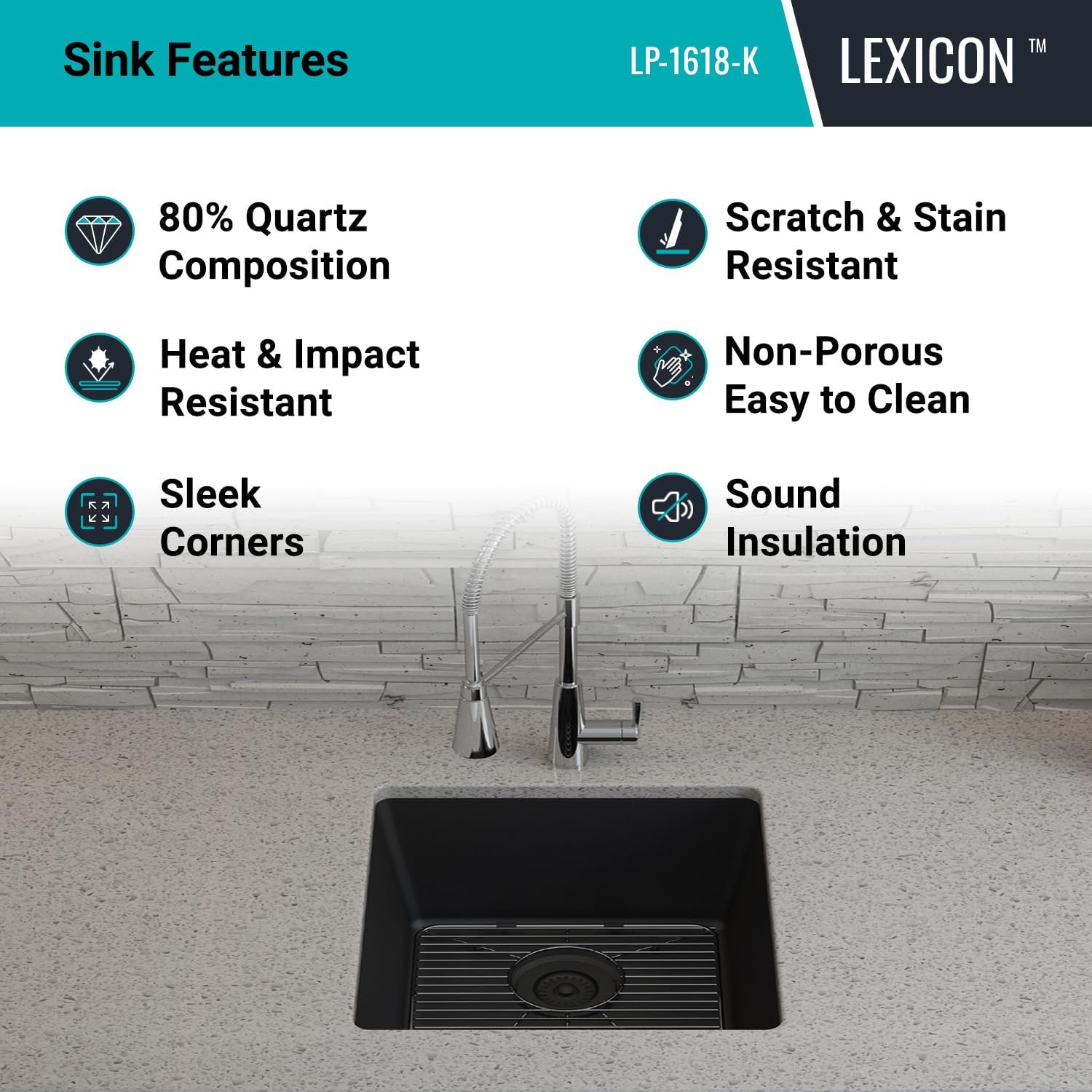
Image 4.2: Technical drawing showing overall and bowl dimensions, and drain diameter.
5. インストール
The Lexicon LP-1618-K sink can be installed as either a drop-in (top mount) or undermount sink. Follow the instructions carefully for your chosen installation method.
5.1. Pre-Installation Steps (Common to both methods)
- シンクを検査する: Carefully inspect the sink for any damage before installation. Do not install a damaged sink.
- ツールを集める: Ensure you have all necessary tools, including a jigsaw, drill, silicone sealant, measuring tape, and safety equipment.
- カウンタートップの準備: Clean the countertop surface where the sink will be installed.
- Use Template: Use the provided cutout template to mark the opening on your countertop. Double-check measurements before cutting.
5.2. Undermount Installation
- カウンタートップ開口部のカット: Cut the countertop opening according to the template for undermount installation. The opening should be slightly smaller than the sink rim to allow for proper support.
- Prepare Sink Rim: Apply a continuous bead of silicone sealant around the top edge of the sink rim.
- ポジションシンク: Carefully lift the sink and position it underneath the countertop opening. Ensure it is centered and aligned.
- セキュアシンク: Use appropriate undermount clips (not included, typically supplied with countertop installation) to secure the sink to the underside of the countertop. Tighten evenly.
- 余分なシーラントを拭き取る: Remove any excess silicone sealant immediately.

Image 5.1: The Lexicon LP-1618-K sink shown installed as an undermount unit, integrated seamlessly into a kitchen countertop.
5.3. Drop-in (Top Mount) Installation
- カウンタートップ開口部のカット: Cut the countertop opening according to the template for drop-in installation. The opening should allow the sink to rest on its rim.
- Prepare Sink Rim: Apply a continuous bead of silicone sealant around the underside of the sink rim.
- ポジションシンク: Carefully lower the sink into the countertop opening. Ensure it is centered and aligned.
- セキュアシンク: Attach the provided mounting clips to the underside of the sink rim and tighten them against the countertop. Work your way around the sink, tightening clips evenly.
- 余分なシーラントを拭き取る: Remove any excess silicone sealant immediately.
5.4. Drain and Faucet Installation
- Install Strainer: Install the included color-matched strainer basket into the sink drain opening according to its specific instructions. Use plumber's putty or silicone sealant as required to ensure a watertight seal.
- 蛇口をインストール: Install your chosen faucet (not included) into the pre-drilled faucet hole(s) on your countertop or directly onto the sink if applicable. Follow the faucet manufacturer's instructions.
- 配管を接続する: Connect the water supply lines to the faucet and the drain assembly to the household plumbing. Ensure all connections are tight and leak-free.
- 漏れのテスト: 給水を開始し、すべての接続部に漏れがないか確認します。
6. 操作
The Lexicon LP-1618-K Quartz Kitchen Sink is designed for daily kitchen tasks. Its single bowl configuration and 8-inch depth accommodate large pots and pans, facilitating washing and rinsing.
- 日常使用: シンクは食器洗い、食事の準備、その他の一般的なキッチン作業に使用します。
- Strainer Function: The included strainer basket helps to trap food debris, preventing clogs in your plumbing. Empty the strainer regularly.
- Sink Grid: The stainless steel sink grid protects the bottom of the sink from scratches and allows water to drain freely underneath dishes.
7. メンテナンスとケア
Proper care will ensure the longevity and appearance of your Lexicon Quartz Kitchen Sink.
- 定期清掃: Clean your quartz sink regularly using a non-abrasive sponge or cloth and mild dishwashing soap.
- すすぎと乾燥: After cleaning, rinse the sink thoroughly with water and dry completely with a clean, soft cloth to prevent water spots and mineral buildup.
- 刺激の強い化学物質を避ける: Do not use abrasive cleaners, steel wool, strong acids, or alkaline solutions, as these can damage the sink's surface.
- 汚れ落とし: For stubborn stains, a diluted solution of vinegar and water or a specialized quartz sink cleaner can be used. Always test on an inconspicuous area first.
- 耐熱性: While quartz is heat-resistant, it is recommended to use a trivet or the sink grid for extremely hot pots and pans to prevent thermal shock or discoloration over time.

Image 7.1: Key features of the Lexicon Quartz Sink, highlighting its durability and ease of maintenance.
8。 トラブルシューティング
This section addresses common issues you might encounter with your Lexicon Quartz Kitchen Sink.
| 問題 | 考えられる原因 | 解決 |
|---|---|---|
| 水垢/ミネラルの蓄積 | 硬水のため、使用後にシンクが乾きません。 | Wipe the sink dry after each use. Use a diluted vinegar solution to remove existing buildup. |
| Stains on sink surface | Food residue, coffee, tea, or other colored liquids left for extended periods. | Clean immediately with mild soap and water. For stubborn stains, use a specialized quartz cleaner or a baking soda paste. |
| 排水が遅い | Strainer basket clogged, drain pipe obstruction. | Empty and clean the strainer basket. If the problem persists, check the drain pipe for blockages. |
| Leaking around sink rim or drain | Improperly sealed connections during installation. | Check and re-seal connections with silicone sealant or plumber's putty. Ensure mounting clips are tightened evenly. |
9. 保証とサポート
The Lexicon LP-1618-K Quartz Kitchen Sink comes with a 限定生涯保証. This warranty covers manufacturing defects under normal use and service. For specific terms and conditions, please refer to the warranty documentation included with your purchase or contact Lexicon customer support.
For technical assistance, replacement parts, or warranty claims, please contact Lexicon customer support through the following channels:
- Webサイト: Visit the official Lexicon webサポート リソースのサイト。
- メールアドレス: カスタマー サービス メールについては、購入ドキュメントを参照してください。
- 電話: カスタマー サービスの電話番号については、購入書類を参照してください。
When contacting support, please have your model number (LP-1618-K) and proof of purchase readily available.


