導入
The Skullcandy Uproar Wireless On-Ear Headphones provide a comfortable and convenient audio experience. Designed for extended wear, these headphones feature Bluetooth connectivity and a built-in microphone for hands-free control.
主な特徴:
- Bluetoothワイヤレステクノロジー
- 最大10時間のバッテリー寿命
- Plush On-Ear Cushions for Comfort
- Built-in Microphone with Call, Track, and Volume Control
パッケージ内容
Ensure all items are present in your Skullcandy Uproar Wireless Headphone package:
- Skullcandy Uproar ワイヤレスヘッドフォン
- USB充電ケーブル
- ユーザーガイド(このドキュメント)
製品終了view

図1: 前面 view of the Skullcandy Uproar Wireless On-Ear Headphones in Royal Blue.
コントロールとポート:
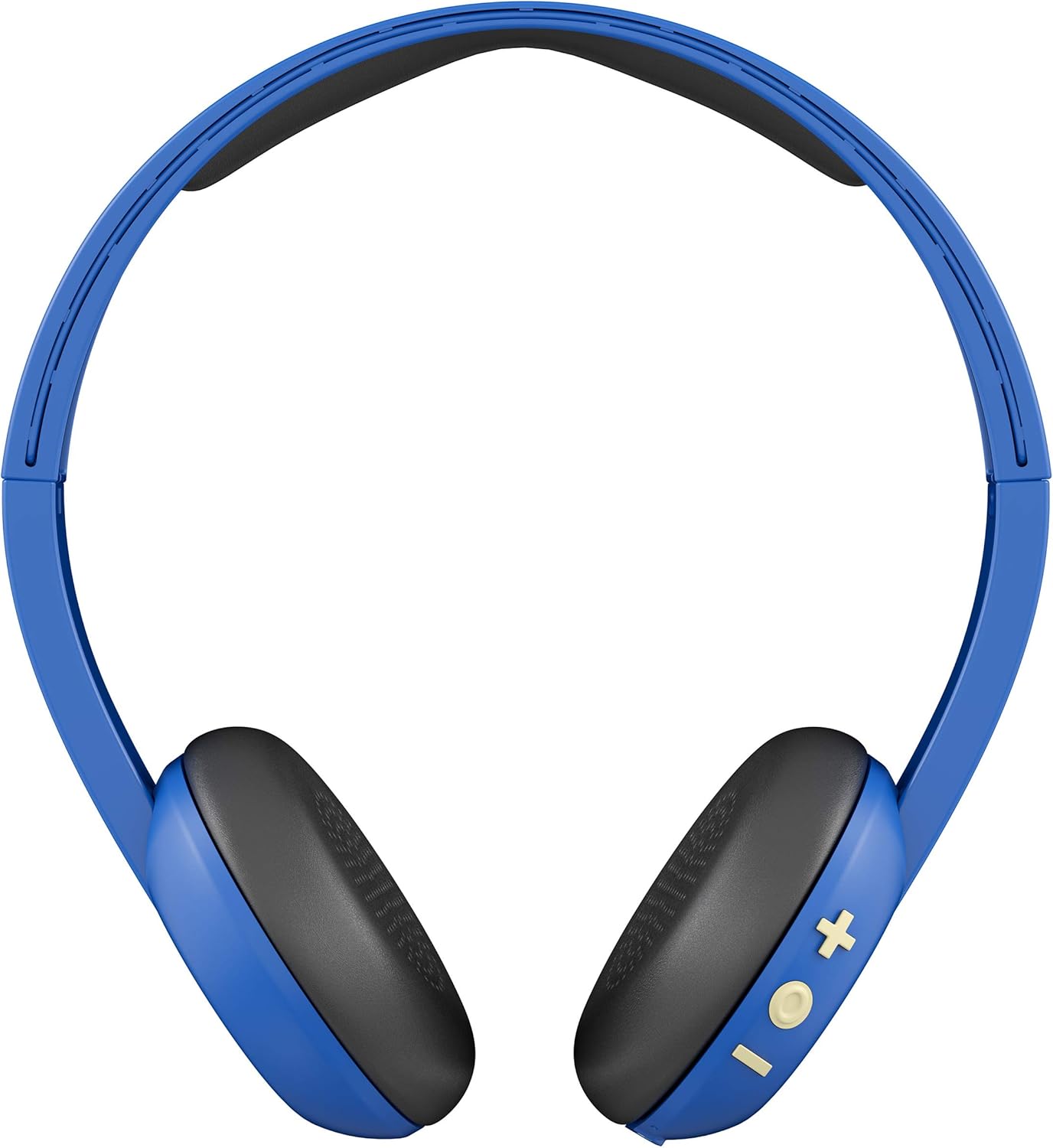
図2:戻る view showing the control buttons (+, -, and multi-function) on the right ear cup.

図3:詳細 view of the control buttons (+ for volume up/track forward, - for volume down/track backward, and multi-function button for power/play/pause/calls).

図4: サイドプロfile of the Skullcandy Uproar Wireless On-Ear Headphones, highlighting the adjustable headband.
- 多機能ボタン: 電源オン/オフ、再生/一時停止、通話の応答/終了。
- 音量アップ(+)ボタン: Increase volume, Track forward.
- 音量ダウン(-)ボタン: Decrease volume, Track backward.
- マイクロフォン: Integrated for calls.
- USB充電ポート: For recharging the headphones.
設定
1. Charging Your Headphones:
- Locate the USB charging port on your Uproar headphones.
- Connect the provided USB charging cable to the headphone's charging port and to a USB power source (e.g., computer, wall adapter).
- 充電中は LED インジケーターが点灯し、完全に充電されると色が変わるか消灯します。
2. Bluetoothペアリング:
- ヘッドフォンの電源がオフになっていることを確認してください。
- Press and hold the Multi-function Button for approximately 5 seconds until the LED indicator flashes blue and red, indicating pairing mode.
- デバイス(スマートフォン、タブレット、コンピューター)で Bluetooth を有効にし、利用可能なデバイスを検索します。
- Select "Uproar Wireless" from the list of available devices.
- Once connected, the LED indicator on the headphones will flash blue periodically.
Video 1: Official Skullcandy Uproar product overview and features, including a visual demonstration of the headphones.
操作手順
電源オン/オフ:
- 電源オン: 多機能ボタンを3秒間押し続けます。
- 電源を切る: 多機能ボタンを5秒間押し続けます。
音楽コントロール:
- 再生/一時停止: マルチファンクションボタンを1回押します。
- ボリュームアップ: Press the Volume Up (+) Button.
- ボリュームダウン: Press the Volume Down (-) Button.
- トラックフォワード: Press and hold the Volume Up (+) Button for 2 seconds.
- 後方追跡: Press and hold the Volume Down (-) Button for 2 seconds.
コールコントロール:
- 通話の応答/終了: マルチファンクションボタンを1回押します。
- 通話を拒否: 多機能ボタンを2秒間押し続けます。
メンテナンス
- クリーニング: ヘッドフォンのお手入れには、柔らかく乾いた布をご使用ください。刺激の強い化学薬品や研磨剤の使用は避けてください。
- ストレージ: ヘッドフォンは、極端な温度や直射日光を避け、涼しく乾燥した場所に保管してください。
- 耐水性: このヘッドフォンは防水ではありません。液体に濡らさないでください。
トラブルシューティング
| 問題 | 解決 |
|---|---|
| ヘッドホンの電源が入らない | Ensure the headphones are fully charged. Connect them to a power source using the USB cable. |
| Bluetoothでペアリングできない |
|
| 音が出ない、または音量が小さい |
|
仕様
| 特徴 | 詳細 |
|---|---|
| モデル名 | 騒動 |
| 商品型番 | S5URJW-546 |
| 接続技術 | ブルートゥース |
| 無線通信技術 | ブルートゥース |
| Bluetooth範囲 | 10メートル |
| バッテリー寿命 | 10時間 |
| オーディオドライバータイプ | ダイナミックドライバ |
| インピーダンス | 32オーム |
| コントロールタイプ | 音量コントロール、リモコン |
| マイクロフォン | 内蔵 |
| 騒音制御 | None (Passive Noise Isolation from On-Ear design) |
| 耐水性レベル | 耐水性はありません |
| 材料 | 人口皮革 |
| アイテム重量 | 9.4 オンス (0.27 キログラム) |
| 製品寸法 | 7.3 x 3.1 x 7.3インチ |
保証とサポート
The Skullcandy Uproar Wireless On-Ear Headphones come with a one-year manufacturer's warranty. For warranty claims or technical support, please visit the official Skullcandy webサイトにアクセスするか、カスタマーサービスにお問い合わせください。
追加のサポートと製品情報については、 AmazonのSkullcandyストア.


