1. はじめにview
The Cobra ACXT345 is a rugged, weather-resistant two-way radio/walkie talkie designed for recreational or business use. It offers reliable communication over longer distances with features like NOAA Weather Alerts and Voice-Activated Transmission (VOX).

Image: A pair of Cobra ACXT345 walkie talkies, showcasinコンパクトなデザインとデジタルディスプレイが特徴です。
2. 主な特徴
- Rugged and Weather-Resistant: Water-resistant (IPX2) design ensures clear communication even in challenging weather conditions, with a range of up to 25 miles under ideal circumstances.
- 22 Channels and 121 Privacy Codes: Provides a total of 22 channels combined with 121 privacy codes to secure your conversations and minimize interference.
- NOAA 気象チャンネル: Offers 24/7 access to NOAA weather channels, keeping you informed of changing weather conditions.
- 音声起動送信(VOX): Enables hands-free operation by automatically transmitting when you speak, ideal for situations where your hands are occupied.
- 通話音: Features 5 selectable call tones to differentiate between incoming calls from various parties.
- チャンネルスキャン: Automatically scans channels for incoming transmissions, helping you find active conversations quickly.
- USA Engineered & Supported: Backed by over 50 years of proven reliability, these communication solutions are engineered and supported in the USA.

Image: Visual representation of the weather-resistant feature, 22 channels, and NOAA weather alert capability.
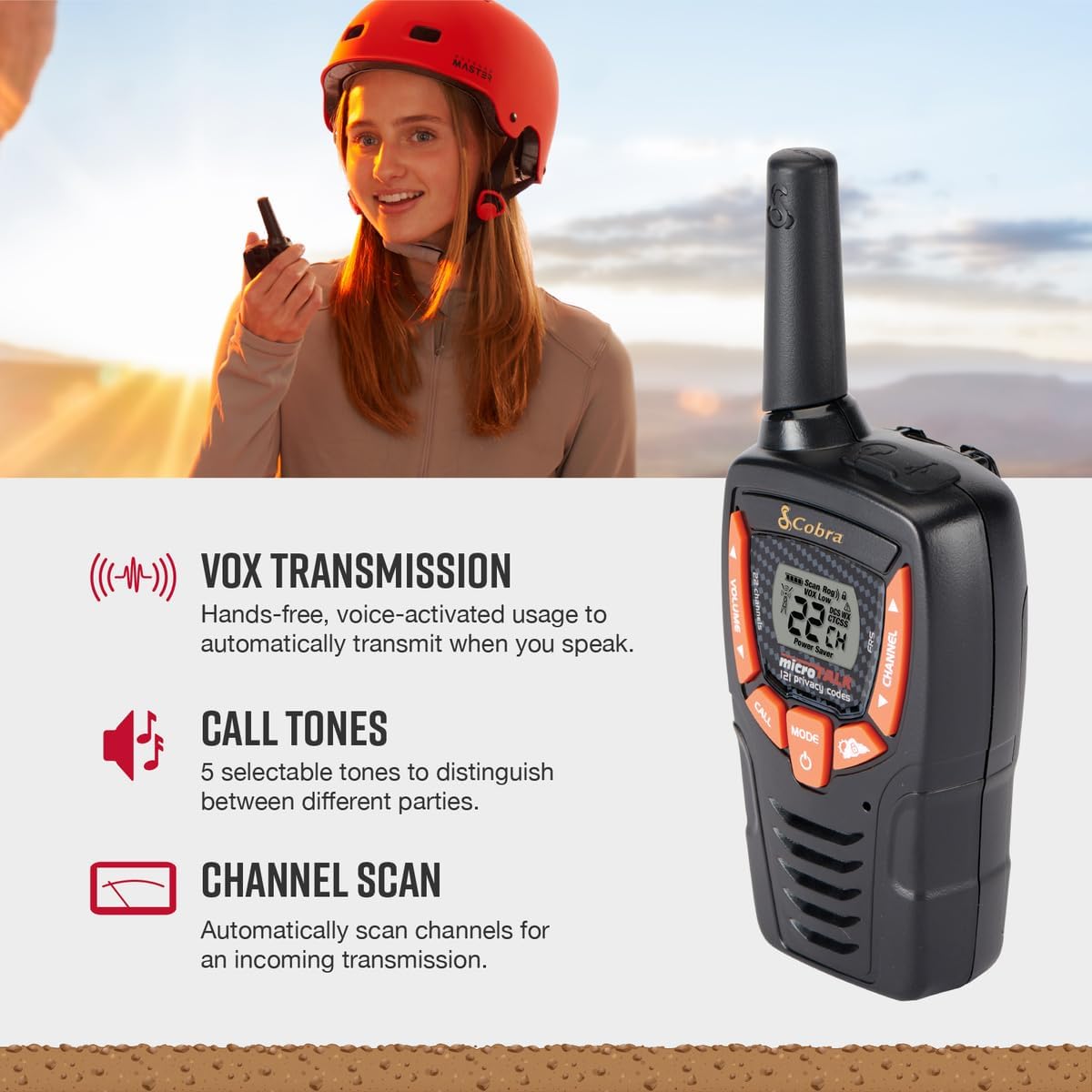
Image: Illustrates the VOX hands-free transmission, customizable call tones, and channel scanning features.
3. 箱の中身
Your Cobra ACXT345 package includes the following items:
- 2 x ACXT345 Walkie Talkies
- 単3形ニッケル水素充電池6本
- 2 xベルトクリップ
- 1 x USB-Y Cable for Charging

Image: All components included in the ACXT345 two-way radio package.
4. セットアップ
4.1 バッテリーの取り付けと充電
- Open the battery compartment cover on the back of each walkie talkie.
- Insert the 3 AA NiMH rechargeable batteries into each unit, ensuring correct polarity (+/-).
- 電池カバーをしっかりと閉じてください。
- To charge the batteries, connect the USB-Y cable to the charging port on the walkie talkie and plug the other end into a compatible USB power source (e.g., computer USB port, USB wall adapter).
- The battery indicator on the display will show charging status. Allow sufficient time for a full charge before first use.
4.2 ベルトクリップの取り付け
- ベルトクリップをトランシーバーの背面の溝に合わせます。
- ベルト クリップを、カチッと音がしてしっかりと固定されるまで下方向にスライドさせます。
- 取り外すには、ベルト クリップのリリース タブを押して上方向にスライドします。
5. 操作手順
5.1 電源オン/オフ
- 電源を入れるには、 力 ディスプレイが点灯するまでボタンを押します。
- 電源を切るには、 を長押しします 力 ディスプレイが消えるまでボタンを押し続けます。
5.2チャンネルの選択
- ラジオをオンにして、を押します モード チャンネル番号が点滅するまでボタンを押します。
- 使用 Up or 下 矢印ボタンを使用して、希望のチャンネル (1 ~ 22) を選択します。
- を押す モード button again to confirm the selection or wait a few seconds for it to set automatically.
5.3 音量調整
- 使用 音量を上げる or 音量を下げる buttons (often integrated with channel arrows) to adjust the listening volume.
5.4 送信と受信
- 送信するには、 プッシュツートーク(PTT) ラジオの側面にあるボタンを押してください。マイクに向かってはっきりと話してください。
- リリース PTTT 送信を停止し、応答を待つボタン。
- Ensure both radios are on the same channel and privacy code for successful communication.
5.5 VOX(音声起動送信)
- VOX allows hands-free transmission. To activate, consult your radio's specific menu options (usually accessed via the モード ボタン)。
- Once activated, the radio will transmit automatically when it detects your voice. Adjust VOX sensitivity as needed to prevent accidental transmissions or missed words.
5.6呼び出しトーン
- 通話トーンを送信するには、 電話 button. This sends an audible alert to other radios on the same channel.
- You can select from 5 different call tones via the radio's menu settings.
5.7チャンネルスキャン
- チャンネルスキャンを開始するには、 スキャン button (often labeled 'CH/Scan'). The radio will cycle through all channels, stopping on any active transmission.
- スキャンを停止するには、 スキャン もう一度ボタンを押します。
5.8のNOAA天気チャンネル
- To access NOAA weather channels, navigate through the radio's menu using the モード button until you find the weather channel option.
- Select the appropriate weather channel for your region to receive continuous weather broadcasts and alerts.
6. メンテナンス
- クリーニング: ソフトでラジオを拭くdamp 布で拭いてください。研磨剤や溶剤は使用しないでください。
- バッテリーのケア: For optimal battery life, fully charge the batteries before first use and when the low battery indicator appears. If storing the radios for an extended period, remove the batteries.
- ストレージ: Store the radios in a cool, dry place away from extreme temperatures and direct sunlight.
7。 トラブルシューティング
| 問題 | 考えられる原因 | 解決 |
|---|---|---|
| 電源なし | 電池が切れているか、正しく取り付けられていません。 | 電池を充電または交換してください。極性が正しいことを確認してください。 |
| 範囲が狭い、または静的 | Obstructions (buildings, terrain), distance, or low battery. | Move to an open area. Recharge batteries. Note that advertised range is under ideal conditions. |
| 送信も受信もできない | Radios are on different channels/privacy codes, or PTT button not pressed. | Verify both radios are on the same channel and privacy code. Press and hold PTT button firmly when speaking. |
| VOXが機能しない | VOX 感度が低すぎるか、機能がオフになっています。 | Adjust VOX sensitivity in the menu. Ensure VOX is enabled. |
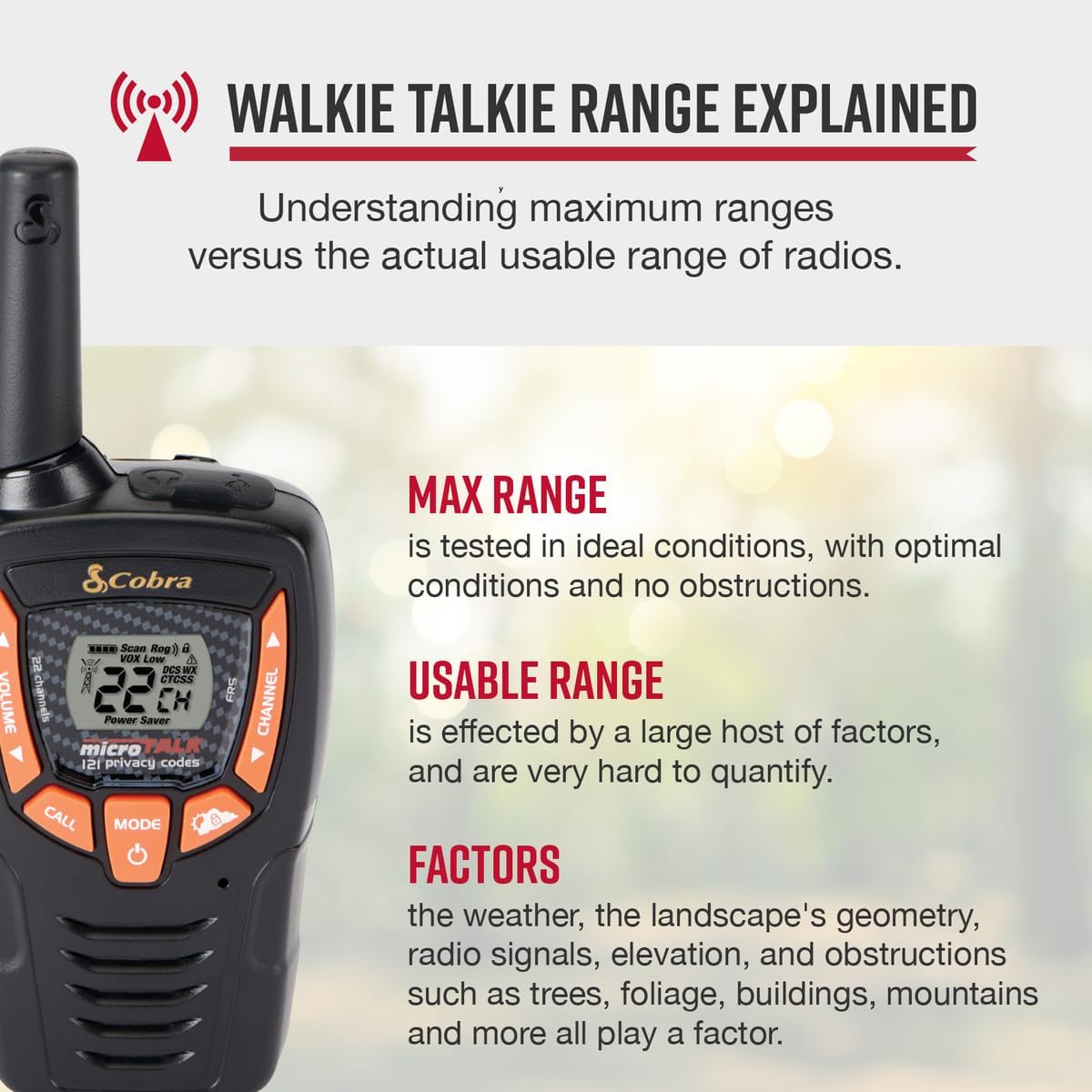
Image: Explanation of walkie talkie range, highlighting factors that can affect actual usable range.
8. 仕様
- モデル: ACXT345
- 製品寸法: 6.04 x 2.42 x 1.63インチ (奥行き1.55インチ x 幅2.41インチ x 高さ6.05インチ)
- 商品の重量: 4.8オンス
- 電池: 単3形ニッケル水素充電池6本(付属)
- チャンネル数: 22
- プライバシーコード: 121
- 周波数範囲: UHF band (300 MHz - 3 GHz)
- 通話範囲最大: 最大25マイル(理想的な条件下で)
- チューナー技術: 超短波
- 巻tage: 3ボルト
- 耐水性レベル: IPX2(防水)
- 色: 黒とオレンジ
- メーカー: コブラエレクトロニクス
- 原産国: 中国
- 発売日: 1年2016月XNUMX日
9. 保証とサポート
Cobra products are USA engineered and supported, reflecting over 50 years of proven reliability in communication solutions. For specific warranty details, technical assistance, or customer support, please refer to the official Cobra Electronics web公式サイトをご覧いただくか、カスタマーサービス部門にお問い合わせください。保証請求のために購入時のレシートを保管してください。


