導入
Thank you for choosing the Monster ROC Sport Wireless Over-Ear Headphones. This manual provides essential information for setting up, operating, maintaining, and troubleshooting your headphones to ensure optimal performance and longevity.
パッケージ内容
始める前に、パッケージにすべてのアイテムが揃っていることを確認してください。
- Monster ROC Sport Wireless Over-Ear Headphones
- オーディオケーブル
- イヤークッション(プリインストールまたはスペア)
- USB Charging Cable (not explicitly listed but implied by 'Lithium Ion batteries required')
- クイックスタートガイド(付属している場合)
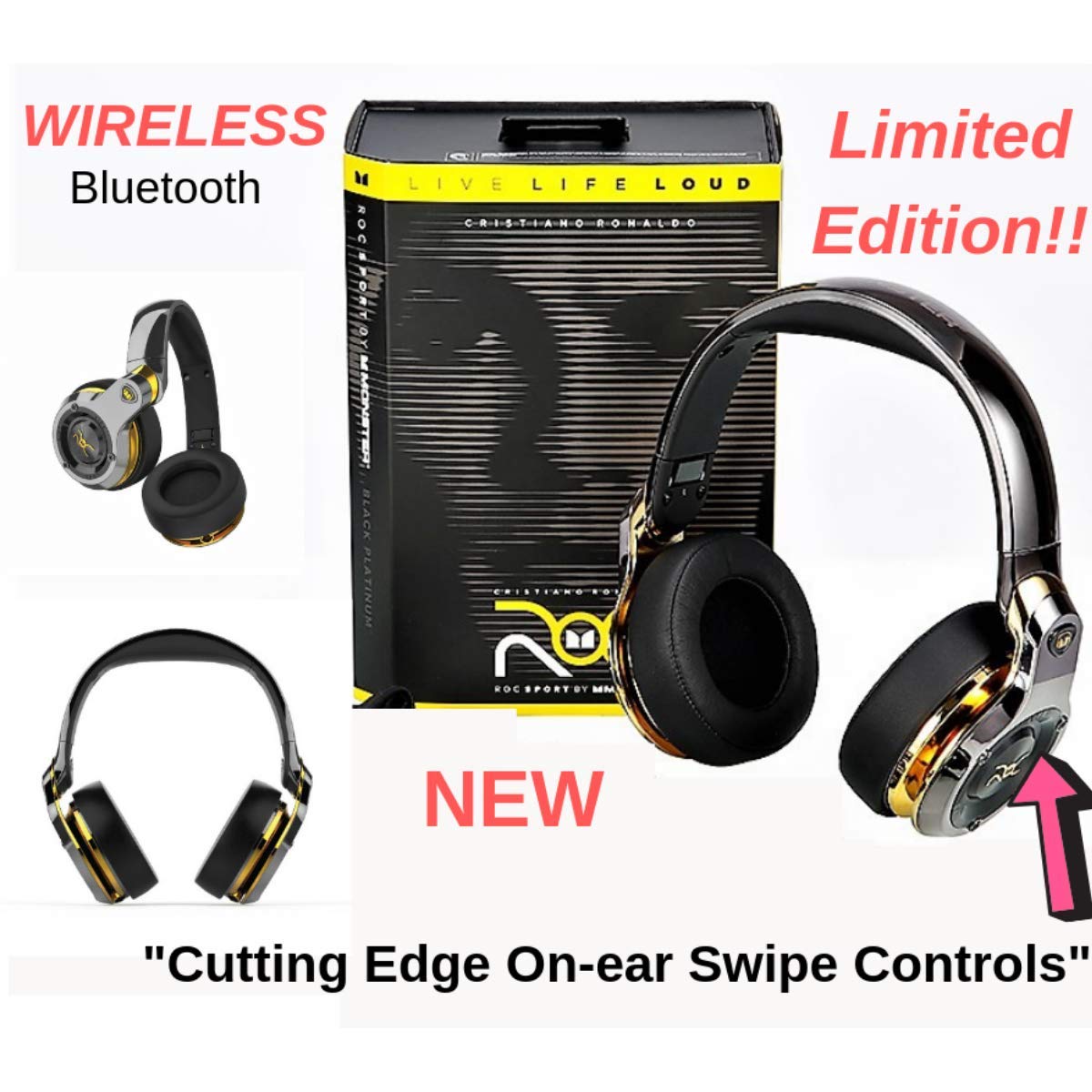
Image: Monster ROC Sport Wireless Over-Ear Headphones shown with its retail packaging, highlighting the product and its box.
設定
1. ヘッドフォンを充電する
Your headphones contain a rechargeable Lithium Ion battery. Before first use, fully charge the headphones.
- ヘッドフォンの充電ポートを見つけます。
- Connect the provided USB charging cable to the headphones and to a standard USB power source (e.g., computer USB port, USB wall adapter).
- The LED indicator on the headphones will show the charging status. Refer to the quick start guide for specific LED behavior.
- 完全に充電されたら、充電ケーブルを取り外します。
2.電源のオン/オフ
- 電源をオンにするには: LED インジケーターが点灯するまで電源ボタンを押し続けます。
- 電源を切るには: LED インジケーターが消えるまで電源ボタンを押し続けます。
3.Bluetoothペアリング
ヘッドフォンをデバイスにワイヤレスで接続するには:
- ヘッドフォンが充電され、電源がオフになっていることを確認します。
- 電源ボタンを約 5 ~ 7 秒間押し続けると、LED インジケーターが高速で点滅し (通常は青と赤)、ペアリング モードになります。
- On your audio device (smartphone, tablet, laptop), enable Bluetooth and search for new devices.
- Select "ROC Sport by Monster" or a similar name from the list of available devices.
- Once paired, the LED indicator on the headphones will change to a steady blue or flash slowly, confirming the connection.

画像: 詳細な前面 view of the Monster ROC Sport Wireless Over-Ear Headphones, showcasinイヤーカップとヘッドバンド。
4.有線接続
For a wired audio experience or when the battery is depleted, use the included audio cable:
- Plug one end of the audio cable into the 3.5mm jack on the headphones.
- もう一方の端をデバイスの 3.5 mm オーディオ出力に差し込みます。
- The headphones will operate in passive mode, requiring no battery power.
操作手順
ヘッドフォンを装着する
Adjust the headband to ensure a comfortable and secure fit. The earcups are designed to sit over your ears for optimal sound isolation and comfort.

Image: A person wearing the Monster ROC Sport Wireless Over-Ear Headphones, demonstrating how they fit over the ears.
コントロール
The headphones feature touch controls for various functions. Specific control gestures may vary; refer to the quick start guide for detailed instructions. Common functions include:
- 再生/一時停止: イヤーカップを1回タップします。
- 音量を上げる/下げる: Swipe up/down on the earcup.
- 次/前のトラック: Swipe forward/backward on the earcup.
- 通話の応答/終了: 着信中に 1 回タップします。
- 通話を拒否: 着信中に長押しします。
- 音声アシスタントを有効にする: Double tap or press and hold (refer to specific model instructions).
遮音性
The over-ear design provides passive sound isolation, reducing external noise for an immersive listening experience.
メンテナンスとケア
クリーニング
- Use a soft, dry cloth to clean the surfaces of the headphones.
- 液体クリーナーやエアゾールをヘッドフォンに直接使用しないでください。
- イヤークッションを軽く拭きますamp 必要に応じて布で拭き、完全に乾燥させてください。
ストレージ
When not in use, store your headphones in a cool, dry place. The headphones are foldable for compact storage.

Image: The Monster ROC Sport Wireless Over-Ear Headphones shown in a folded position, illustrating their portability and ease of storage.
耐水性
このヘッドフォンは 耐水性はありません. Avoid exposure to liquids, moisture, or extreme humidity to prevent damage.
トラブルシューティング
| 問題 | 考えられる解決策 |
|---|---|
| ヘッドホンの電源が入りません。 | ヘッドホンが完全に充電されていることを確認してください。電源に接続し、十分な充電時間を確保してください。 |
| Bluetooth経由でペアリングできません。 | Ensure headphones are in pairing mode (flashing LED). Turn off and on your device's Bluetooth. Move headphones closer to the device. Clear previous Bluetooth connections on your device. |
| 音が出ない、または音量が低い。 | Check volume levels on both headphones and the connected device. Ensure the headphones are properly paired or the audio cable is fully inserted. Test with a different audio source. |
| 音質が悪い。 | Ensure there are no obstructions between the headphones and the Bluetooth device. Move away from sources of interference (e.g., Wi-Fi routers, other Bluetooth devices). |
| コントロールが応答しません。 | Ensure the headphones are powered on and connected. Try restarting the headphones and the connected device. |
仕様
| 特徴 | 詳細 |
|---|---|
| モデル名 | MH ROC OE BPL BT WW |
| 接続技術 | ワイヤレス(Bluetooth)、有線(3.5mmジャック) |
| 無線通信技術 | ブルートゥース |
| 含まれるコンポーネント | Audio Cable, Ear Cushions |
| 材料 | プラスチック |
| 対応デバイス | スマートフォン、タブレット、ノートパソコン、デスクトップパソコン、スマートスピーカー |
| ケーブル機能 | もつれなし |
| アイテム重量 | 350グラム |
| 耐水性レベル | 耐水性はありません |
| 制御方法 | 触る |
| オーディオドライバータイプ | ダイナミックドライバ |
| イヤーピースの形状 | オーバーイヤー |
| 電源 | リチウムイオン電池1個(充電式) |
| 製品寸法 | 11.43 x 17.46 x 25.4 cm |
| 色 | Black (with Platinum accents) |
| 騒音制御 | 遮音性 |
保証とサポート
For warranty information, technical support, or service inquiries, please refer to the warranty card included with your product or visit the official Monster webサイトでご確認ください。保証請求に備えて購入証明書を保管してください。
メーカー: Monster Power, LLC
国際コード: 050644749629


