1. はじめに
This manual provides essential information for the setup, operation, and maintenance of your Epson SureColor P400 Wireless Color Photo Printer. Please read this manual thoroughly before using the printer to ensure optimal performance and longevity.
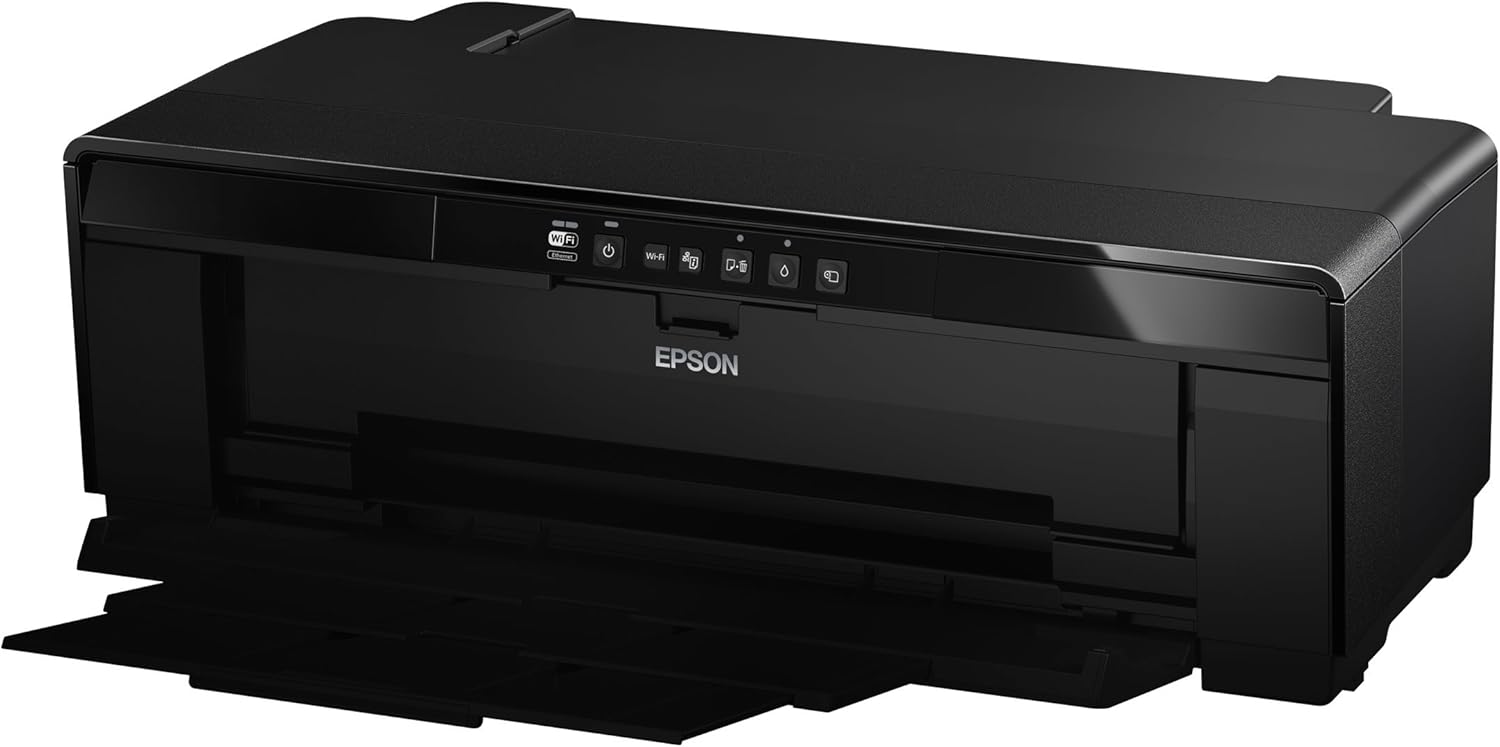
画像1:正面 view of the Epson SureColor P400 Wireless Color Photo Printer.
2. 主な特徴
- UltraChrome HG2 Ink: Utilizes an 8-color pigment ink set, including Red and Orange inks, for vibrant, true-to-life color and deep blacks.
- Gloss Optimizer: Provides a smooth, professional finish to prints.
- 多彩なメディア処理: Supports 13-inch wide cut-sheet and roll paper, fine art paper, and art board up to 1.3 mm thick.
- 接続性: Features Wireless (Wi-Fi), Ethernet, and USB 2.0 for flexible printing options.
- Individual Ink Cartridges: High-capacity 14 mL cartridges allow for replacement of only the color needed.

画像2: 以上view of the Epson SureColor P400 highlighting advanced paper handling, versatile connectivity, and the MicroPiezo printhead.
3.セットアップガイド
3.1開梱と配置
- プリンターをパッケージから慎重に取り出します。
- プリンターは、操作と換気のために周囲に十分なスペースがある安定した平らな面に設置してください。
- プリンタから保護テープと梱包材をすべて取り外します。
3.2 インクカートリッジの取り付け
- Open the printer cover to access the ink cartridge slots.
- Unpack each 14 mL ink cartridge (Cyan, Gloss Optimizer, Magenta, Matte Black, Orange, Photo Black, Red, Yellow).
- 各カートリッジを対応する色分けされたスロットにカチッと音がするまで挿入します。
- プリンターのカバーを閉じます。
Video 1: Official Epson SureColor P400 overview, demonstrating key features and ink installation. This video provides a visual guide to the printer's capabilities and how to manage ink cartridges.
3.3電源接続
- 電源コードをプリンターに接続し、電源コンセントに接続します。
- 電源ボタンを押して、プリンターの電源をオンにします。
3.4 ソフトウェアのインストールと接続
- Install the printer software on your computer (PC or Mac) from the provided CD or Epson's official webサイト。
- Follow the on-screen instructions to set up your preferred connection method:
- ワイヤレス(Wi-Fi): プリンタをワイヤレスネットワークに接続します。
- イーサネット: プリンタからルータまたはネットワーク ハブに Ethernet ケーブルを接続します。
- USB2.0: Connect a USB cable (not included) from the printer to your computer.

Image 3: Illustration of the Epson SureColor P400's compatibility and connectivity features, showing various devices and connection types.
4. 操作手順
4.1用紙のセット
The SureColor P400 offers multiple paper loading options:
- Auto Sheet Feeder: For photo, matte, and plain papers. Load paper into the top rear slot.
- Rear Single Sheet Fine Art Paper Path: For heavier fine art papers and specialty media.
- Roll Paper Holder: For 8.3-inch or 13-inch wide roll paper, ideal for panoramas up to 129 inches long.
- Front Straight-Through Path: Handles art board up to 1.3 mm thick.

Image 4: Diagram illustrating the three media feed options available on the Epson SureColor P400, including the top-loading auto-sheet feeder, front fine-art media feed, and roll media feed.

Image 5: The Epson SureColor P400 is capable of printing on a wide range of media, including various types of Epson Legacy Papers, Velvet Fine Art, Premium Photo Paper Luster, and Exhibition Canvas Gloss.
4.2 印刷
- プリンターの電源がオンになっており、デバイスに接続されていることを確認します。
- 印刷したい文書または画像をコンピューターで開きます。
- アプリケーションのメニューから「印刷」を選択します。
- プリンターとしてEpson SureColor P400を選択します。
- Adjust print settings such as paper type, size, and quality in the printer driver dialog box.
- 「印刷」をクリックすると印刷プロセスが開始されます。
5. メンテナンス
5.1 インクカートリッジの交換
- When an ink cartridge is low or empty, a notification may appear on your computer or the printer's indicator light will signal.
- Press the ink droplet button on the printer's control panel to move the print head to the replacement position.
- インクカートリッジカバーを開けます。
- Press the tab on the empty cartridge to release it, then pull it straight out.
- Unpack a new genuine Epson ink cartridge and insert it firmly into the correct slot until it clicks.
- Close the ink cartridge cover and press the ink droplet button again to return the print head to its home position.
5.2 プリントヘッドのクリーニング
If print quality declines or you notice missing lines or incorrect colors, perform a print head cleaning:
- コンピュータ上のプリンタ ユーティリティ ソフトウェアにアクセスします。
- Select "Head Cleaning" or "Nozzle Check" to initiate the cleaning cycle.
- Follow the on-screen prompts. Repeat if necessary.
5.3 Cleaning the Paper Path
If you experience streaks on your prints, the paper path may need cleaning. Refer to the user guide for detailed instructions on how to clean the internal components, such as the pad that collects excess ink.
6。 トラブルシューティング
- プリンターが応答しません:
- 電源接続を確認し、プリンターの電源がオンになっていることを確認します。
- Verify network or USB cable connection.
- プリンターとコンピューターを再起動します。
- 印刷品質が悪い(縞模様、かすれ):
- インクレベルを確認し、空のカートリッジを交換します。
- プリントヘッドのクリーニングとノズルのチェックを実行します。
- メディアの種類に応じて適切な用紙設定を使用していることを確認してください。
- Clean the paper path if streaks persist.
- 紙詰まり:
- プリンタの電源をオフにし、入力トレイまたは出力トレイから詰まった用紙を慎重に取り除きます。
- Refer to the user guide for instructions on clearing internal paper jams.
7. 仕様
| 特徴 | 詳細 |
|---|---|
| モデル番号 | C11CE85201 |
| 製品寸法(奥行き×幅×高さ) | 12.8インチ x 24.5インチ x 8.6インチ |
| アイテム重量 | 27.1ポンド |
| 印刷技術 | Inkjet (Pigment-based ink) |
| プリンタ出力 | 色 |
| 最大印刷解像度 | 5760 x 1440 dpi |
| インクの色 | Cyan, Magenta, Yellow, Photo Black, Matte Black, Red, Orange, Gloss Optimizer |
| 接続技術 | USB 2.0, Wireless (Wi-Fi), Ethernet |
| サポートされているメディアサイズ | Up to 13" x 129" (roll paper), 13" x 19" (sheet) |
| 最大入力シート容量 | 1 (single sheet feed for specialty media) |
| 両面印刷(Duplex) | はい |
| 消費電力 | Printing: Approx. 20 W; Sleep mode: Approx. 1.4 W; Power off: Approx. 0.15 W |
| 対応デバイス | PC、Mac用 |

Image 6: Contents of the Epson SureColor P400 box, including the printer, ink cartridges, power cord, and user guide. Note that the USB cable is not included.
8. 保証情報
Specific warranty details for the Epson SureColor P400 are not provided in this manual. Please refer to the warranty card included with your product or visit the official Epson website for the most current and comprehensive warranty information.
9. カスタマーサポート
For technical assistance, troubleshooting, or further inquiries, please visit the official Epson support website or contact Epson customer service. Support resources often include FAQs, driver downloads, and contact information for live assistance.
訪問することができます Amazonのエプソンストア 製品情報およびアクセサリの詳細については、こちらをご覧ください。


