導入
The Neato Robotics Botvac D80 is a smart, powerful, and high-performance robot vacuum designed to efficiently clean various floor types. Its advanced LaserSmart mapping and navigation system ensures thorough cleaning, making it ideal for homes with pets. This manual provides essential information for setting up, operating, maintaining, and troubleshooting your Botvac D80.
The D-shape design with CornerClever technology allows the Botvac D80 to reach dirt and dust in corners and along walls, while the SpinFlow Power Clean technology combines potent suction with precision brushes for immaculately clean floors. The extra-large bagless dirt bin and high-performance filter capture particles as small as 0.3 microns, including pet dander and mold.
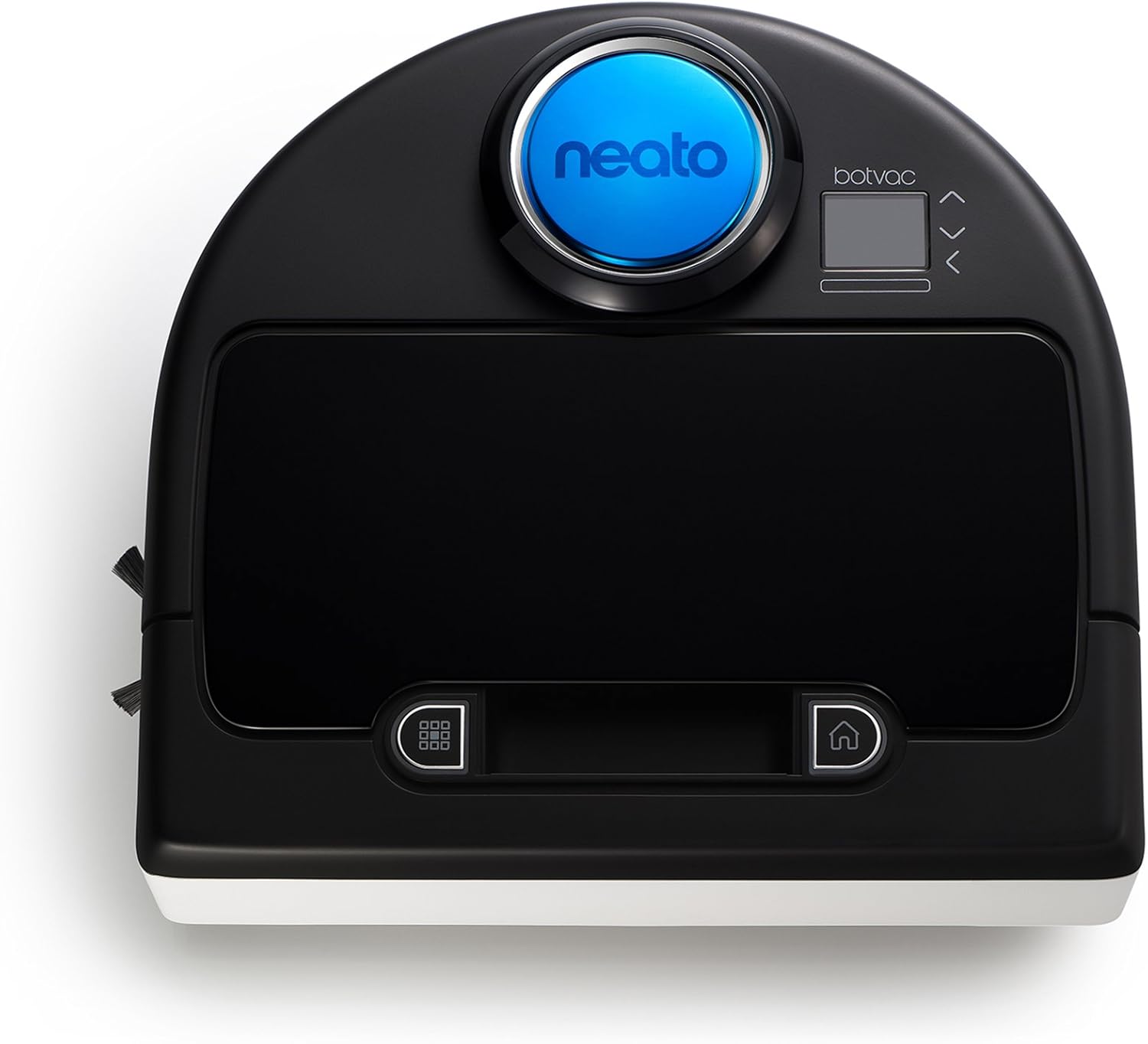
図1: トップダウン view of the Neato Botvac D80 Robot Vacuum Cleaner, showcasing its D-shape design and control panel.
安全情報
Please read all safety instructions before using your Neato Botvac D80. Failure to follow these instructions may result in electric shock, fire, or serious injury. Keep this manual for future reference.
- 露出した電気コンセントや水たまりがある場所でロボットを操作しないでください。
- ゆるんだ衣服、髪の毛、体の一部を開口部や可動部分に近づけないでください。
- Ensure the charging base is placed on a hard, level surface against a wall, with at least 3 feet of clearance on either side and 10 feet in front.
- Do not use the robot to pick up large objects, liquids, or burning/smoking materials.
- ロボットの動作中は、子供やペットを監視してください。
設定
1. 開梱と初期充電
- Remove all packaging materials from the robot and charging base.
- Place the charging base against a wall in an open area. Ensure there is at least 3 feet (1 meter) of clearance on either side and 10 feet (3 meters) in front of the base.
- 電源コードを充電ベースに差し込み、次に壁のコンセントに差し込みます。
- Place the Botvac D80 onto the charging base, ensuring the charging contacts align. The battery indicator will illuminate to show it's charging.
- Allow the robot to charge completely before its first use (approximately 2-3 hours).
2. Setting Up Boundary Markers
Use the provided boundary markers to restrict the robot from entering certain areas, such as pet bowls, delicate furniture, or areas with loose cables.
- Cut the magnetic strip to the desired length.
- Place the strip flat on the floor in front of the area you want the robot to avoid. Ensure the strip is completely flat and not curl編。
- The robot will detect the magnetic field and turn away from the marked area.

Figure 2: The Neato Botvac D80 navigating a hardwood floor, demonstrating its ability to clean open spaces.
操作手順
1. クリーニングサイクルの開始
- を押す クリーン button on the robot's control panel to start a full house cleaning.
- For a spot clean, place the robot in the center of the area to be cleaned and press the スポットクリーン ボタン。
- The robot will automatically return to its charging base when the cleaning cycle is complete or when the battery is low.
2. 清掃のスケジュール
The Botvac D80 can be scheduled to clean automatically at specific times.
- Access the menu on the robot's display.
- Navigate to the "Schedule" option.
- Set the desired cleaning times and days using the navigation buttons.
- Confirm your settings. The robot will now clean according to your schedule.
3. 指標の理解
- バッテリーインジケーター: バッテリーレベルと充電状態を表示します。
- ステータスライト: Indicates current operating mode (e.g., cleaning, charging, error). Refer to the display for specific error messages.

Figure 3: The Neato Botvac D80's low profile allows it to clean effectively under furniture.
メンテナンス
Regular maintenance ensures optimal performance and extends the lifespan of your Botvac D80.
1. Emptying the Dirt Bin
- Press the dirt bin release button and pull out the dirt bin.
- Open the dirt bin and empty its contents into a trash receptacle.
- Clean the filter by gently tapping it against a trash can or using the provided cleaning tool.
- Reinsert the clean filter and dirt bin into the robot.
2. 洗浄ブラシ
- Turn the robot over and locate the main brush and side brush.
- Remove the main brush by unlatching its cover. Use the cleaning tool to remove hair and debris.
- Gently pull the side brush to remove it and clear any tangled hair.
- Reattach both brushes securely.
3. センサーのクリーニング
Periodically wipe the robot's sensors with a clean, dry cotton swab to ensure proper navigation.
- 落下センサー: Located on the underside of the robot.
- 壁センサー: Located on the front bumper.
- Laser Dome: Gently wipe the top surface of the laser dome.

Figure 4: The Botvac D80 effectively cleans various hard floor surfaces, including kitchen tiles.
トラブルシューティング
| 問題 | 考えられる原因 | 解決 |
|---|---|---|
| ロボットが起動しない、または充電できない | Not properly seated on charging base; power cord unplugged; battery depleted. | Ensure robot is correctly docked. Check power connections. Allow sufficient charging time. |
| ロボットが頻繁に動けなくなる | Loose cables, small objects, or tight spaces. | Clear the cleaning area of obstacles. Use boundary markers for problematic zones. Clean sensors. |
| 洗浄性能が悪い | Full dirt bin; clogged filter; tangled brushes. | Empty dirt bin and clean filter. Clean main and side brushes. |
| エラーメッセージの表示 | Specific internal issue or sensor blockage. | Refer to the robot's display for the specific error code and consult the Neato Robotics support website for detailed solutions. Often involves clearing sensors or restarting the robot. |
For further assistance, please visit the official Neato Robotics support webサイトをご覧いただくか、カスタマーサービスにお問い合わせください。
公式製品ビデオ
ビデオ1: 審判員がview of the Neato Botvac D80 Vacuum Cleaner, highlighting its key features and operation.
仕様
| 特徴 | 詳細 |
|---|---|
| ブランド | Neato Robotics |
| モデル番号 | Neato Botvac D80 |
| 特集 | バッグレス |
| 色 | Black/Arctic White |
| 含まれるコンポーネント | ブラシ |
| フィルタータイプ | ヘパ |
| バッテリー寿命 | 1.5時間 |
| 巻tage | 220ボルト |
| 電源 | 電池駆動 |
| 電池付属 | はい(リチウムイオン電池1個) |
| 対応デバイス | アマゾンエコー |
| フォームファクター | ロボット |
| 製品寸法 | 12.7 x 13.2 x 3.9インチ |
| アイテム重量 | 9ポンド |
| 組み立てが必要 | はい |
| 特定の用途 | 床 |
保証とサポート
保証情報
- ロボット: 1年間の限定保証。
- バッテリー: 6ヶ月の限定保証。
- 消耗品: Filters and brushes are not covered by warranty.
For detailed warranty terms and conditions, please refer to the official Neato Robotics webサイトにアクセスするか、カスタマー サポートにお問い合わせください。
カスタマーサポート
If you encounter any issues or have questions regarding your Neato Botvac D80, please contact Neato Robotics customer support. You can find contact information and additional resources on their official webサイト: www.neatorobotics.com


