1. はじめに
This manual provides detailed instructions for the proper installation, operation, and maintenance of your Sony MEX-N4200BT Single-Din Car Stereo Receiver. Please read this manual thoroughly before using the unit to ensure correct usage and to prevent damage. Keep this manual for future reference.
2. 安全情報
- 安全運転: Always operate the unit safely. Distracted driving can lead to accidents.
- 音量レベル: 緊急車両などの外部の音が聞こえる程度の音量にしてください。
- 電源: ユニットは、マイナス接地の 12V DC 自動車バッテリーにのみ接続してください。
- 配線: Ensure all wiring is correctly connected to prevent short circuits or damage. Refer to the wiring diagram carefully.
- 専門家による設置: If you are unsure about installation, consult a qualified professional.
- 湿気を避ける: 火災や感電を防ぐため、ユニットを雨や湿気にさらさないでください。
3. パッケージ内容
パッケージにすべてのアイテムが揃っていることを確認します。
- Sony MEX-N4200BT Car Stereo Receiver
- ワイヤハーネス
- 外部マイク
- リモートコントロール
- Installation Hardware (Screws, Mounting Sleeve)
- ユーザーマニュアル(このドキュメント)
4. セットアップとインストール
Proper installation is crucial for optimal performance. Disconnect the vehicle's negative battery terminal before starting installation.
4.1 配線図
Refer to the diagram below for correct wiring connections. Ensure all connections are secure and insulated.

図4.1: 後方 view of the Sony MEX-N4200BT receiver, illustrating the wiring harness connection points, RCA pre-outputs for front, rear, and subwoofer, the external microphone input, and the 10A fuse. The multi-colored wires of the harness are visible, indicating connections for power, ground, speakers, and accessories.
- パワー(黄): 常時12V電源に接続します。
- アクセサリー(赤): スイッチ付き12V電源(イグニッション)に接続します。
- グラウンド(黒): クリーンなシャーシ接地ポイントに接続します。
- スピーカーワイヤー: 極性に注意しながら車両のスピーカー配線に接続します。
- リモート電源オン(青/白): 接続する amplifier remote input (if applicable).
- マイクロフォン: Plug the external microphone into the designated input on the rear panel. Position the microphone in a clear area for optimal voice pickup.
- プリアウト: RCAケーブルを使用して外部に接続します ampフロント、リア、サブウーファー チャンネル用のリファイア。
4.2 取り付け
Insert the mounting sleeve into the dashboard opening. Bend the tabs to secure it. Slide the receiver into the mounting sleeve until it locks into place.
4.3初期電源オン
After all connections are made and the unit is mounted, reconnect the vehicle's negative battery terminal. Turn on the vehicle's ignition. The unit should power on. Follow any on-screen prompts for initial setup, such as language selection or clock setting.
5. 操作
5.1 基本的な制御
簡単に操作できるように、フロント パネルのコントロールに慣れてください。

図5.1: Front panel of the Sony MEX-N4200BT receiver, displaying the main rotary knob (volume/enter), source button, call buttons, seek buttons, display button, and numbered preset buttons. The unit features blue illumination around the main controls.
- Rotary Knob (Volume/Enter): Turn to adjust volume. Press to select menu items or confirm actions.
- SRC (ソース) ボタン: Press to cycle through available audio sources (Tuner, CD, USB, Bluetooth Audio, AUX).
- CALL Buttons: Use for hands-free calling (answer/end calls).
- SEEK +/- Buttons: Use to change radio stations, tracks, or navigate menus.
- メニューボタン: 設定と調整を行うためのメイン メニューにアクセスします。
- 番号ボタン(1~6): Used for radio station presets, direct track selection, or menu navigation.
- DSPL (Display) Button: Changes display information or illumination settings.
5.2 Bluetooth接続
The MEX-N4200BT features built-in Bluetooth for hands-free calling and audio streaming.
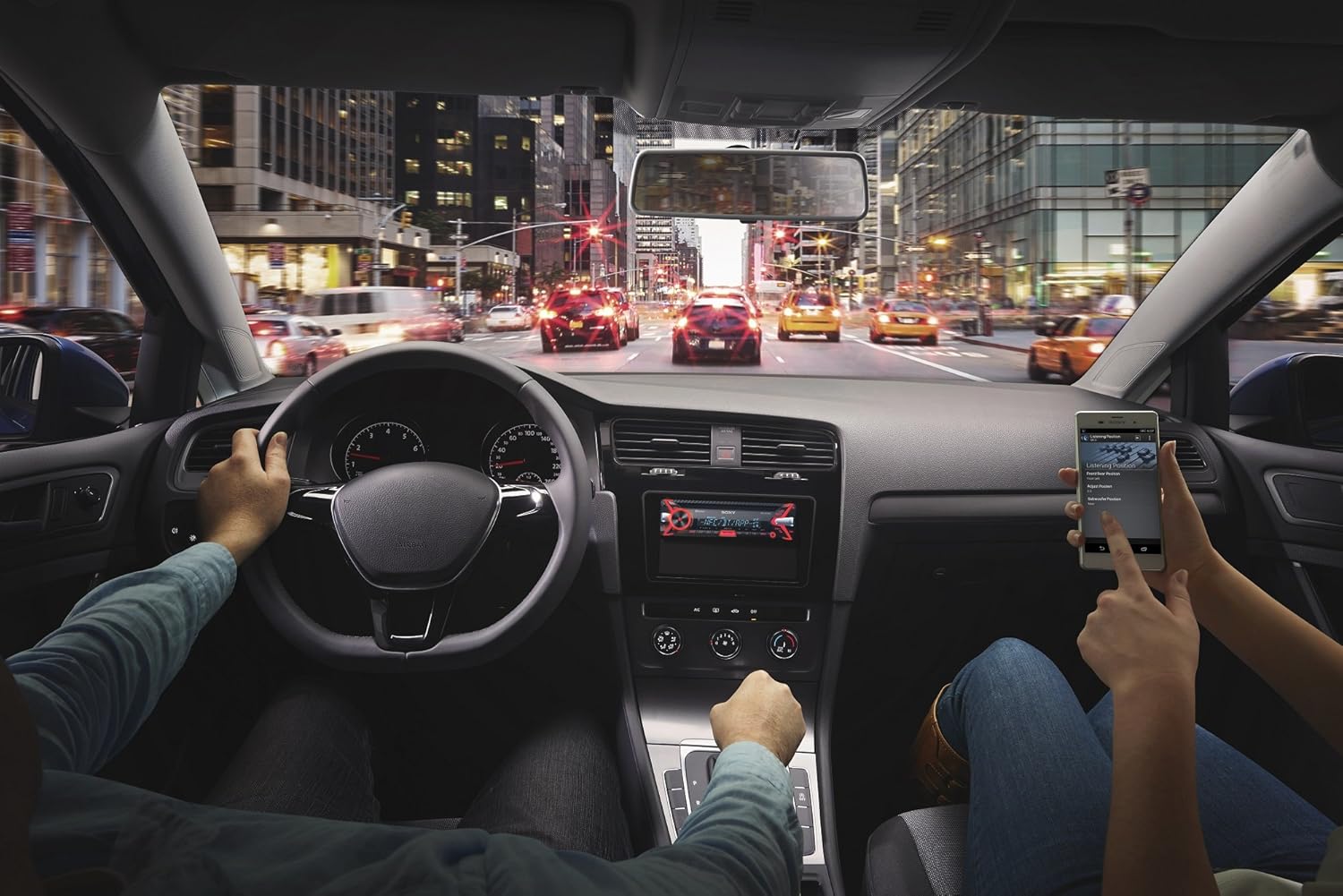
図5.2: An in-car scene demonstrating smartphone integration with the car stereo. The driver is focused on the road, while a passenger interacts with a smartphone, likely controlling music or navigation through the Sony MEX-N4200BT receiver.
- ペアリング:
- スマートフォンのBluetoothをオンにします。
- 受信機で Bluetooth ソースを選択します。
- 検索する available devices on your smartphone and select "MEX-N4200BT".
- ペアリングコードの確認を求められた場合は、それを確認します。
- Hands-Free Calling (HFP, PBAP):
- Once paired, you can make and receive calls through the receiver.
- Use the CALL buttons on the front panel.
- The external microphone ensures clear voice transmission.
- The unit supports Phone Book Access Profile (PBAP) to display caller names.
- Audio Streaming (A2DP, AVRCP):
- スマートフォンからレシーバーに音楽をワイヤレスでストリーミングします。
- Use the receiver's controls (SEEK buttons) or your smartphone to play, pause, and skip tracks.
- 高度なオーディオ配信プロをサポートfile (A2DP) for high-quality audio and Audio/Video Remote Control Profile (AVRCP) for basic remote functions.
- デュアル Bluetooth 接続: The unit allows connecting two Bluetooth devices simultaneously. One for full functionality (hands-free, audio streaming) and a second for hands-free calling only.
5.3 USB再生
Connect a USB device (flash drive, smartphone) to the front USB port for audio playback.
- Supported audio formats include MP3, WMA, and FLAC.
- Use the SEEK buttons to navigate folders and tracks.
- The USB port also provides charging for connected devices.
5.4 CD/MP3再生
Insert a CD into the disc slot. The unit will automatically switch to the CD source and begin playback.
- Supports CD, CD-R, and CD-RW discs.
- Plays MP3/WMA files burned onto CDs.
- Press the EJECT button to remove a disc.
5.5 ラジオ (AM/FM)
Select the Tuner source to listen to AM/FM radio.
- 手動チューニング: Press and hold SEEK buttons to manually tune.
- シークチューニング: Press SEEK buttons briefly to automatically search for the next strong station.
- プリセット: Store your favorite stations using the numbered buttons (1-6). Press and hold a numbered button to save the current station.
5.6補助入力
Connect external audio devices (e.g., portable music players) to the front 3.5mm auxiliary input jack using a stereo mini-plug cable.
5.7 サウンド設定
Customize your audio experience using the built-in sound adjustment features.

図5.3: A smartphone screen showing a graphic equalizer interface, allowing precise adjustment of audio frequencies across 10 bands, from 32 Hz to 16 kHz. This illustrates the detailed sound customization available through the unit or its companion app.
- 10バンドグラフィックイコライザー: Access through the MENU button to fine-tune audio frequencies for optimal sound quality. Adjust bass, mid-range, and treble levels.
- Mega Bass: This feature enhances low-frequency sounds for a more powerful bass response.
- 前amp 出力: The unit provides 2 sets of preamp outputs (front, rear, and subwoofer) for connecting external amplifiers, allowing for a more powerful and customizable sound system.

図5.4: A close-up of the Sony MEX-N4200BT front panel, with a finger pressing the prominent 'MEGA BASS' button, indicating activation of the bass enhancement feature.
5.8 スマートフォン統合
The receiver is compatible with Apple iPhone (iOS) and Android devices, offering control over various applications.
- アプリコントロール: Use compatible apps like Pandora, Spotify, and iHeartRadio directly through the receiver's controls or via the Sony SongPal app (if installed on your smartphone).
- 音声コントロール: Utilize your smartphone's voice assistant (e.g., Siri, Google Assistant) through the receiver for hands-free commands, navigation, and communication.
6. メンテナンス
- ユニットのクリーニング: フロントパネルは、柔らかく乾いた布で拭いてください。頑固な汚れには、amp布を水で拭いてください。研磨剤入りの洗剤や溶剤は使用しないでください。
- Detaching the Faceplate: The faceplate is detachable for theft deterrence. Press the release button (usually near the top left of the faceplate) and gently pull the faceplate off. Store it in the provided case.
- CDスロット: Keep the CD slot free of dust and debris. Do not insert anything other than standard CDs.
7。 トラブルシューティング
If you encounter issues, refer to the table below for common problems and solutions before contacting support.
| 問題 | 考えられる原因 | 解決 |
|---|---|---|
| 電源なし | ヒューズが切れている、配線が間違っている、車両のバッテリーが放電している。 | Check and replace fuse (10A); verify wiring connections; charge vehicle battery. |
| 音が出ない | 音量が低すぎる、ミュートが有効、スピーカーの配線が外れている、ソースが正しく選択されていない。 | 音量を上げ、ミュートを解除し、スピーカーの接続を確認し、正しいオーディオ ソースを選択します。 |
| Bluetoothが接続/ペアリングできない | Bluetooth off on phone/receiver; device out of range; pairing mode not active. | Ensure Bluetooth is on; bring devices closer; activate pairing mode on receiver. |
| CD error | Dirty or scratched disc; disc inserted incorrectly. | Clean disc; ensure disc is inserted correctly with label side up. |
| USBデバイスが認識されません | サポートされていません file format; damaged USB device; improper connection. | 確保する files are MP3/WMA/FLAC; try a different USB device; re-insert USB device. |
8. 仕様
| 特徴 | 詳細 |
|---|---|
| モデル番号 | MEX-N4200BT |
| シャーシサイズ | シングルDIN |
| 出力(ピーク) | 55ワット×4チャンネル |
| 電力出力(RMS) | 20ワット×4チャンネル |
| 前amp 巻tage | 2ボルト |
| 前amp 出力 | 2 Sets (Front, Rear, Subwoofer) |
| 表示タイプ | 液晶 |
| 接続技術 | 補助、Bluetooth、USB |
| Bluetoothバージョン | 3.0 + EDR certified |
| Bluetoothプロfileサポートされている | HFP, PBAP, A2DP, AVRCP, SPP |
| メディア再生対応 | CD, CD-R/RW, MP3, WMA, WAV, AAC, FLAC (via USB) |
| イコライザ | 10バンドグラフィックイコライザー |
| USB入力 | フロントUSB |
| 補助入力 | フロント 3.5mm |
| 対応デバイス | スマートフォン(Android、iOS) |
| アイテム重量 | 2.64ポンド(約1.2kg) |
| 製品寸法 | 9.82 x 9.5 x 9.07インチ(約24.9 x 24.1 x 23.0 cm) |
9. 保証とサポート
9.1 製造元の保証
This Sony MEX-N4200BT receiver comes with a 1年間のメーカー保証保証請求の際は、購入証明書を保管してください。保証は、通常の使用における材料および製造上の欠陥を対象とします。誤用、事故、不正な改造、不適切な取り付けによる損傷は保証の対象外となります。
9.2 カスタマーサポート
For technical assistance, troubleshooting beyond this manual, or warranty service, please contact Sony customer support. Refer to the official Sony web電話番号やオンライン サポート リソースなどの最新の連絡先情報については、こちらのサイトをご覧ください。


