導入
This manual provides detailed instructions for the installation, operation, and maintenance of the Aiphone DA-1MD Audio Tenant Station. The DA-1MD is designed for use with Aiphone DA Series single- and multi-tenant handset intercom systems, offering reliable audio communication and privacy.
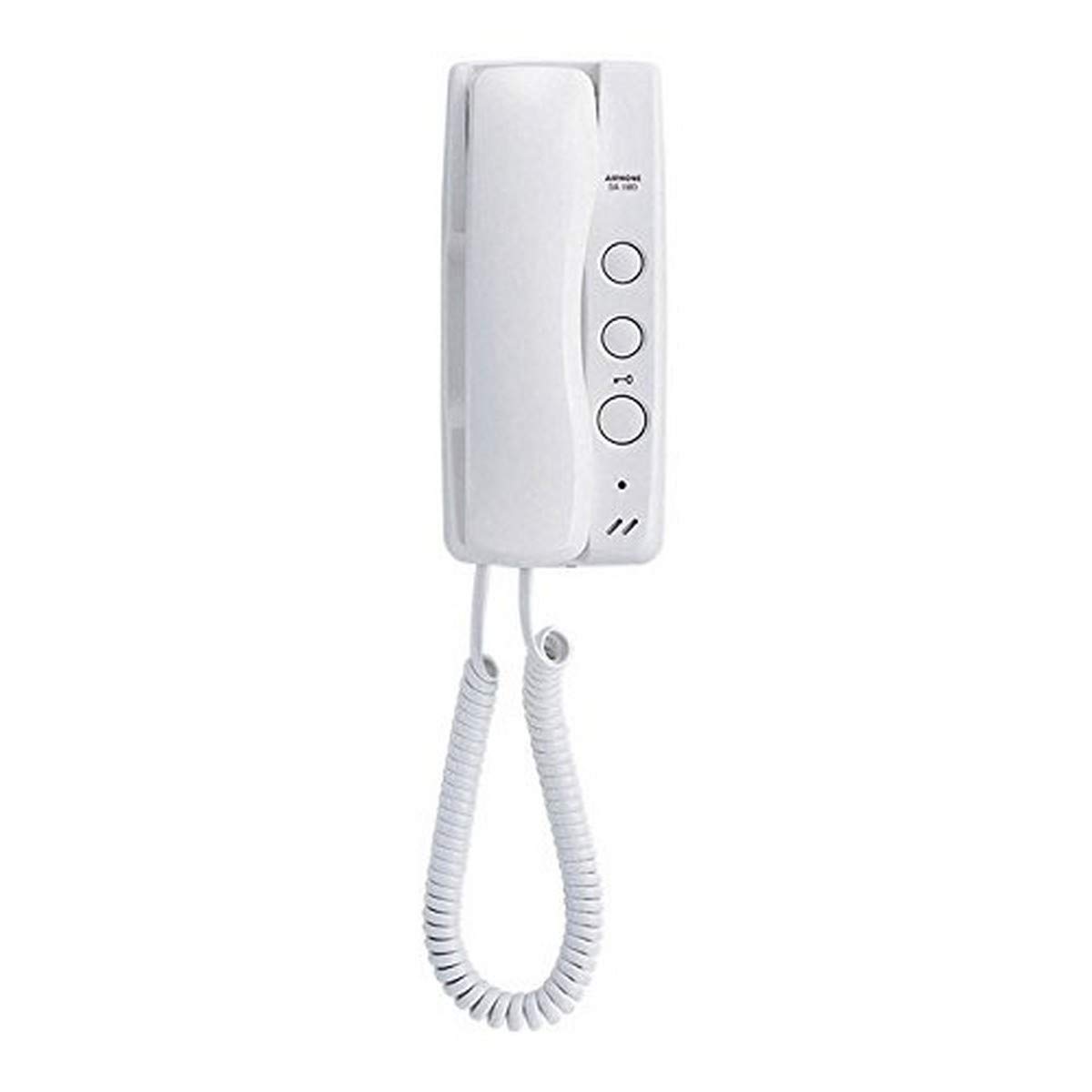
図1: Aiphone DA-1MD Audio Tenant Station. This image displays the white, wall-mounted handset unit, featuring a coiled cord connecting to the base. The base includes three circular buttons for operation and a speaker grille.
セットアップとインストール
最適なパフォーマンスを得るには、適切な設置が不可欠です。設置は資格を持った技術者に依頼することをお勧めします。
ユニットの取り付け
- Select a suitable indoor location, typically near the entrance or a central living area, ensuring it is within reach of the wiring from the main intercom system.
- Secure the mounting bracket (if supplied separately) to the wall using appropriate screws and anchors. Ensure the bracket is level.
- Connect the necessary wiring from the intercom system to the terminals on the back of the DA-1MD unit. Refer to the system's main wiring diagram for specific connections.
- Carefully attach the DA-1MD unit to the mounting bracket, ensuring all connections are secure and the unit is firmly in place.
初期パワーアップ
Once the unit is physically installed and wired, power can be supplied to the main intercom system. The DA-1MD unit does not require separate power and will draw power from the main system.
操作手順
電話を受ける
- When a visitor presses the call button at the entrance station, the DA-1MD unit will emit a distinctive chime.
- To answer the call, lift the handset from its cradle.
- Speak into the handset to communicate with the visitor. The visitor's voice will be heard through the handset's earpiece.
- To end the conversation, replace the handset onto its cradle.
Door Release Function (If Applicable)
If your intercom system includes a door release mechanism, a dedicated button on the DA-1MD unit will activate it. This button is typically marked with a key symbol or similar icon.
- During an active conversation with a visitor, press the door release button to unlock the entrance door.
- The door will typically remain unlocked for a short period before automatically re-locking.
メンテナンス
クリーニング
- 本体の外側は、乾いた柔らかい布で拭いてください。
- 頑固な汚れには、軽くamp 中性洗剤を含ませた布で拭いた後、乾いた布で拭いてください。
- しないでください use abrasive cleaners, solvents, or strong chemicals, as these can damage the ABS plastic finish.
一般的なケア
- ユニットを長時間直射日光にさらしたり、極端な温度にさらしたりしないでください。
- Ensure the handset is properly seated in its cradle when not in use to prevent accidental calls or damage.
トラブルシューティング
| 問題 | 考えられる原因 | 解決 |
|---|---|---|
| No audio from visitor | Handset not lifted; wiring issue; visitor not speaking into outdoor station. | Ensure handset is lifted. Check wiring connections. Instruct visitor to speak clearly into the outdoor station. |
| No chime when visitor calls | Outdoor station button not pressed; wiring issue; system power off. | Verify visitor is pressing the correct button. Check wiring. Ensure main intercom system has power. |
| ドアの解放が機能しない | Wiring issue to door strike; door strike malfunction; system not configured for door release. | Check door release wiring. Consult a technician if door strike is faulty. Verify system configuration. |
If troubleshooting steps do not resolve the issue, please contact Aiphone technical support or a qualified service technician.
仕様
- モデル: DA-1MD
- タイプ: Audio Tenant Station
- 互換性: Aiphone DA Series Single- and Multi-Tenant Handset Intercom Systems
- 工事: ABSプラスチック
- 寸法(概算): 8.9 x 3.9 x 2.7 インチ (22.6 x 9.9 x 6.9 cm)
- 重量(おおよそ): 14.88オンス(421.8グラム)
- 色: 白
保証とサポート
製品の保証、技術サポート、サービスに関する情報については、アイホンの公式ウェブサイトをご覧ください。 website or contact your authorized Aiphone dealer. Keep your purchase receipt for warranty claims.


