1. はじめに
This manual provides essential information for the safe and efficient operation of your Keystone KSTAD70B 70-Pint Dehumidifier. This unit is designed to remove up to 70 pints of moisture from the air daily, suitable for rooms up to 4500 square feet. Key features include electronic controls with an LED display, a 24-hour timer, a transparent water level indicator, and a full bucket alert with automatic shutoff. It also offers a continuous draining option and a removable, easy-to-clean dust filter with a clean-filter alert. The auto-restart function preserves your settings after a power outage, and rolling casters facilitate easy movement.
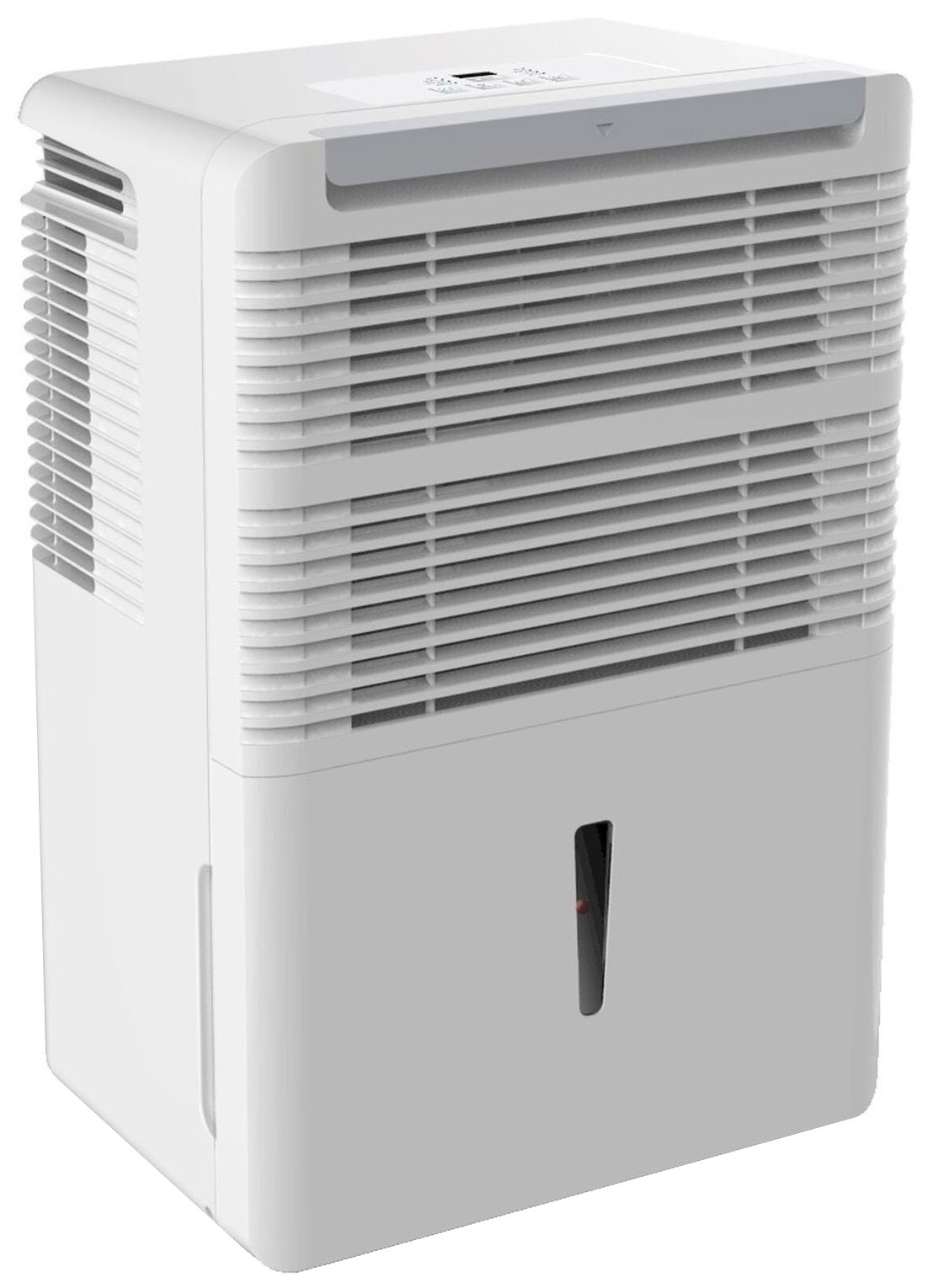
図1: 前面 view of the Keystone KSTAD70B Dehumidifier.
2. 安全情報
Please read all safety instructions before operating the dehumidifier to prevent injury or damage. Keep this manual for future reference.
- Always connect the unit to a properly grounded electrical outlet of the correct voltage.
- 電源コードやプラグが損傷した状態で装置を操作しないでください。
- Ensure adequate clearance (at least 12-18 inches) around the air intake and outlet to prevent overheating and ensure efficient operation.
- 通気孔をふさがないでください。
- Do not use the dehumidifier near water or in excessively wet environments.
- 清掃やメンテナンスを行う前に、ユニットのプラグを抜いてください。
- この機器は、安全に責任を負う人物による機器の使用に関する監督または指示がない限り、身体的、感覚的、または精神的能力が低下している人、あるいは経験と知識が不足している人(子供を含む)による使用を想定していません。
- Do not use chemical solvents or abrasive cleaners on the unit.
3. セットアップと配置
3.1 開梱
除湿機を梱包から慎重に取り出してください。梱包材は保管または輸送の際に使用してください。輸送中に損傷がないか確認してください。
3.2 配置
For optimal performance, place the dehumidifier in a location where air can circulate freely around it. The unit circulates air from the sides, not the top. Therefore, avoid placing it directly in a corner or against walls. Maintain a minimum clearance of 12-18 inches (30-45 cm) on all sides to ensure proper airflow.
3.3初期電源オン
電源コードをアース付きコンセントに差し込みます。これでユニットは操作可能になります。
4. 操作手順
4.1コントロールパネルオーバーview

Figure 2: Control panel of the Keystone KSTAD70B Dehumidifier.
The control panel features an LED display and various buttons for setting the dehumidifier's functions:
- 電源ボタン: ユニットの電源をオンまたはオフにします。
- ファンボタン: Adjusts fan speed (typically Low, Medium, High).
- タイマーボタン: 24 時間のオン/オフ タイマーを設定します。
- 上/下矢印: Adjust humidity level settings or timer duration.
- フィルターインジケーター: エアフィルターの清掃が必要なときに点灯します。
- フルインジケーター: Illuminates when the water bucket is full and needs emptying.
- Cont. (Continuous) Indicator: Illuminates when the unit is set for continuous operation.
- ターボモード: Activates maximum dehumidification.
- 通常モード: Standard dehumidification operation.
- 自動霜取り: Automatically defrosts the coils if ice builds up.
4.2 希望湿度レベルの設定
Press the Up or Down arrow buttons to set your desired humidity level. The unit will operate until the set humidity is reached, then cycle on and off to maintain it. The recommended humidity range for comfort is typically between 45% and 55%.
4.3 連続運転
To run the dehumidifier continuously, select the 'Cont.' setting. In this mode, the unit will operate regardless of the ambient humidity level. Note that when continuous operation is selected, the humidity setpoint buttons will not respond.
4.4 タイマー機能
Use the Timer button to program the unit to turn on or off automatically after a set number of hours (up to 24 hours).
4.5 自動再起動
The unit features an auto-restart function that saves your settings. In the event of a power outage, the dehumidifier will automatically resume operation with the last settings once power is restored.
5. メンテナンス
定期的なメンテナンスにより、除湿機の最適なパフォーマンスと寿命が確保されます。
5.1 水バケツを空にする
When the water bucket is full, the 'Full' indicator light will illuminate, and the unit will automatically shut off. Carefully remove the bucket and empty the collected water. Reinsert the bucket firmly until it clicks into place to resume operation.

図 3: 集水バケツの取り外し。

Figure 4: Transparent water level indicator.
5.2 Continuous Draining Option
For continuous operation without emptying the bucket, you can connect a standard garden hose (not included) to the unit's low-level drain. The unit includes an adapter with a clear hose that pushes onto a smooth plastic fitting inside the unit. This adapter has male hose threads for attaching a garden hose. Ensure the hose is routed downwards to a suitable drain to allow gravity to remove the water.
5.3エアフィルターの清掃
The 'Filter' indicator light will remind you when it's time to clean the air filter. A clean filter ensures efficient operation and better air quality. To clean, lift the filter straight up from the top at the front corner of the unit and slide it out. Wash the filter with warm, soapy water, rinse thoroughly, and allow it to air dry completely before reinserting.

図 5: エアフィルターを取り外して清掃します。
6。 トラブルシューティング
サポートに連絡する前に、次の一般的なトラブルシューティング手順を試してください。
| 問題 | 考えられる原因 | 解決 |
|---|---|---|
| 除湿機が作動しません。 | No power; power cord loose; 'Full' indicator on. | Check power supply; ensure cord is plugged in; empty water bucket. |
| ユニットは作動しますが、除湿されません。 | Air filter clogged; room temperature too low; unit size too small for area. | Clean air filter; ensure room temperature is above 41°F (5°C); consider unit placement. |
| ユニットがうるさいです。 | ユニットが水平ではありません。ファンが妨害されています。 | Place on a flat, stable surface; check for obstructions in fan area. |
| 本体から水漏れがする。 | Water bucket not properly seated; continuous drain hose loose or clogged. | Ensure bucket is fully inserted; check continuous drain hose connection and clear any blockages. |
7. 仕様
| 特徴 | 詳細 |
|---|---|
| ブランド | キーストーン |
| モデル名 | KSTAD70B |
| 除湿能力 | 70日XNUMXパイント |
| 推奨される部屋のサイズ | 最大4500平方フィート |
| 色 | 白 |
| 特集 | Automatic Restart, Automatic Shutoff |
| 速度の数 | 3 |
| 操作モード | Normal, Turbo, Auto-Defrost |
| ワットtage | 720ワット |
| アイテム重量 | 40 ポンド |
| 製品寸法(長さ x 幅 x 高さ) | 11.25 x 15.5 x 23.25インチ |
| 推奨用途 | 居住の |
8. 保証情報
The Keystone KSTAD70B Dehumidifier comes with a 1年間保証 on parts and labor, and a 5年間の限定保証 on the sealed system. Please refer to the physical warranty card included with your product for full terms and conditions.
9. カスタマーサポート
For product registration, warranty claims, or technical assistance, please refer to the contact information provided in the physical instruction manual that came with your dehumidifier. Online registration or direct manufacturer contact information may not be readily available; therefore, retaining your original manual is important for support inquiries.


