導入
Thank you for choosing the Philips Snow Edition 64GB USB 3.0 Flash Drive. This manual provides essential information for the proper setup, operation, and maintenance of your device. This high-speed flash drive offers reliable data storage and transfer capabilities, compatible with various operating systems and devices.
セットアップと初回使用
The Philips Snow Edition USB 3.0 Flash Drive is designed for plug-and-play functionality. No special drivers are typically required for most modern operating systems.
フラッシュドライブの接続
- Locate an available USB port on your computer or compatible device. The drive supports USB 2.0, USB 3.0, and USB 3.1 ports. For optimal performance, use a USB 3.0 or 3.1 port.
- Remove the protective cap from the flash drive.
- フラッシュドライブをUSBポートにしっかりと挿入します。
- The LED indicator on the drive will illuminate, indicating a proper connection and activity.
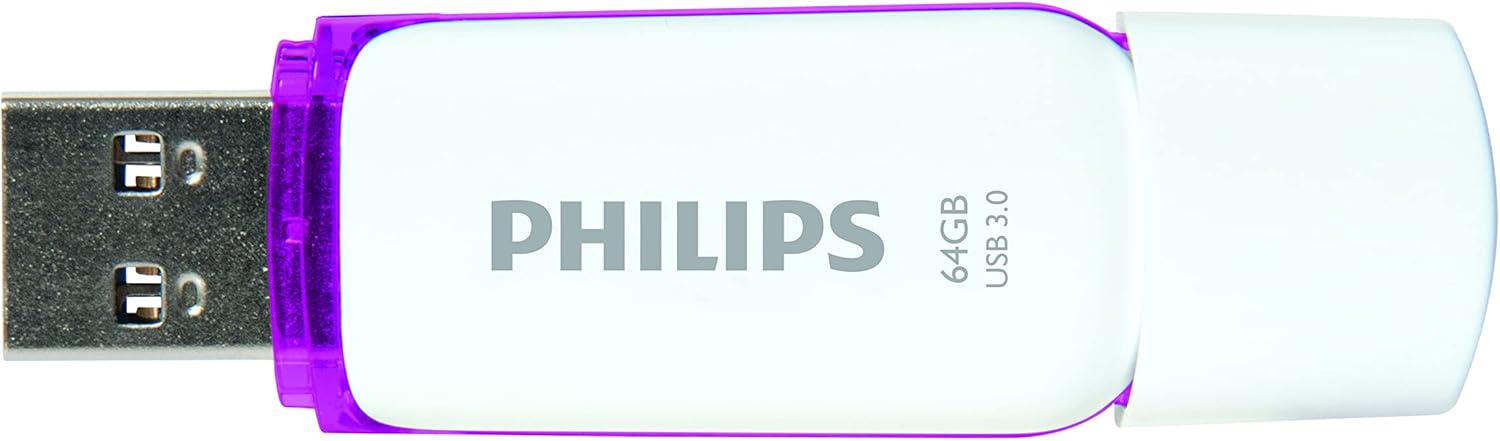
Image: Philips USB 3.0 Flash Drive with its protective cap removed, revealing the USB Type-A connector. The drive is white with purple accents.
システム互換性
The flash drive is compatible with the following operating systems:
- Windows XP and higher
- Mac OS 9.0以上
- Linux 2.4.0 以上
操作手順
Accessing the Drive
Once connected, your computer's operating system should automatically detect the flash drive and assign it a drive letter (e.g., "Removable Disk (E:)"). You can access the drive through "My Computer" or "This PC" on Windows, or through the Finder on Mac OS.
転送中 Files
転送するには files to or from the flash drive, simply drag and drop files or folders between your computer's storage and the flash drive's window. The LED indicator will pulsate faster during file 転送操作。

Image: The Philips USB 3.0 Flash Drive shown in a diagram connecting to various devices such as a laptop, desktop computer, car audio system, television, and printer, illustrating its versatility.

Image: The Philips USB 3.0 Flash Drive displayed alongside icons for documents, images, music, and video, indicating its use for storing various types of digital media.
ドライブの安全な取り外し
フラッシュドライブをコンピュータから物理的に取り外す前に、必ず安全に取り外してください。これにより、データの破損を防ぐことができます。
- ウィンドウズ: Click the "Safely Remove Hardware and Eject Media" icon in the system tray, then select the flash drive.
- マックOS: Drag the flash drive icon from the desktop to the Trash, or right-click (Control-click) the drive icon and select "Eject."
お手入れとメンテナンス
To ensure the longevity and optimal performance of your Philips flash drive, follow these guidelines:
- Keep the protective cap on the USB connector when not in use to prevent dust and debris from entering.
- ドライブを極端な温度、直射日光、高湿度にさらさないでください。
- Do not drop the drive or subject it to strong impacts. While designed to be shock-proof, excessive force can cause damage.
- Clean the exterior of the drive with a soft, dry cloth. Do not use liquid cleaners or solvents.
- Always safely eject the drive before removal to prevent data loss or corruption.
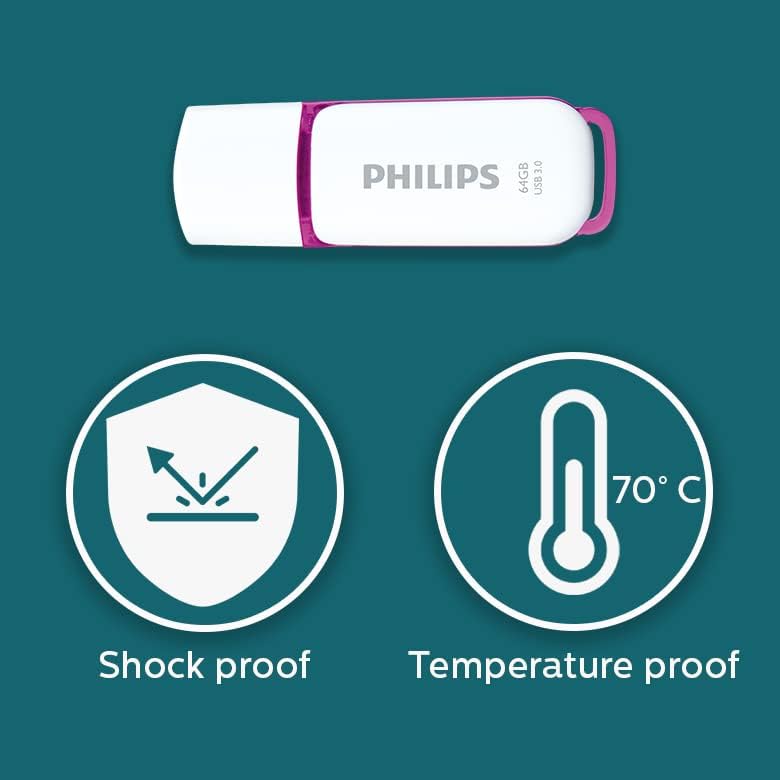
Image: Graphic illustrating the shock-proof and temperature-proof features of the Philips USB flash drive, indicating its durability.
トラブルシューティング
If you encounter issues with your Philips flash drive, refer to the following common problems and solutions:
ドライブが検出されません
- ドライブが USB ポートに完全に挿入されていることを確認します。
- コンピュータの別のUSBポートを試してください。
- コンピュータ固有の問題を排除するために、別のコンピュータでドライブをテストします。
- コンピュータのデバイス マネージャー (Windows) またはシステム情報 (Mac) をチェックして、ドライブがリストされているかどうかを確認します。
- コンピュータを再起動します。
転送速度が遅い
- Ensure you are using a USB 3.0 or USB 3.1 port on your computer. Connecting to a USB 2.0 port will result in slower speeds.
- The actual performance can depend on the host device and the type of file転送中(多くの小さな file1つの大きな転送よりも遅い file).
- システム リソースを使用している可能性のある他のアプリケーションを閉じます。
- コンピュータの USB ドライバーが最新であることを確認してください。
データの破損またはエラー
- Always safely eject the drive before removing it. Unplugging the drive directly can lead to data corruption.
- Run a disk check utility on the drive (e.g., Error Checking on Windows, Disk Utility on Mac) to scan for and repair errors.
- If the drive continues to show errors, it may indicate a hardware issue.
仕様
| モデル名 | SNOW USB3.0 |
| モデル番号 | FM64FD75B/10 |
| メモリストレージ容量 | 64ギガバイト |
| ハードウェアインターフェイス | USB3.0 について |
| 接続技術 | USB タイプA |
| 読み取り速度 | 最大100MB/秒 |
| 書き込み速度 | ≥60 MB/s |
| 色 | ホワイト/パープル |
| 製品寸法 | 0.79 x 0.28 x 2.36 インチ (20 x 7 x 59 mm) |
| アイテム重量 | 0.261オンス |
| 特集 | Lightweight, Shock-proof, Temperature-proof |
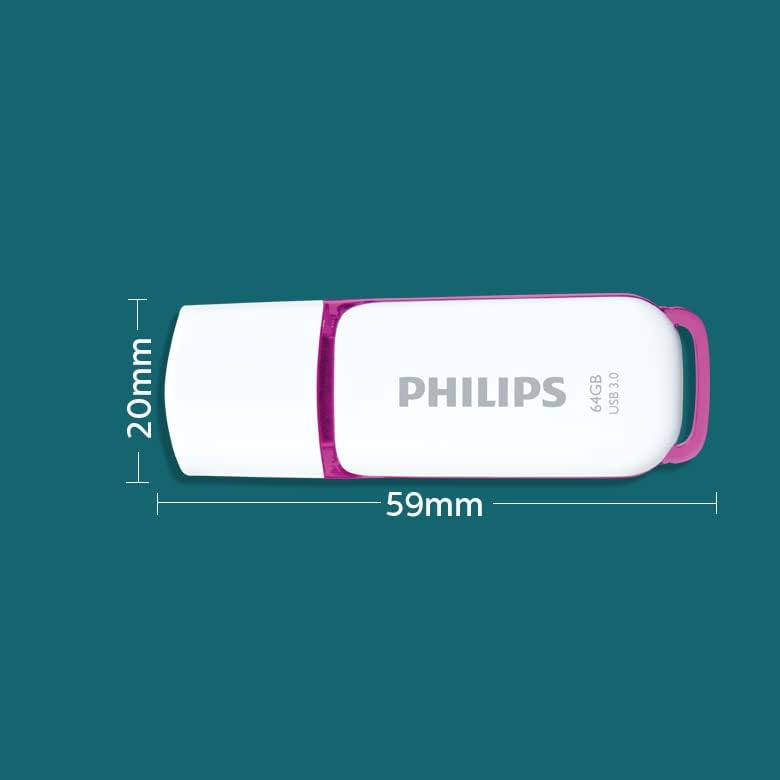
Image: A diagram illustrating the physical dimensions of the Philips USB flash drive, showing a width of 20mm and a length of 59mm.
保証情報
This Philips USB Flash Drive comes with a 1年間保証 covering parts and labor from the date of purchase. Please retain your proof of purchase for warranty claims. The warranty does not cover damage caused by misuse, accidents, unauthorized modifications, or normal wear and tear.
サポートとお問い合わせ
For further assistance, technical support, or warranty inquiries, please visit the official Philips support webサイトにアクセスするか、カスタマーサービスにお問い合わせください。
詳しい情報やサポートリソースについては、 AmazonのPhilipsストア.


