1. はじめに
Thank you for choosing the Hama 95236 8-inch LCD Digital Photo Frame. This manual provides important information regarding the safe operation, setup, and maintenance of your device. Please read it thoroughly before using the product and keep it for future reference.
2. 安全に関する注意事項
- 機器を開けないでください。不適切な組み立てや修理は感電につながる可能性があります。
- 目に見える損傷がある場合は、製品を操作しないでください。
- 製品を汚れ、湿気、過熱から保護してください。乾燥した環境でのみご使用ください。
- 製品を落としたり、強い振動にさらしたりしないでください。
- 製品は本来の目的にのみ使用してください。
- 他の電気製品と同様に、この製品も子供の手の届かないところに保管してください。
- 梱包材は、現地の適用法規に従って直ちに処分してください。
3. パッケージ内容
パッケージに以下の項目が含まれていることを確認してください。
- Hama 95236 8-inch LCD Digital Photo Frame
- 電源アダプター
- ユーザーマニュアル(このドキュメント)
4.製品オーバーview
デジタルフォトフレームのコンポーネントとコントロールについて理解しておきましょう。
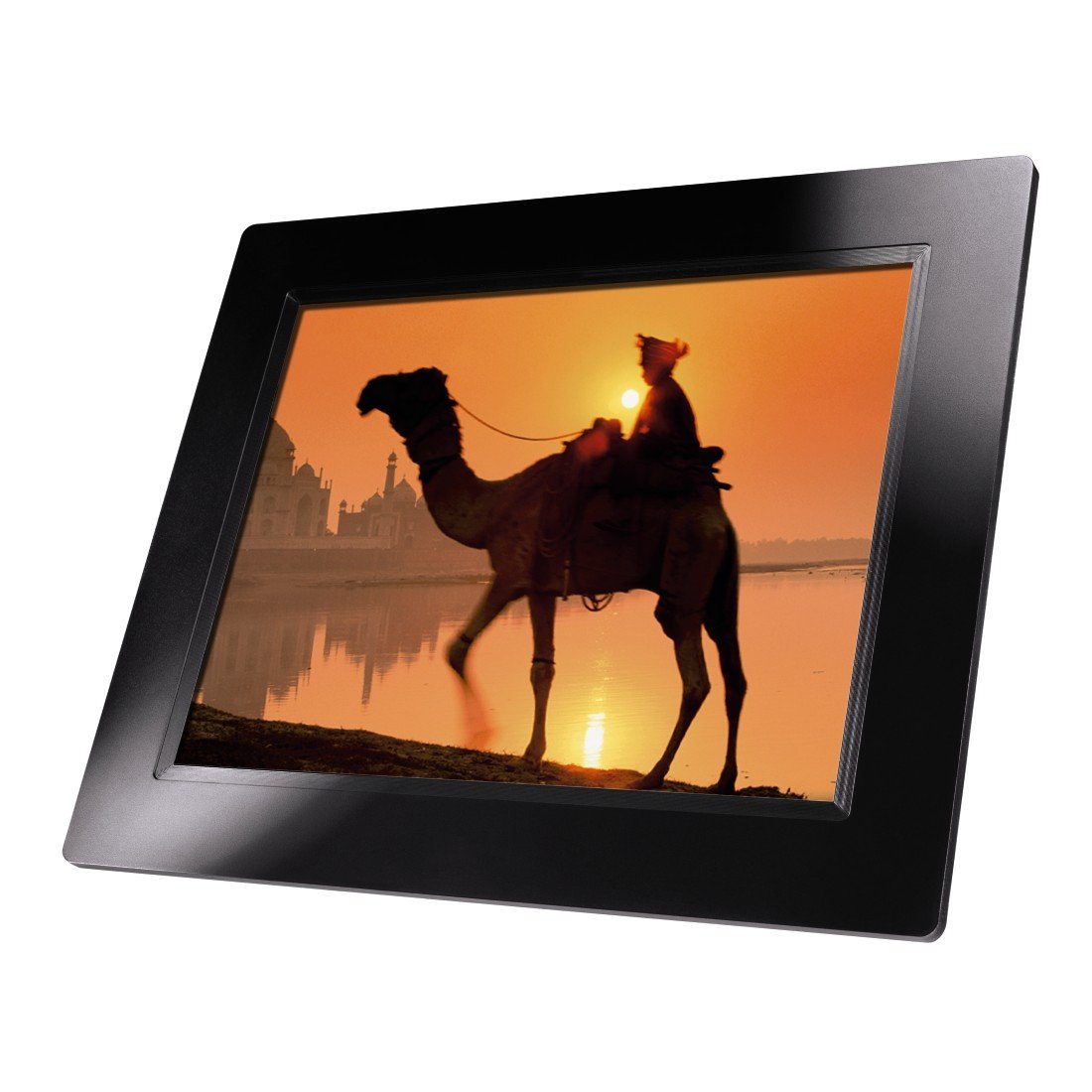
図4.1: フロント view of the Hama 95236 Digital Photo Frame, showing the 8-inch LCD screen.

図4.2: 側 view of the digital photo frame, highlighting the various input ports including the SD/MMC/MS card slot, USB port, and DC IN power port.

図4.3: 後方 view of the digital photo frame, showing the stand attachment point, ventilation grilles, and the control panel with power, navigation, and menu buttons.
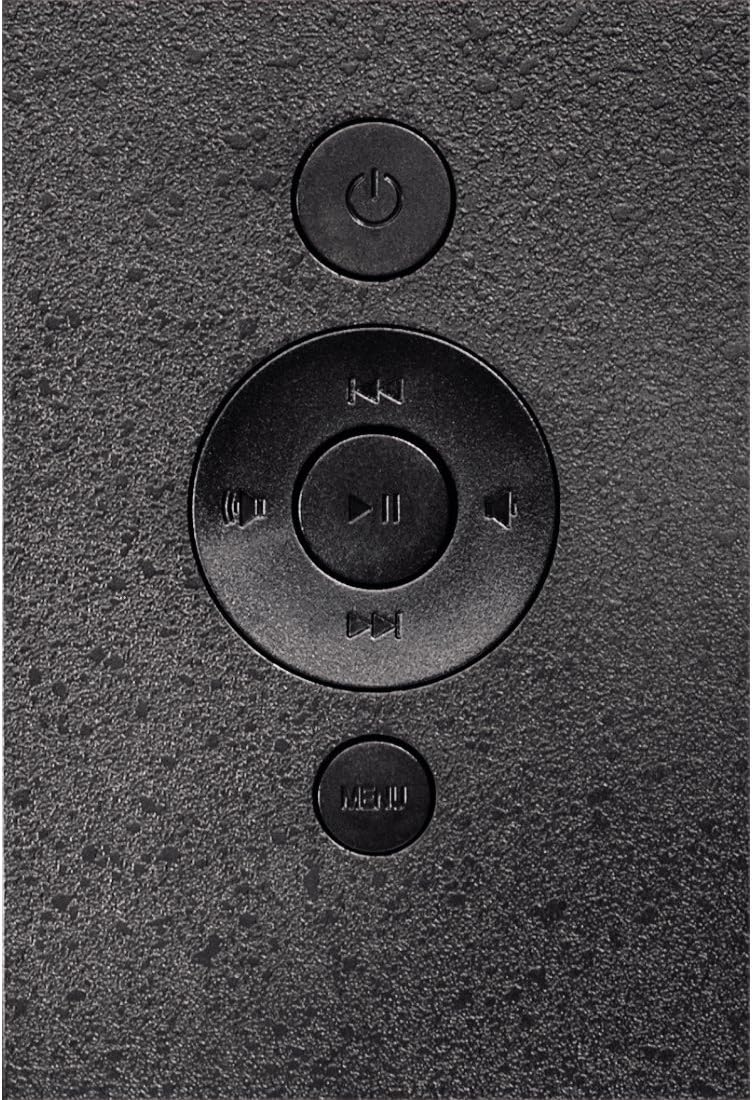
図4.4: Close-up of the control buttons located on the back of the frame. These include the power button, directional navigation buttons (up, down, left, right), play/pause/enter button, and the menu button.
4.1. ポートとコントロール
- SD/MMC/MS Card Slot: For inserting memory cards to display photos and videos.
- USBポート: For connecting USB flash drives or other compatible USB storage devices.
- DC IN: Power input for connecting the provided power adapter.
- 電源ボタン: デバイスの電源をオンまたはオフにします。
- ナビゲーション ボタン (上/下/左/右): メニューを移動したりオプションを選択したりするために使用します。
- Play/Pause/Enter Button: Confirms selections or controls media playback.
- メニューボタン: 設定とオプションのメイン メニューにアクセスします。
5. セットアップ
5.1.スタンドの取り付け
Insert the metal stand into the designated slot on the back of the digital photo frame. Ensure it is securely fastened to provide stable support for the frame.
5.2. 電源接続
- Connect the power adapter to the DC IN port on the back of the photo frame.
- 電源アダプターを適切なコンセントに差し込みます。
- The frame will typically power on automatically or can be turned on using the power button.
5.3. Inserting a Memory Card or USB Drive
The Hama 95236 supports SD/MMC/MS memory cards and USB flash drives.
- Locate the SD/MMC/MS card slot or the USB port on the side of the frame (refer to Figure 4.2).
- Carefully insert your memory card or USB drive into the corresponding slot/port. Ensure it is inserted correctly to avoid damage.
- The frame should automatically detect the storage device and prompt you to view its contents or start a slideshow.
6. 操作手順
6.1. 基本的なナビゲーション
Use the navigation buttons on the back of the frame to move through menus and options. The Play/Pause/Enter button confirms your selection.
6.2. メインメニュー
を押す メニュー button to access the main menu. From here, you can select different modes and settings:
- 写真: View photos in a slideshow or individually.
- 音楽: 音声を再生 files.
- ビデオ: ビデオを再生 files.
- カレンダー/時計: Display the calendar and time.
- 設定: Adjust various device parameters.
6.3. 写真の再生
- メインメニューから、 写真.
- Navigate to your desired folder or select all photos.
- を押す 再生/一時停止/決定 button to start the slideshow.
- During a slideshow, you can use the navigation buttons to skip photos or pause playback.
6.4. システム設定
アクセス 設定 menu to customize your photo frame:
- ディスプレイの設定: Adjust brightness, contrast, and display mode.
- スライドショーの設定: Configure transition effects, display time per photo, and repeat mode.
- 日時: 現在の日付と時刻を設定します。 Note: Some users have reported that date and time settings may reset after power loss.
- 言語: メニュー インターフェイスに使用する言語を選択してください。
- ストレージ情報: View details about connected storage devices.
7. メンテナンス
7.1.デバイスのクリーニング
- 掃除する前に、必ずデバイスを電源から外してください。
- Clean the screen and exterior surfaces with a soft, dry, lint-free cloth.
- Do not use aggressive cleaning agents, solvents, or abrasive materials.
7.2. ストレージ
デバイスを長期間保管する場合は、電源を外し、直射日光や極端な温度を避けて、涼しく乾燥した場所に保管してください。
8。 トラブルシューティング
| 問題 | 考えられる原因 | 解決 |
|---|---|---|
| デバイスの電源が入らない。 | 電源アダプターが接続されていないか故障しています。 | Ensure the power adapter is securely connected to both the frame and the power outlet. Test the outlet with another device. |
| 画像は表示されません。 | No memory card/USB drive inserted or files not supported. | Insert a compatible memory card or USB drive with supported image formats (e.g., JPEG). Check if the storage device is properly inserted. |
| Date and time reset after power off. | No internal battery backup for clock. | This model may not retain date/time settings without continuous power. Re-enter settings if necessary after power interruption. |
| ビデオの再生が途切れたり歪んだりします。 | Unsupported video format or high bitrate. | ビデオの確保 files are in a supported format and resolution. Convert videos to a lower resolution or bitrate if issues persist. |
| ボタンが反応しません。 | 一時的なソフトウェアの不具合。 | Disconnect the power adapter, wait a few seconds, then reconnect it to restart the device. |
9. 仕様
| 特徴 | 詳細 |
|---|---|
| モデル番号 | 00095236 |
| 画面サイズ | 8インチ |
| ディスプレイ解像度 | 800 x 600 ピクセル |
| アスペクト比 | 4:3 |
| 内部ストレージ | 2 GB (2048 MB) |
| 接続性 | USB, SD/MMC/MS Card Slot |
| 寸法(長さ×幅×高さ) | 2.6 x 22.2 x 17.8 cm |
| 重さ | 550グラム |
| メーカー | ハマ |
10. 保証情報
Hama GmbH & Co KG provides a manufacturer's warranty for this product. The specific terms and conditions of the warranty period and coverage are subject to the purchase date and the region of purchase. Please retain your proof of purchase (receipt) for any warranty claims.
For detailed warranty information, please refer to the official Hama webサイトをご覧いただくか、カスタマー サポートに直接お問い合わせください。
11. カスタマーサポート
Should you have any questions regarding this product, please contact Hama Customer Support:
- Webサイト: 公式ハマを訪問 website for FAQs, drivers, and further product information. www.hama.com
- 接触: ハマの連絡先セクションを参照してください webお住まいの地域の電話番号またはメールによるサポートについては、こちらのサイトをご覧ください。
サポートにお問い合わせの際は、モデル番号 (00095236) と購入証明をご用意ください。


